You've probably seen the same scene play out in your own building.
A guest arrives, opens their laptop, joins the wrong SSID, gets pushed to a captive portal , retypes an email address twice, gives up, and switches to mobile data. A staff member asks reception for the WiFi password. A contractor gets a code that's shared with three other people. Everyone is technically “connected”, but nobody would call it smooth.
That's why WiFi from anywhere means something different at venue level than it does in consumer guides. It isn't about carrying a hotspot in your bag. It's about building a network experience that feels as automatic as mobile service, while giving you more control over security, identity, and operations.
What Is WiFi From Anywhere Really?
Initial thoughts on “WiFi from anywhere” often turn to a phone hotspot, a travel router, or a café login page. That's the consumer version. It solves a personal problem for a single device or a small group, for a short period of time.
A venue owner has a different problem. You need hundreds or thousands of people to connect quickly, safely, and without creating work for your front desk, your IT team, or your support staff.
In practice, the modern meaning of WiFi from anywhere is simple. A person walks into your hotel, stadium, office, clinic, or residential building, and their device joins the right network automatically. No hunting for a password. No captive portal loop. No repeated login every time they return.
That expectation didn't appear out of nowhere. In the UK, 96% of adults in Great Britain used the internet daily or almost daily in 2024, according to the Internet Access survey referenced here . When nearly everyone is online every day, reliable connectivity stops being a nice extra and starts feeling like basic building infrastructure.
The shift from access to continuity
The old question was, “Can people get online here?”
The better question now is, “Can they stay connected securely and without interruption as they move through the space?”
That's a major difference. A traditional guest network focuses on entry. A modern roaming WiFi experience focuses on continuity. The goal is to make WiFi behave more like a trusted service than a temporary courtesy.
Practical rule: If users must ask for the password, select from several SSIDs, and log in again on every visit, you don't have WiFi from anywhere. You have WiFi at a point in time.
Why venue owners get this wrong
Many venues still treat WiFi as a utility tucked behind the scenes. They install access points, put a password on the wall, and assume the job is done.
But users judge the whole experience, not the hardware count. They remember whether the network worked in the lobby, in the room, at the bar, in the meeting area, and on their next visit. They notice whether their phone joins instantly or nags them for credentials again.
If you want a plain-language overview of the basics behind a wireless connection , start there. The important point for operators is that reliable connectivity now depends as much on identity and authentication design as it does on radio coverage.
A better mental model
Think of old public WiFi like a lockbox with one shared key. Anyone who has the key can get in, and you don't know who used it last.
Think of modern roaming WiFi like hotel access cards linked to named guests and staff roles. Entry happens fast, but it's still controlled. The system knows who belongs where, when access starts, and when it should stop.
That's the model behind Passpoint , OpenRoaming , and identity-based network access. They move WiFi from “please sign in again” to “you're recognised, you're authorised, and you're connected.”
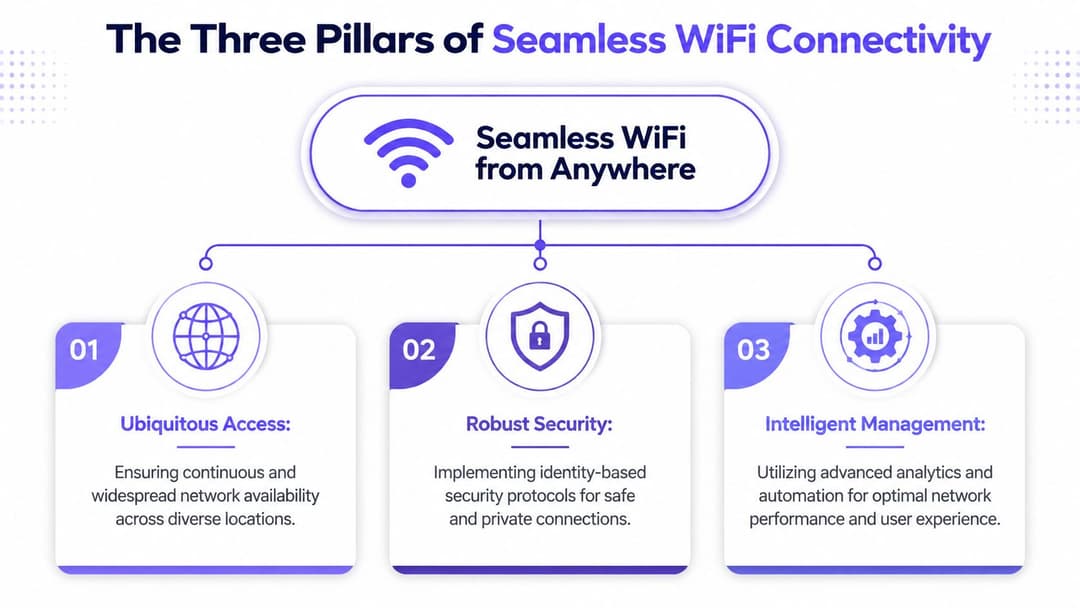
The Three Pillars of Seamless WiFi Connectivity
Reliable WiFi doesn't come from a single feature. It comes from three systems working together. Remove one, and the experience falls apart.

Automatic and secure handover
The first pillar is automatic connection without exposing users to an open network first. Passpoint enables this.
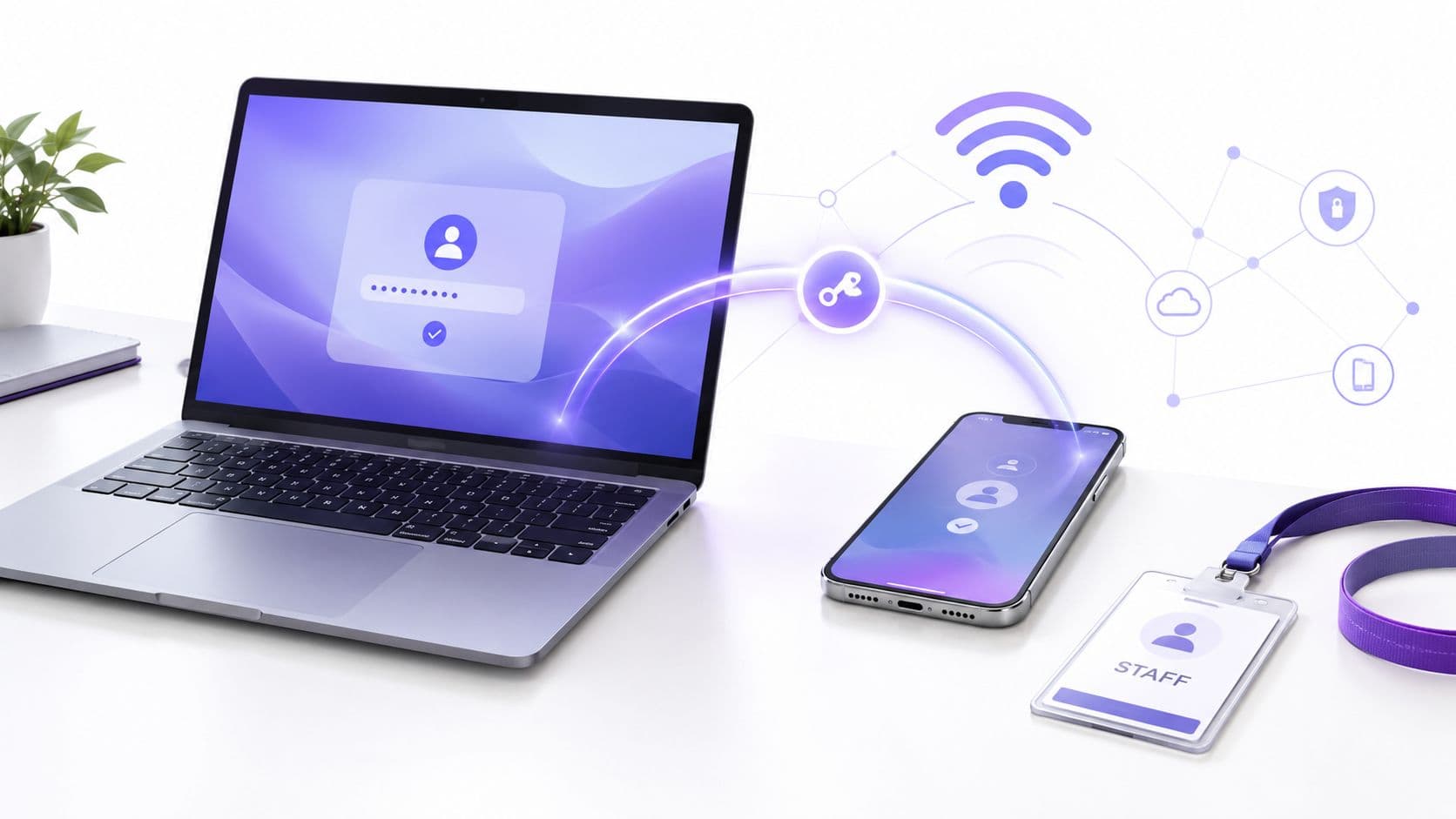
Passpoint is easiest to understand as a digital keycard for WiFi. Once a device has a valid profile, it can recognise participating networks and authenticate automatically. The user doesn't need to scan SSIDs or type a shared password.
That sounds small until you operate a busy venue. Every extra click increases friction. Every manual step creates failure points.
With a traditional captive portal:
- Users pause at the start: they must discover the network and decide whether it looks trustworthy.
- Devices behave inconsistently: phones, tablets, laptops, smart TVs, and scanners all handle portals differently.
- Support requests pile up: reception desks and IT teams end up solving login issues that shouldn't exist.
With Passpoint, the network advertises that it supports a recognised, secure onboarding method. Compatible devices can join the right service in the background, much like they do on mobile networks.
Global roaming federations
The second pillar is roaming trust between organisations. Here, OpenRoaming matters.
If Passpoint is the keycard, OpenRoaming is the agreement between venues that lets the same trusted credential work across many locations. The closest business analogy is a bank card. One card works at many merchants because the trust framework already exists.
That matters for chains, campuses, transport spaces, healthcare groups, and mixed-use property portfolios. People don't think in terms of buildings and backend systems. They think in terms of continuity. They want the connection they used yesterday to work again today.
A practical explanation of how people connect to WiFi helps show why roaming matters. Users don't want to make a fresh trust decision every time they enter a new site. A roaming federation removes that repetitive step.
OpenRoaming turns many separate guest networks into something that behaves more like one trusted ecosystem.
Unified identity management
The third pillar is the least visible and the most important. It's identity.
A modern venue network needs to answer three questions quickly:
| Question | Why it matters |
|---|---|
| Who is this user? | You can't apply meaningful policy without identity. |
| What should they access? | Guests, staff, contractors, residents, and devices need different permissions. |
| How long should access last? | Good security includes automatic expiry and revocation. |
Cloud authentication, RADIUS services, and identity providers such as Microsoft Entra ID, Google Workspace, or Okta converge. The network stops treating everyone as “a device on the guest VLAN” and starts treating access as a relationship between a verified identity and a policy.
Why these pillars matter together
A venue can have excellent coverage and still deliver a poor experience if login is clumsy.
It can have strong authentication and still frustrate users if every site behaves differently.
It can have roaming support and still create risk if access isn't tied to a known identity.
The standard now is all three at once:
- Automatic entry
- Trusted roaming
- Identity-based policy
That combination is what lets WiFi feel invisible to users and manageable to operators.
Why Seamless WiFi Matters for Your Venue
A lot of owners still think better WiFi is mainly an IT upgrade. It isn't. It changes how people experience the venue, how staff work, and how much operational drag your team carries every day.
In the UK, the government-backed Wi-Fi UK programme launched in 2014 to help public sector organisations deploy free WiFi in public buildings, as noted in this summary of key internet milestones . That matters because it helped normalise public expectations. People got used to walking into shared spaces and finding connectivity already there.
Private venues now compete with that expectation whether they planned to or not.
For hospitality and events
Guests rarely compliment WiFi when it works. They notice it when it gets in the way.
An integrated model removes one of the first friction points in the customer journey. In a hotel, that might mean the guest connects in the lobby and stays connected through check-in, room access, restaurant use, and conference attendance. In a stadium or arena, it means less time spent battling portals and more time using the venue's digital services.
Teams working on attendance, loyalty, and in-person experience often use broader guidance like this modern venues playbook for fan engagement because connectivity underpins everything else. If access is clumsy, the rest of the digital journey suffers too.
For enterprise and operations teams
Shared passwords create mess. They spread beyond the intended group, they're hard to revoke cleanly, and they blur the line between staff, guests, and third parties.
Identity-based access fixes that in a practical way:
- Staff onboarding gets simpler: access follows the person's work identity.
- Offboarding gets cleaner: when directory access changes, network access can change with it.
- Policy gets more precise: finance staff, reception teams, clinicians, contractors, and guest devices don't need the same network privileges.
For residential and mixed-use properties
Residents don't want “hotel WiFi”. They want internet access that feels like home. That means simple joining, privacy between units, and support for a mix of phones, laptops, consoles, and smart home devices.
In build-to-rent, student housing, and multi-tenant properties, the network becomes part of the product. If the connection feels temporary or exposed, the building feels lower quality.
The business value of seamless WiFi isn't just fewer complaints. It's a cleaner customer journey, less operational friction, and stronger control over who uses your network.
The commercial reality
Venue owners already invest in interiors, signage, service design, and digital touchpoints because these shape perception. Connectivity now belongs in that same category.
Users don't separate “the brand experience” from “the network experience”. If joining the WiFi is awkward, they count that against the venue.
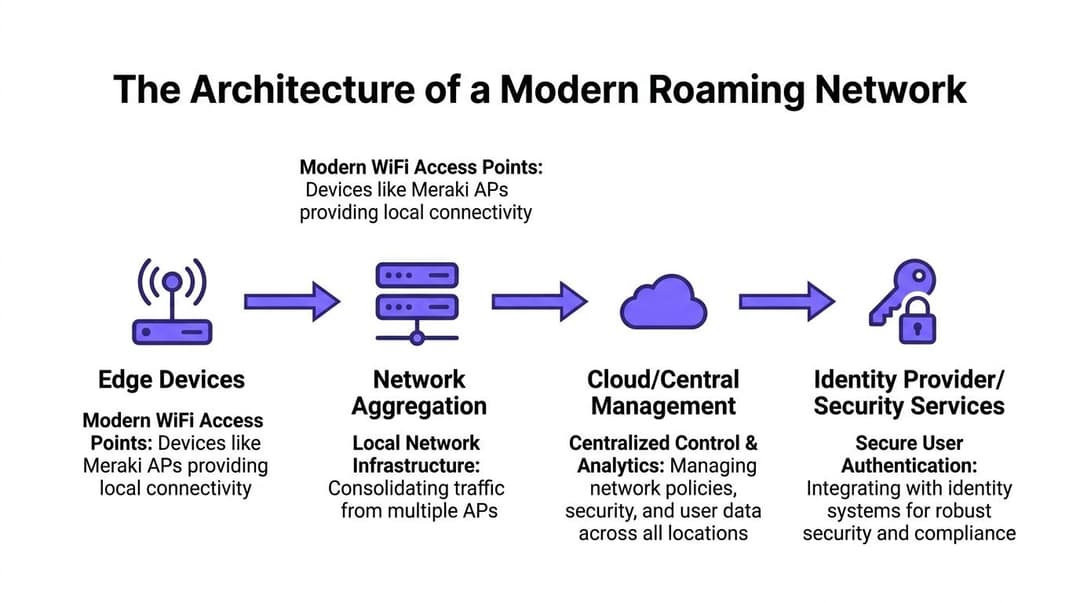
The Architecture of a Modern Roaming Network
The fastest way to understand modern roaming WiFi is to follow one device as it enters the building.
A user walks into the venue with a phone or laptop that already holds a trusted profile. The access point broadcasts that it supports a secure roaming framework. The device recognises the signal, checks whether the network matches one of its trusted identities, and starts authentication automatically.
No portal appears because the decision happens before the user ever sees a login screen.

What sits at the edge
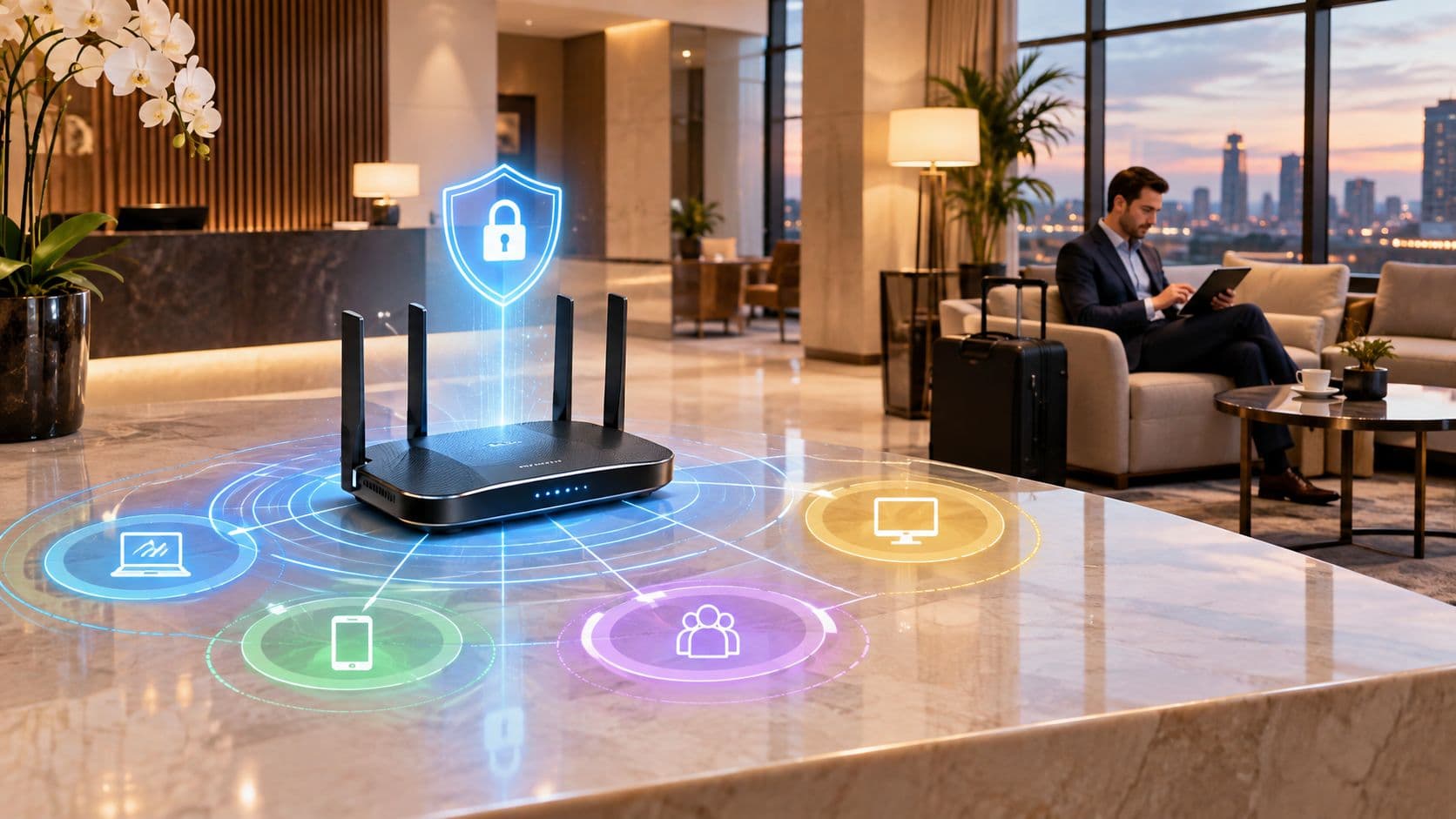
At the venue edge, you have enterprise access points from vendors such as Meraki, Aruba, Ruckus, Mist, or UniFi. Their job isn't only to provide radio coverage. In this model, they also announce support for identity-driven access methods such as Passpoint.
That announcement is important. It tells compatible devices, “You can trust me to start a secure authentication exchange, not just attach to an open SSID and hope for the best.”
The access point then hands the authentication process to backend services that can evaluate the credential.
What happens in the middle
Most operators don't need a giant on-premise authentication stack any more. They need a reliable control plane that can evaluate identities, apply policy, and scale across sites.
In plain terms, the flow looks like this:
- The device detects a participating network
- It presents a credential or profile
- The authentication service validates that identity
- Policy is applied based on who the user is
- The session starts with the right access level
That credential might come from a carrier relationship, a corporate identity provider, a resident onboarding flow, or a guest profile established earlier.
Why cloud identity changes the design
Legacy guest WiFi usually forced operators into awkward choices. Either keep things simple and insecure with shared passwords, or build a more complex enterprise authentication setup that felt too heavy for guest and multi-site use.
Cloud-based identity services change that balance. They let venues centralise authentication, policy, and reporting without putting all the logic inside each building.
One example is Purple, which provides cloud-based WiFi authentication and identity workflows for guest, staff, and multi-tenant environments, including support for OpenRoaming and integrations with directory services. In practical terms, that means operators can use existing enterprise WiFi hardware while moving user trust decisions into a central identity layer.
A modern roaming network isn't “APs plus internet”. It's APs, identity, policy, and analytics working as one system.
Why radio design still matters
Identity doesn't fix bad RF design. If the wireless layer is weak, users still get a poor experience.
That's where sensible engineering choices matter more than marketing labels. Wi-Fi 6/6E performance depends heavily on channel width, and a typical 2x2 client on an 80 MHz channel achieves around 900 Mbps of real-world throughput, while 160 MHz can double peak capacity but is often less practical in congested UK environments, according to this technical analysis of Wi-Fi 6 channel width behaviour .
For venue owners, the lesson is straightforward. Don't buy a standard name and assume the job is done. Capacity planning, channel reuse, building layout, interference, and client mix still decide whether “unbroken” feels smooth.
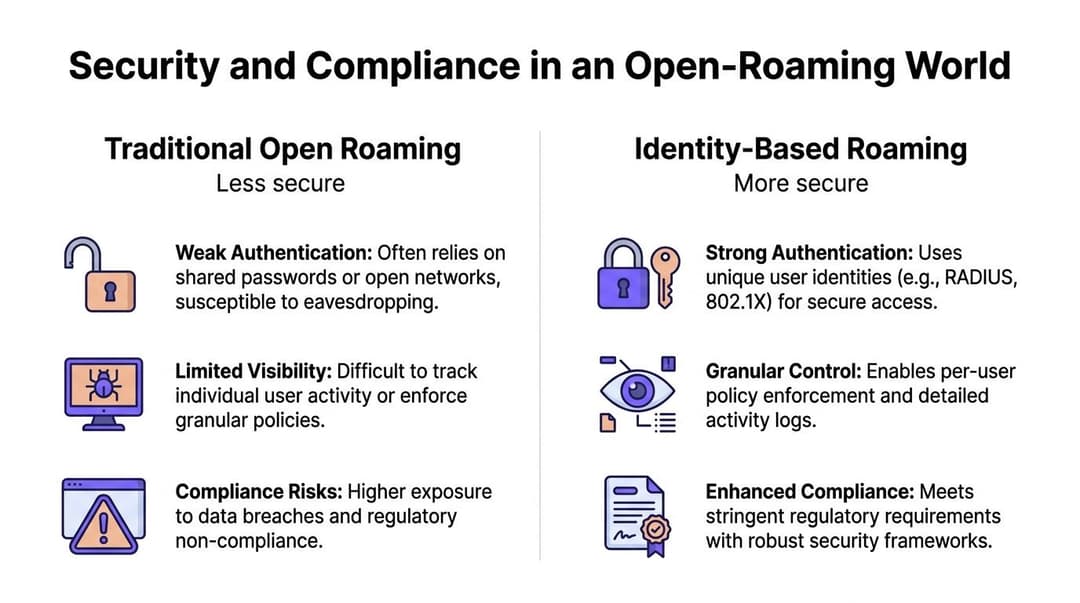
Security and Compliance in an Open-Roaming World
“Roaming” can sound risky if your frame of reference is open public WiFi.
That concern is fair. Many public networks still rely on a weak pattern: join an open SSID first, then complete login in a browser. During that process, users can struggle to verify whether the network is genuine, and operators have limited confidence about who is connected.
The more useful question isn't whether people can get WiFi outside the office. It's whether they can do it in a way that fits business security and governance requirements. That's why the guidance on staying connected to WiFi matters less for the travel tip itself and more for the warning behind it: open public networks and shared credentials increase exposure to data interception.

Why identity-based roaming is different
Traditional guest WiFi often treats the network as trusted once a person gets through the portal. Identity-based roaming flips that logic.
Access is granted because the user or device presents a valid identity and the system can evaluate it against policy. The network doesn't trust first and ask questions later.
That lines up neatly with zero-trust thinking:
- Each session is evaluated individually
- Access can vary by user type
- Revocation is cleaner than changing a shared password
- Logs are tied to identities, not just devices
Open doesn't have to mean anonymous
Many people hear “open roaming” and assume “open access”. Those aren't the same thing.
Open roaming means the experience can feel broad and frictionless across participating networks. It doesn't mean every connection is anonymous or unmanaged. In a well-designed deployment, the trust relationship is stronger because the system knows how to verify the credential before full access begins.
A simple comparison helps:
| Model | Typical weakness | Identity-based alternative |
|---|---|---|
| Shared password WiFi | Password reuse and poor accountability | Per-user or per-device credentials |
| Open SSID with portal | Trust decision happens late | Authentication starts earlier and more cleanly |
| Generic guest network | Limited policy control | Different rules for guests, staff, and contractors |
Compliance is operational, not just legal
For UK organisations, compliance discussions often get pushed to legal or procurement. In practice, network teams shape compliance every day through access control, logging, segmentation, and retention choices.
If you're reviewing your controls, a grounded checklist of network security best practices is useful because it connects policy ideas to operational habits. The key point for roaming WiFi is simple. A network that authenticates named users or managed devices gives you a clearer audit trail than a noticeboard password ever will.
Secure roaming works when convenience and control are built into the same design, not treated as competing goals.
Deployment Best Practices and Real-World Examples
The easiest mistake in a WiFi from anywhere project is to start with the splash page, the SSID name, or the hardware brand. Start with identity instead.
Ask who needs access, how they should authenticate, what systems they should reach, and how access should end. Once those answers are clear, the rest of the design gets simpler.

A practical rollout sequence
A sensible deployment usually follows this order:
- Define access groups first: guests, staff, residents, contractors, IoT devices, and temporary users should not all land on the same policy.
- Check hardware compatibility: many venues can use existing enterprise access points if those platforms support the required roaming and authentication features.
- Choose the identity sources: guest onboarding, directory services, certificates, and device credentials each suit different user groups.
- Design for return visits: the best experience often comes on the second and third visit, when devices reconnect automatically.
- Connect analytics carefully: if WiFi data needs to support CRM or operational systems, decide early what data is collected and why.
Example patterns by venue type
A hotel group might use roaming WiFi so a guest who enrolled once reconnects automatically across participating properties. The business win isn't only convenience. It's consistency across check-in, loyalty, and guest service touchpoints.
A corporate headquarters might tie staff WiFi access to Microsoft Entra ID so employees use their existing work identity rather than a static office password. That gives IT cleaner onboarding and faster revocation when roles change.
A build-to-rent property might use iPSK for devices that don't handle richer identity methods well. Residents get a home-like setup with private credentials, while the operator keeps separation between units.
The backhaul question operators often miss
A lot of venue teams assume mobile coverage can paper over indoor WiFi problems. It can't.
According to Ofcom's Connected Nations 2024 reporting, 5G indoor coverage from at least one operator reached 85% of UK homes, which makes cellular backhaul a viable option in many cases, but indoor experience still depends on signal penetration and local conditions, as summarised in this Connected Nations 2024 reference. That means 5G can be a useful WAN option or resilience layer, but it doesn't remove the need for well-designed indoor WiFi.
What good looks like on day one
You'll know the deployment is on the right path when:
- Staff stop sharing passwords
- Guest login friction drops sharply
- Support teams handle fewer “can't connect” issues
- Policy becomes role-based instead of network-wide
- Users move through the venue without reconnecting manually
The goal isn't to make WiFi flashy. It's to make it disappear into the background in the same way lifts, lighting, and access control should.
If you're rethinking guest, staff, or multi-tenant connectivity, Purple is one platform to evaluate for identity-based WiFi, OpenRoaming support, and cloud-managed authentication across venue environments.