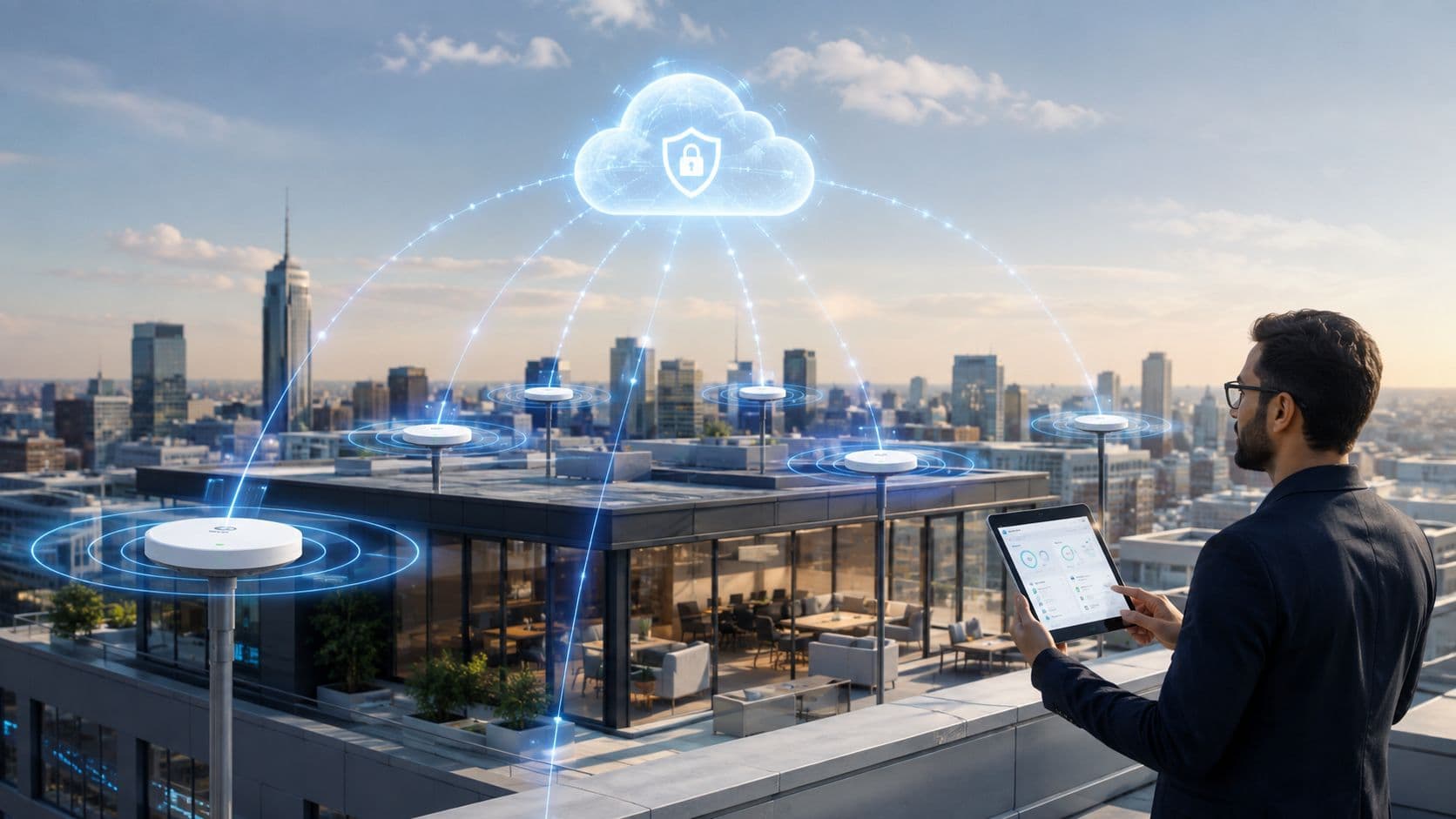
Die Office WiFi Probleme, die Teams frustrieren, beginnen selten mit den Signalbalken. Sie beginnen, wenn das Netzwerk nicht mehr dazu passt, wie Menschen arbeiten.
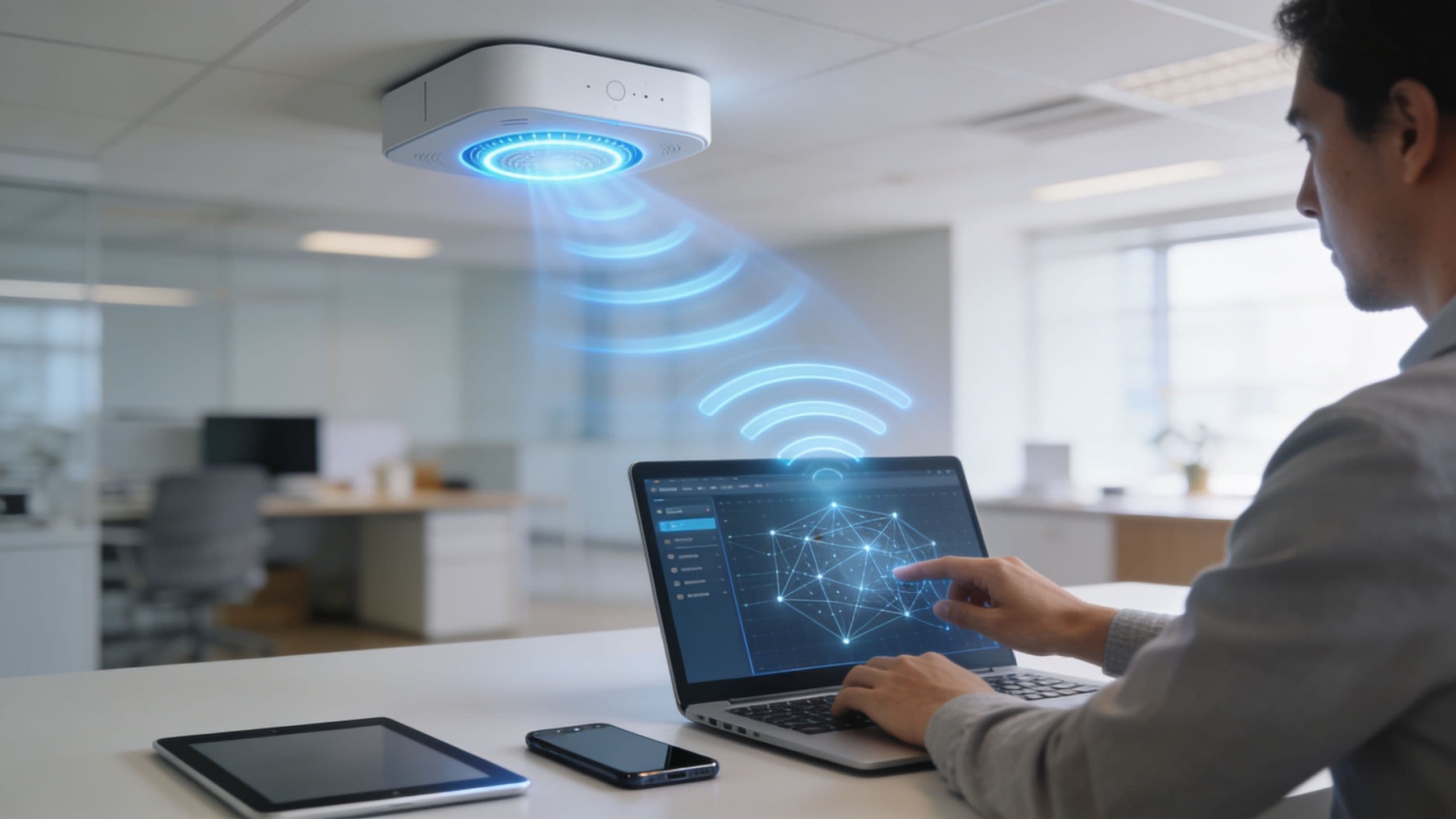
Mitarbeiter kommen mit einem Laptop und einem Smartphone ins Büro. Einige bringen noch ein Tablet mit. Meetingräume füllen sich mit Gästen, die jetzt Zugang benötigen - und nicht erst nach einem Austausch mit dem Helpdesk. Externe Dienstleister benötigen kurzfristige Konnektivität, ohne dauerhafte Bewohner des internen Netzwerks zu werden. Drucker, Bildschirme, Sensoren, Kameras und andere vernetzte Geräte vermehren sich im Hintergrund. Was anfangs gut aussah, als das Büro noch eine überschaubare Anzahl vorhersehbarer Geräte hatte, wird schnell unübersichtlich.
Die meisten Unternehmen versuchen immer noch, dieses Chaos mit einem altbekannten Toolkit zu verwalten: einem gemeinsamen Passwort, einer einfachen Gast SSID und einem Captive Portal , das die Nutzer eher tolerieren als mögen. Dieses Setup hält die Leute zwar online, führt aber zu operativem Aufwand, mangelnder Verantwortlichkeit und unnötigem Risiko. Wenn alle dasselbe Geheimnis teilen, kann niemand mit Sicherheit sagen, wer zu einem bestimmten Zeitpunkt im Netzwerk war, worauf er hätte zugreifen dürfen oder wie schnell der Zugriff entzogen werden kann, wenn sich die Umstände ändern.
Die Herausforderung des modernen Office WiFi
Betreten Sie an einem geschäftigen Wochentag ein typisches Büro, und Sie können die Symptome meist erkennen, noch bevor jemand ein Ticket öffnet. Videokonferenzen frieren im Eck-Meetingraum ein. Ein Besucher bittet den Empfang um das Gast-Passwort. Ein externer Mitarbeiter erhält die Mitarbeiter SSID, weil das schneller geht, als einen ordentlichen temporären Workflow einzurichten. Jemand ändert den gemeinsamen Schlüssel nach einem Vorfall und verbringt dann den Rest des Tages damit, Geräte neu zu verbinden, die sich gar nicht erst auf ein gemeinsames Geheimnis hätten verlassen dürfen.
Das ist in mehr Büros der Normalzustand, als viele Teams zugeben möchten.

Das zugrundeliegende Problem ist nicht nur die Leistung. Es liegt daran, dass Office WiFi bisher als reine Infrastruktur behandelt wurde, obwohl es sich heute eher wie eine Steuerungsebene für den Arbeitsplatz verhält. Es beeinflusst die Sicherheit, das Onboarding, die Compliance, das Besuchererlebnis und die tägliche Glaubwürdigkeit der IT.
Wo alte Office WiFi Modelle versagen
Das alte Modell ging von einer vertrauenswürdigen Innenseite und einer nicht vertrauenswürdigen Außenseite aus. Sobald ein Benutzer im drahtlosen Netzwerk war, galt der schwierige Teil als erledigt. Dieser Ansatz funktioniert in Hot-Desking-Umgebungen, gemeinsam genutzten Gebäuden, flexiblen Büros und an jedem Arbeitsplatz, an dem sich Identitäten und Geräte ständig ändern, nicht mehr.
Einige praktische Schwachstellen treten immer wieder auf:
- Gemeinsam genutzte Anmeldedaten verbreiten sich zu weit: Mitarbeiter, Gäste, ehemalige Angestellte und Dritte kennen oft dasselbe Passwort.
- Der Gastzugang wird zum Ausnahmeprozess: Der Empfang oder die IT fungiert am Ende als manueller Vermittler für den Zugang.
- IoT-Geräte werden falsch zugeordnet: Geräte mit eingeschränkter Authentifizierungsunterstützung werden oft aus Bequemlichkeit in breite Netzwerksegmente verschoben.
- Die Überwachung ist lückenhaft: Teams wissen zwar, dass sich ein Gerät verbunden hat, aber nicht immer, wer es genutzt hat oder ob dieser Zugriff noch sinnvoll war.
Ein drahtloses Netzwerk, das nur die Frage beantwortet „Kann sich dieses Gerät verbinden?“, entspricht nicht mehr den Anforderungen eines modernen Büros. Die wichtigere Frage lautet: „Wer ist das, worauf darf zugegriffen werden und für wie lange?“
WiFi ist jetzt Teil des Geschäftsbetriebs
Ein modernerer Ansatz betrachtet die gesamte Drahtlosumgebung sowohl als Infrastruktur als auch als Identitätsebene. Die Netzabdeckung ist weiterhin wichtig. Die Kapazität ist weiterhin wichtig. Aber ebenso wichtig ist die Fähigkeit, den Zugriff mit einer realen Person, einem verwalteten Gerät, einem Mandanten oder einer bestimmten Endgeräteklasse zu verknüpfen.
Dieser Wandel verändert Designentscheidungen. Er beeinflusst, welche Access Points Sie kaufen, wie Sie den Datenverkehr segmentieren, wie Sie Benutzer registrieren und welche Nachweise Sie erbringen können, wenn Sicherheits- oder Compliance-Teams fragen, wer wann Zugriff hatte.
Wenn das Büro-WiFi auf diese Weise konzipiert ist, ist es kein Hintergrunddienst mehr, den die Leute nur bemerken, wenn er ausfällt. Es wird zu einem integralen Bestandteil der Sicherheit, Benutzerfreundlichkeit und Messbarkeit des Büros.
Konzeption einer zukunftssicheren Netzwerkarchitektur
Eine Neugestaltung des Netzwerks wird in der Regel erst nach einem offensichtlichen Ausfall genehmigt. Am Montagmorgen brechen die Anrufe im Konferenzraum ab, ein besuchender Kunde verliert im Empfangsbereich ständig die Verbindung und die IT wird für „schlechtes WiFi“ verantwortlich gemacht, obwohl die Heatmap bei der Bereitstellung gut aussah. Das zugrunde liegende Problem ist meist architektonischer Natur. Das Design war auf Signalstärke ausgelegt, aber das Unternehmen benötigte planbare Kapazität, Richtliniendurchsetzung und Raum für Wachstum.
Dieser Unterschied ist entscheidend. Büro-WiFi ist nicht mehr nur eine reine Transportschicht für Laptops. Es überträgt heute Daten von verwalteten Mitarbeitergeräten, nicht verwalteten persönlichen Geräten, Raumsystemen, Druckern, Sensoren, Mandanten-Traffic und Gastzugängen. Wenn das Wireless-Design diese Sitzungen nicht sauber trennen, identifizieren und skalieren kann, lassen sich Sicherheitskontrollen nur schwer anwenden und der Supportaufwand steigt rasant.
Konzeption basierend auf Gleichzeitigkeit und Richtlinienspielraum
Die Abdeckung ist die Grundvoraussetzung. Die Kapazität ist das, was die Benutzer tatsächlich spüren.
In der Praxis treten Probleme zuerst in gemeinsam genutzten Bereichen auf. Besprechungsräume, Großraumbüros, der Empfang und Kollaborationsflächen führen zu Spitzen beim gleichzeitigen Datenverkehr, zu Roaming-Ereignissen und zu Konflikten bei der Sendezeit. Ein Standort kann ein starkes Signal aufweisen und dennoch eine schlechte Benutzererfahrung bieten, weil zu viele Clients gleichzeitig um dieselben Funkzellen konkurrieren.
Die Fragen bei der Konzeption sollten betrieblicher Natur sein:
- Wo ballen sich die Benutzer zu den Spitzenzeiten? Konferenzräume und Touchdown-Bereiche erfordern ein anderes Design als geschlossene Büros.
- Wie viele Endpunkttypen teilen sich den Luftraum? Laptops, Telefone, Collaboration-Bars und IoT-Geräte erzeugen unterschiedliche Interferenzmuster und Richtlinienanforderungen.
- Welche Anwendungen führen bei Ausfällen zu hohen Kosten? Sprachübertragung, Videokonferenzen, Bildschirmfreigabe und Cloud-Authentifizierungsflüsse legen Schwachstellen in der Sendezeitplanung schnell offen.
- Wie viel Segmentierung benötigt das Unternehmen? Mitarbeiter, Gäste, Auftragnehmer und firmeneigene Geräte erfordern oft vom ersten Tag an eine unterschiedliche Behandlung.
Der letzte Punkt wird oft übersehen. Identitätsbasierter Zugriff erhöht die Kontrolle, steigert aber auch die Anforderungen an die Architektur. Mehr SSIDs sind nicht die Lösung. Die Lösung liegt in einer besseren Segmentierung, einer präziseren Richtlinienzuweisung und einer auf diese Entscheidungen ausgelegten Infrastruktur.
Die Platzierung entscheidet nach wie vor über den Erfolg des Designs
Die Auswahl der Access Points ist wichtig, aber ein schlechtes RF-Design macht gute Hardware zunichte.
Die Platzierung sollte sich am Nutzerverhalten und den baulichen Gegebenheiten orientieren, nicht an einem gleichmäßigen Deckenraster. Dicht besetzte Schreibtische, Besprechungsräume, Aufzugsbereiche, Lagerhallen, Technikräume und glasreiche Innenräume verändern die Zellgrenzen in einer Weise, die der Grundriss nicht direkt zeigt. Aus diesen Gründen zahlen sich Standortbegehungen, Validierungen und Optimierungen nach der Bereitstellung aus.
Einige Designregeln haben sich bewährt:
- Platzieren Sie APs dort, wo Engpässe entstehen. Räume mit hoher Dichte und Gemeinschaftsbereiche erfordern ein gezieltes Zellendesign.
- Behandeln Sie Baumaterialien als primäre Einflussfaktoren. Beton, Stahl, Glas und Regale verändern die Ausbreitung so stark, dass einfache Annahmen hinfällig werden.
- Vermeiden Sie Überdimensionierung. Zu viele APs mit schlechter Abstimmung können Gleichkanalstörungen und das Phänomen der „Sticky Clients“ verstärken.
- Nutzen Sie konservative Kanäle in dicht besetzten Büros. Ein sauberer Luftraum schlägt in der Regel breitere Kanäle und übertriebene Durchsatzversprechen.
Diesen Kompromiss sollte man klar benennen. Breite Kanäle mögen auf dem Datenblatt attraktiv aussehen, aber dichte Unternehmensumgebungen erbringen meist eine bessere Leistung, wenn der Luftraum wiederverwendbar und berechenbar ist.
Planen Sie die Anschaffung für die zukünftige Steuerungsebene, nicht nur für die aktuelle Anzahl an Geräten
Zukunftssicherheit hängt zum Teil von der Funkleistung ab, aber ebenso davon, welche Aufgaben das Netzwerk im nächsten Jahr bewältigen muss. Wenn die Wireless-Ebene rollenbasierten Zugriff, dynamische Segmentierung, Geräte-Profiling und umfassendere Audit-Anforderungen tragen soll, müssen Entscheidungen zur Hardware-Erneuerung dies widerspiegeln.
Funktionen neuerer Plattformen, wie eine bessere Handhabung gleichzeitiger Clients und eine höhere Effizienz in dichten Umgebungen, unterstützen diese Ausrichtung. Es geht nicht darum, technischen Abkürzungen um ihrer selbst willen hinterherzujagen. Es geht darum, einen Erneuerungszyklus zu vermeiden, bei dem der AP zwar Daten übertragen kann, aber überfordert ist, sobald Richtlinien, Analysen und identitätsbasierter Zugriff hinzukommen.
Für Teams, die diesen Übergang planen, sind passwordless WiFi Architekturentscheidungen ein nützliches Beispiel dafür, warum Infrastruktur- und Authentifizierungsdesign zusammen und nicht als separate Projekte geplant werden sollten.
Ein einfacher Vergleich hilft hierbei:
| Designentscheidung | Was sich bewährt | Was später Probleme bereitet |
|---|---|---|
| AP-Auswahl | Hardware, die für hohe Client-Dichte und Richtlinienwachstum ausgewählt wurde | Kauf ausschließlich nach Spitzen-Durchsatz |
| Layout | Platzierung basierend auf Benutzerdichte und echten Datenverkehrsmustern | Gleichmäßige Abstände ohne betrieblichen Kontext |
| Kanalstrategie | Schmalere, wiederverwendbare Sendezeit in belebten Bürobereichen | Breite Kanäle über den gesamten Standort hinweg |
| Upgrade-Pfad | Aktualisierung gekoppelt an Sicherheits-, Segmentierungs- und Analyseziele | Behandlung des WiFi-Refreshes als kosmetischer Hardware-Austausch |
Zukunftssicher bedeutet weniger Neuentwürfe
Ein zukunftssicheres Büro-WiFi-Design kann mehr Benutzer, mehr Gerätetypen und mehr Zugriffsentscheidungen aufnehmen, ohne anfällig oder teuer im Betrieb zu werden. Das ist das geschäftliche Ergebnis.
Wenn die physikalische Ebene unter Berücksichtigung von Identität, Segmentierung und Observability entworfen wird, ist WiFi kein Dienstprogramm mehr, das dem Unternehmen nur dann auffällt, wenn es ausfällt. Es wird zu einem zuverlässigen Durchsetzungspunkt für Zero-Trust-Zugriff und einer saubereren Quelle für Betriebsdaten.
Mit moderner Authentifizierung über Passwörter hinausgehen
Die größte Schwachstelle in vielen Büro-WiFi-Umgebungen ist nicht das Funkdesign. Es ist die Authentifizierung.
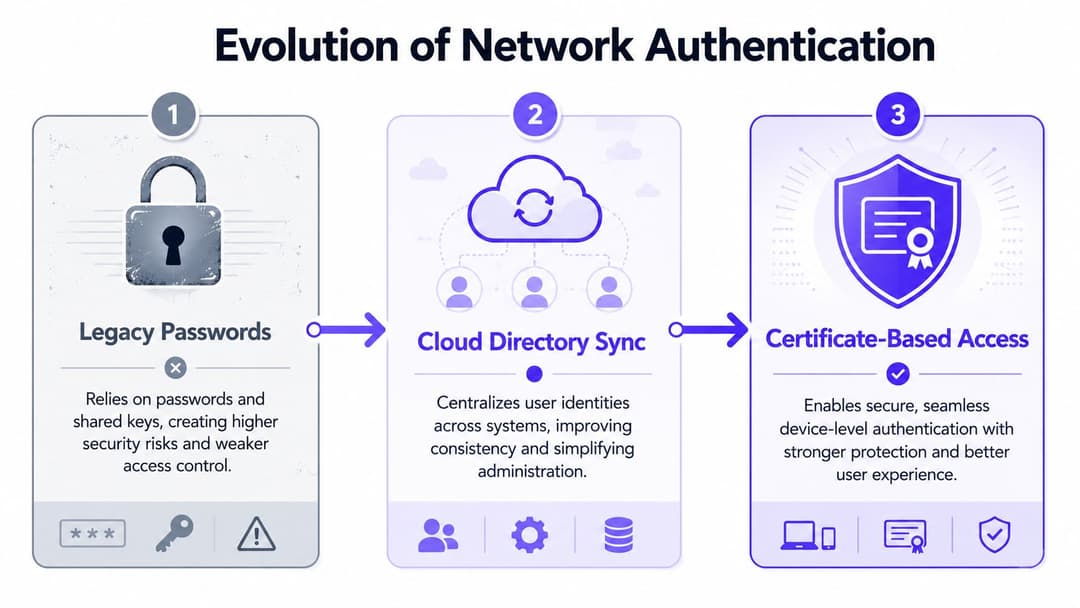
Gemeinsam genutzte Passwörter überdauern, weil sie vertraut sind. Sie schaffen jedoch auch vermeidbare Risiken. Sobald ein Passwort auf einem Notizzettel am Empfang steht, an einen externen Dienstleister weitergegeben wird oder jemandem in Erinnerung bleibt, der das Unternehmen vor Monaten verlassen hat, ist es kein Kontrollinstrument mehr, sondern ein Sicherheitsrisiko. Herkömmliche Captive Portals sind nicht viel besser, wenn sie Reibung erzeugen, ohne der IT-Abteilung einen zuverlässigen Identitätsnachweis zu liefern.
Die meisten Empfehlungen für Büro-WiFi konzentrieren sich nach wie vor stark auf die Hardware, übersehen dabei aber oft das Problem des Gastzugangs. Der Mehrheit der britischen KMU fehlt es an formalen Richtlinien für den Gastzugang, was eine Sicherheits- und Compliance-Lücke unter der GDPR und NIS2 schafft. Passwordless Authentifizierung und identitätsbasiertes Networking sind wichtig, da sie einen prüfbaren Pfad darüber erstellen, wer sich im Netzwerk befindet, wie in dieser Diskussion über WiFi-Abdeckung und Lücken in den Richtlinien für den Gastzugang festgestellt wurde.
Alte Methoden im Vergleich zu modernen
Der praktische Vergleich sieht wie folgt aus:
| Methode | Benutzererlebnis | Sicherheitsniveau | Betriebliche Auswirkungen |
|---|---|---|---|
| Gemeinsames WPA-Passwort | Anfangs einfach, mit der Zeit unübersichtlich | Schwache Zuordnung, schwieriger Widerruf | Passwort-Resets wirken sich auf viele Geräte aus |
| Einfaches Captive Portal | Gästen vertraut, oft unhandlich | Besser als offener Zugang, kann aber dennoch oberflächlich sein | Support-Aufwand am Empfang und in der IT |
| Verzeichnisgestützter Mitarbeiterzugang | Reibungslos nach der Registrierung | An reale Identität und Richtlinien gebunden | Einfachere Handhabung von Neuzugängen, internen Wechseln und Austritten |
| Zertifikatsbasierter Zugriff | Nahtlos nach der Einrichtung | Starkes Vertrauensmodell für Geräte und Benutzer | Geringerer langfristiger Administrationsaufwand |
| iPSK für eingeschränkte Geräte | Gut für Sonderfälle | Bessere Isolierung als ein einziger gemeinsam genutzter Schlüssel | Nützlich für Altgeräte- und IoT-Bestände |
Wo die jeweilige Methode am besten passt
Moderne Authentifizierung funktioniert am besten, wenn Sie aufhören, nach einer einzigen universellen Methode zu suchen, und stattdessen die Methoden auf die verschiedenen Benutzertypen abstimmen.
Mitarbeiter und verwaltete Geräte
Für Mitarbeitergeräte ist die Verknüpfung des drahtlosen Zugangs mit derselben Identitätsplattform, die auch sonst im Unternehmen genutzt wird, meist die sauberste Lösung. Entra ID, Google Workspace und Okta definieren bereits, wer der Benutzer ist und ob diese Identität aktiv ist. Die Ausweitung dieser Logik auf das Netzwerk beseitigt einen Großteil der manuellen WiFi-Verwaltung.
Zertifikatsbasierter Zugriff verbessert die Situation weiter. Er reduziert wiederholte Passwortabfragen, stärkt das Vertrauen auf Geräteebene und bietet Sicherheitsteams eine sauberere Möglichkeit, den Zugriff an Änderungen im Lebenszyklus der Benutzer anzupassen.
Gäste und wiederkehrende Besucher
Der Gastzugang sollte sich einfach anfühlen, ohne anonym zu werden. Passpoint und OpenRoaming gehen in die richtige Richtung, da sie die von Benutzern gehassten Hürden beim Beitritt verringern und von Beginn der Sitzung an eine verschlüsselte Verbindung unterstützen. Für Standorte mit wiederkehrenden Besuchern kann dies eine wiederkehrende Support-Aufgabe in etwas verwandeln, das einem Managed Service-Erlebnis sehr viel näher kommt.
Für einen praktischen Einblick, wie passwortloser Gastzugang das Erlebnis verändert, lesen Sie die Erklärung von Purple zu passwortlosem WiFi .
Altgeräte und IoT
Nicht jedes Gerät unterstützt die moderne Enterprise-Authentifizierung. Genau hier hat iPSK seinen Platz. Es bietet Ihnen eine Möglichkeit, Geräten, die andernfalls aufgrund fehlender Unterstützung für stärkere Methoden in einem großen, gemeinsam genutzten Netzwerk landen würden, eindeutige Anmeldedaten und Richtlinien zuzuweisen.
Das ist wichtig in Büros mit Druckern, Displays, Sensoren, Spezialgeräten oder Hardware von Auftragnehmern, die sich irgendwo zwischen Verbraucherkomfort und Enterprise-Standards bewegt.
Das Ziel ist nicht, jeden Pre-Shared Key abzuschaffen. Es geht darum, nicht mehr einen einzigen Pre-Shared Key als Antwort auf jedes Zugriffsproblem zu nutzen.
Was heute nicht mehr funktioniert
Einige typische Ansätze führen immer wieder zu Problemen:
- Ein einziges Gastnetzwerk für alle: Besucher, Mieter, Dienstleister und unmanaged Geräte gehören nicht in denselben Richtlinientopf.
- Passwortrotation als Hauptkontrolle: Eine Rotation hilft erst, nachdem ein Passwort kompromittiert wurde. Sie schafft keine echte Identität.
- Manuelles Ablaufen von Zugriffsrechten: Wenn die IT daran denken muss, Zugriffsrechte zu entziehen, bleiben diese viel zu lange bestehen.
- Captive Portals ohne nachgelagerte Integration: Wenn das Portal keine Verbindung zu Identitäts-, CRM- oder Richtliniensystemen hat, bleibt es nur eine kosmetische Benutzeroberfläche.
Ein moderner Authentifizierungs-Stack sollte Hürden für legitime Nutzer abbauen und gleichzeitig die Kontrollmöglichkeiten für Administratoren verfeinern. Wenn beides gelingt, steigt die Akzeptanz ganz automatisch - weil die Nutzer nicht mehr gegen das Netzwerk ankämpfen und die IT es nicht mehr ständig kontrollieren muss.
Aufbau Ihrer WiFi Zero Trust Strategie
Zero Trust im Büro-WiFi ist kein Marketing-Label, das man nachträglich aufsetzt. Es ist eine grundlegende Design-Entscheidung darüber, welche Annahmen das Netzwerk trifft.
Das alte "Burggraben-Modell" vertraute jedem, der es einmal ins Innere geschafft hatte. Ein Nutzer verband sich mit der richtigen SSID, gab das richtige Passwort ein und erhielt weitreichendes Vertrauen vom System. Das war sinnvoll, als Büros noch statisch, Geräte vorhersehbar und interne Netzwerke leichter einzugrenzen waren. In flexiblen Arbeitsumgebungen voller unmanaged Geräte, temporärer Nutzer und Cloud-SaaS-Anwendungen ist dieser Ansatz überholt.
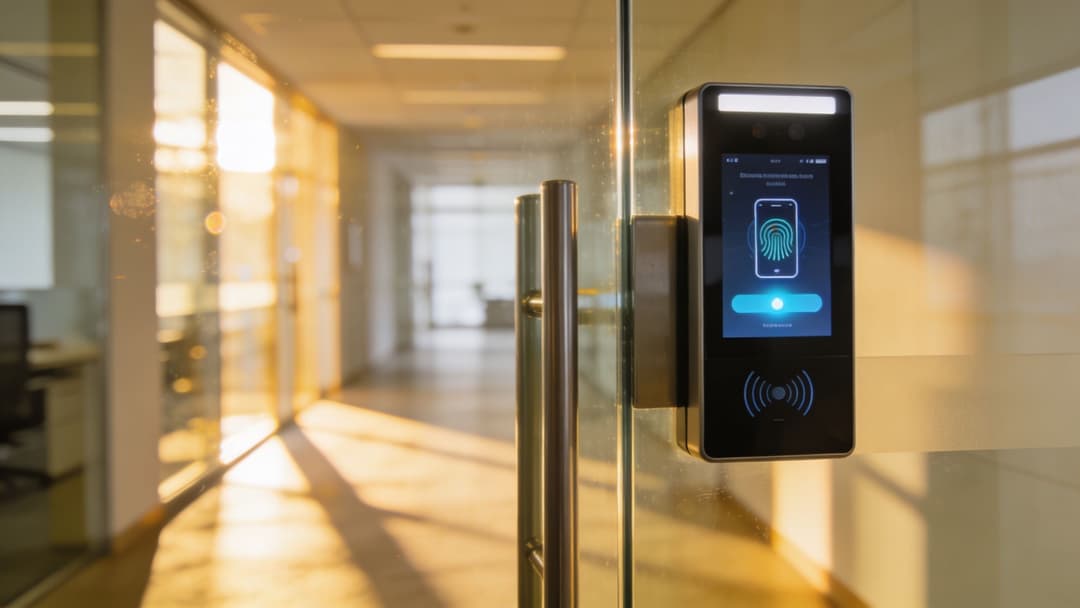
Niemals dem Netzwerkrand vertrauen
Ein funktionierendes Zero Trust Modell setzt voraus, dass kein Nutzer und kein Gerät standardmäßig vertrauenswürdig ist, nur weil die Verbindung zum WLAN hergestellt wurde. Der Zugriff muss kontinuierlich überprüft und an Identität, Gerätestatus und Richtlinien gekoppelt werden.
Für das WiFi verändert das die Ausgangslage:
- Jede Verbindung wird individuell bewertet
- Zugriff folgt der Identität, nicht dem Standort
- Verschlüsselung startet sofort, nicht erst nach einem unsicheren Anmeldeprozess
- Der Entzug von Zugriffsrechten wird direkt über das Verzeichnis gesteuert, nicht manuell oder über Ticket-Warteschlangen
Genau deshalb ist zertifikatsbasierter Zugriff in der Praxis so wichtig und nicht nur graue Theorie. Er ermöglicht ein Modell, bei dem Vertrauen pro Gerät und pro Nutzersitzung aufgebaut wird, statt es von einem gemeinsam genutzten Passwort abzuleiten.
Wie Zero Trust in der Praxis aussieht
Die stärksten Designs bestehen meist aus drei Ebenen, die zusammenwirken:
Identität
Eine echte Identitätsquelle entscheidet, ob der Benutzer aktiv ist und welcher Gruppe oder Rolle er angehört.
Geräte-Vertrauenswürdigkeit
Verwaltete Geräte weisen sich durch stärkere Authentifizierungsmethoden aus als durch eine auswendig gelernte Passphrase.
Segmentierung
Das Netzwerk benötigt weiterhin Richtliniengrenzen. Eine Authentifizierung ohne Segmentierung schafft lediglich eine bessere Sichtbarkeit für ein flaches Problem.
Ein prägnanter Test hilft hier:
| Frage | Schwaches Modell | Zero-Trust-Modell |
|---|---|---|
| Wer verbindet sich? | Eventuell bekannt | Explizit verifiziert |
| Welches Gerät ist das? | Oft unklar | Der Vertrauensmethode zugeordnet |
| Was soll es erreichen? | Breiter Standardzugriff | Richtlinienbasierter Zugriff |
| Was passiert, wenn sich der Status ändert? | Manuelle Bereinigung | Automatische Sperrung über Identitäts-Workflows |
Wenn sich ein ehemaliger Mitarbeiter immer noch verbinden kann, weil niemand das WiFi Passwort geändert hat, erzwingt das Netzwerk kein Vertrauen. Es hofft lediglich auf gute Haushaltsführung.
Warum sich der Betrieb verbessert, wenn die Sicherheit steigt
Dies ist der Punkt, den viele Teams übersehen. Ein Zero-Trust-Ansatz reduziert oft den Verwaltungsaufwand, sobald er ordnungsgemäß implementiert ist.
Wenn der Zugriff dem Unternehmensverzeichnis folgt, benötigen neue Mitarbeiter keine maßgeschneiderte WiFi Handhabung. Bei Abteilungswechseln erben sie die richtige Richtlinie durch Gruppenänderungen. Ausscheidende Mitarbeiter verlieren den Zugriff, sobald sich ihr Identitätsstatus ändert. Das ist weitaus sauberer, als sich merken zu müssen, welche SSIDs, Passwörter und Ausnahmen im Laufe der Zeit gewährt wurden.
Wenn Sie ein umfassenderes Framework für dieses Modell benötigen, bietet Purple eine nützliche Übersicht über Zero-Trust-Netzwerkzugriff .
Der praktische Kompromiss ist der Aufwand im Vorfeld. Sie benötigen saubere Identitätsdaten, eine sinnvolle Segmentierung und einen realistischen Onboarding-Pfad für Altgeräte. Aber sobald dieses Fundament steht, ist das kabellose Netzwerk nicht mehr die Schwachstelle des Bürozugangs, sondern verhält sich wie der Rest eines modernen Security-Stacks.
Nahtlose Gäste- und Mandanten-Erlebnisse gestalten
Der klarste Test für ein Büro-WiFi-Design ist das, was passiert, wenn verschiedene Benutzergruppen dasselbe Gebäude nutzen.
In einer Hauptgeschäftsstelle können am selben Tag Mitarbeiter, Kunden, Lieferpartner, Berater und Veranstaltungsteilnehmer aufeinandertreffen. Eine gemischt genutzte Immobilie kann Büromieter, Gebäudepersonal, Wartungsunternehmen und Besucher vereinen. Ein Hotel mit Coworking-Bereich fügt eine weitere Ebene hinzu. Das falsche Design behandelt all diese Personen als Varianten desselben Benutzers. Das richtige Design behandelt sie als separate Vertrauens- und User-Journey-Pfade.
Ein Gast möchte Geschwindigkeit, keinen Workflow
Ein Besucher, der zu einem Meeting eintrifft, kümmert sich nicht darum, wie elegant Ihr VLAN-Plan ist. Er möchte einfach nur schnell online gehen und erwartet eine professionelle Erfahrung.
Wenn der Verbindungsprozess davon abhängt, dass jemand ein Passwort vorliest, man sich zweimal vertippt und dann ein Captive Portal geöffnet wird, das auf dem Smartphone nicht richtig dargestellt wird, hat das Netzwerk bereits für Frust gesorgt. In Gebäuden mit wiederkehrendem Publikum summiert sich dieser Frust, da wiederkehrende Nutzer erwarten, dass der zweite Besuch einfacher ist als der erste.
Passpoint und OpenRoaming helfen hier, da sie den Gastzugang eher an ein Roaming-Erlebnis als an ein einmaliges Anmelderitual angleichen. Das ist besonders in Branchen nützlich, in denen WiFi Teil des Service-Erlebnisses und nicht nur ein reines Dienstprogramm ist.
Ein Mieter möchte Einfachheit mit Isolierung
Mehrparteiengebäude werfen ein anderes Problem auf. Mieter wünschen sich für ihre Nutzer eine vertraute Umgebung wie zu Hause, während Vermieter und Betreiber eine Isolierung auf Enterprise-Niveau zwischen den Parteien benötigen.
Das bedeutet, zwei schlechte Extreme zu vermeiden:
- Ein einziger, riesiger gemeinsam genutzter Dienst, der jeden den Fehlern aller anderen aussetzt
- Ein komplett maßgeschneidertes Netzwerk pro Mieter, das im Betrieb teuer und mühsam wird
Der bessere Mittelweg ist eine gemeinsame Infrastruktur mit identitätsbasierter Trennung. Mitarbeiter können sich gegenüber der Identitätsquelle ihrer eigenen Organisation authentifizieren. Der Gastverkehr kann isoliert bleiben. Ältere Geräte können bei Bedarf Methoden wie iPSK nutzen. Im Betrieb ermöglicht dies den Immobilienteams, einen konsistenten Service zu bieten, ohne jeden Mieter in dieselbe Richtliniengruppe zwingen zu müssen.
Für Beispiele, wie solche Umgebungen verwaltet werden, bietet der Beitrag von Purple über guest WiFi solutions nützliche Hintergrundinformationen.
Drei Nutzer, drei unterschiedliche Erwartungen
Betrachten Sie dasselbe Gebäude aus drei Perspektiven:
Der Büro-Gast
Er benötigt einen schnellen, reibungslosen Internetzugang für ein Meeting. Er benötigt keinen Zugriff auf Geschäftsanwendungen und sollte nicht allein durch räumliche Nähe das Vertrauen der Mitarbeiter erben.Der Mitarbeiter des Mieters Er erwartet jeden Tag einen unterbrechungsfreien Zugang, idealerweise verknüpft mit der Identitätsplattform, die er bereits für die Arbeit nutzt.
Der Gebäudebetreiber
Er benötigt eine zentrale Kontrolle, eine saubere Trennung und ein Support-Modell, das nicht für jeden neuen Mieter eine Neukonstruktion des Netzwerks erfordert.
Aus diesem Grund können Nutzererfahrung und Sicherheit nicht getrennt voneinander konzipiert werden. Die Architektur muss beide Anforderungen gleichzeitig erfüllen.
Gutes Gast- und Mieter-WiFi fühlt sich für den Nutzer einfach an, weil die Komplexität im Design richtig gelöst wurde.
Was besser funktioniert als ein „Gast-SSID plus Hoffnung“-Modell
Ein praktisches Betriebsmodell umfasst in der Regel:
- Individuelle Onboarding-Pfade: Mitarbeiter, Gäste und nicht verwaltete Geräte sollten nicht denselben Prozess durchlaufen.
- Richtlinien nach Identitätsgruppe: Externe Dienstleister und Mieter benötigen oft eine unterschiedliche Behandlung, selbst wenn sie in derselben Lobby stehen.
- Isolierung als Standard: Gemeinschaftlich genutzte Gebäude erfordern stärkere Grenzen als traditionelle Büros mit nur einem Mieter.
- Ein wiederholbares Support-Modell: Empfang, Facility Management und IT müssen alle wissen, was passiert, wenn der Zugriff fehlschlägt.
Diese Kombination macht den kabellosen Service zu einem Teil des Erlebnisses vor Ort, statt zu einem ständigen Ärgernis.
Aus WiFi-Analysen verwertbare Erkenntnisse machen
Sobald sich die Authentifizierung verbessert, ist das Netzwerk nicht mehr nur eine Transportschicht. Es wird zu einer Quelle für eigene betriebliche Daten.
Das ist wichtig, da Büro-WiFi Verhaltensweisen erfasst, die viele andere Systeme übersehen. Es kann zeigen, wann Personen ankommen, wie oft sie wiederkehren, welche Bereiche eine wiederholte Präsenz anziehen und wo sich die Nutzungsmuster von den Annahmen des Unternehmens unterscheiden. Für Büros kann dies die Arbeitsplatzplanung unterstützen. Für das Gastgewerbe und den Einzelhandel nahestehende Umgebungen kann es Entscheidungen zur Personalplanung, zum Layout und zur Interaktion beeinflussen.
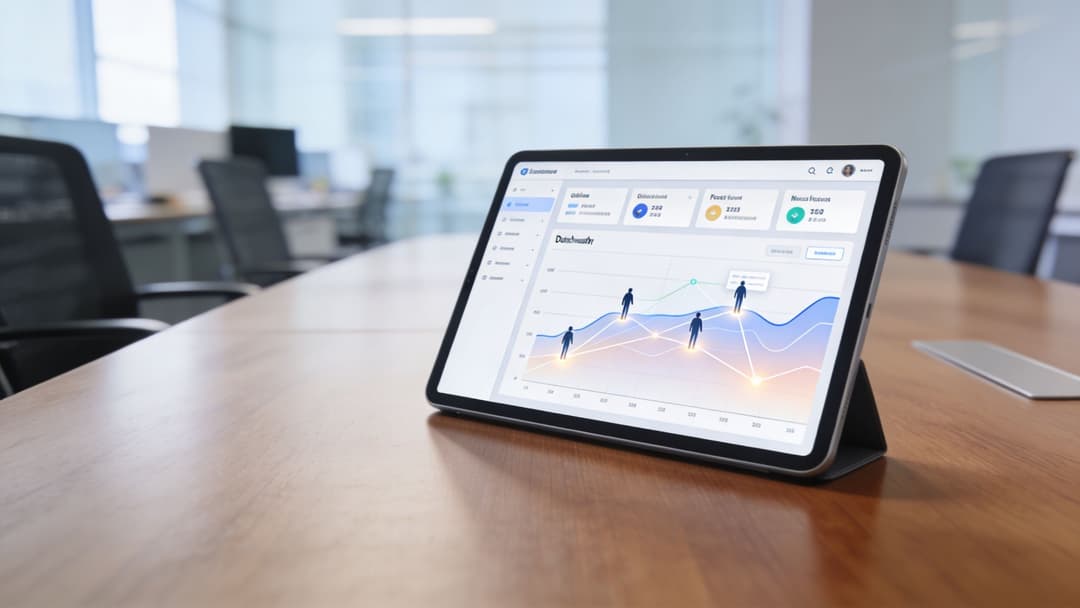
Vom Login-Ereignis zum betrieblichen Signal
Authentifizierung schafft Kontext. Präsenzdaten sorgen für ein klares Verhaltensprofil. Sorgfältig genutzt, können diese Daten praktische Fragen beantworten wie:
- Welche Tage in gemeinschaftlich genutzten Bürobereichen am belebtesten sind
- Ob besprechungsintensive Zonen mehr wiederholte Nutzung anziehen als erwartet
- Wie sich der Besucherverkehr über verschiedene Eingänge oder Etagen hinweg verhält
- Ob Rückkehrbesuche mit Kampagnen- oder Veranstaltungsaktivitäten übereinstimmen
Dies ist nicht nur für Marketing-Teams relevant. Facility-Teams können diese Daten nutzen, um den Flächenbedarf zu verstehen. Workplace-Teams können geplante Tischnutzungsmuster mit dem tatsächlichen Belegungsverhalten vergleichen. Operations Manager können erkennen, wo das digitale und das physische Erlebnis voneinander abweichen.
Der Wert entsteht, wenn Systeme sich verbinden
WiFi-Analysen sind am nützlichsten, wenn sie nicht in einem Wireless-Dashboard gefangen bleiben. Die stärksten Setups verbinden Authentifizierungsdaten mit CRM, Marketing-Automatisierung, Kundendaten oder Systemen vor Ort, damit Teams auf Basis der gewonnenen Erkenntnisse handeln können.
Eine einfache Zusammenfassung sieht so aus:
| Datensignal | Nützliche geschäftliche Frage | Mögliche Maßnahme |
|---|---|---|
| Neuer Besucher-Login | Wer kommt zum ersten Mal? | Einen Willkommens-Workflow auslösen |
| Wiederkehrendes Besuchsmuster | Wer kehrt regelmäßig zurück? | Interaktion oder Service anpassen |
| Verweildauer-Verhalten | Welche Bereiche ziehen Aufmerksamkeit an? | Layout oder Personaleinsatz anpassen |
| Präsenztrends der Mitarbeiter | Wie werden die Büroräume tatsächlich genutzt? | Arbeitsplatzplanung verfeinern |
Analysen ohne Identitätskontext erzeugen nur Rauschen. Identität ohne Analysen lässt Mehrwert ungenutzt. Die nützliche Ebene liegt dort, wo sich beide treffen.
Governance im Blick behalten
Dies funktioniert nur, wenn der Datenschutz ordnungsgemäß gehandhabt wird. Die GDPR ist kein Kontrollkästchen, das man nach der Datenerfassung einfach abhakt. Sie beeinflusst die Einwilligung, die Aufbewahrung, die Zweckbindung und wer Zugriff auf die gewonnenen Erkenntnisse erhält.
Der praktische Standard ist einfach: Erfassen Sie nur das, was einen klaren Zweck hat, machen Sie diesen Zweck verständlich und stellen Sie sicher, dass die Teams, die die Daten nutzen, den Unterschied zwischen Serviceverbesserung und Grenzüberschreitung kennen.
Wenn diese Disziplin gegeben ist, wird modernes Büro-WiFi zu mehr als nur Konnektivität. Es wird zu einer der saubereren Methoden, um zu verstehen, wie ein Raum genutzt wird.
Ihre Checkliste für die Bereitstellung von Büro-WiFi
Ein erfolgreicher Rollout von Büro-WiFi lässt sich leichter verwalten, wenn man ihn als Lebenszyklus und nicht als Hardware-Upgrade betrachtet. Die meisten mühsamen Bereitstellungen scheitern, weil eine Phase übersprungen, überstürzt oder dem falschen Team übertragen wurde.
Die Umgebung richtig planen
Beginnen Sie vor der Beschaffung.
- Den Raum vermessen: Validieren Sie HF-Bedingungen, Baumaterialien, Bereiche mit hoher Benutzerdichte und Problemzonen wie Besprechungsräume und Gemeinschaftsbereiche.
- Kapazität planen, nicht nur Reichweite: Berücksichtigen Sie Benutzertypen, Anwendungsanforderungen und Geräteklassen. Planen Sie nicht für ein leeres Büro.
- Identitätsflüsse frühzeitig zuordnen: Legen Sie fest, wie sich Mitarbeiter, Gäste, Auftragnehmer und gerätespezifische Endpunkte authentifizieren, bevor SSIDs finalisiert werden.
Wenn Sie für Serviced Offices oder flexible Arbeitsplätze planen, ist es auch hilfreich zu verstehen, wie Betreiber Konnektivität in umfassendere Arbeitsplatz-Services integrieren. Ein Referenzpunkt wie Plug-and-Play-Büro-Inklusivleistungen kann dabei helfen, zu definieren, was Endnutzer zunehmend von einer sofort einsatzbereiten Büroumgebung erwarten.
Sicher durch Design
Viele Teams verlassen sich immer noch auf Gewohnheiten, die nicht mehr skalierbar sind.
- Wählen Sie zuerst die Identitätsquelle. Wenn Microsoft Entra ID, Okta oder Google Workspace bereits den Zugriff an anderer Stelle regeln, sollte das kabellose Netzwerk darauf abgestimmt sein.
- Trennen Sie Benutzerpfade. Mitarbeiter, Gäste, Mieter und IoT-Geräte benötigen unterschiedliche Vertrauensmodelle.
- Definieren Sie Widerrufsregeln. Der Entzug des Zugriffs sollte nach Möglichkeit automatisch den Identitäts- und Richtlinienänderungen folgen.
In kontrollierten Phasen bereitstellen
Ein plötzlicher Komplettumstieg beim WiFi verursacht nur Support-Rauschen.
- Pilotierung mit gemischten Benutzergruppen: Testen Sie Onboarding-Pfade für Mitarbeiter, Gäste, externe Dienstleister und Geräte.
- Überprüfung der Interoperabilität von Herstellern: Access Points, Identitätssysteme, NAC-Richtlinien und Client-Geräte müssen sich konsistent verhalten.
- Dokumentation von Fallback-Pfaden: Legacy-Clients und Sonderfälle werden auftreten. Planen Sie diese ein, ohne dass sie das Hauptdesign bestimmen.
Kontinuierlich betreiben und verbessern
Die Arbeit ist mit dem Go-Live nicht beendet.
| Phase | Regelmäßig zu überprüfen |
|---|---|
| Netzwerk-Integrität | Kapazitäts-Hotspots, Roaming-Probleme, Airtime-Konflikte |
| Zugriffskontrolle | Fehlgeschlagene Anmeldungen, veraltete Gerätedatensätze, Richtlinienausnahmen |
| Benutzererfahrung | Hürden für Gäste, Onboarding-Fehler, Arbeitsbelastung des Empfangs |
| Business-Erkenntnisse | Präsenztrends, wiederholte Besuche, Signale zur Flächennutzung |
Die besten Wireless-Umgebungen werden wie lebende Systeme gepflegt. Identitäten ändern sich. Das Benutzerverhalten ändert sich. Die Gebäudenutzung ändert sich. Ihre WiFi-Strategie muss Schritt halten.
Wenn Ihr Team gemeinsam genutzte Passwörter durch identitätsbasierten Zugriff ersetzt, Gäste-Workflows optimiert oder den drahtlosen Zugriff mit Zero-Trust-Richtlinien verknüpft, ist Purple als Plattform in diesem Stack eine Überlegung wert. Sie konzentriert sich auf passwortfreie WiFi-Authentifizierung, identitätsbasiertes Networking, Gäste-Zugang und Analysen in Büro-, Gastronomie-, Einzelhandels-, Gesundheits- und Multi-Tenant-Umgebungen.