Hotel WiFi-Geschwindigkeit: Was Gäste erwarten und wie man es liefert

Dieser maßgebliche technische Leitfaden stattet IT-Manager, Netzwerkarchitekten und CTOs mit umsetzbaren Strategien für die Bandbreitenplanung von Hotel-WiFi, die Implementierung von QoS und gestaffelte Preismodelle aus. Er beschreibt detailliert, wie die Netzwerkkapazität an die modernen Erwartungen der Gäste angepasst werden kann – von 15 Mbps pro Zimmer in Mittelklasseobjekten bis zu über 50 Mbps in Luxus- und Konferenzlocations – und dabei sichere, konforme und skalierbare Unternehmensbereitstellungen gewährleistet werden. Durch die Integration der Guest WiFi- und Analyseplattform von Purple können Betreiber ihr Netzwerk von einem Kostenfaktor in einen umsatzgenerierenden, datengesteuerten Vermögenswert verwandeln.

📖 6 Min. Lesezeit📝 1,400 Wörter🔧 2 Beispiele4 Fragen📚 9 Schlüsselbegriffe

🎧 Diesen Leitfaden anhören

Transkript anzeigen
Welcome to the Purple Technical Briefing. I'm your host, and today we are unpacking a critical operational challenge for hospitality IT: Hotel WiFi Speed. Specifically, what your guests expect, and the architecture required to deliver it at scale. If you're a CTO, IT Director, or network architect managing a venue — whether that's a mid-scale business hotel or a luxury property — you know that WiFi is no longer an amenity. It is utility infrastructure. When a guest checks in, their first action is often connecting to the network. If that connection is slow, dropped, or capped too low, it directly impacts guest satisfaction scores and, ultimately, revenue. Let's start with the baseline. How much bandwidth do you actually need? The old rule of thumb was allocating a flat five to ten Megabits per second per room. That model is dead. Today, a single guest room might contain three to five connected devices — smartphones, laptops, tablets, wearables, and perhaps a smart TV streaming four-K content. For a mid-scale hotel, you need to plan for fifteen to twenty-five Megabits per second per room. For luxury or conference-focused venues, that requirement jumps to fifty Megabits per second or more. But throwing raw bandwidth at the problem isn't financially viable or technically elegant. You need intelligent traffic management. This is where Quality of Service — or QoS — and tiered architectures become essential. Instead of a flat network, modern deployments use a tiered model. You might offer a complimentary basic tier capped at five Megabits per second — perfect for messaging and light browsing. Then, you introduce a premium tier — perhaps fifty Megabits per second, guaranteed — for business travellers who need seamless video conferencing and VPN access. This premium tier can be monetised, creating a revenue stream that offsets your infrastructure costs. Now, let's get into the technical architecture. The backbone of a well-designed hotel network is the wired infrastructure. Every access point needs a gigabit Ethernet backhaul, ideally over a PoE-plus switch. The core switching layer must be capable of handling the aggregate throughput of all access points simultaneously. If you're running a two-hundred-room hotel with an access point in every room, you could be looking at aggregate traffic of ten Gigabits per second or more during peak hours. Your uplink to the internet — typically a dedicated leased line — must be sized accordingly. On the wireless side, modern deployments should be running Wi-Fi six, or 802.11ax, as a minimum. Wi-Fi six introduced OFDMA — Orthogonal Frequency Division Multiple Access — which allows a single access point to serve multiple clients simultaneously, dramatically improving efficiency in dense environments. For newer deployments, Wi-Fi six-E extends this into the six Gigahertz band, reducing co-channel interference and providing additional spectrum for high-bandwidth applications. Let's look at a real-world scenario. A four-hundred-room luxury hotel was experiencing severe network congestion every evening between seven and ten PM. Their one Gigabit leased line was saturated. Instead of simply upgrading to a ten Gigabit line — which is incredibly expensive — they implemented Purple's WiFi Analytics and traffic shaping. By enforcing a five Megabit cap on the free tier and prioritising the premium tier using 802.11e QoS standards, they reduced peak utilisation by forty percent while simultaneously increasing guest satisfaction scores. The premium tier revenue paid for the network upgrade within eight months. Here's a second scenario. A large conference hotel hosting a major technology event found that their ballroom WiFi was completely unusable during keynote sessions. The issue wasn't bandwidth — it was access point density. The ballroom had been designed for coverage, with three access points covering the entire space. During the event, with five hundred attendees each with two or three devices, those three access points were completely overwhelmed. The solution was to deploy twelve high-density access points with directional antennas, creating smaller, non-overlapping micro-cells. The result was a dramatic improvement in throughput and a reduction in connection failures. When implementing these solutions, security and compliance are non-negotiable. Your network must comply with PCI DSS if you are processing payments on the same physical infrastructure. Ideally, guest and corporate traffic are segmented using VLANs. Furthermore, in regions governed by GDPR, how you handle guest data during the authentication process is critical. This is where a captive portal integrated with a robust identity provider becomes your strongest asset. Using a platform like Purple, you not only manage bandwidth allocation but also capture valuable first-party data. You can understand guest behaviour, dwell times, and movement patterns across the property. This data transforms your WiFi from a cost centre into a strategic marketing tool. Furthermore, Purple acts as a free identity provider for services like OpenRoaming under the Connect licence, allowing seamless, secure onboarding without the friction of traditional captive portals. Now, let's touch on a common pitfall: inadequate access point density. Many legacy networks were designed for coverage, not capacity. You might have a strong signal in the hallway, but the moment a guest closes their heavy, fire-rated room door, the signal drops. Modern network design requires an access point in every room, or at least every other room, depending on construction materials. Concrete and steel-reinforced walls are particularly problematic and may require in-room access points regardless of hallway signal strength. Let's move to a rapid-fire Q&A based on common questions from IT directors. Question one: Should we still charge for WiFi? Answer: Yes, but only for premium speeds. Basic access must be free. Monetise the high-bandwidth users who require VPNs and four-K streaming. Question two: How do we handle conference spaces? Answer: Conference areas require a completely different design philosophy. You need high-density access points capable of handling hundreds of concurrent connections, and you must allocate dedicated bandwidth pools separate from the guest rooms. Question three: What is the most critical metric to monitor? Answer: It's not just uptime; it's latency and packet loss during peak hours. A connection can be technically 'up' but completely unusable for a video call. Question four: How do we future-proof our investment? Answer: Deploy Wi-Fi six or Wi-Fi six-E hardware now. Ensure your cabling infrastructure supports multi-gigabit speeds. And implement a management platform that gives you real-time visibility into network performance. To summarise today's briefing. Delivering exceptional hotel WiFi requires moving beyond flat bandwidth allocation. You must implement tiered services, robust Quality of Service, and high-density access point deployments. Design for capacity, not just coverage. Segment your networks to maintain security and compliance. And integrate a platform like Purple to gain the analytics and control necessary to optimise performance, ensure compliance, and generate revenue from your premium tier. The key takeaways are these. First, plan for fifteen to fifty Megabits per second per room depending on your property tier. Second, implement a three-tier service model with a free basic tier and a monetised premium tier. Third, design for capacity with high-density access point deployments. Fourth, segment guest and corporate traffic using VLANs. And fifth, use a platform like Purple to capture analytics and manage the guest experience end to end. Thank you for joining this technical briefing. For more detailed implementation guides and architecture diagrams, review the full documentation on the Purple website at purple dot ai.

header_image.png

Executive Summary

Für IT-Direktoren und CTOs, die Hospitality-Portfolios verwalten, hat sich Guest WiFi von einer grundlegenden Annehmlichkeit zu einer geschäftskritischen Infrastruktur entwickelt. Eine schlechte Verbindung wirkt sich direkt auf die Gästezufriedenheit, den Ruf der Marke und den Umsatz aus. Dieser Leitfaden beschreibt die technischen Anforderungen für die richtige Dimensionierung der Bandbreite, die Implementierung von Quality of Service (QoS) und die Bereitstellung gestaffelter WiFi-Architekturen in Objekten, die von Mittelklasse-Business-Hotels bis zu Luxusmarken reichen. Durch die Abkehr von veralteten Pauschalbandbreitenmodellen können Veranstaltungsorte die Netzwerkleistung optimieren, Spitzenlasten bewältigen und Premium-Dienste monetarisieren. Die Integration einer robusten Guest WiFi -Plattform wie Purple ermöglicht eine sichere Authentifizierung, Traffic Shaping und die Erfassung wertvoller First-Party-Daten – wodurch ein traditionelles Kosten-Center in einen strategischen Vermögenswert verwandelt wird. Dieser Leitfaden ist gleichermaßen relevant für Betreiber in den Sektoren Hospitality , Retail , Healthcare und [Transport], wo drahtlose Hochleistungs- und Hochzuverlässigkeitslösungen eine Grundvoraussetzung sind.


Technical Deep-Dive

Bandbreitenplanung und Kapazität

Die grundlegende Herausforderung im Hospitality-Netzwerkdesign ist die Kapazitätsplanung. Der veraltete Ansatz, pauschal 5–10 Mbps pro Zimmer zuzuweisen, ist für moderne Gästeanforderungen unzureichend. Heute beherbergt ein einzelnes Gästezimmer typischerweise 3–5 verbundene Geräte – Smartphones, Laptops, Tablets, Wearables und Smart-TVs, die 4K-Inhalte streamen. Laut der Wi-Fi Alliance überstieg die durchschnittliche Anzahl der verbundenen Geräte pro Person bis 2025 weltweit 9, wobei Hospitality-Umgebungen die höchste Gerätedichte pro Zimmer in jedem Sektor aufweisen.

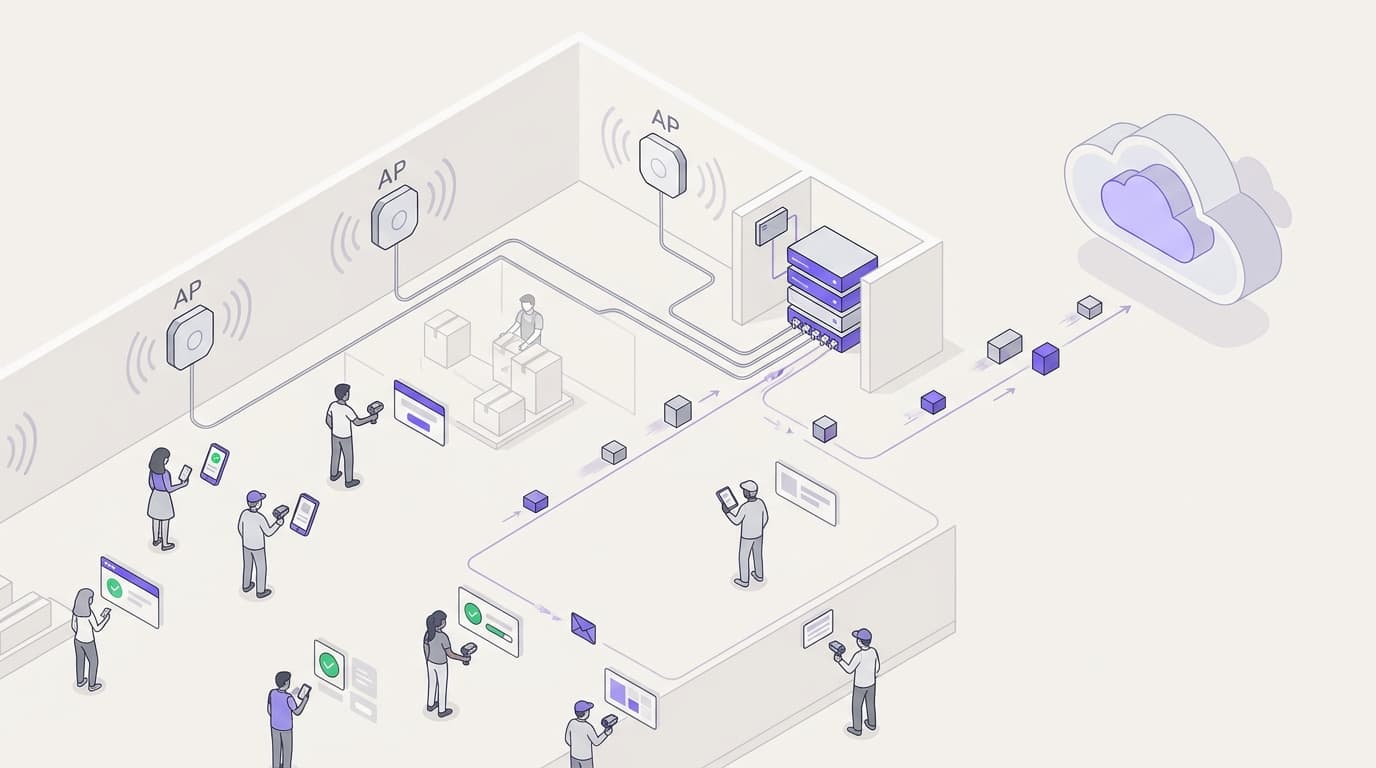
Für ein Mittelklassehotel müssen IT-Architekten 15–25 Mbps pro Zimmer bereitstellen. In Luxus- oder konferenzorientierten Veranstaltungsorten steigt dieser Bedarf auf über 50 Mbps pro Zimmer. Dies erfordert den Einsatz von High-Density Access Points (AP) – oft ein AP pro Zimmer oder jedes zweite Zimmer, abhängig von den Baumaterialien – um eine ausreichende Signalstärke und Kapazität zu gewährleisten. Konferenzbereiche erfordern spezielle High-Density APs, die Hunderte gleichzeitiger Verbindungen verarbeiten können, isoliert vom Gästezimmerverkehr über dedizierte Bandbreitenpools und VLANs.

bandwidth_planning_chart.png

Das kabelgebundene Backhaul ist ebenso entscheidend. Jeder Access Point benötigt einen Gigabit Ethernet-Uplink, idealerweise über PoE+-Switches. Die Core-Switching-Schicht muss den aggregierten Durchsatz aller APs gleichzeitig bewältigen. Ein Hotel mit 200 Zimmern und APs pro Zimmer könnte während der Spitzenzeiten 10 Gbps oder mehr an aggregiertem Traffic erzeugen. Der Internet-Uplink – typischerweise eine dedizierte leased line – muss entsprechend dimensioniert sein, mit einer Mindestempfehlung von 1 Gbps für Mittelklasseobjekte und 10 Gbps für große Konferenzzentren.

Wireless Standards und Technologie

Moderne Implementierungen sollten mindestens Wi-Fi 6 (802.11ax) verwenden. Wi-Fi 6 führte OFDMA (Orthogonal Frequency Division Multiple Access) ein, das es einem einzelnen AP ermöglicht, mehrere Clients gleichzeitig zu bedienen, was die Effizienz in dichten Umgebungen dramatisch verbessert. Für neuere Implementierungen erweitert Wi-Fi 6E diese Fähigkeit auf das 6 GHz-Band, reduziert Co-Channel Interference (CCI) und bietet zusätzliches Spektrum für Anwendungen mit hoher Bandbreite. Die Sicherheit muss über WPA3 Enterprise mit 802.1X-Authentifizierung für Unternehmensgeräte und WPA3 Personal für Gastnetzwerke durchgesetzt werden.

Quality of Service (QoS) und Traffic Management

Die bloße Erhöhung der Rohbandbreite ist selten die kostengünstigste Lösung. Ein intelligentes Traffic Management unter Verwendung der 802.11e QoS-Standards ist unerlässlich. Durch die Priorisierung latenzsensibler Anwendungen – Videokonferenzen, VoIP – gegenüber Massendatenübertragungen können Netzwerkadministratoren auch während der Spitzenzeiten (typischerweise 19:00–22:00 Uhr) ein nahtloses Erlebnis für Geschäftsreisende gewährleisten. Deep Packet Inspection (DPI) ermöglicht es dem Netzwerk, den Traffic nach Anwendungstyp zu klassifizieren und dynamisch entsprechende QoS-Richtlinien anzuwenden.


Implementation Guide

Gestaffelte Service-Architektur

Ein gestaffeltes WiFi-Modell ist der Industriestandard, um die Gästezufriedenheit mit den Infrastrukturkosten in Einklang zu bringen. Diese Architektur umfasst typischerweise drei verschiedene Service-Levels:

Stufe Geschwindigkeit Anwendungsfall Preismodell
Kostenloses Basic 5 Mbps Messaging, leichtes Surfen Kostenlos
Standard Gast 15 Mbps Soziale Medien, SD-Streaming 4,99 £/Tag oder für Treuemitglieder inklusive
Premium Business Garantiert 50+ Mbps VPN, 4K-Streaming, Videokonferenzen 9,99 £/Tag

qos_tiered_pricing_diagram.png

Die Implementierung dieser Architektur erfordert ein robustes Captive Portal, einen RADIUS-Server für die Authentifizierung und eine Richtliniendurchsetzungs-Engine. Plattformen wie Purple fungieren als kostenloser Identitätsanbieter für Dienste wie OpenRoaming unter der Connect-Lizenz, wodurch der Onboarding-Prozess optimiert und gleichzeitig Bandbreitenbeschränkungen durchgesetzt sowie Benutzeranalysen über ihr WiFi Analytics -Dashboard erfasst werden. Das Captive Portal selbst ist der primäre Berührungspunkt für die Erfassung von First-Party-Daten – E-Mail-Adressen, soziale Profile und demografische Informationen – die direkt in CRM- und Marketing-Automatisierungs-Workflows einfließen.

Bereitstellungs-Checkliste

Vor der Inbetriebnahme Folgendes überprüfen:

  1. Standortbegehung: Führen Sie eine vorausschauende RF-Begehung durch, um Abdeckungslücken, Interferenzquellen und die optimale AP-Platzierung zu identifizieren. Berücksichtigen SieBaumaterialien (Beton, Stahl, Glas), die das Signal dämpfen.
  2. AP-Dichte: Setzen Sie einen AP pro Raum oder jeden zweiten Raum ein. Für Konferenzräume setzen Sie APs mit hoher Dichte und Richtantennen ein, um Mikrozellen zu schaffen.
  3. VLAN-Segmentierung: Isolieren Sie Gast-, Unternehmens-, IoT- und Zahlungsnetzwerke in separaten VLANs mit strengen, an der Firewall durchgesetzten ACLs.
  4. QoS-Richtlinie: Konfigurieren Sie 802.11e WMM (Wi-Fi Multimedia)-Profile, um Sprach- und Videoverkehr zu priorisieren. Wenden Sie Ratenbegrenzung pro SSID oder pro Benutzer an.
  5. Captive Portal: Implementieren Sie ein GDPR-konformes Portal mit expliziter Opt-in-Option für Marketingkommunikation. Integrieren Sie es mit Purple für Analysen und Identitätsmanagement.
  6. Monitoring: Konfigurieren Sie SNMP oder eine cloudbasierte Netzwerkmanagementplattform, um bei AP-Ausfällen, hoher Auslastung und Latenzspitzen zu alarmieren.

Best Practices

Sicherheit und Segmentierung sind nicht verhandelbar. Gastverkehr muss strikt von Unternehmens- und Zahlungsverarbeitungsnetzwerken mittels VLANs isoliert werden, um die PCI DSS-Konformität zu gewährleisten. Die Implementierung von WPA3-Verschlüsselung und robuster 802.1X-Authentifizierung ist für Unternehmensbereitstellungen obligatorisch. Client-Isolation sollte auf Gast-SSIDs aktiviert werden, um laterale Bewegungen zwischen Gastgeräten zu verhindern.

Datenschutz und Compliance erfordern, dass das Captive Portal und die Datenerfassungspraktiken der GDPR und anderen regionalen Datenschutzbestimmungen entsprechen. Klare Nutzungsbedingungen und nicht vorangekreuzte Opt-in-Mechanismen für Marketingkommunikation sind im Vereinigten Königreich und in der EU gesetzlich vorgeschrieben. Die Plattform von Purple bietet integrierte GDPR-Compliance-Tools, einschließlich Einwilligungsmanagement und Datenaufbewahrungskontrollen.

Kontinuierliches Monitoring ist unerlässlich. Sich ausschließlich auf Uptime-Metriken zu verlassen, ist unzureichend. IT-Teams müssen Latenz, Paketverlust und AP-Auslastung während der Spitzenzeiten überwachen, um Überlastungsprobleme proaktiv zu identifizieren und zu beheben. Eine Verbindung kann technisch 'up' sein, aber für einen Videoanruf völlig unbrauchbar, wenn die Latenz 150 ms überschreitet oder der Paketverlust 1 % übersteigt.

Für weitere Informationen zur umfassenden Hotelnetzwerkstrategie siehe Hotel WiFi: The Complete Guide for Hoteliers und das spanischsprachige Äquivalent WiFi para Hoteles: La Guía Completa para Hoteleros .


Fehlerbehebung & Risikominderung

Gleichkanalinterferenz (CCI): In dichten Bereitstellungen beeinträchtigen überlappende Kanäle die Leistung erheblich. Implementieren Sie Automated Radio Resource Management (RRM), um Kanalzuweisungen und Sendeleistung dynamisch anzupassen. Vermeiden Sie die Bereitstellung mehrerer APs auf demselben Kanal in Reichweite voneinander.

Captive Portal-Reibung: Komplexe oder schlecht gestaltete Anmeldevorgänge frustrieren Gäste und reduzieren die Datenerfassungsraten. Nutzen Sie nahtlose Authentifizierungsmethoden – Social Login, OpenRoaming oder QR-Code-basierten Zugang –, um die Reibung zu reduzieren und gleichzeitig die Compliance zu wahren.

Unzureichendes Backhaul: Das drahtlose Netzwerk ist nur so schnell wie sein kabelgebundenes Backhaul. Stellen Sie sicher, dass Core-Switches und die Internetverbindung den gesamten Durchsatz aller APs unterstützen können. Ein einzelner gesättigter Uplink-Port kann die Leistung für eine ganze Etage beeinträchtigen.

Rogue Access Points: In großen Objekten verbinden Gäste gelegentlich persönliche Reiserouter oder Hotspots, was zu Interferenzen und Sicherheitsrisiken führt. Implementieren Sie Wireless Intrusion Prevention System (WIPS)-Funktionen, um Rogue-Geräte zu erkennen und zu melden.


ROI & Geschäftsauswirkungen

Die Investition in eine Enterprise-Grade WiFi-Infrastruktur liefert messbare Erträge in mehreren Dimensionen. Ein gestaffeltes Preismodell generiert direkte Einnahmen aus Premium-Stufen – ein Hotel mit 200 Zimmern und einer 30%igen Nutzung der Premium-Stufe zu £9.99/Tag kann jährlich über £200.000 allein an WiFi-Einnahmen generieren, was oft ausreicht, um das Netzwerk-Upgrade innerhalb von 12–18 Monaten zu finanzieren.

Über direkte Einnahmen hinaus ermöglicht die Integration einer Plattform wie Purple Veranstaltungsorten, wertvolle First-Party-Daten zu erfassen, was gezielte Marketingkampagnen ermöglicht, die Anmeldungen zu Treueprogrammen erhöht und wiederkehrende Buchungen fördert. Die WiFi Analytics -Plattform von Purple bietet Verweildaueranalysen, Besucherfrequenz-Heatmaps und die Verfolgung wiederkehrender Besucher – Erkenntnisse, die Personalentscheidungen, die Platzierung von Speisen und Getränken sowie die Optimierung des Ladenlayouts beeinflussen. Dieser Ansatz ist gleichermaßen anwendbar in den Sektoren Retail und Transport .

Das Risiko, nicht zu investieren, ist gleichermaßen quantifizierbar. Eine J.D. Power Hotel Guest Satisfaction Study aus dem Jahr 2024 ergab, dass die WiFi-Leistung der am häufigsten genannte Faktor in negativen Online-Bewertungen für Business-Hotels ist. Ein Rückgang der TripAdvisor-Bewertung um einen Stern korreliert mit einer Reduzierung des Umsatzes pro verfügbarem Zimmer (RevPAR) um 5–9 %.


Hören Sie sich den vollständigen technischen Briefing-Podcast oben an – ca. 10 Minuten, behandelt Bandbreitenplanung, QoS-Architektur, Implementierungsfallen und schnelle Fragen und Antworten.

Schlüsselbegriffe & Definitionen

Quality of Service (QoS)

Network mechanisms used to prioritise certain types of traffic — such as voice and video — over less critical data, ensuring consistent performance during periods of congestion.

Essential for ensuring business travellers have a seamless video conferencing experience even when the network is under heavy load from other guests.

VLAN (Virtual Local Area Network)

A logical grouping of network devices that allows administrators to segment a physical network into multiple distinct broadcast domains, each with its own security and traffic policies.

Crucial for separating guest traffic from secure corporate networks and payment processing environments to maintain PCI DSS compliance.

Captive Portal

A web page that users must interact with before accessing a public WiFi network, typically used for authentication, terms of service acceptance, or payment processing.

The primary touchpoint for guest onboarding and first-party data capture; its design directly impacts user friction, conversion rates, and GDPR compliance.

802.11e / WMM

An IEEE standard that defines Quality of Service enhancements for wireless LAN through modifications to the MAC layer. Wi-Fi Multimedia (WMM) is the consumer certification based on this standard.

The underlying protocol enabling traffic prioritisation for voice and video over WiFi. Must be enabled on both the AP and client device to be effective.

OpenRoaming

A federation of WiFi networks that allows users to automatically and securely connect without repeatedly entering credentials or interacting with captive portals, using a Passpoint/Hotspot 2.0 framework.

Reduces onboarding friction for guests; Purple acts as a free identity provider for this service under the Connect licence.

Throughput

The actual rate of successful data delivery over a communication channel, measured in bits per second (bps). Distinct from theoretical maximum bandwidth.

The practical speed a guest experiences, which is typically 40–70% of the theoretical maximum due to protocol overhead, interference, and concurrent users.

Co-Channel Interference (CCI)

Performance degradation that occurs when multiple access points operating on the same channel can detect each other, causing them to defer transmission and reducing overall throughput.

A major issue in high-density deployments. Requires careful channel planning, automated radio resource management (RRM), and ideally a move to the less congested 5 GHz or 6 GHz bands.

PCI DSS

Payment Card Industry Data Security Standard — a mandatory set of security standards for organisations that process, store, or transmit payment card data.

If the hotel processes payments over the same physical network infrastructure as guest WiFi, strict segmentation and compliance controls are legally required.

OFDMA (Orthogonal Frequency Division Multiple Access)

A multi-user version of OFDM that allows a single access point to simultaneously serve multiple clients by dividing the channel into smaller sub-channels called Resource Units (RUs).

Introduced in Wi-Fi 6 (802.11ax), OFDMA is the primary reason Wi-Fi 6 outperforms Wi-Fi 5 in dense environments like hotel lobbies and conference spaces.

Fallstudien

A 400-room luxury hotel is experiencing severe network congestion between 7 PM and 10 PM, saturating their 1 Gbps leased line. The IT Director needs to resolve this without immediately committing to a 10 Gbps circuit upgrade. What is the recommended approach?

The IT Director should implement a tiered QoS strategy in three phases. Phase one: enforce a 5 Mbps hard cap on the complimentary guest tier using per-user rate limiting on the wireless controller. This prevents a small number of users from monopolising bandwidth with bulk downloads or torrenting. Phase two: prioritise traffic for the premium tier (50 Mbps guaranteed) using 802.11e WMM QoS tags, ensuring video conferencing and VPN traffic receive priority queuing over best-effort traffic. Phase three: deploy Purple's WiFi Analytics to analyse traffic patterns, identify peak-hour application types, and implement application-aware QoS policies using Deep Packet Inspection. Monitor peak utilisation over a 30-day period to determine whether a circuit upgrade is still required.

Implementierungshinweise: This approach addresses the root cause — unmanaged traffic — rather than simply the symptom of a saturated line. By implementing traffic shaping, the hotel improves the experience for premium users and defers significant capital expenditure. The analytics phase is critical: without data, the IT Director cannot make an evidence-based decision about whether a circuit upgrade is justified.

A large conference hotel hosting a 500-person technology event finds that ballroom WiFi is completely unusable during keynote sessions. The venue has a 10 Gbps leased line and three access points in the ballroom. What is the architectural failure and how is it resolved?

The failure is a coverage-versus-capacity design error. Three APs provide adequate coverage (signal strength) for the space, but cannot handle the concurrent association requests and data throughput of 500+ attendees with 1,500+ devices. The resolution is to deploy 12 high-density APs with directional antennas, creating smaller non-overlapping micro-cells. Each AP should be configured on non-overlapping channels (1, 6, 11 on 2.4 GHz; multiple channels on 5 GHz using 20 MHz channel widths to maximise the number of available channels). A dedicated conference SSID should be provisioned on a separate VLAN with a dedicated bandwidth pool, isolated from the guest room network. Band steering should be enabled to push capable devices to the 5 GHz or 6 GHz bands.

Implementierungshinweise: This is the most common failure mode in event WiFi deployments. The key insight is that more bandwidth does not solve a capacity problem caused by insufficient AP density. The solution is architectural — more APs, smaller cells, dedicated event infrastructure — not simply a bigger pipe.

Szenarioanalyse

Q1. A hotel is hosting a major tech conference. The IT team has provisioned 50 Mbps per room in the guest towers, but 500 attendees in the main ballroom are reporting slow speeds and frequent disconnections. The venue has a 10 Gbps leased line and three access points in the ballroom. What is the most likely architectural flaw, and what is the remediation plan?

💡 Hinweis:Consider the difference between coverage-based and capacity-based design. Signal strength is not the same as capacity.

Empfohlenen Ansatz anzeigen

The network in the ballroom was designed for coverage rather than capacity. Three APs provide adequate signal but cannot handle the concurrent association requests and throughput of 500+ attendees with 1,500+ devices. The remediation plan is to deploy 12 high-density APs with directional antennas to create smaller non-overlapping micro-cells. Configure non-overlapping channels, enable band steering to push capable devices to 5 GHz or 6 GHz, and provision a dedicated conference SSID on a separate VLAN with a dedicated bandwidth pool isolated from the guest room network.

Q2. The marketing director wants to capture email addresses from all guests using the WiFi, but the IT director is concerned about GDPR compliance and onboarding friction. What is the recommended architecture?

💡 Hinweis:How can you balance data collection with user experience and legal requirements? Consider what constitutes valid consent under GDPR.

Empfohlenen Ansatz anzeigen

Implement a captive portal integrated with Purple. Offer social login (Google, Facebook, Apple) for a frictionless experience. The portal must include explicit, un-ticked opt-in checkboxes for marketing communications — pre-ticked boxes are not valid consent under GDPR. Include a clear link to the privacy policy. Store consent records with timestamps in the Purple platform for audit purposes. This approach maximises data capture while maintaining full legal compliance.

Q3. A mid-scale hotel wants to introduce a premium WiFi tier at £9.99/day but is concerned that guests will bypass the fee by sharing a single connection via a travel router. How can this be technically mitigated?

💡 Hinweis:What network-level controls can identify or restrict specific device types? Consider both device fingerprinting and session management.

Empfohlenen Ansatz anzeigen

The network can utilise MAC address filtering combined with device fingerprinting (via DHCP fingerprinting or HTTP User-Agent analysis) to detect travel routers and NAT devices. Additionally, the captive portal can enforce a strict device limit — typically 3 devices — per premium access credential, making it impractical to share. Implementing IP TTL analysis can also detect NAT traversal, as packets routed through a travel router typically arrive with a reduced TTL. For persistent offenders, the RADIUS server can flag the MAC address and require re-authentication.

Q4. A 300-room business hotel is planning a full network refresh. The IT Director must choose between deploying one AP per room versus one AP per corridor (every 3–4 rooms). What factors should drive this decision, and what is the recommended approach?

💡 Hinweis:Consider building construction materials, guest device density, and the cost-benefit of per-room versus corridor deployment.

Empfohlenen Ansatz anzeigen

The decision hinges on construction materials and expected device density. In modern concrete-and-steel construction, fire-rated doors and thick walls significantly attenuate 5 GHz signals, making per-room APs the recommended approach for a business hotel where guests routinely use VPNs and video conferencing. In lighter construction (e.g., drywall partitions), corridor APs may suffice for budget properties. For a 300-room business hotel, the incremental cost of per-room APs (approximately £150–£250 per AP) is justified by the improvement in guest satisfaction and the ability to support 6–10 devices per room reliably.