Monday morning starts before the guests arrive. At a hotel shift handover, the night team signs out, the day team arrives, and three staff laptops sit at the captive portal because somebody changed the shared Wi-Fi password and forgot to update the back-office whiteboard. One employee searches an old ticket, another asks a supervisor, and the third gives up and uses a personal hotspot.
That isn't a Wi-Fi coverage problem. It's an identity problem. Single sign-on, or SSO, lets staff authenticate with their existing work identity and gain access to the staff network without another shared password prompt. This guide explains how to enable single sign on on a Purple-managed staff SSID, choose the right identity provider, configure federation, test the result, and keep the rollout safe when something goes wrong.
Why Staff Networks Need Single Sign-On
Shared pre-shared keys fail in predictable ways. Staff write them on sticky notes, paste them into ticketing systems, repeat them over the radio, and keep using them after somebody leaves the business. A venue may change the key to solve one access problem, only to create a fresh queue of login requests at the next shift change.
The operational cost appears in small interruptions. A receptionist waits for a reset during check-in, a nurse loses time reconnecting a workstation, and a retail supervisor calls the helpdesk because a handheld device won't join the staff SSID. Those delays are hard to measure individually, but they recur whenever the network treats a whole workforce as one account.
SSO changes the unit of access from the shared password to the individual identity. An employee signs in through the organisation's identity provider, and the network applies the access policy associated with that person or their group. When the employee changes department, their group membership can change with them. When they leave, disabling the directory account can remove access without changing a password used by everyone else.
For UK public-sector organisations, the fragmentation problem is already visible at national scale. GOV.UK's authentication and digital identity guidance reported an estimated 121 single sign-on solutions across government in 2021, alongside around 191 account set-up methods and 44 sign-in methods. GOV.UK One Login was created as a common authentication layer, and the same update reported that it had been used by over 1.5 million people to prove their identity by July 2023, while its companion app had been downloaded 2 million times.
What the staff SSID should enforce
A Purple-managed staff network gives the venue a practical place to connect work identity with wireless access. The identity-based networking approach separates staff access from guest access and allows network policy to follow authenticated identity rather than a credential printed on a noticeboard.
That matters for more than convenience:
- Handover: Employees can use their own work credentials instead of asking the previous shift for a key.
- Offboarding: Directory disablement can remove access without forcing every colleague to reconnect.
- Auditability: Network events can be associated with people or groups rather than an anonymous PSK.
- Segmentation: Groups can map to staff SSIDs, VLANs, or captive-portal policies appropriate to their role.
- Compliance hygiene: Sensitive credentials are less likely to appear in helpdesk tickets or shared documents.
SSO doesn't remove the need for a resilient wireless design, device management, or sensible access controls. It removes the shared-credential trap, which is usually the shortest route to making staff Wi-Fi manageable.
Authentication Flows That Power Staff SSO
The flow you choose depends on where authentication happens and what your network equipment understands. The identity provider may issue the assertion, but an access point still needs a mechanism to decide whether a device can join the SSID.
SAML 2.0 is the common enterprise workhorse. Entra ID and Okta can issue a signed assertion containing a stable identifier, email address, and group information. The service provider validates that assertion and creates the authenticated session. SAML suits organisations that already use it for SaaS applications and want one directory to remain the source of truth.
OpenID Connect, or OIDC, uses modern JSON-based tokens. It fits Google Workspace and newer applications particularly well, and its token structure can be easier to inspect during troubleshooting. Older wireless platforms don't always speak OIDC directly, so the flow may still need a broker or gateway before the access point can enforce the decision.
RADIUS remains the bridge between identity and enterprise Wi-Fi. An 802.1X authenticator, normally the access point or wireless controller, sends authentication requests to a RADIUS service. That service might be Cloud RADIUS, Microsoft NPS, an on-premises RADIUS server, or a managed provider. Even where the user starts at a SAML identity provider, RADIUS commonly sits between the identity system and the wireless infrastructure.
Certificate-based authentication uses a machine certificate, and sometimes a user certificate, to establish a high-trust connection. Hospitals, laboratories, and trading environments may prefer this approach for managed devices because the certificate is issued by device policy rather than typed by an employee. It takes more preparation, particularly around certificate enrolment, renewal, and revocation, but it reduces dependence on interactive password entry.
Staff SSO authentication flows at a glance
| Flow | Best Fit | Typical IdP | Staff UX |
|---|---|---|---|
| SAML 2.0 | Enterprise federation and group-based access | Entra ID or Okta | Browser sign-in, then an authenticated session |
| OIDC | Modern applications and JSON-based integrations | Google Workspace or an OIDC-capable IdP | Familiar web authentication with token-based federation |
| RADIUS | 802.1X wireless access and legacy network equipment | Cloud RADIUS, NPS, or a managed provider | Device joins the SSID after network authentication |
| Certificate-based auth | Managed devices and high-trust environments | Enterprise PKI with directory integration | Usually silent after certificate enrolment |
A Purple staff SSID can stitch these layers together. The IdP establishes identity, RADIUS brokers network authentication where required, the access point enforces the result, and the Purple dashboard gives administrators an operational view of the sign-in event. If MFA is part of your design, treat it as an identity control rather than a replacement for network segmentation. Networking2000's MFA overview is useful background when deciding how a second factor fits around the SSO flow.
Practical rule: Use SAML when your enterprise applications already depend on it, OIDC for modern web-led integrations, RADIUS for 802.1X enforcement, and certificates when the device itself must carry a strong proof of identity.
Choosing the Right Identity Provider
The right identity provider is usually the one your organisation already operates well. Choosing from a feature list can produce a technically elegant design that venue managers can't administer and the service desk doesn't understand.
Microsoft Entra ID is a natural fit for estates built around Microsoft 365. Conditional access, directory groups, device context, and existing administrator skills can all support staff network policy. Hospitals with managed endpoints and regional Microsoft estates often prefer keeping authentication decisions inside the same control plane as their other workforce services.
Google Workspace works well where the directory already lives in Google and the business wants to avoid introducing another identity platform. Hotels, retailers, and smaller hospitality groups that have standardised on Google may find its administration familiar and its user lifecycle straightforward.
Okta tends to suit organisations that need a broad federation layer across changing applications, acquired businesses, or multiple directories. SCIM, detailed group rules, and clean SAML metadata exchange can matter more than a long list of unused features when a hospitality group is growing or integrating separate estates.
An on-premises Active Directory and NPS pair still has a place. It can be sensible where the wireless estate already depends on 802.1X, the directory is local, WAN availability is constrained, or the organisation has strong Windows infrastructure skills. It also creates more responsibility for patching, certificate management, redundancy, and monitoring.
IdP decision matrix for Purple staff SSO
| IdP | Strength | Watch Out For | Typical Venue |
|---|---|---|---|
| Entra ID | Conditional access, Microsoft 365 alignment, mature group administration | Licensing and policy complexity can require specialist administration | Hospital or multi-region estate |
| Google Workspace | Existing Google directory, familiar administration, simple workforce alignment | Network authentication may need an additional RADIUS or federation layer | Hotel or retail group already using Google |
| Okta | Flexible federation, SCIM, granular groups, support for mixed environments | Contract structure and per-seat costs need careful review | Fast-growing hospitality group |
| Active Directory plus NPS | Strong fit for established 802.1X and local Windows environments | More infrastructure to operate, secure, and make highly available | Site with mature on-premises IT |
Access policy is where the choice becomes tangible. Check whether the provider can expose reliable group claims, whether those claims can map to staff roles or VLANs, how MFA is enforced, and how quickly a disabled account stops authenticating. Also assess whether a non-IT venue manager can understand the administration screens well enough to handle a joiner or a department transfer.
For a wider view of how identity and access management affects business systems, Kushan Business Solutions' IAM resources provide useful context beyond wireless authentication. The practical recommendation remains simple: start with your directory reality, not with the provider's feature brochure.
Purple consumes standard federation metadata, so an IdP change needn't mean a wireless rebuild. The exact migration still needs testing, but replacing the identity connection is normally a controlled configuration exercise. Keep the network policy, group naming, and fallback path documented before changing providers. For teams that need a managed RADIUS layer, review the available Cloud RADIUS providers alongside the identity platform rather than treating RADIUS as an afterthought.
Configuring SSO on the Purple Console and Directory
Federation succeeds more reliably when the identity provider is prepared before the Purple connection is created. The common mistake is to open both consoles and copy values back and forth without first deciding which identifier, claim names, and certificate will be authoritative.
Prepare the enterprise application
Create the application in Entra ID, Okta, or Google Workspace. Choose SAML 2.0 when the staff network integration requires an assertion, then record the service provider values supplied by Purple:
- Copy the ACS URL, also called the assertion consumer service URL, into the IdP's reply or sign-on URL field.
- Copy the Entity ID into the IdP's identifier or audience field.
- Set NameID to the stable employee identifier expected by the integration. Email is often practical, but don't change the format halfway through the rollout.
- Release the required attributes, normally email, display name, and group.
- Assign a pilot group rather than the entire workforce.
- Download the federation metadata and signing certificate from the IdP.
For OIDC, record the issuer, client identifier, authorisation endpoint, token endpoint, and client secret as supplied by the integration. Keep secrets in the approved password manager, not in a ticket or shared spreadsheet.
Add the provider in Purple
Open the Purple portal and follow Authentication > Identity Providers > Add. Select SAML 2.0 or OIDC, depending on the design, then import the IdP metadata or enter the requested endpoints manually. Bind the new identity provider to the staff RADIUS realm or captive-portal profile, and select the group-to-policy mappings before saving.
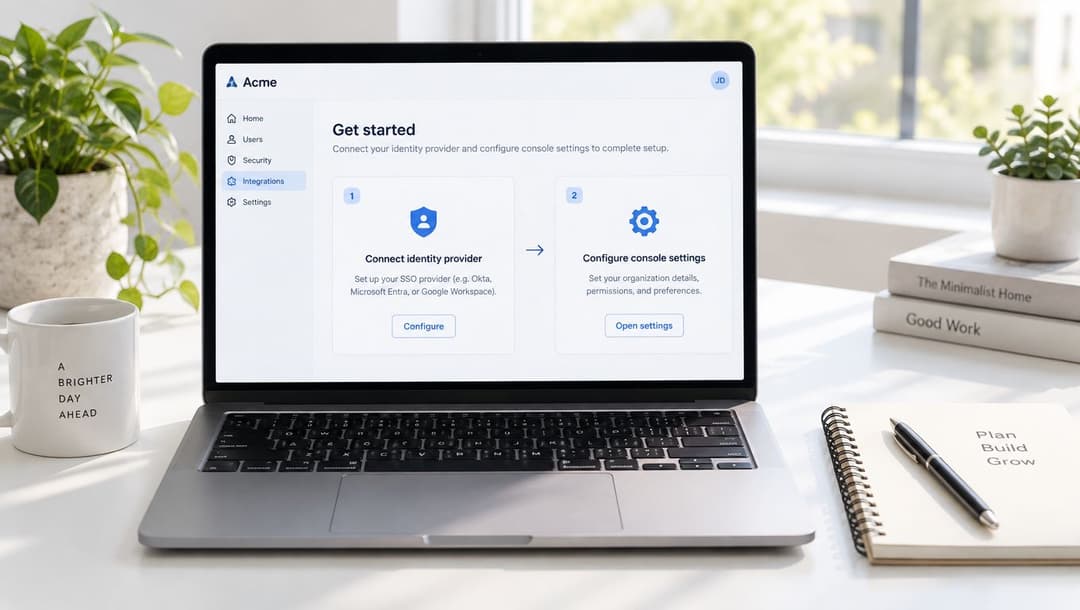
Use the console's documented default clock-skew tolerance unless your security policy requires a stricter value. Don't invent a local tolerance to make a failing assertion pass. Correct the time source on the IdP, RADIUS service, and network equipment instead.
Configuration order: Create and assign the IdP application, map claims, export metadata, import it into Purple, bind the staff profile, test with a pilot account, then enable the production policy.
Two errors account for a large share of failed first attempts. The first is a mismatch between the identifier URI in the IdP and the Entity ID expected by Purple. The second is importing metadata that isn't signed or whose signature can't be validated after a refresh. Check the exact string, including case and trailing characters, and establish how certificate rotation will be approved before production.
If the site still depends on Windows domain infrastructure, separate the directory design from the federation design. A guide such as Monro Cloud's explanation of promoting a domain controller can help clarify the underlying Active Directory task, but it doesn't replace the SSO configuration or network testing.
Finally, check the relevant integration options in Purple's connectors library. Keep the first change narrow. One staff group, one SSID policy, one named test venue, and a documented fallback make troubleshooting far easier than a simultaneous estate-wide cutover.
Testing and Verifying the Staff Sign-In Flow
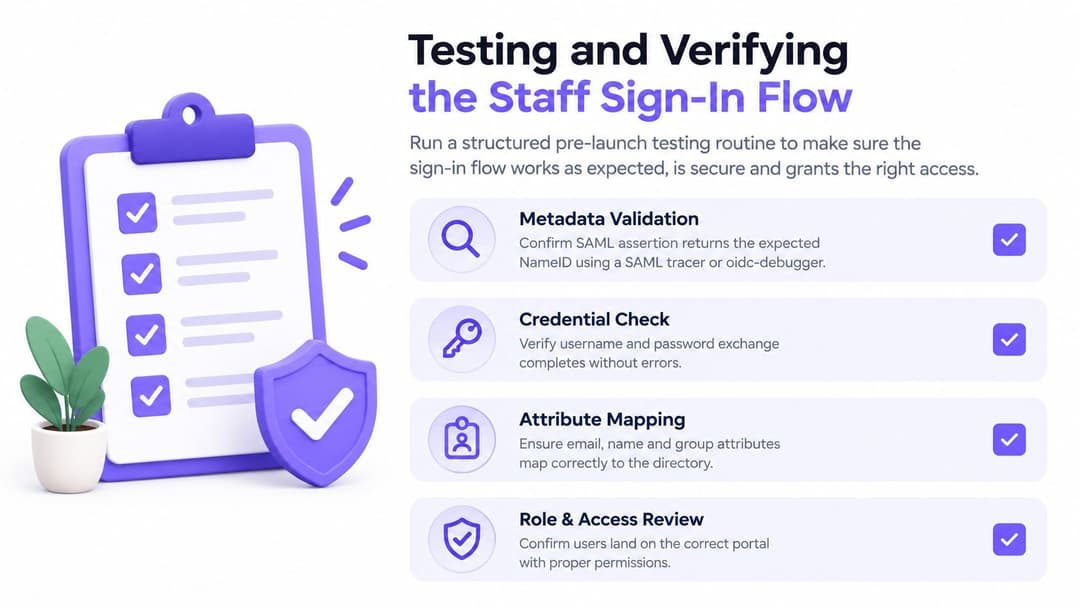
Don't test only from an administrator's already-authenticated browser. Cached IdP sessions can make a broken federation look healthy. Use a private browser window, a clean test account, and a sequence that checks the assertion, the network decision, and the user's final experience.
Start with metadata validation. Use a SAML tracer or an OIDC debugger to inspect the response and confirm the expected NameID format, audience URI, issuer, signature, and group claims. For a RADIUS-backed flow, confirm that the broker receives the identity and returns an accept or reject decision with the attributes needed for policy mapping.
Test by device and network context
Run the flow against different types of endpoint rather than assuming one successful browser test covers the estate:
- Managed laptop: Use a domain-joined device on the corporate VLAN and confirm the expected staff policy applies.
- BYOD phone: Connect from the guest SSID and verify that staff credentials don't accidentally grant broader network access.
- Shared kiosk: Test the captive portal with a clean browser session, then sign out and repeat with another staff account.
- Revocation path: Change or disable the test account and confirm that a new authentication attempt fails and existing sessions follow the configured lifetime.
Check session duration and forced reauthentication after a password or account-state change. For 802.1X, inspect RADIUS accounting packets and confirm that the access point records the expected start, stop, and identity events.
Correlate both sides of the transaction
Read the identity provider logs and the Purple event stream together. Entra sign-in logs, the Okta System Log, and Google Admin audit data should show the authentication request, policy result, and user identity. Purple should show the corresponding request and network outcome.
Record the correlation ID from both systems wherever available. A timestamp alone is often too vague during a busy shift, while a shared identifier lets you distinguish a rejected group claim from a wireless association problem. Capture the successful trace before changing the configuration, so the service desk has a known-good example for comparison.
Rollback Plans and Troubleshooting Common Failures
At 09:00 on a Tuesday, a 220-room hotel enables SSO for a pilot group. The first administrator signs in successfully. Ten minutes later, helpdesk tickets arrive from housekeeping, reception, and food service. Some users see an endless redirect, others reach the IdP but land on the wrong staff policy, and one older laptop refuses the connection entirely.
The response shouldn't be to disable every control at once. Keep the local RADIUS realm enabled as a fallback, move the captive-portal profile back to password authentication in two clicks, and only then disable the SAML connection if the pilot still can't authenticate. That order keeps staff working while the federation is isolated.
Common SSO failure modes and fixes
| Symptom | Likely Cause | Fix |
|---|---|---|
| Assertion rejected immediately | Clock skew between systems | Check time synchronisation on the IdP, RADIUS service, controller, and access point. Use the documented Purple tolerance rather than widening it casually. |
| Sign-in loops back to the portal | Captive-portal cookie collides with the IdP session | Clear the portal session, test in a private window, and review redirect and cookie behaviour on the captive-portal profile. |
| User authenticates but receives no staff access | Missing or incorrectly named group claim | Compare the assertion with the Purple group mapping, then correct the IdP claim and retest with the pilot account. |
| SAML connection fails after a certificate change | Expired, untrusted, or incorrectly imported signing certificate | Export current IdP metadata, validate the signing certificate, and import the refreshed metadata into the Purple identity-provider record. |
| Assertion signature is rejected | Unsupported or mismatched signing algorithm | Align the IdP signing algorithm with the integration requirements and re-import verified metadata. |
| Only some users fail | Incorrect application assignment or group membership | Check the user's IdP application assignment, group membership, and policy mapping before changing the network. |
Don't delete the old realm until the new path has passed the device checks and the support team knows how to identify a failure. A rollback is not a failed project. It's a normal control that prevents authentication work from becoming a venue outage.
Certificate expiry deserves particular attention because it can arrive without any change to the wireless estate. Record the certificate owner, renewal process, and import location. For metadata refreshes, validate the file and its signature before replacing the active connection, then test the SP-initiated flow from a clean session.
Security Best Practices After Going Live
SSO is only as strong as the identity lifecycle behind it. A central login can improve control, but it can also concentrate risk if administrators leave dormant accounts, over-release directory attributes, or allow a shared service identity to bypass normal policy.
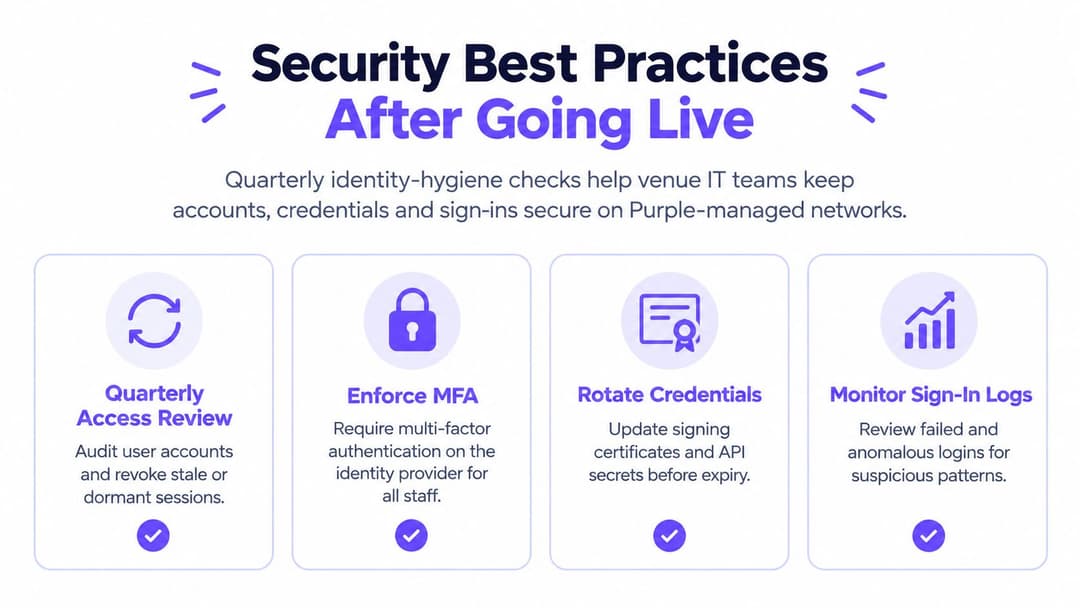
Run a quarterly review with the identity and network teams. Confirm that joiners, movers, and leavers appear in the correct staff groups, that dormant accounts no longer receive network access, and that group changes reach the staff policy without manual copying. The NCSC guidance on using SaaS securely recommends full identity federation in cloud contexts rather than synchronising passwords into the cloud, which is a useful design principle for staff network integrations.
Controls worth checking every quarter
- Use phishing-resistant MFA: Require FIDO2 security keys or platform passkeys for IdP accounts where the platform and device estate support them. Treat SMS or password-only access as a compatibility exception, not the target state.
- Limit session persistence: Set IdP session lifetimes so Purple reauthentication follows corporate policy. Test what happens after logout, browser closure, password change, and account disablement.
- Review just-in-time access: Audit temporary staff and guest roles for stale assignments. Remove access at the source directory instead of relying on a manual list inside the network console.
- Watch the event stream: Monitor federation errors and unusual sign-in patterns in the Purple dashboard, then correlate them with IdP logs.
- Release minimum claims: Send only the attributes the staff policy needs, typically email, display name, and group. Unnecessary directory data has no place in a wireless assertion.
- Rotate trust material: Renew signing certificates and API secrets before expiry, test the replacement, and keep the previous certificate available only for the approved transition window.
- Remove shared identities: Disable shared service accounts wherever a managed device or named user can perform the task. If an exception remains, document its owner and review date.
UK identity programmes show why adoption and reuse matter alongside authentication. The 2026 GOV.UK digital identity sectoral analysis reported that 77% of respondents had completed at least one digital identity use case, while 20% of people who had used a digital identity service reported presenting a reusable identity. The lesson for venue IT is practical: a login is useful, but consistent reuse, assurance, accessibility, and lifecycle control determine whether SSO works across real services.
The NCSC identity and access management guidance also highlights the importance of disabling accounts and propagating that decision to connected services. Keep that propagation under test. SSO isn't a one-time configuration. Its value appears when directory changes and staff network policies stay in lockstep.
Purple provides staff Wi-Fi authentication that connects identity providers such as Entra ID, Google Workspace, Okta, and SAML 2.0 to managed network access, with policy and authentication events handled through its platform. Visit Purple to assess an identity-federated staff SSID for your hotels, hospitals, retail sites, or other venues, and plan a pilot with a tested rollback path.