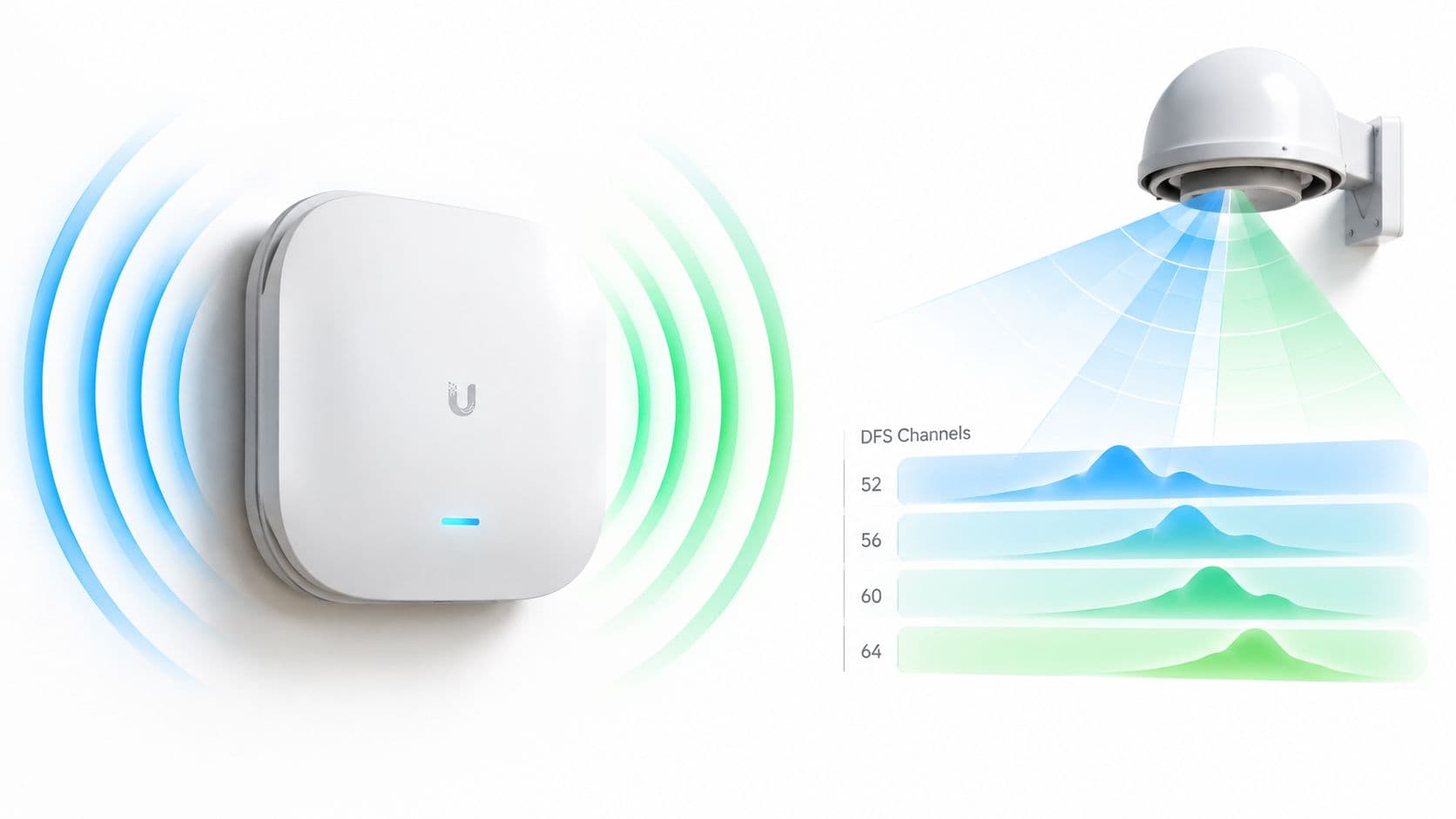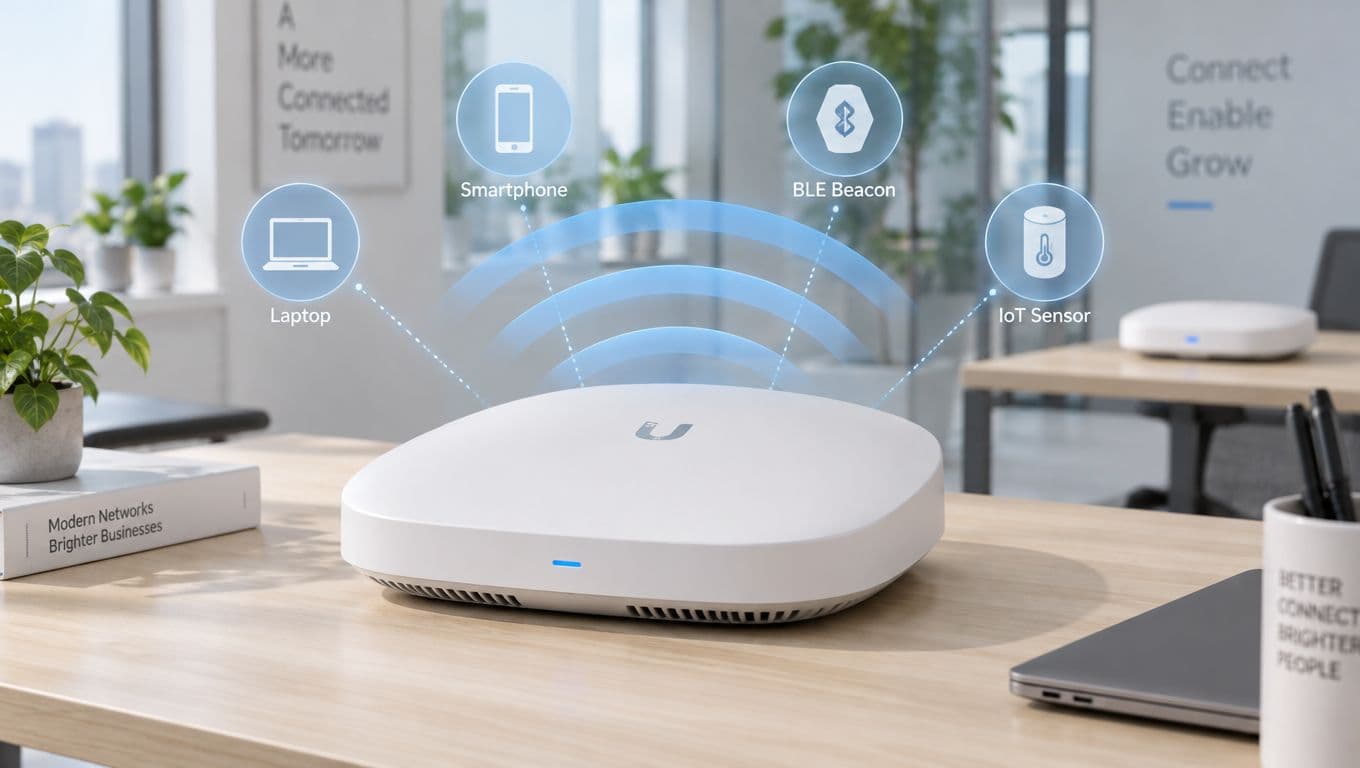
The procurement meeting starts with familiar promises. Every supplier describes its business wireless access points as enterprise-grade, and every datasheet leads with radio speeds. But the IT lead responsible for a 200-room hotel needs more than impressive figures on paper: the network has to cope with guests arriving at once, staff moving between floors, and devices that need different levels of access.
That's why an access point isn't just a radio. It's where RF design, network management and identity policy meet. A choice made at procurement can shape guest onboarding, staff security, analytics and the ongoing cost of running the network. The useful questions aren't only how fast the AP can transmit, but how it'll be managed, how users will authenticate, and whether the whole design will work under real site conditions.
Why the Right Access Point Changes Everything
At the hotel, two APs with similar specifications can produce very different results. One may suit a central, open lobby but struggle in rooms divided by dense walls. Another may provide better control over radio settings and central management, yet require licenses or integrations the hotel's team hasn't planned for. In practice, the network succeeds or fails through the combination of hardware, placement, wired infrastructure and operating policies.
The US already had a substantial business WiFi footprint in early industry assessments. Market data estimated hundreds of thousands of enterprise WiFi networks, using workplaces with 10 or more employees as a proxy for medium- and large-enterprise deployments. The estimate represented premises with coverage, not a count of individual access points. Industry analysts noted that larger premises such as hotels and shopping centers would typically need multiple APs.
That distinction matters to anyone planning a real deployment. A single device might provide adequate signal in a small room, while a large building needs coordinated AP placement and central policy to serve staff, visitors and operational equipment. The same FCC assessment modeled radio interference affecting access points in approximately 1.2% of enterprise networks, or around 8,000 networks, with a lower estimated impact on client devices. That's a reminder that RF conditions deserve attention even when coverage looks straightforward.
Think beyond the radio
A good purchase decision connects three things. RF performance determines whether devices can use the network reliably where people work. Management determines whether the IT team can apply consistent settings, monitor faults and maintain the fleet. Identity integration determines who gets access, what they can reach and how quickly access can be withdrawn.
Those choices have downstream effects. A guest SSID that uses a shared password may be simple to launch, but it can make access harder to attribute and revoke. A capable AP won't fix that governance gap by itself. Likewise, a secure authentication platform can't compensate for poor placement or an overloaded radio.
The practical buying question is therefore not which AP has the most impressive headline speed. It's which platform fits the building, the user groups, the wired network, and the team that has to operate it. Treat the AP as the physical anchor of those decisions, and the vendor comparison becomes more useful than a spec-sheet contest.
What Makes an Access Point Business-Class
A domestic router combines several jobs in one device. A business AP typically connects to a wired network and provides managed wireless access, while switching, routing, security policy and internet access may sit elsewhere. The distinction is like a light switch compared with a building-wide electrical system: each AP serves a local area, but the organization needs shared control and consistent behavior across the whole site.
Read the hardware in context
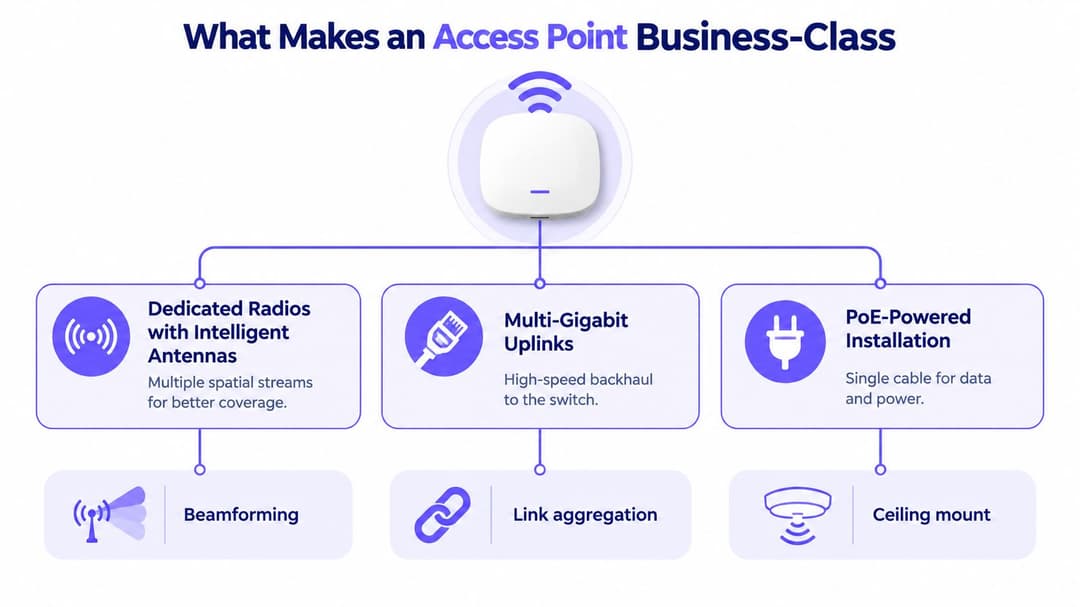
Start with the radios and antennas. Business APs may have multiple radios and spatial streams, along with antenna systems designed to manage coverage and interference. Beamforming can help direct transmission toward clients, but it doesn't remove the need for sensible placement or an RF survey. For specialist spaces such as high-ceiling venues, check whether the manufacturer offers antenna options suited to the mounting position and coverage pattern.
Next, inspect the wired connection. A radio capable of high aggregate throughput can't deliver that performance through an undersized uplink. Multi-gigabit Ethernet may be appropriate where the expected wireless load justifies it, but the switch must support the interface and the cabling path must be suitable. Check the AP's power requirements against the switch's PoE capability too. If the AP needs more power than the switch supplies, some features or radio configurations may be unavailable.
Finally, consider how the AP is installed and maintained. A ceiling-mounted device with a single Ethernet cable carrying both power and data can make deployment cleaner, but only if the cabling, switch capacity and mounting plan are designed together. Central firmware management and fleet-wide configuration matter just as much: individual configuration can become error-prone once a site has many APs.
Don't buy the label
“Enterprise” on a product page doesn't tell you whether the device supports the management model, authentication methods or integrations your organization needs. Ask the vendor to demonstrate central configuration, firmware control, operational monitoring and the way the AP handles roaming across a multi-AP site.
Check whether the product can enforce the network design you intend to use, including segmentation and the required authentication. Then confirm the support model and any ongoing platform requirements. The right business wireless access points are not just more powerful versions of domestic devices. They're components in a managed system, and their value depends on how well the hardware works with that system.
The Features That Matter on the Datasheet
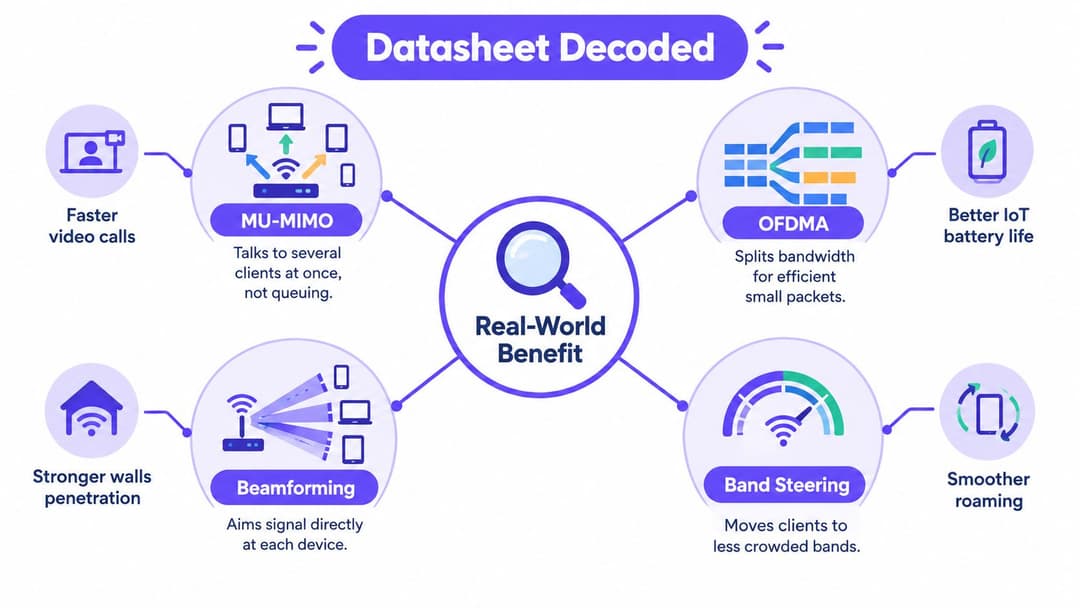
When an AP joins a live network, its feature list affects more than radio performance. Client compatibility, authentication, segmentation and analytics all depend on how the device fits the wider design. Judge each capability against the traffic, identity controls and infrastructure it must support.
Efficiency, security and visibility
MU-MIMO lets an AP communicate with multiple compatible clients in parallel, rather than serving every transmission in a simple queue. The gain depends on client capabilities, traffic patterns, and radio conditions. Treat it as an efficiency feature, not a guarantee that every device will reach the advertised peak rate.
OFDMA, available with WiFi 6, splits a channel into smaller resource units. This can help an AP handle short exchanges from connected devices alongside heavier application traffic. US Federal guidance recommends WiFi 6 where possible and advises setting a high minimum basic data rate while disabling legacy low rates. Low-rate clients can consume disproportionate airtime, so check compatibility before changing rate settings. (GovWifi's wireless requirements)
Security deserves the same scrutiny as radio performance. For staff networks, check how the AP supports identity-based authentication and encryption, and whether those controls integrate with your identity and policy systems. WPA3-Enterprise and 802.1X can suit designs using individual credentials or certificates, but the authentication service and endpoint configuration must also be planned. An AP's security label is not an identity architecture. For a fuller treatment of those decisions, read the enterprise WiFi security guide covering authentication, encryption and policy design.
Check the whole path, not the feature list
A Bluetooth Low Energy radio can support location services or device workflows. Its value depends on a defined use case and a platform that can process the data appropriately. Confirm which applications consume the information, who can access it, and how collection fits privacy and retention requirements.
The wired uplink can constrain the radio. US Government guidance identifies 1, 2.5, 5 and 10 Gbps interfaces as typical AP options. If the chosen radio configuration can generate more aggregate traffic than a 1 Gbps connection carries, the uplink becomes a bottleneck. That does not mean every site needs the largest port. Match the AP and switch to expected load.
Before purchase, classify each feature as required, useful later or irrelevant to the deployment. Prioritize secure authentication, adequate PoE and uplink capacity, and RF capabilities suited to the site. Proprietary analytics and management features may add value, but can also create dependencies. Check that the organization accepts their integration requirements and effect on future choices.
Choosing Between Cloud, Controller, and Standalone Management
The management model is an operating decision, not just a dashboard preference. A cloud-managed fleet can help a lean team apply consistent settings across locations, while a controller-based design may suit an organization that wants on-premises control. Standalone APs can work where deployments are small and requirements are simple, but they put more configuration and consistency work on the administrator.
| Management Model | Best Fit | Key Trade-Off |
|---|---|---|
| Cloud-managed | Distributed sites and teams that need central visibility | Depends on the vendor's cloud service, licensing and data-handling model |
| Controller-based | Sites that need central policy with local controller operation | Requires controller planning, maintenance and suitable integration |
| Standalone | Small deployments with limited operational complexity | Individual configuration makes consistency and fleet oversight harder |
Choose for the team you have
Cloud management is most useful when administrators need to see and maintain APs across multiple locations without traveling to each site. Before choosing it, check licensing terms, internet dependency, data sovereignty requirements and the quality of the platform's APIs. An attractive dashboard is less useful if it can't supply the events or client information your operations and analytics systems need.
A controller-based deployment shifts more responsibility to local infrastructure and the network team. It can be appropriate where the organization needs a specific operational model or already runs the vendor's controller environment. Confirm what happens to AP service if the controller is unavailable, and whether authentication, roaming and monitoring continue as intended.
Standalone management keeps the architecture simple at first. It can become awkward when settings need to be repeated across many devices, especially if staff, visitor and operational networks need consistent treatment. If the organization expects to grow or needs reliable fleet-wide visibility, include the future management workload in the decision rather than comparing only the initial device cost.
Test integration before commitment
Ask vendors to show how settings are deployed, how firmware is controlled, and what happens when an AP loses its management connection. Then test the data path to identity, logging, and analytics systems. The right answer depends on team capability, operating constraints, and integration needs, not a universal preference for cloud or on-premises management.
Sizing and RF Planning for Real Buildings
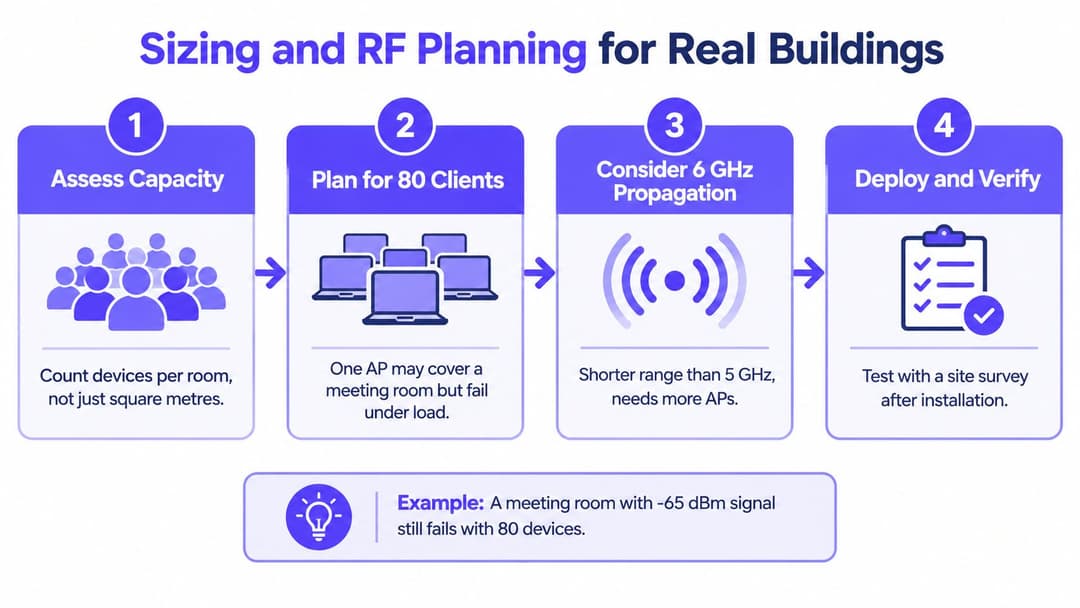
A coverage map can look healthy while users complain that WiFi fails in meetings. That happens because signal strength and capacity aren't the same thing. An AP may reach every corner of a room but still struggle when many devices compete for airtime at once.
Build a design around use
Begin with the people, devices, and applications in each area. A hotel room, a clinic, and a meeting space may occupy similar floor area but impose different demands on the network. A design brief should identify where users gather, what devices they carry, which applications are business-critical, and where operational equipment needs reliable connectivity.
Use building plans to create a predictive design, but don't treat the prediction as a deployment guarantee. Walls, doors, furniture, neighboring networks and mounting height all affect the result. Validate proposed locations with an on-site survey, then test the installed network with representative client devices and the applications people use day to day. Throughput testing and airtime utilization checks can help expose problems that a signal-strength reading alone won't show.
The US has made the 6 GHz band, 5925–7125 MHz, available for license-exempt WiFi and other RLAN technologies. The FCC permits indoor operation up to 30 dBm (1 W) and outdoor operation managed by Automated Frequency Coordination (AFC). (FCC 6 GHz spectrum order) This adds spectrum for compatible devices, but higher frequency doesn't make a universal coverage layer. The 6 GHz band generally has shorter propagation and poorer wall penetration than lower bands, so AP spacing and wired backhaul need to reflect the building.
Make installers show their work
For each proposed AP location, ask what capacity it serves, which bands it will use and how the installation connects to switching and PoE. In dense venues, GovWifi guidance also recommends limiting deployments to a maximum of four SSIDs per band per site because SSIDs generate management traffic even when application demand is low. Keep network roles clear without creating a separate SSID for every user category.
Channel width is another design choice rather than a box to check. The same GovWifi guidance recommends 40 MHz channels for 802.11n/ac networks, a conservative approach that can support channel reuse in dense environments. Have the installer explain the channel plan and how it accounts for neighboring networks rather than accepting defaults without review.
For practical RF planning, use this guide to WiFi RF engineering as a reference point. Your brief should require a predictive plan, on-site validation, post-install testing and documented changes. That gives the IT team evidence to judge whether the installed network meets the site's requirements.
Integrating APs With Identity Platforms Like Purple
In a hotel lobby, a guest may need quick internet access, while staff require access to internal systems and a way to verify their identity. The access point carries the traffic, but authentication, segmentation and session records depend on how it connects to identity and network-management platforms. Choose the AP and management architecture with those workflows in view.
Match the access method to the user
A shared guest password is simple to explain, but hard to control after it spreads. An email or SMS portal can capture an identity signal, at the cost of another step for repeat visitors and people who need reliable access quickly. Passpoint and OpenRoaming can provide encrypted, profile-based connectivity without a repeated portal flow when client devices and the deployment support them. Staff authentication can also tie into organizational identity and access policies.
Set the governance rules before choosing a method. Decide what information the system collects, how long it is retained, who can investigate connection records and how administrators revoke access. Separate guest and staff traffic with network policy. Then test the sign-in experience against the needs of visitors, contractors, patients or tenants, rather than treating every user as a one-time guest.
Purple integrates with mainstream enterprise AP vendors across controller-managed and cloud-managed estates. Its support for OpenRoaming and Passpoint is intended to provide encrypted connectivity from the first packet for guests and certificate-based, zero-trust access for staff. Validate these capabilities against the specific AP, controller and identity workflows in your deployment.
Keep hardware and identity choices distinct
An identity platform and an AP vendor are separate decisions. Aruba ClearPass or Meraki's management ecosystem may fit particular environments; a separate authentication layer can be assessed for compatibility, user experience and administration. Confirm how the AP or controller passes authentication requests, how policies are applied and what connection outcomes administrators can see.
Identity-based pre-shared keys can assign distinct credentials within a shared network design, which may help with legacy devices that cannot use certificate-based authentication. A single SSID does not guarantee security. Policies must still assign users and devices to appropriate network segments and block unwanted access between them.
Compare platforms on practical outcomes: encryption from the first packet, ease of reconnection for returning guests, session visibility for administrators, and speed of access revocation. This identity-based networking overview describes how authentication decisions relate to the AP estate. Keep the authentication layer portable where possible, so replacing access points does not require rebuilding identity workflows.
When WiFi 7 Is Worth It and When It Is Not
The newest WiFi standard isn't automatically the best purchase. An AP can support advanced radios and still deliver little practical benefit if most client devices can't use them, the building's RF design is weak, or the wired uplink limits throughput.
Recent US benchmarking reported WiFi 6 adoption at 43.4% of samples and WiFi 7 at 3.8%. (US WiFi adoption benchmarking) That snapshot suggests many networks still serve a mixed client estate. It doesn't establish what a particular organization's devices support, so check your own client inventory before treating an AP upgrade as the solution.
Find the actual constraint
WiFi 7 may make sense where the business can identify a real capacity or application need, such as a high-density event environment or a clinical setting with demanding wireless workflows. But a typical office may get more value from correcting poor AP placement, weak roaming behavior, inconsistent authentication or an undersized wired uplink. Those failures can persist even after a radio refresh.
The lower 6 GHz band gives compatible APs another spectrum option, but 6 GHz doesn't replace all lower-band coverage. Its shorter propagation can mean closer AP spacing, additional cabling, and more installation work. Confirm that client devices support the band and that the use case benefits from its available spectrum before building the case around it.
Compare lifecycle costs
A sound upgrade decision includes more than AP purchase price. Consider whether existing PoE switches can power the selected radios, whether uplinks need to be upgraded, what management or controller licensing applies, and how much work it will take to validate client compatibility. Include installation, RF testing and the operational burden of supporting a mixed hardware and client estate.
Start with evidence from current operations: client mix, airtime utilization, roaming failures and performance of business-critical applications. If those measures point to a radio or spectrum constraint, a newer AP generation may be justified. If they point elsewhere, solve that problem first. Buying WiFi 7 just because it's newer can leave the actual source of poor service untouched.
A Procurement Checklist Before You Sign Anything
Use this checklist to turn the design into a purchase decision. It keeps radio, infrastructure and identity requirements in the same conversation.
- Power and switching: Can the existing PoE budget support the selected APs at their intended configuration, and can the switches provide suitable uplinks?
- Management and integration: Does the platform expose the information and APIs your identity, monitoring and analytics systems need?
- Access and security: Can the design separate staff, guests and operational devices, and can administrators identify and revoke access?
- RF evidence: Has the supplier based placement and channel choices on the building, user density and validation testing?
- Lifecycle cost: Have you accounted for hardware, licenses, switch changes, installation and ongoing support?
Before approving the order, ask three questions directly: Will these APs run on the PoE budget we have? Can our management platform provide the data and integrations our identity and analytics stack needs? What will the full five-year cost include, including licenses and uplinks?
Business wireless access points are a platform decision, not a hardware decision. Buyers who connect AP selection to RF planning, management and identity policy are better placed to deliver a network that remains supportable as needs change.
Purple provides a cloud-based WiFi authentication and identity platform that works with existing access points, including Meraki, Aruba, Ruckus, Mist, and UniFi. If you're evaluating how to connect guest convenience with staff identity and network governance, explore Purple as one option for the authentication layer.