A guest joins the hotel network, sees “connected”, and waits for the sign-in page. Nothing appears. They try another browser, disconnect and reconnect, and eventually call front desk because every website either hangs or shows a certificate warning. For the hotel team, the visible symptom is simple, but the cause may sit on the device, the wireless controller, DNS, IPv6, or the portal's authorization flow.
Treat hotel WiFi not redirecting to the login page as an access-control fault, not merely a browser nuisance. A structured diagnosis separates client behavior from network configuration, avoids unsafe workarounds, and shows when the traditional captive portal has become the wrong architecture for reliable guest access.
Why Hotel WiFi Redirection Fails and What It Costs You
A captive portal works by placing a newly connected device in a restricted state, then intercepting an initial web request and sending it to a login or acceptance page. If that first request never reaches the interception service, the device can report a WiFi connection while the guest remains unauthorized.
The failure is operationally important because the portal is the hotel's front door to the guest network. Repeated reconnect attempts, searches for alternative networks, or interaction with a look-alike hotspot can increase exposure before a VPN or other enterprise protection is fully established. US guidance on captive-portal security identifies public WiFi portals as an important attack surface for this reason.
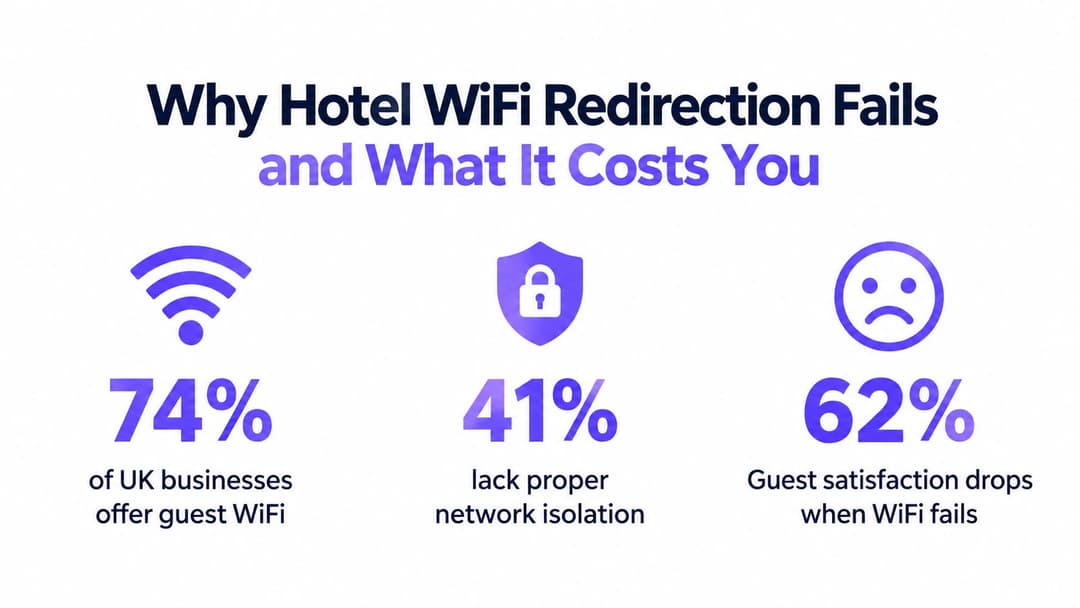
The same US source states that 74% of US businesses offer guest WiFi, while 41% of those businesses have no isolation between guest and corporate traffic. It also gives an average breach cost of $5,300 where an unsecured guest network is linked to the incident. Those figures aren't a hotel-specific loss forecast, but they show why portal reliability, segmentation, and authentication belong in the same operational conversation.
The first question for the service desk
Ask whether the failure affects one device, one room or access point, one SSID, or every guest. A single iPhone with a dismissed sign-in assistant points toward client state. Several unrelated devices failing on the same SSID points toward the gateway, DNS policy, portal availability, or controller configuration.
Practical rule: If multiple device types fail in the same location, stop giving guests browser advice and inspect the network path.
The wider US risk environment also matters. The referenced guidance cites 204 nationally significant cyber attacks against the US in the 12 months to August 2025, compared with 89 in the previous year. For hotel operators, that context makes a failed redirect more than a satisfaction issue. It can signal a weakness at the point where guest identity, traffic separation, and internet access meet.
Diagnosing Device-Side Connection Barriers
Start with the client because it's the quickest variable to isolate. A hotel network may be correctly configured while a phone or laptop prevents the captive-network assistant from completing its probe.
Establish a clean test
Ask the guest to turn WiFi off, enable airplane mode briefly, then disable it and reconnect to the intended hotel SSID. This forces the wireless association and DHCP process to start again. If the device was holding an old lease or a stale captive-session state, a fresh connection can trigger the operating system's network check.
If that doesn't work, remove the saved network profile and join again. Forgetting the SSID clears cached authentication details, manual network settings, and a remembered state where the device believes the portal has already been handled. Have the guest confirm the network name with the front desk before reconnecting, since a similar-looking SSID may be a spoofed hotspot.
The next check is whether the device has an active VPN, secure DNS setting, or privacy service. A VPN can tunnel traffic before the portal sees an interceptable request. Encrypted DNS can bypass the hotel's expected DNS path, while HTTPS-first browsing can request a secure destination that the gateway can't safely rewrite.
Use controlled client comparisons
Don't make the guest change several settings without recording the result. Test in this order:
- Try a second browser or the operating system sign-in assistant. If one works and another doesn't, the issue is local browser handling rather than general wireless access.
- Temporarily pause a VPN or private DNS feature. Restore it immediately after authorization. This is a diagnostic step, not a recommendation to browse an open guest network without protection.
- Check automatic addressing. The device should obtain its address and DNS information from the guest network rather than using a manually configured profile.
- Compare another device. A staff laptop, test phone, or tablet gives you a control without changing the infrastructure.
Device privacy features can also alter how the network identifies a client. Apple and Android devices may use private or randomized MAC addresses, so an access system that expects a stable hardware address can treat each connection as a new or unknown session. Use a controlled Mac randomization simulator to understand how that behavior affects testing and policy decisions.

Don't ask guests to ignore certificate warnings or enter personal details into an unverified page. If the page appears with a browser security error, record the destination and stop the test. That symptom often means the network tried to redirect an HTTPS request in a way the client correctly rejected.
Network Infrastructure Fixes for Portal Reliability
When clean client tests fail across different devices, inspect the guest SSID and its upstream services. The portal depends on a precise sequence: wireless association, address assignment, DNS reachability, a permitted initial request, redirection, and authorization. A break anywhere in that chain can look identical to the guest.
Check DNS and the walled garden
The guest network should provide the DNS path expected by the captive-portal design. If a policy sends clients to an external resolver, or if the portal hostname isn't reachable before authorization, the gateway may have no reliable way to present the splash page.
Review controller and gateway logs for a test device and confirm:
- the client received the expected guest-network settings;
- DNS requests are handled according to the pre-authorization policy;
- the portal hostname resolves and remains reachable from the restricted state;
- the walled garden permits only the services required for sign-in;
- successful authorization changes the client policy as intended.
A useful captive portal guide describes the broader flow and the relationship between the visible sign-in page and the network authorization layer. In a hotel deployment, that separation matters because a page can load successfully while the controller still fails to release the session.
Test IPv4 and IPv6 independently
IPv6 is a frequent blind spot. A device may prefer an IPv6 route while the portal interception policy supports only IPv4. The result is a connection that appears healthy at the wireless layer, yet the browser never receives the expected redirect.
For a controlled test, apply an IPv4-only policy to a test guest SSID or test VLAN, then compare the result with the normal dual-stack service. If the portal works only under IPv4, don't leave the production network in a reduced state without understanding the security and operational consequences. Instead, configure the portal, DNS behavior, firewall rules, and authorization service to support the intended dual-stack design.
Verify the initial request path
Captive portals traditionally rely on an unencrypted HTTP request before a secure session begins. The gateway must be able to receive that request and redirect it without trying to rewrite an HTTPS page or break certificate validation. Check that the guest policy permits the required initial traffic to reach the interception service, while preventing unrestricted internet access before authorization.
Capture a test session at the gateway, not only in the browser. You want to see whether the request leaves the device, reaches the controller, is redirected to the portal, and returns an authorization result. If the request never arrives, investigate wireless or routing. If it arrives but isn't redirected, inspect policy order. If the page loads but access remains blocked, inspect the portal-to-controller or RADIUS hand-off.
The browser displays the symptom, but the gateway decides whether the guest is actually released.
Beyond the Splash Screen and Reducing Friction with Modern Protocols
Traditional splash pages solve a real access problem, but they depend on behavior that modern operating systems increasingly constrain. They work best when the device makes a predictable probe, the network intercepts it cleanly, and the guest completes a short acceptance flow. They become fragile when the device prefers encrypted traffic, uses private DNS, or treats the captive-network assistant differently from a full browser.
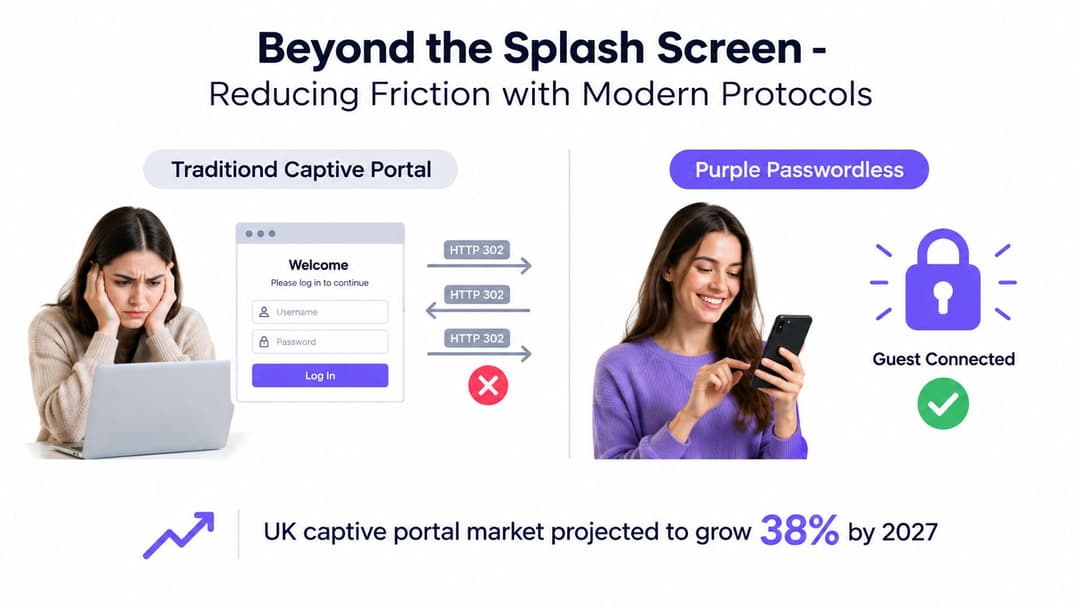
The category is still expanding. The US captive portal market is projected to grow from $70.7 million in 2026 to $163 million by 2031, implying a 14.9% compound annual growth rate, according to the US captive portal market forecast. Hospitality and leisure are identified as the largest named end-user segment in that forecast, with segment revenue projected to rise from $18.7 million in 2026 to $41.8 million by 2032. The projection reflects continued demand, but it doesn't remove the technical weaknesses of redirect-dependent access.
Compare the access models
| Model | What works | Where it struggles |
|---|---|---|
| Traditional captive portal | Familiar branding, terms acceptance, voucher or room verification, and a flexible guest journey | Depends on interception, browser behavior, DNS policy, and a successful first redirect |
| Email or social sign-in | Can support first-party data collection when designed lawfully | Adds fields, redirects, and consent decisions that can delay basic internet access |
| Passwordless Passpoint or OpenRoaming | Uses encrypted, identity-based onboarding and avoids repeated splash-page interaction | Requires compatible devices, network planning, credential lifecycle management, and suitable roaming partners |
Marketing consent needs particular care in the US. Guest access shouldn't be conditional on opting into marketing. A portal can still present a privacy notice or offer a separate, clear consent choice, but making promotional permission part of the basic connectivity exchange creates avoidable compliance and experience friction.
Passpoint and OpenRoaming move authentication into the network connection rather than asking the browser to perform the entire job. That doesn't mean every hotel should remove its portal immediately. A practical design may retain a limited portal for legacy devices, first-time visitors, or room and voucher workflows, while offering encrypted automatic access to compatible guests.
The right question is therefore not whether splash pages are familiar. It's whether the hotel can deliver reliable access, lawful data collection, clear segmentation, and manageable support effort with the chosen method.
Implementing Passwordless Access with Purple
Eliminating the redirect removes an entire class of failure. Instead of waiting for a browser to request a page that the gateway can intercept, a passwordless design establishes identity and encryption as part of network access.
For guests, Passpoint and OpenRoaming can support a one-time enrollment journey, after which the device can recognize an authorized service and connect using encrypted credentials. The hotel still needs to design the enrollment carefully. A guest shouldn't be forced through unnecessary marketing fields before receiving basic access, and the operator needs a clear process for expiry, revocation, and support when a device is replaced.
Purple provides a guest WiFi and identity-based networking platform that can support captive-portal sign-in, cloud RADIUS authentication, OpenRoaming, and Passpoint-based access. Its passwordless WiFi approach is relevant where the operational objective is to reduce dependence on browser interception while keeping control over guest and staff identities.
Match the architecture to the user
A hotel normally has several populations, and one login method rarely suits all of them:
- Short-stay guests need a low-friction connection, room or booking verification where required, and a clear privacy experience.
- Returning visitors benefit from a trusted, automatic method rather than repeating a form at every property visit.
- Staff and contractors need directory-based access, fast revocation, and separation from guest traffic.
- Legacy equipment such as older handhelds or specialist devices may still require a controlled PSK or portal workflow.
For staff, directory integration with platforms such as Entra ID, Google Workspace, or Okta can connect wireless access to existing identity lifecycle processes. When an employee leaves or loses permission, the network identity can be removed through the directory process instead of waiting for a shared password to change. That approach supports zero-trust principles more effectively than treating every person on a staff SSID as equivalent.
Segmentation remains essential. Passwordless authentication doesn't replace VLAN, firewall, client-isolation, or policy design. The controller must still distinguish guest, staff, facilities, and management traffic, and it must apply the correct authorization after identity is established.
Deploy without losing operational visibility
Start with a pilot SSID or a defined property area. Measure connection outcomes across current phones, laptops, tablets, and any hotel-managed devices. Keep the existing portal available for unsupported clients while the team validates certificate handling, onboarding, policy assignment, and help desk procedures.
Purple supports integrations with common network vendors, including Meraki, Aruba, Ruckus, Mist, and UniFi, according to the publisher information supplied for this article. That compatibility can reduce the need to replace wireless infrastructure, but the operator still needs to confirm the exact controller version, authentication method, roaming design, and segmentation model before deployment.
The architectural gain is straightforward: a guest no longer depends entirely on a fragile browser redirect to become authorized. The hotel can offer a portal where it makes sense, but it also has a route to encrypted, identity-aware connectivity that is easier to govern across different device types and return visits.
Validation and Maintenance for Consistent Guest Access
A portal fix isn't finished when one test cell phone reaches the welcome page. Hotels change access points, controller firmware, DNS policies, certificates, firewall rules, and identity integrations. Any of those changes can restore the original symptom without producing an obvious infrastructure alarm.
Build a repeatable test plan that front desk and IT can run after every material network change. Use devices from the hotel's actual guest profile, not only an administrator's laptop.
Test the full guest journey
For each test SSID, verify:
- Association and addressing. The device joins the intended network and receives the expected settings.
- Portal discovery. The operating system assistant and a normal browser both receive the intended sign-in experience.
- Authentication. Terms, room checks, vouchers, or identity steps complete without certificate warnings.
- Authorisation. The client receives internet access and the correct bandwidth or policy.
- Isolation. Guest traffic can't reach staff, management, or other guest devices beyond the approved design.
- Expiry and re-entry. A session ends as configured, and the next connection follows the intended flow.
Test at different locations in the building because a problem confined to one access point may indicate a local uplink, switch, DHCP, or controller-group issue. Test busy periods as well as quiet periods, since portal latency and backend capacity can behave differently under load.
Monitor the causes, not only complaints
Track failed portal transactions, DNS resolution errors, authorization refusals, and clients that associate without receiving authorization. Review changes after firmware updates and confirm that the guest policy still handles both IPv4 and IPv6 as designed.
Keep a short incident record for each failure: device type, operating system, SSID, location, time, gateway result, portal result, and authorization result. That evidence lets the team distinguish a client-specific privacy setting from a property-wide configuration regression.
Schedule periodic segmentation reviews alongside portal testing. A reliable login page that releases users onto an improperly isolated network still leaves the hotel exposed. Consistent guest access requires both a working authentication journey and enforceable boundaries after the guest is online.
Purple can help hotels combine guest WiFi authentication, identity-based access, portal workflows, and passwordless connectivity while retaining network segmentation and operational visibility. Visit Purple to assess a practical path away from unreliable redirect-dependent access and define a pilot for your property.