Secure internet portal architecture and sizing advisor
Model guest WiFi authentication, Layer 2 client isolation, DHCP subnet allocation, per-user bandwidth shaping, and GDPR compliance for modern venues.
Captive portal redirection versus Passpoint Hotspot 2.0
Standard web captive portals intercept unauthenticated HTTP port 80 requests and issue an RFC 8908/8952 redirect to a hosted splash page. Passpoint (Hotspot 2.0) bypasses the web portal altogether by installing an encrypted WPA3 profile on first visit, enabling frictionless background roaming across venue networks.
Layer 2 client isolation and VLAN segregation
Without client isolation, any device on a public WiFi subnet can sniff unencrypted ARP broadcasts, execute man-in-the-middle attacks, and probe neighboring smartphones. Enabling client isolation blocks intra-BSS peer traffic at the radio interface, forcing all packets through the gateway firewall.
Subnet planning and bandwidth rate shaping
In high-turnover venues such as retail malls or stadiums, static 24-hour DHCP leases cause pool exhaustion within hours. Tuning lease times to match average dwell duration ensures returning and new guests immediately acquire IP addresses without delay.
GDPR, CCPA, and privacy consent architecture
Capturing user information on guest internet portals requires clear separation between access terms (conditions of network usage) and marketing consent (optional opt-in under GDPR Article 7). Pre-ticked boxes are prohibited by data protection authorities.
- Unbundled Consent: WiFi access cannot be made conditional on accepting marketing communications.
- Granular retention policies: Automated redaction of visitor MAC addresses and browsing metadata after configured retention windows.
- Right to Erasure API: Automated webhooks to delete visitor profiles across CRM systems upon request.
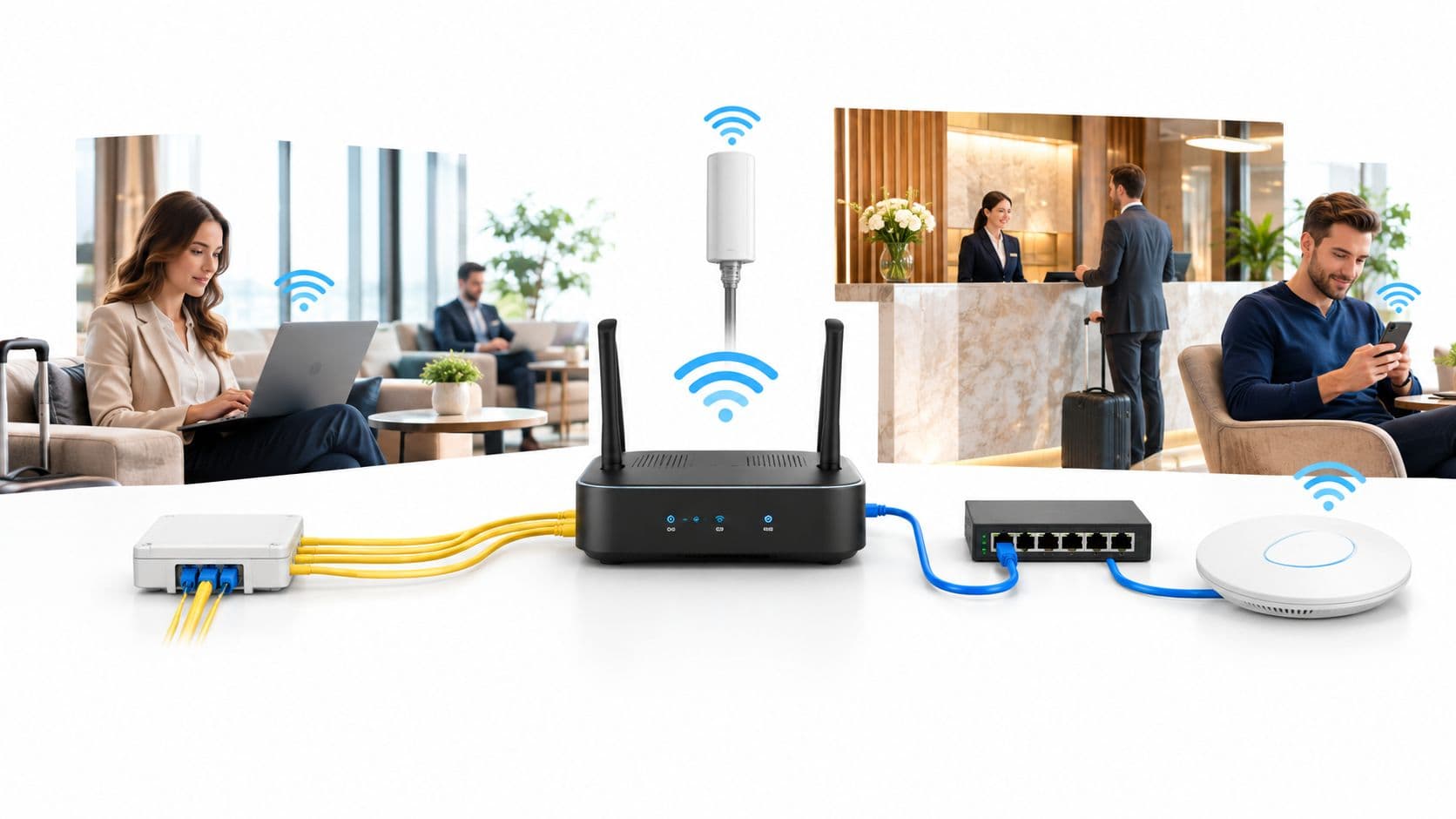
A guest arrives at your hotel, opens the WiFi settings, selects the network, and waits for a branded login page. The page loads slowly, the email form rejects a perfectly valid address, and the receptionist eventually gives them the shared password used by everyone in the building. Meanwhile, a staff laptop, a point-of-sale device, and a visitor's phone may all be relying on the same basic access model.
That familiar experience looks like a customer-service problem. It's also a security problem. A browser page that appears before internet access doesn't automatically encrypt traffic, verify a real identity, isolate devices, or control what happens to the personal data collected during registration.
The US threat environment makes that distinction harder to ignore. Security reports highlighted a dramatic surge in nationally significant cyber attacks against US critical infrastructure and commercial venues in recent years. The reporting highlights why guest access pages, onboarding flows, and login portals deserve treatment as part of the attack surface, not as optional marketing screens. US security context for guest WiFi portals
Guest connectivity is already common across US venues. One US business source states that 74% of US businesses offer some form of guest WiFi, while 41% of those businesses have no network isolation between guest and corporate traffic. It also cites an average breach cost of $5,200 when a breach originates from an unsecured guest network. US guest WiFi adoption and isolation data
A secure internet portal changes the design question. Instead of asking, "How can we make the splash page look better?", operators should ask, "How does this person or device receive an identity, encryption, and policy before it reaches anything sensitive?" The answer leads from legacy captive portals to Passpoint, OpenRoaming, iPSK, SSO, segmentation, and carefully governed data collection.
Introduction Why Your Login Page Is Now a Security Control
A captive portal usually sits between a device and the wider internet. The venue allows the device to associate with WiFi, intercepts an initial web request, and sends the visitor to a login or acceptance page. After the visitor completes the form, the network grants access according to the portal's rules.
That sequence is convenient, but it creates a dangerous assumption. Authentication on a web page is not the same as secure wireless authentication. The portal may identify a visitor for an application session while the underlying wireless network still behaves like an open or shared-password service.
The distinction matters in a hotel, restaurant, shopping center, hospital, conference venue, student housing, or office reception. A guest may only need internet access, while a cleaner's tablet, a contractor's laptop, a payment terminal, and a building-management device need different levels of trust. A single password or undifferentiated guest VLAN cannot express those differences.
Practical rule: Treat every portal interaction as a security boundary. Decide what the user can reach, how the connection is encrypted, which records are retained, and how access is revoked.
The UK NCSC explicitly treats captive portals as a meaningful attack surface. Public WiFi often requires a local device to contact the portal directly for authentication, before enterprise protections such as a VPN are fully established. Its guidance advises that privileged devices shouldn't interact with captive portals unless additional controls are in place, because browsers may need to reach sites outside the VPN and the local network or other users could target that interaction. NCSC guidance on reducing captive-portal exposure
This doesn't mean every venue must remove guest WiFi. It means the portal should become part of an identity and encryption control plane. Guests need a simple path, staff need stronger and revocable credentials, tenants need isolation, and operators need enough logging to investigate incidents without collecting unnecessary personal information.
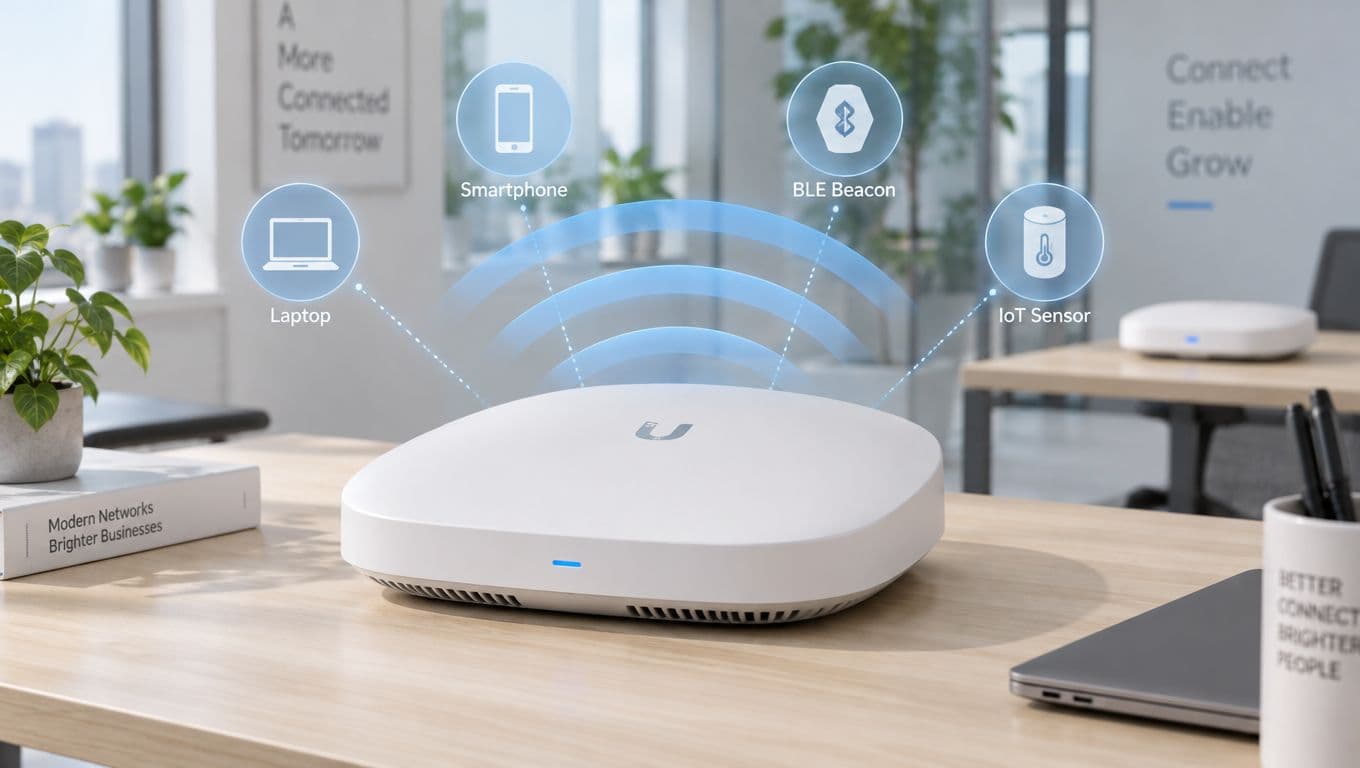
The practical improvement often comes from reducing the browser's role. Standards-based methods such as Passpoint and OpenRoaming can authenticate devices at the WiFi layer. iPSK can give legacy or specialist devices individual keys. SSO can connect staff access to the organization's existing identity provider. The result is less dependence on a fragile redirect and more control from the first connection.
What a Secure Internet Portal Really Is and How It Works
Think of a traditional hotel lobby. The front desk asks who you are, checks your booking, and decides whether you receive a room key. A weak digital equivalent lets everyone enter the lobby, shows a web form, and hands out the same key after a quick checkbox.
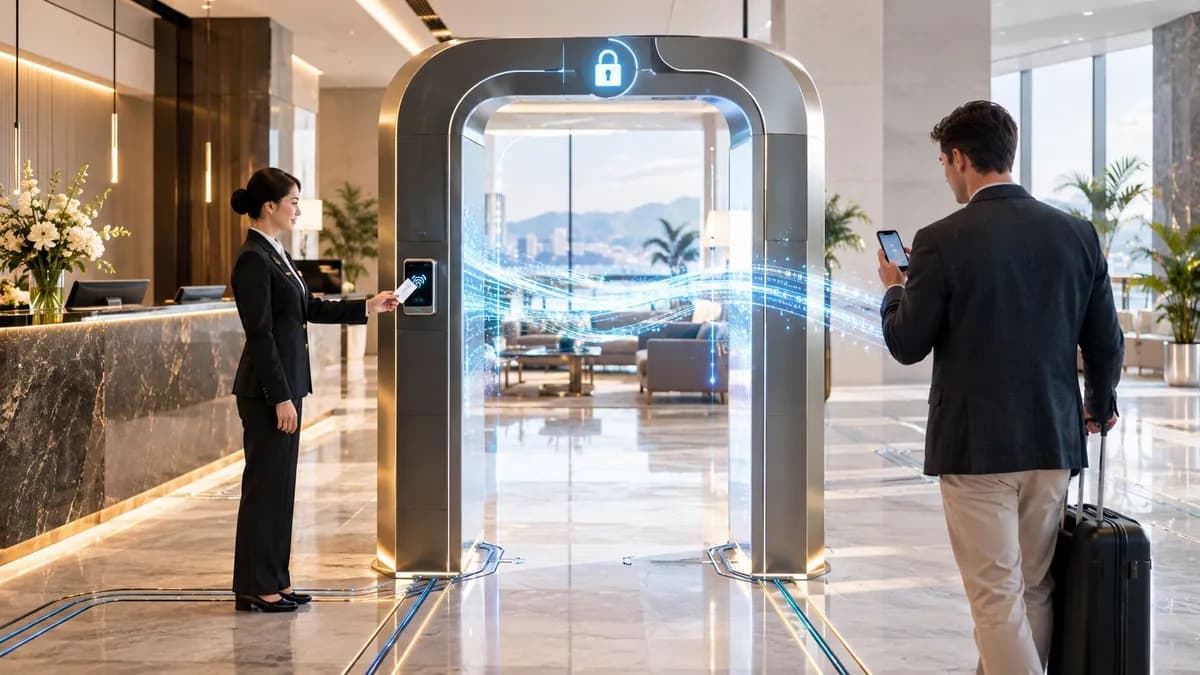
A secure internet portal works more like a digital key system. It connects a person or device to an identity, establishes an encrypted wireless session, assigns a network policy, and records the decisions needed for operations and security.
The access sequence
A well-designed deployment normally separates several jobs that a basic splash page tries to combine:
Discovery
The device finds the venue's wireless service and learns what authentication methods are available. With Passpoint, the device can use a preconfigured profile rather than waiting for a browser redirect.Identity
The system verifies a guest, staff member, tenant, contractor, or managed device. That identity might come from a certificate, an enterprise directory, a roaming relationship, or a controlled guest registration process.Encryption
The wireless connection uses an appropriate security method, such as WPA3-Enterprise or WPA2-Enterprise where compatibility requires it. Encryption begins at the WiFi association stage, rather than relying solely on a later website connection.Policy
The network decides what the connection can reach. A guest may receive internet-only access, a staff device may receive an enterprise role, and a building device may be restricted to approved services.Evidence and lifecycle
The venue records the necessary authentication and session information, applies retention rules, and can revoke access when a staff account changes or a credential is no longer valid.
Why browser redirects are limited
A web redirect is still useful for guests who have no pre-existing relationship with the venue. It can present terms, collect a deliberately limited identifier, or connect a registration to a customer journey. It shouldn't be the only security mechanism for privileged devices or sensitive workflows.
Modern standards move more of the decision into WiFi authentication. Jisc's OpenRoaming requirements call for Passpoint or Hotspot 2.0 compatibility, ANQP through 802.11u, and ideally WPA3-Enterprise, with WPA2-Enterprise as a fallback. The checklist also covers Passpoint release features, roaming identifiers, operator names, and secure RADIUS backhaul through RadSec. Jisc OpenRoaming technical requirements
The architectural principle is straightforward: a portal should issue and enforce access policy, not merely display a form. That distinction helps operators choose technologies based on user type and risk, rather than forcing guests, staff, and devices through the same experience.
Legacy Captive Portals Versus Secure Internet Portals Compared
The legacy captive portal model isn't useless. It's a practical onboarding tool for unmanaged visitors, especially when a venue needs to show terms or ask for a small amount of information. Its weakness appears when operators mistake that onboarding page for complete network security.
An open or shared wireless service can let devices connect before the venue has established a strong identity. The browser then becomes responsible for finding the portal, trusting the right destination, completing the form, and handling a redirect that may not behave consistently across operating systems. Government guidance warns that this direct interaction can expose privileged devices to hostile network manipulation before stronger protections are active.
A secure internet portal changes the order of operations. The network establishes an encrypted, identity-aware connection first where the device and user support it, then applies a role-based policy. The browser can remain part of the guest experience, but it no longer carries the full burden of authentication and trust.
| Criteria | Legacy Captive Portal | Secure Internet Portal |
|---|---|---|
| Initial connection | Often open or based on a shared password | Uses identity-aware wireless authentication where supported |
| Encryption | May depend on the device's application-layer encryption | Uses enterprise wireless encryption from association |
| Identity | Commonly a form, voucher, or shared credential | Can use certificates, Passpoint, OpenRoaming, SSO, or controlled guest registration |
| Device separation | Frequently relies on a broad guest VLAN | Combines VLANs, role policies, client isolation, and firewall enforcement |
| User experience | Browser redirect, repeated logins, inconsistent detection | Automatic connection for provisioned devices, with a fallback guest flow |
| Staff access | Shared passwords are difficult to audit or revoke | Directory-linked access can be provisioned and revoked individually |
| Operations | Manual voucher and password management | Central policy, authentication records, and lifecycle controls |
| Best fit | Simple, low-risk visitor onboarding | Guests, staff, tenants, IoT, and multi-family environments with distinct policies |
Venue operators can still use a captive portal selectively. A captive portal guide for venue WiFi is useful when the business needs to compare portal flows, branding, registration, and access controls, but the security review should continue beyond the splash page.
The upgrade isn't automatically frictionless. Passpoint profiles need compatible devices and correct provisioning. Enterprise authentication requires identity and certificate management. Older equipment may need iPSK or a carefully isolated fallback. Those trade-offs are manageable when the venue separates user journeys rather than expecting one technology to serve every connection.
A good fallback preserves access without downgrading the whole network. It should place exceptions in a narrow, monitored segment, not return everyone to a shared password.
Essential Security Features Every Secure Portal Must Have
Security starts before the first application request. If the device joins an open network and only later reaches an HTTPS page, the venue has already exposed the earliest part of the access process to interception or manipulation. A secure design establishes controls at several layers.
Encryption from the first connection
For staff and managed devices, WPA3-Enterprise should be the preferred wireless security method where the property supports it, with WPA2-Enterprise available for compatibility. These methods use individual authentication and encrypted sessions rather than a password that every visitor knows.
A certificate-based flow is particularly valuable for staff. The device proves its identity through a provisioned credential, the identity service checks its status, and the network applies the appropriate policy. Staff don't need to type a reusable wireless password into every device, and the organization can revoke access without changing a password for an entire building.
Identity with a purpose
Identity doesn't mean collecting everything. It means deciding what the network needs to know for a particular access path.
- Guests may use a short registration flow, a verified email address, or a roaming profile.
- Staff should normally use enterprise identity, SSO, or device certificates.
- Contractors can receive time-bounded or role-based access.
- IoT devices may require individual pre-shared keys, often called iPSK, instead of a common credential.
The authentication method should match the consequence of compromise. A visitor's internet session and a facilities controller shouldn't receive the same trust level merely because both connect through the same access point.
Segmentation and zero-trust policy
Network segmentation contains mistakes and intrusions. Guest traffic should be separated from corporate, payment, clinical, tenant, and management networks through VLANs, firewall rules, and client isolation. A portal that collects an email address but leaves guest and corporate traffic on the same network hasn't solved lateral movement.
Zero trust adds a policy question after authentication: what is this identity and device allowed to do right now? The answer can depend on role, device type, location, and the service being requested. Access should be narrow by default, monitored, and easy to withdraw.
Revocation and evidence
A secure portal must support immediate action. If an employee leaves, a device is lost, or a credential is suspected, the operator should be able to revoke access through the identity or network policy system. Directory synchronization is more reliable than maintaining a separate spreadsheet of WiFi users.
Logging should answer practical questions without becoming indiscriminate surveillance. Record the authentication decision, device or session reference, policy applied, and relevant time information according to the venue's lawful purpose and retention rules. The enterprise WiFi security guide can help teams frame this as an architecture review rather than a portal-design exercise.
The scale of US cyber pressure reinforces the need for layered controls. The rise in nationally significant attacks is not a reason to add every possible control to every user. It is a reason to remove avoidable weaknesses such as shared passwords, open access, weak isolation, and unrevoked identities. NCSC reporting on the threat environment
Integration and Deployment Options for Real Venues
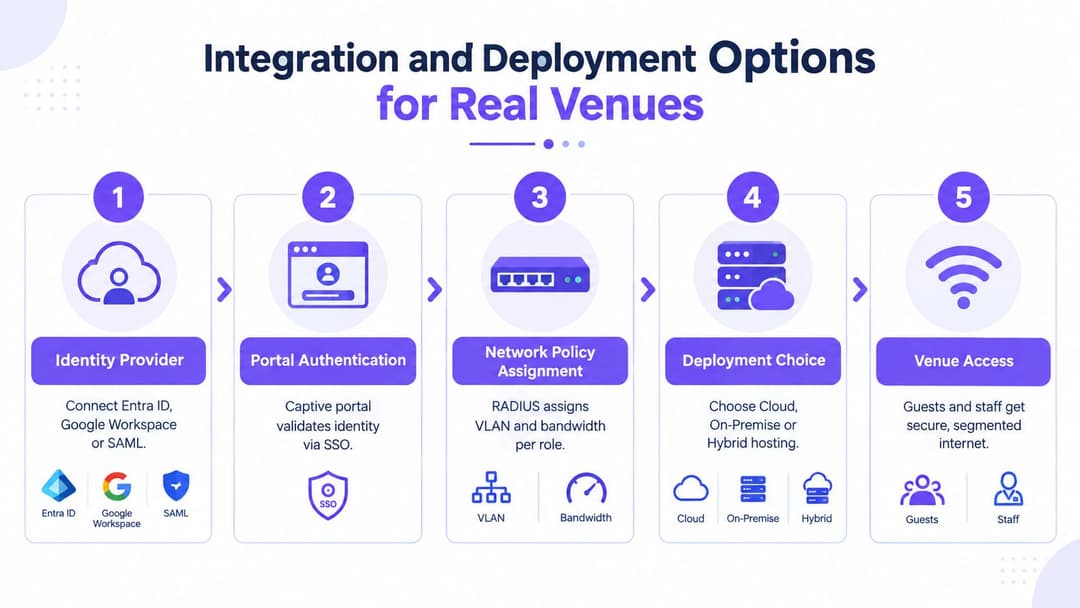
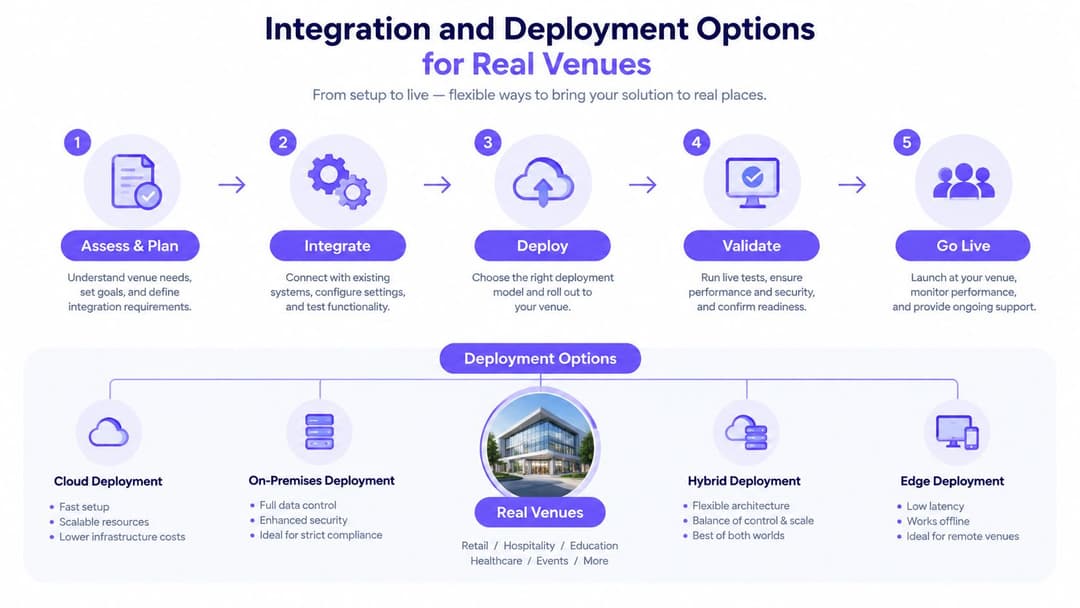
A secure internet portal should fit the venue's existing identity and network estate. Replacing every access point or installing a large local authentication stack may be unnecessary. Start by mapping the people and devices that connect, then choose the least complicated method that gives each group an appropriate identity and policy.
Staff and managed devices
Staff access usually belongs with the organization's identity provider. Entra ID, Google Workspace, and Okta can provide the source of truth for account status, groups, and access decisions. SSO makes the staff journey familiar, while certificate-based wireless access reduces reliance on passwords and lets the venue revoke access through established directory processes.
A cloud-hosted RADIUS service can reduce the need to operate local RADIUS servers, provided the network design, certificates, and backhaul are configured correctly. On-premises components may still make sense for sites with strict locality, legacy integrations, or limited external connectivity. A hybrid model can keep local network enforcement while using central identity and policy administration.
Guests and roaming visitors
Passpoint and OpenRoaming are suitable when the venue wants a repeatable connection that doesn't force visitors through a browser on every visit. The device receives or already has a profile, discovers the service, authenticates through the relevant roaming relationship, and joins an encrypted network with policy applied.
This approach is especially useful across hotels, transportation hubs, healthcare properties, higher education, and multi-site retail. It also reduces the number of moments where a guest might follow a misleading redirect or enter credentials into a page they haven't verified.
Older devices and specialty equipment
Not every device supports the latest standards. Printers, sensors, scanners, entertainment systems, and operational tablets may need individual pre-shared keys. iPSK gives each device a distinct credential, so one compromised key doesn't require the operator to replace a shared password across the entire property.
The network should still place those devices in a dedicated segment. An individual key improves accountability and revocation, but it doesn't make an unmanaged device trustworthy by itself.
Matching deployment to the venue
| Venue environment | Sensible starting pattern | Main operational concern |
|---|---|---|
| Hotel or resort | Passpoint for repeat guests, controlled fallback for first-time visitors, separate staff SSO | Guest convenience without exposing operational systems |
| Hospital | Certificate-based staff access, tightly restricted guest internet, isolated clinical and device networks | Protecting privileged endpoints and sensitive services |
| Retail group | Central policy across sites, guest onboarding for visitors, directory-linked staff access | Consistency across stores and marketing governance |
| Multi-Family housing | Tenant identity with isolated policies, guest access as a separate flow, iPSK for building devices | Preventing tenant-to-tenant visibility |
| Events venue | Temporary identities, capacity-aware policy, rapid expiry and revocation | Short-lived access and simple support during busy periods |
Leading network platforms such as Meraki, Aruba, Ruckus, Mist, and UniFi can be part of these patterns, but compatibility alone isn't enough. Ask where authentication occurs, how policy reaches the access point and gateway, how certificates are managed, and what happens when the identity provider is unavailable.
Compliance Privacy and Multi-Tenant Guest and Staff Flows
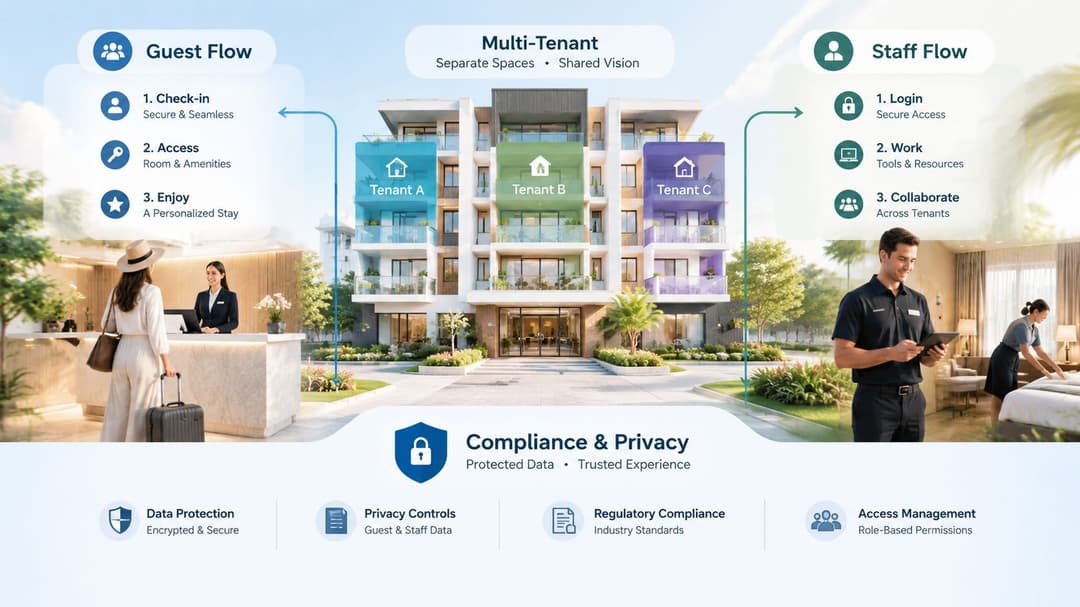
The most overlooked portal decision often happens after authentication. A venue collects an email address, cell phone number, name, room reference, or tenant identifier, then stores it in a marketing platform, support system, analytics database, or access log. Each copy creates another governance obligation.
A privacy notice should explain the purpose of collection in plain language. Service access and marketing consent should remain separate choices. A guest who needs internet connectivity shouldn't have to accept promotional communications as the hidden price of entry.
Design the data flow before the form
Ask four questions before adding a field:
- Purpose: Is the data needed for access, safeguarding, troubleshooting, audit, or marketing?
- Necessity: Could the service work without collecting it?
- Visibility: Can the user understand why it's requested before submitting it?
- Retention: What event causes the venue to delete or anonymize it?
Government portal notices show why lawful processing and data governance belong in the technical design, not in a footer added after deployment. UK government privacy notice example
Guest and staff flows should remain distinct. A hotel guest might receive internet-only access linked to a stay or registration. A staff member should authenticate against the employer's identity provider and receive a role-based policy. A contractor might need a sponsor, an expiration condition, and access limited to approved services.
Multi-tenant isolation is a technical and governance control
In a residential, Student Housing, or mixed-use property, tenants share physical infrastructure but shouldn't automatically share traffic, discovery, or administrative visibility. The venue should separate tenant networks and identities, restrict client-to-client communication, and prevent a guest invited by one tenant from appearing as a trusted device for another.
Marketing and analytics need the same discipline. First-party WiFi data can support CRM connections, visit recognition, surveys, or automation, but only when the venue has a clear purpose and permission model. A dashboard that reports connection behavior doesn't need to expose raw personal details to every marketing user.
The strongest design often collects less. More fields don't automatically create more security or more commercial value. A small, well-explained dataset with clear retention can support access, audit, and consent while reducing the impact of a breach and the burden of responding to data requests. Guidance on multi-family WiFi design helps connect tenant experience with network isolation and operational administration.
Choosing and Migrating to a Secure Internet Portal With Confidence
Choose the architecture before choosing the branding. A polished page cannot compensate for open wireless access, shared credentials, missing segmentation, or unclear data retention.
Use this shortlist when evaluating providers and internal designs:
- Standards support: Confirm Passpoint, Hotspot 2.0, ANQP, WPA3-Enterprise, and WPA2-Enterprise compatibility where required.
- Roaming capability: Check whether OpenRoaming participation and federation workflows match your audience.
- Identity integration: Test Entra ID, Google Workspace, Okta, SAML, certificate, and directory-revocation paths.
- Device coverage: Ask how iPSK handles legacy, IoT, and operational equipment.
- Network enforcement: Verify VLAN assignment, firewall policy, client isolation, role-based access, and audit records.
- Privacy controls: Review consent separation, privacy notices, data minimization, retention, deletion, and CRM permissions.
- Operational fit: Confirm support for your access-point and gateway estate, monitoring, failover, and staged rollout.
Migration doesn't need to be a single cutover. Map current SSIDs and traffic, define guest, staff, tenant, and device segments, then pilot the secure flow in a controlled area. Test older handsets, accessibility needs, roaming behavior, help-desk procedures, identity-provider outages, and revocation before expanding.
Keep a narrowly scoped fallback for devices that can't use the preferred method, but don't let the exception become the default. Communicate the change to reception teams and visitors, measure connection failures and support requests, and review logs for unexpected cross-segment access. The right portal is the one that gives operations a simple experience while giving security teams enforceable identity, encryption, isolation, and lifecycle control.
Purple provides passwordless guest, staff, and multi-family WiFi access through Passpoint and OpenRoaming, with SSO integrations, iPSK support, network-vendor compatibility, analytics, CRM connectors, and marketing automation. Visit Purple to assess how its secure internet portal approach could fit your venue's identity, privacy, and segmentation requirements.