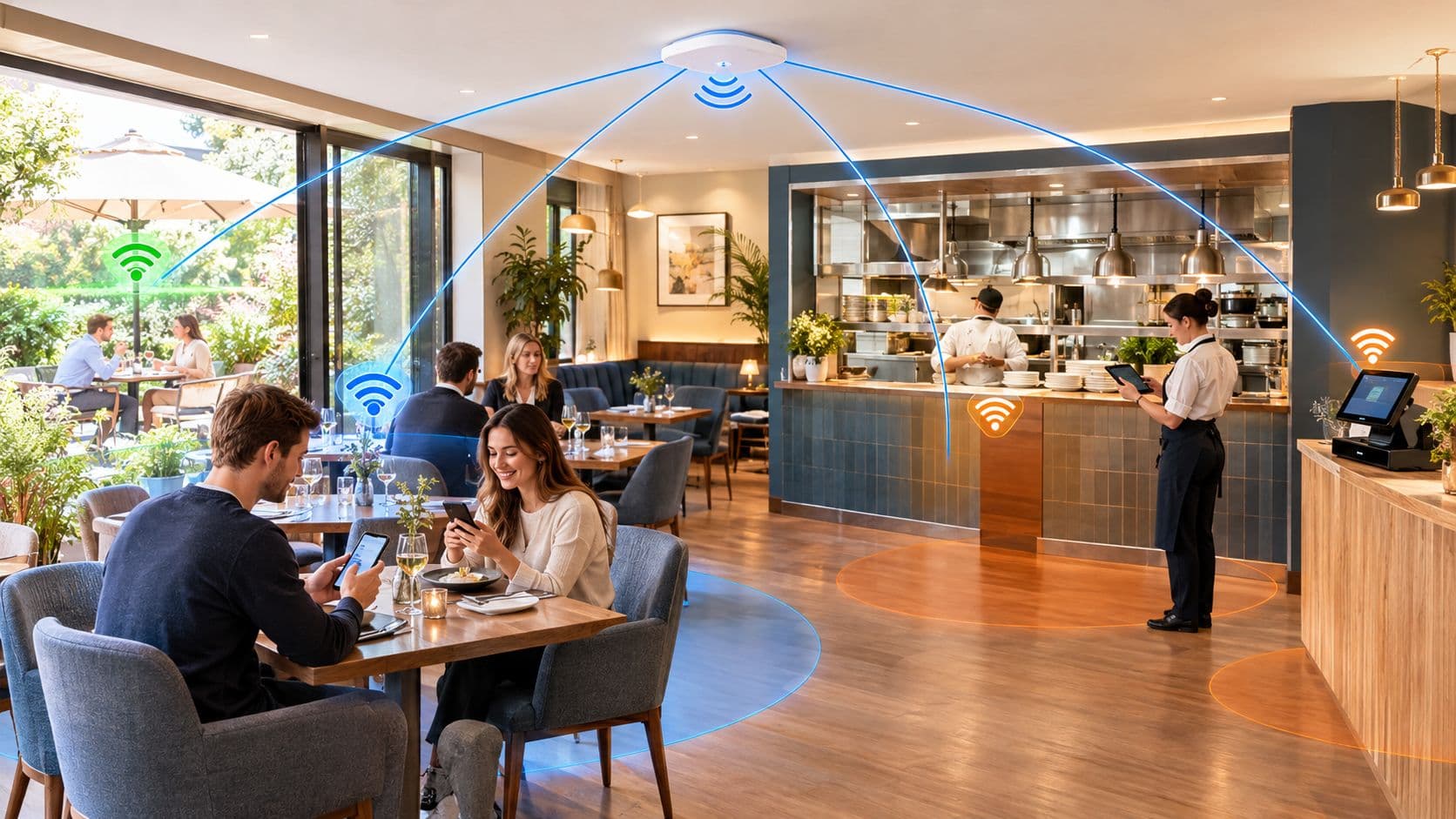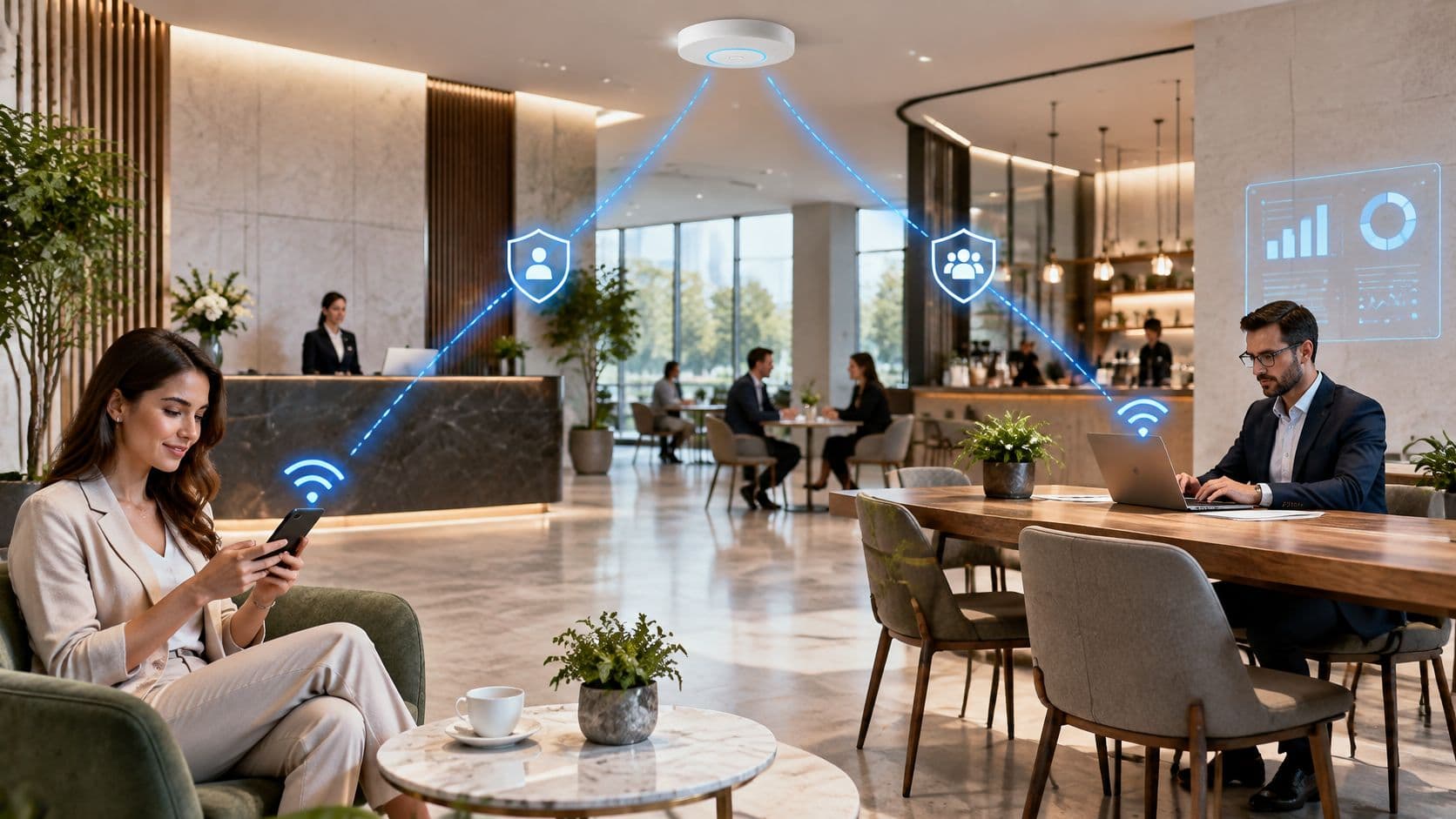
You're in the lobby again. A visitor is squinting at a password on a printed card. A staff laptop drops off halfway through a meeting. The person who manages the building cannot say who is on the network. That mix is normal in hotels, offices, clinics and shopping centers, and it's the reason WiFi in business stopped being a courtesy years ago.
The shared password worked when a few laptops joined one office. It fails when guests, contractors, registers, cameras and door systems all share the same air. Visitors expect to get online. Staff expect a call to stay up. Facilities expect the building kit to keep working. Nobody can audit that mix from memory.
Why WiFi Became a Core Business Service
The card on the reception desk is a leftover. Through the early 2010s, public wireless stopped being a novelty and became something people used in the places they already visited: stations, hotels, stores and civic halls.
Public WiFi hotspots in the UK rose from 33,851 in June 2013 to 41,798 in June 2014, an increase of 7,947 locations, or about 23.5% in a year, while public WiFi traffic reached 1,514,630 GB in June 2013. By September 2015, free WiFi had been installed in more than 1,000 buildings across 22 UK cities, hundreds of buses and trams in nine cities offered access, and more than 2.6 million unique users had used the transport scheme, alongside the Super-Connected Cities program and connectivity work around the 2012 London Olympic Games (UK public WiFi growth).
What the building took on
That expansion sat in transport, hospitality, retail and civic venues. A hotel, a station and a local government office were suddenly running a service their customers treated as ordinary. Staff brought laptops. Cloud tools assumed the connection would hold. The access point on the ceiling became shared infrastructure, not a perk you could switch off on a quiet day.
A building rule: if customers, staff and visitors all expect to get online inside your walls, the wireless network is part of how the building works.
For someone who runs sites rather than cables, the shift is practical. You're no longer deciding whether to offer WiFi. You're deciding who may join, what they may reach, and how you'll know the split still holds after the next remodel, vendor change or device swap.
Enterprise IT inherited the same expectation. Mobile work, guest access and data-enabled operations all ride the same air. A dropped call in a conference room and a visitor stuck on a sign-in page are both service failures, even when the fault sits in different parts of the design. Treat the service as something you govern. A single flat network will not carry customers, staff and building systems at once.
Guest and Staff WiFi Serve Different Jobs
During a busy event, a visitor joins the lobby WiFi while employees use systems behind the front desk. Both connections travel through the same building, but they should not open the same doors. Guest and staff WiFi need separate access rules, and equipment such as cameras and door controllers needs its own limits too.
Key concept: Separate zones work like distinct areas in a building. A visitor may enter the lobby, while staff and building equipment have access only to the spaces their work requires.
Guest traffic is temporary. Hotel guests, shoppers, patients' families and event attendees need an easy way to connect, with access limited to the internet. Staff traffic supports work such as email, records and payment tools, so access should be tied to an authorized person or managed device. Device traffic is different again. Printers, room panels, cameras and door controllers often have no person at the controls, and their maintenance may belong to a vendor or the facilities team.
Putting all three groups on one unrestricted network is like giving every visitor a key to the back office. A compromised phone, an accidental click or an old contractor account could expose payment systems, staff records or building controls.
Key concept: Separation is a continuing operating rule, not a one-time setup. Office moves, vendor changes, temporary events and replacement equipment can gradually make the original boundaries less reliable.
A network may be well divided when first installed, then drift as the building changes. A new access point might inherit broad settings; a vendor may add equipment without updating the access rules; a temporary event connection may stay active afterward. The risk is that a network was designed poorly. It is that its permissions no longer match who uses each space or device.
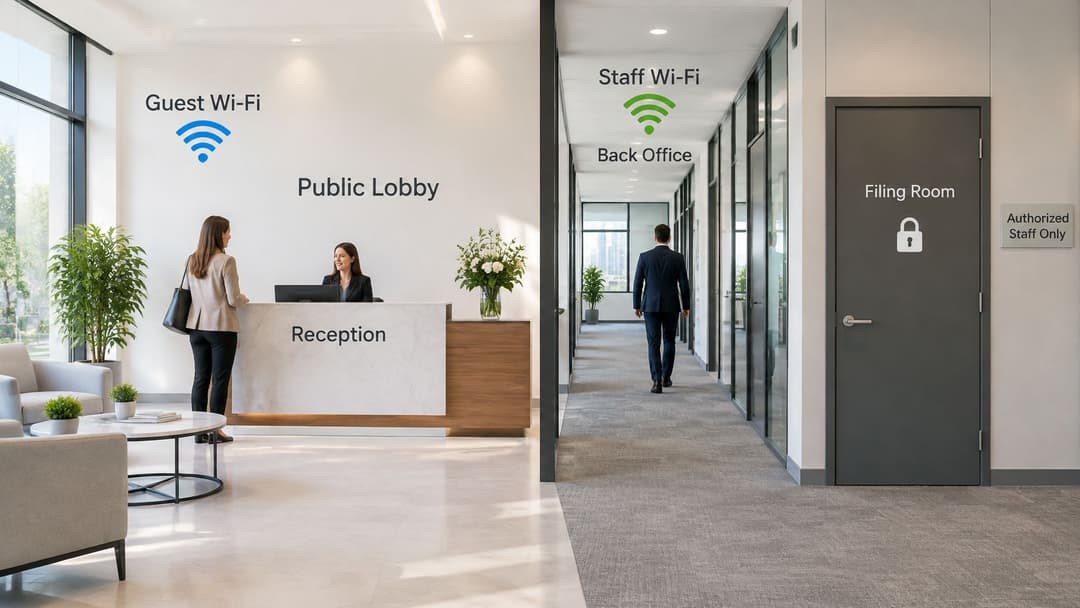
A practical check is to test what each zone can reach. Can a cell phone on visitor WiFi connect to a register, clinical workstation or building controller? Repeat the check after a buildout, supplier change or device replacement, not just at installation. The guest WiFi guide explains how to plan visitor access.
Key concept: A zone is useful only when its access rules match its purpose and are checked as the site changes.
A short zone check
- Guest zone: internet access only, with no route to staff systems, payment equipment or building controls, and a sign-in process that can be revoked.
- Staff zone: access for authorized users or managed devices, with records of what joined.
- Device zone: known equipment only, limited outbound access and a named owner in facilities or the vendor contract.
If you cannot sketch these zones and their permitted connections on one page, the boundaries may have drifted. Large portfolios can lose separation through ordinary changes, even when the original design was sound.
Identity-Based Access From Passwords to Certificates
A shared passphrase is one key copied onto a card, a whiteboard and a dozen phones. When someone leaves, or when that card is photographed, you can't take the key back without changing it for everyone still in the building.
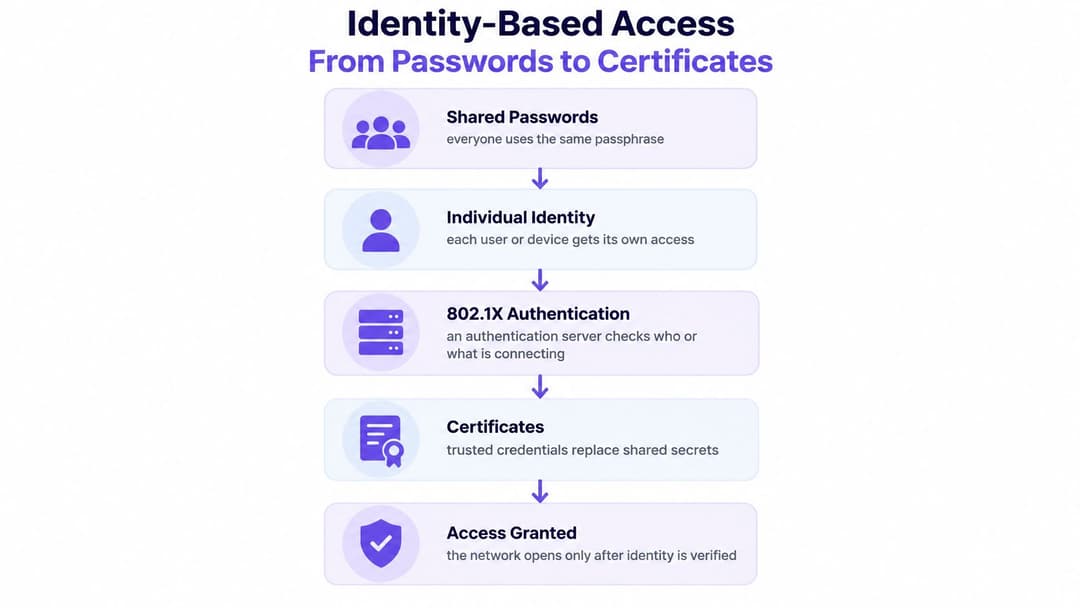
802.1X changes the order of events. Before a device is allowed on, an authentication server checks who, or what, is asking to join. The access point and the device then agree encryption keys for that session alone. There is no single password holding the door, so a leak doesn't open the whole floor. Individual revocation becomes possible, and you get a record that ties an identity to a device.
The NIST Cybersecurity Framework identifies cryptographic device certificates as one of the most effective controls for deciding whether a device may join a network, and it cites 802.1X with WPA2-Enterprise or WPA3-Enterprise for wireless access. Internet-connected access points also fall inside SOC 2 Type II infrastructure requirements, so wireless sits on the security boundary rather than beside it.
How the check runs
- The device asks to join the staff network.
- The access point doesn't trust that request on its own. It passes the check to an authentication server.
- The server validates a certificate, or a directory account, for that user or device.
- Only then does the session receive its own encryption keys. Revoking one laptop doesn't force a new password onto the rest of the floor.
Certificates suit managed laptops and cell phones. IT issues a credential the device holds, and removing it removes access. Directory sign-in, including single sign-on, suits staff who already have a company account. When that account is disabled, wireless access should stop the same day. A restricted device path suits equipment that can't hold a certificate. It doesn't join the staff network. It gets a narrow segment and a credential you can delete on its own.
Shared names and shared secrets also make impersonation easier. A rogue access point can advertise a familiar network and collect the passphrase people already know. It helps to spot evil twin WiFi threats before you treat the name on the screen as proof you're on your own network.
When someone leaves, you revoke a person or a device. You don't reprint the card in the lobby.
Designing the Network for Capacity and Resilience
Access points are the on-ramps. The broadband line is the highway. A wider on-ramp doesn't help if the highway is jammed, and a fast line doesn't help if every device is fighting for the same slice of air.
Ofcom's Connected Nations 2024 report found that 75% of UK premises, homes and businesses combined, had taken broadband of at least 30 Mbit/s by July 2024, up from 72%, while full-fiber availability had reached about 59% of premises, take-up where it was available was 35% ( 7.5 million premises), and around 7% of premises, including small and medium-sized firms, had decent broadband from fixed wireless access (Connected Nations 2024).
A city office on full fiber and a rural hotel on a thinner line don't share the same headroom. Cloud apps, voice, video, identity checks and a guest surge all draw on that line. Weak upload or congested backhaul will undo a careful wireless layout, and older commercial buildings often hide the constraint until the lobby fills up.
Extra spectrum, not a replacement
US organizations can use the full 1,200 MHz of spectrum opened in the 6 GHz band (5.925–7.125 GHz) for WiFi 6E and WiFi 7. Convention centers, hospitals, transit hubs, shopping malls and stadiums often run out of airtime before they run out of broadband. Wider 80 MHz or 160 MHz channels raise capacity when the clients support the band.
6 GHz doesn't replace 5 GHz. It travels less far and struggles more with walls, so it complements broader coverage rather than retiring it. Planners also get fewer non-overlapping wide channels than a generic brochure implies, which means a US channel plan, not a copy of another country's design.
Judge the network on how busy the air is, not on the speed printed on the access point.
The checks that matter are channel utilization, retry rate, roaming latency and per-client airtime. A headline rate can look excellent while a handheld at the edge of a ward spends its time waiting or reconnecting. Survey the building before you buy more hardware. A structured WiFi site survey earns its place where density or thick materials make guesswork expensive. Put 6 GHz into the busiest zones and onto modern managed devices, keep 5 GHz for reach and older clients, and test roaming the way a person walks between floors.
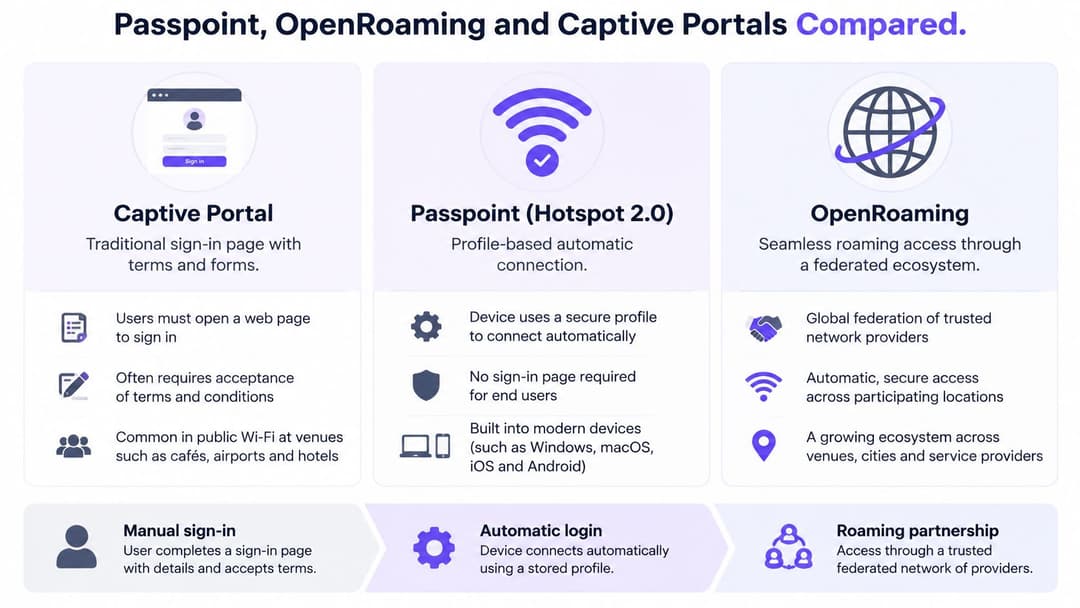
Passpoint, OpenRoaming and Captive Portals Compared
Guest sign-in is a product choice, not a single correct page. Three models cover most US venues, and they trade friction, return visits, vendor fit and admin effort in different ways.
A captive portal is the familiar page with terms and, often, a short form. Friction is high because people stop and type. Returning visitors usually repeat it. Almost any access point can present a browser page, so interoperability is broad. The admin load sits in the page, the consent record and whatever you do with the addresses you collect. It suits a one-off visit where you need an explicit accept-terms moment.
Passpoint, also called Hotspot 2.0, uses a profile so a trusted device connects without a fresh form. The first setup takes more care. After that, return visits are quiet, which matters in a hotel or a campus people use all week. You need access points that support the profile, so this is less "any box in the ceiling" and more a planned design.
OpenRoaming is a federated framework built on Passpoint. A guest who has already authenticated in a participating environment can join another without a new captive page. You spend less time issuing local passwords and more time depending on device support and the federation itself.
| Approach | Sign-in friction | Returning visitors | Across vendors | Admin load |
|---|---|---|---|---|
| Captive portal | A page each time | Weak | Broad | Pages, forms, logs |
| Passpoint | Low after a profile | Strong on that network | Needs capable gear | Profiles and trust |
| OpenRoaming | Low across partners | Strong where partners exist | Federation plus local gear | Less local password work |
Purple is one platform in this set. It holds OpenRoaming and Passpoint certification, lets a guest authenticate once by email and reconnect on a later visit, works with Meraki, Aruba, Ruckus, Mist and UniFi, and supports iPSK for older devices alongside SSO for staff. A plain captive portal, or a venue's own Passpoint build, remains a valid choice beside it.
A small bar may only need a guest page and a separated network. A hotel group gains more from automatic return visits. A hospital shouldn't place clinical devices on a guest roaming profile. Match the model to dwell time, privacy duties and the hardware already in the ceiling.
Turning First-Party WiFi Data Into Measurable ROI
First-party WiFi data is the visitor relationship the venue already holds, once someone has agreed to that journey. An authenticated session can show a visit, a return and a dwell. It isn't a guess bought from an outside ad network, and it isn't a reason to collect everything a cell phone can reveal.
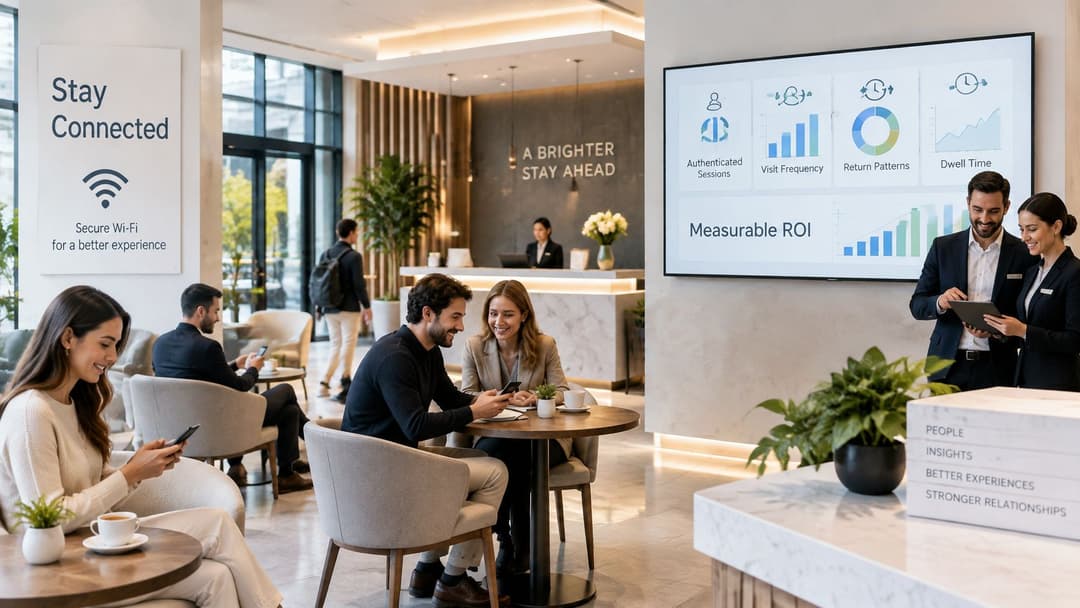
Analytics, CRM connectors and marketing automation turn consented signals into journeys a team can act on. A hotel sees who comes back midweek. A shopping center sees which visits follow an event. Optional surveys add a reason in the guest's own words, and extra security add-ons keep that channel inside the same boundary as the rest of the network. The useful limit is consent. If you can't explain why a field is kept, don't keep it.
Four moves you can count yourself
- Set a baseline. Count visits, and count how many people abandon the sign-in page before they connect. That pair belongs to your venue, not to a benchmark from somewhere else.
- Measure the change. After the new access path is live, compare completion and repeat visits with the baseline you wrote down.
- Attribute only what you can trace. Tie a repeat visit or a survey answer to a campaign or a site change. Drop anything you can't connect to a cause.
- Count the operational time. Fewer manual password requests, fewer "the WiFi is down" calls to reception, and fewer hours reissuing a shared key are gains even when marketing isn't the point.
Hospitality, retail, healthcare, transportation, events, and residential sites don't share one success metric. A stadium cares that sign-in completes under game-day pressure. Student Housing cares that residents stay connected without passing a password down the hallway. A clinic cares first that visitor traffic never touches clinical systems, with feedback as a side benefit. This WiFi analytics guide helps you decide which of those signals you're allowed to keep.
If you can't name the baseline, you can't claim the project paid for itself.
Taking the Next Step With Business WiFi
Start with one site, not the whole portfolio. The sequence below is the order that stops you buying hardware before you know who is on the air.
List the network names this week. Write down every name a phone can see, and note whether guest, staff and devices are separate. Names on a list don't count if the paths underneath are shared.
Inventory the quiet devices. Printers, internet-connected telephones, building-entry systems and room-booking panels often sit on business WiFi and often belong to facilities or a vendor. Government research found serious weaknesses in commonly used enterprise connected devices, including unauthenticated remote-code-execution flaws, outdated software, insecure configurations, and devices running processes as the highly privileged root user. A stronger staff login doesn't repair a printer that's wide open.
Test the path to the internet. Confirm the broadband, or the fixed wireless link, can carry the busy hour. A tidy access layer over a saturated line still fails the lobby at 5 p.m.
Match a sign-in model to each group. Certificates or directory sign-in for managed staff devices. A captive page, Passpoint or federated roaming for guests. A locked-down segment, with its own credential, for anything that can't do modern authentication. When a vendor replaces a unit, the new unit inherits the segment, not a shortcut onto the staff network.
Pilot one building. Pick the highest footfall, or the sharpest gap, such as a payment area that still shares air with visitors. Run it long enough to include a move, a vendor visit and a device replacement. Then check that visitor isolation still holds.
What you review after the pilot
Look at four results only. Visitor traffic can't reach anything internal. A leaver lost access the same day. Dense areas stayed usable on the measures you chose. Sign-in completion moved against your own baseline. If those four are healthy, copy the pattern to the next site. If they aren't, fix the pilot before you scale it. The SSID list is the action you can finish before the week is out, on the building that either sees the most visitors or worries you most.
Purple provides identity-based WiFi for guests, staff, and multi-tenant buildings, so a shared lobby password is replaced with access you can segment and revoke. If your sites need guest journeys and staff sign-in on the same infrastructure, without treating wireless as a spare amenity, start with the building that has the highest foot traffic or the sharpest security gap. Visit Purple to talk through a rollout designed to go live in weeks rather than months.