Vous êtes probablement confronté à l'une de ces deux situations en ce moment. Soit vous avez ouvert le tableau de bord d'un routeur ou d'un point d'accès et trouvé un paramètre appelé clé WPA, soit on vous a demandé « le mot de passe WiFi » dans un environnement professionnel où cette réponse simple ne semble pas simple du tout.
Cette confusion est normale. Dans l'usage quotidien, les gens considèrent la clé WPA comme un simple mot de passe permettant aux appareils d'accéder au WiFi. Techniquement, c'est assez proche pour être utile. Sur le plan opérationnel, cela occulte la partie la plus importante pour les hôtels, les commerces, les bureaux, les centres de santé et les bâtiments multi-locataires : dès que de nombreuses personnes partagent la même clé, la sécurité et la gestion deviennent très vite complexes.
Si vous cherchez à savoir qu'est-ce que la clé WPA, la réponse comporte deux niveaux. Tout d'abord, c'est le secret utilisé pour protéger l'accès à un réseau sans fil. Deuxièmement, c'est le point de départ d'un processus de sécurité bien plus large qui affecte le chiffrement, la responsabilité des utilisateurs, la révocation, la charge de travail du support et les risques de conformité.
Le portier numérique de votre réseau WiFi - La clé WPA
Pensez à votre réseau WiFi comme à un bâtiment doté d'une porte d'entrée sécurisée. La clé WPA est la clé que les gens utilisent pour entrer. Sur un routeur domestique, cela correspond généralement au mot de passe imprimé sur l'étiquette ou à celui que vous avez modifié par la suite. Sur un réseau d'entreprise, il peut s'agir de la phrase de passe partagée que le personnel et les invités saisissent lorsqu'ils se connectent.
C'est la version simple, et c'est le bon point de départ. Si un réseau indique qu'il utilise WPA, WPA2 ou WPA3 en mode personnel, l'élément que les utilisateurs saisissent est communément appelé clé WPA, mot de passe WiFi, phrase de passe ou clé pré-partagée. Les gens utilisent souvent ces termes de manière interchangeable, même s'ils ne signifient pas toujours exactement la même chose en arrière-plan.
Ce que la plupart des gens entendent par clé WPA
En termes pratiques, la clé WPA accomplit trois tâches :
- Contrôle l'accès : il décide qui peut rejoindre le réseau.
- Lance le chiffrement : il aide à créer les clés de session qui protègent le trafic entre l'appareil et le point d'accès.
- Définit le périmètre de confiance : tous ceux qui utilisent la même clé partagée entrent en réalité par la même porte.
Ce troisième point doit faire réfléchir les professionnels. Une clé partagée est gérable dans une maison. Dans un établissement accueillant du personnel, des clients, des prestataires, des bornes et des objets connectés, elle crée une chaîne de risques.
Règle pratique : si tout le monde connaît le même mot de passe WiFi, vous ne pouvez pas savoir de manière fiable qui doit encore y avoir accès et qui ne le doit plus.
Pourquoi le terme sème la confusion
Les lecteurs se laissent souvent piéger parce que le mot de passe saisi n'est pas toujours la clé de chiffrement réelle utilisée sur les ondes. Le mot de passe dont vous vous souvenez est une entrée facile à utiliser pour l'humain. Le système WiFi le transforme en un élément cryptographique plus fort avant que le trafic réel ne commence à circuler.
C'est pourquoi il est impossible de répondre correctement à la question « qu'est-ce que la clé WPA » par une simple définition d'une ligne. Vous avez besoin de la vision en langage clair et de la vision technique. Vous avez également besoin de la vision opérationnelle, car le problème caché du WPA en entreprise ne réside pas uniquement dans le fonctionnement de la clé. Il réside dans la manière dont les gens la partagent, la renouvellent, la révoquent et en subissent les conséquences.
De l'échec de WEP aux bases de WPA
La sécurité WiFi n'a pas commencé avec le WPA. Elle a débuté avec un système plus faible appelé WEP, et le WEP a tellement échoué que le WPA est arrivé comme une solution de sauvetage plutôt que comme une simple mise à jour mineure.
Le WEP était largement utilisé à la fin des années 1990 et reposait sur des clés statiques de 64 ou 128 bits que des attaquants pouvaient pirater en quelques minutes à l'aide d'outils comme Aircrack-ng. L'ampleur de l'exposition était particulièrement grave au Royaume-Uni. En 2002, plus de 1,2 million de réseaux WiFi domestiques non sécurisés étaient vulnérables à l'interception de données, et 68 % des entreprises londoniennes interrogées utilisaient encore le WEP selon une étude de la British Computer Society de 2003, comme le résume cet historique du Wi-Fi Protected Access.
Pourquoi WEP a échoué de manière si flagrante
La faiblesse fondamentale du WEP était simple. Il réutilisait trop de secrets statiques et protégeait trop faiblement le trafic. Une fois qu'un attaquant capturait suffisamment de trafic sans fil, les calculs mathématiques devenaient assez prévisibles pour être déchiffrés.
Pour un utilisateur à domicile, cela signifiait que les voisins ou des attaquants opportunistes pouvaient espionner le trafic. Pour une entreprise, cela signifiait que toute personne à portée radio disposait d'un chemin d'accès réaliste pour de l'écoute ou de l'intrusion.
Une analogie physique aide ici à comprendre. Le WEP consistait à donner à chaque employé, client, fournisseur et ancien prestataire la même clé métallique, sans jamais changer la serrure, et en utilisant un modèle de serrure que les cambrioleurs avaient déjà appris à crocheter rapidement.
Ce que le WPA a changé
Le protocole WPA, introduit par la Wi-Fi Alliance en 2003, a été conçu comme une réponse directe aux faiblesses du WEP. Au lieu de s'appuyer sur une protection statique, le WPA a introduit le TKIP, qui génère une nouvelle clé de 128 bits par paquet à partir d'une clé principale de couplage (Pairwise Master Key) dynamique de 256 bits lors du processus de connexion.
Il s'agissait d'un changement conceptuel majeur. Le réseau a cessé de traiter la sécurité comme un secret statique partagé unique pour s'orienter vers une protection par session et par paquet.
Voici la différence pratique :
| Problème | WEP | WPA |
|---|---|---|
| Comportement de la clé | Statique | Dynamique |
| Résistance aux attaques | Facile à pirater avec suffisamment de trafic capturé | Plus grande résistance grâce au changement des clés de paquets |
| Impact commercial | Forte exposition à l'écoute clandestine | Base de référence plus sûre pour une utilisation sans fil normale |
WPA était important car il a transformé la sécurité sans fil, passant d'un « secret fixe unique protégeant tout » à « des clés de travail temporaires protégeant chaque conversation ».
Le WPA n'était pas la réponse finale. C'était le premier correctif sérieux. Mais sans lui, la sécurité WiFi moderne n'aurait pas eu de transition exploitable entre les premières années non sécurisées et les systèmes plus fiables sur lesquels les entreprises s'appuient aujourd'hui.
Au cœur du Handshake : comment les clés WPA sécurisent vos données
Un client se connecte au WiFi de votre hôtel depuis le hall d'accueil. À ce moment précis, le réseau doit répondre très rapidement à deux questions. Cet appareil connaît-il le secret partagé ? Et comment pouvons-nous sécuriser cette session sans exposer ce secret aux personnes qui écoutent à proximité ?
Cette tâche est gérée par le handshake à 4 voies.
La phrase de passe WPA n'est que le point de départ. Le point d'accès et le client l'utilisent pour prouver qu'ils appartiennent au réseau et pour créer de nouvelles clés de travail pour cette session spécifique. Le mot de passe lui-même n'est pas envoyé en clair sur les ondes, et il n'est pas réutilisé directement pour chiffrer chaque paquet.
De la phrase secrète aux clés de travail
En mode WPA-PSK, un utilisateur saisit une phrase de passe de 8 à 63 caractères ASCII. Cette phrase de passe est convertie en une clé cryptographique de 256 bits appelée Pairwise Master Key, qui se situe au sommet de la structure de clés WPA, comme décrit dans cette explication de la hiérarchie des clés WPA.
À partir de là, WPA dérive des clés temporaires pour la connexion active.
- Un utilisateur saisit la phrase de passe WiFi.
- Le système dérive une clé principale à partir de cette phrase de passe.
- Le client et le point d'accès échangent des valeurs aléatoires appelées nonces.
- Les deux parties génèrent des clés spécifiques à la session à partir des entrées partagées.
Une façon pratique de voir les choses est simple. La phrase secrète fonctionne comme la clé maîtresse dans un système de verrouillage, tandis que le handshake crée des clés temporaires pour la porte en cours d'ouverture.
Ce qui se passe pendant la poignée de main
À haut niveau, le point d'accès envoie une valeur aléatoire appelée ANonce. Le client répond avec sa propre valeur aléatoire, le SNonce. Les deux parties combinent ces valeurs avec la clé principale et les informations spécifiques à l'appareil pour en déduire une clé transitoire de couplage (Pairwise Transient Key) pour cette session.
Cette clé transitoire est ensuite divisée en composants distincts à des fins différentes, notamment pour valider les messages de handshake et chiffrer le trafic utilisateur.
Cette conception est importante sur le plan opérationnel. Si chaque appareil utilisait directement la phrase de passe partagée pour chaque paquet, une seule divulgation exposerait une part bien plus importante du réseau. Le WPA réduit ce risque en transformant un secret géré par l'humain en matériel cryptographique au niveau de la session.
Une clé de sécurité WPA doit plutôt être comprise comme l'élément qui génère la clé finale, et non comme la clé exacte qui protège chaque trame de données.
Pour une vision opérationnelle plus large, ce guide sur les réseaux sans fil sécurisés apporte un contexte précieux autour des décisions de conception WiFi.
Pourquoi cela est important dans les environnements réels
Le handshake peut être mathématiquement solide tout en laissant une entreprise exposée. Le point faible n'est souvent pas la cryptographie. C'est la phrase secrète partagée et la manière dont les gens la gèrent.
Si un attaquant capture le handshake, il peut tenter de deviner la phrase de passe hors ligne. Il n'a pas besoin de rester connecté à votre réseau pour le faire. Cela pose un réel problème pour les hôtels, les appartements, les espaces de co-working et les entreprises multi-sites où la même clé WPA est largement partagée, inscrite sur des panneaux, réutilisée sur plusieurs sites ou transmise à des prestataires et à d'anciens collaborateurs.
Le risque augmente tout au long du cycle de vie de la clé :
- Les phrases de passe faibles sont plus faciles à deviner après une capture de handshake.
- Les phrases de passe réutilisées propagent une seule faille sur plusieurs sites.
- Les phrases de passe partagées rendent la révocation difficile car le changement de clé affecte tous les utilisateurs légitimes.
- Les phrases de passe à longue durée de vie accumulent les risques d'exposition au fur et à mesure que de nouveaux invités, employés et appareils les apprennent.
C'est la limite cachée du WiFi à clé partagée. Le WPA protège le trafic bien mieux que les anciens systèmes, mais la sécurité au quotidien dépend toujours de la manière dont la clé est distribuée, renouvelée et retirée.
Ainsi, quand quelqu'un demande ce qu'est la clé WPA, la réponse exacte est plus large que "le mot de passe WiFi". C'est le secret partagé qui lance la liaison, alimente le processus de génération de clé, et devient souvent le principal point faible opérationnel dans les réseaux d'entreprise et multi-locataires.
WPA vs WPA2 vs WPA3 - Quelle clé vous protège le mieux
La plupart des réseaux que vous rencontrerez aujourd'hui ne proposeront pas simplement "WPA". Ils proposeront du WPA, du WPA2, du WPA3 ou un mode de compatibilité mixte. Bien que les noms soient proches, ils n'offrent pas le même niveau de protection.
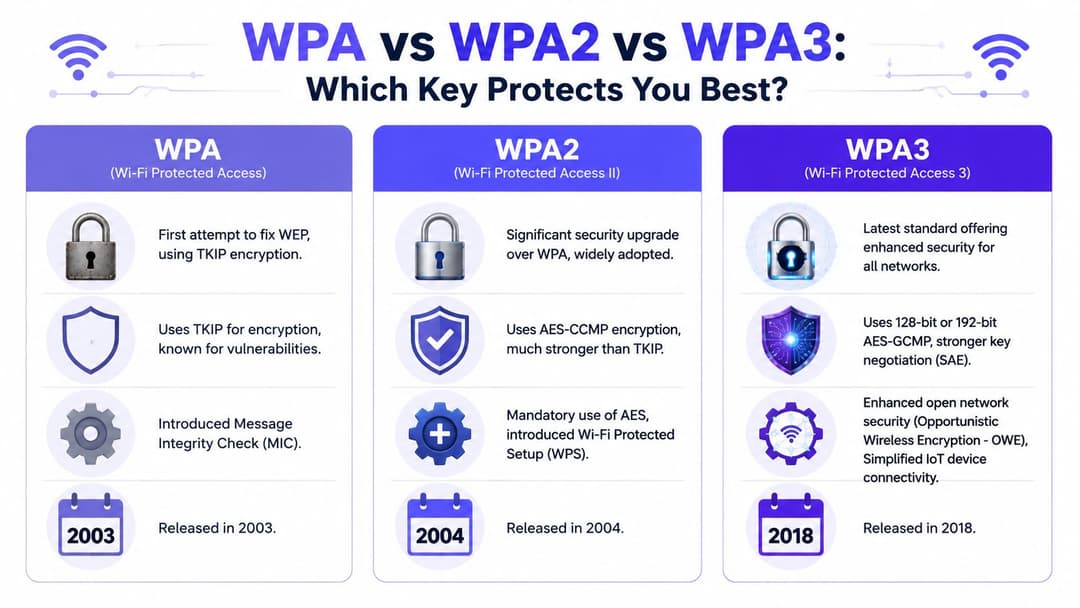
La règle générale est simple. Le WPA a été le correctif d'urgence, le WPA2 est devenu la norme de sécurité grand public, et le WPA3 est le choix moderne privilégié lorsque la compatibilité des appareils le permet.
Ce qui a changé entre les générations
WPA a amélioré le WEP en remplaçant la protection statique par une attribution de clés dynamiques basée sur TKIP.
WPA2 est allé au-delà de l'ancienne approche de WPA et est largement associé au chiffrement basé sur AES, qui est plus fort et mieux adapté à un usage professionnel moderne.
Le WPA3 a resserré encore plus les choses. Sa plus grande amélioration pratique pour le mode personnel est une protection plus forte contre la devinette de mots de passe hors ligne via le SAE, plutôt que de s'appuyer sur l'ancien modèle d'échange de clés pré-partagées. Il améliore également la sécurité pour les réseaux ouverts et les écosystèmes d'appareils plus récents.
Comparatif de sécurité : WPA vs WPA2 vs WPA3
| Fonctionnalité | WPA | WPA2 | WPA3 |
|---|---|---|---|
| Année de sortie | 2003 | 2004 | 2018 |
| Protection principale | Amélioration basée sur TKIP par rapport au WEP | Protection plus robuste basée sur AES | Nouvelle génération avec négociation de clés renforcée |
| Résistance aux attaques par mot de passe | Meilleure que le WEP, mais limitée | Robuste si elle est bien configurée, mais le mode PSK présente encore des faiblesses | Résistance améliorée grâce à SAE |
| Idéal aujourd'hui pour | Équipements obsolètes uniquement | Courant et encore largement utilisé | Meilleure option lorsqu'il est pris en charge |
Pour les lecteurs qui comparent les choix de déploiement dans des environnements professionnels, cet aperçu de WPA et WPA2 Enterprise apporte un contexte utile concernant les modèles d'authentification.
Que devriez-vous choisir
Utilisez cette grille de décision plutôt que de courir après les labels :
- Si un réseau utilise encore uniquement le WPA, son remplacement aurait dû être effectué depuis longtemps.
- Si votre environnement s'appuie sur le WPA2-Personal, le risque principal n'est souvent pas le chiffrement lui-même, mais le modèle de mot de passe partagé qui l'entoure.
- Si votre matériel prend en charge le WPA3, c'est généralement la meilleure direction à long terme, en particulier pour les nouveaux déploiements.
- Si vous gérez un site accueillant des appareils variés, la compatibilité peut vous imposer une configuration de transition pendant un certain temps.
Les noms de protocoles plus récents ne suppriment pas les mauvaises habitudes opérationnelles. Un mot de passe partagé mal géré sur une norme plus récente peut toujours créer un risque commercial sérieux.
C'est un point que beaucoup d'articles comparatifs négligent. Le WPA3 est plus performant que le WPA2, lui-même plus performant que le WPA. Cependant, un hôtel qui fournit un unique mot de passe partagé à son personnel, ses clients et ses prestataires fait toujours face à un problème de gestion, même si la norme de chiffrement utilisée est plus récente.
Le guide pratique pour gérer votre clé WPA
Pour un domicile ou un petit bureau, trouver la clé WPA est généralement simple. Elle est souvent imprimée sur l'étiquette du routeur, sous le nom du réseau WiFi et le mot de passe par défaut, à moins que quelqu'un ne l'ait modifiée lors de la configuration.
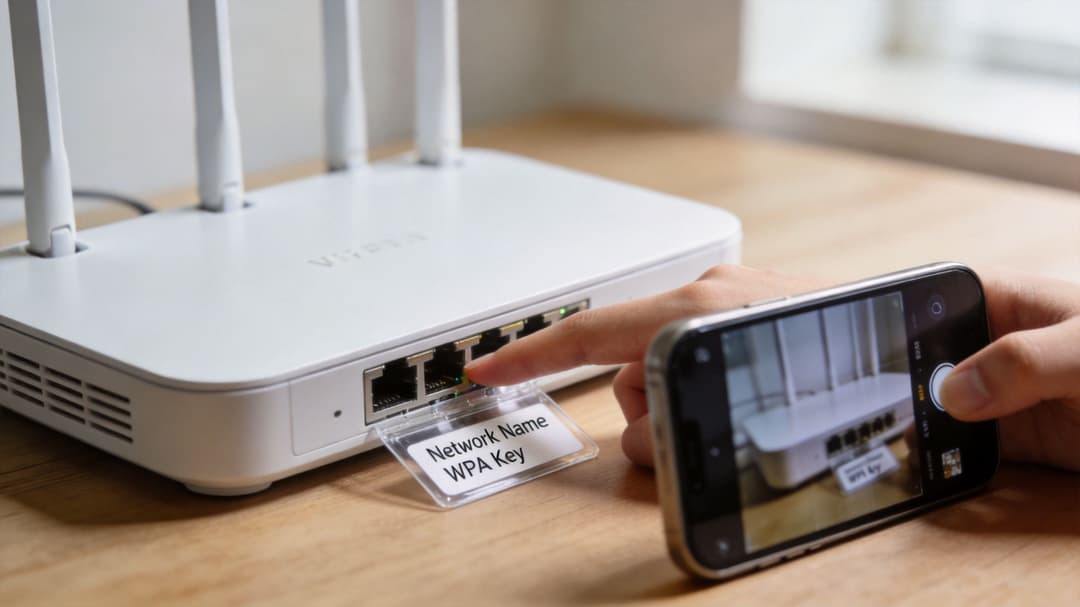
Si vous devez le modifier, le processus classique est similaire sur de nombreuses plateformes comme TP-Link, Netgear, UniFi, Aruba Instant On ou les routeurs fournis par les fournisseurs d'accès internet. Vous vous connectez à l'interface d'administration, ouvrez les paramètres réseau sans fil, sélectionnez l'SSID et mettez à jour la clé de sécurité.
Un processus judicieux pour les petits environnements
Un changement propre de clé WPA ressemble généralement à ceci :
- Identifiez l'SSID actif que vous souhaitez mettre à jour.
- Vérifiez le mode de sécurité pour savoir si le réseau utilise le WPA2, le WPA3 ou un mode mixte.
- Définissez une phrase secrète forte qui n'est pas réutilisée ailleurs.
- Enregistrez et planifiez les reconnexions pour chaque appareil concerné.
- Mettez à jour la documentation afin que le personnel d'assistance sache ce qui a changé et quand.
Une clé de sécurité robuste doit être longue, unique et ne pas s'inspirer du nom de l'établissement, de l'entreprise, de l'adresse ou de structures de mots simples. Les meilleures clés professionnelles sont souvent assez aléatoires pour résister aux attaques par devinette, tout en restant faciles à gérer grâce à un gestionnaire de mots de passe.
Quand l'administration de routine devient un cauchemar opérationnel
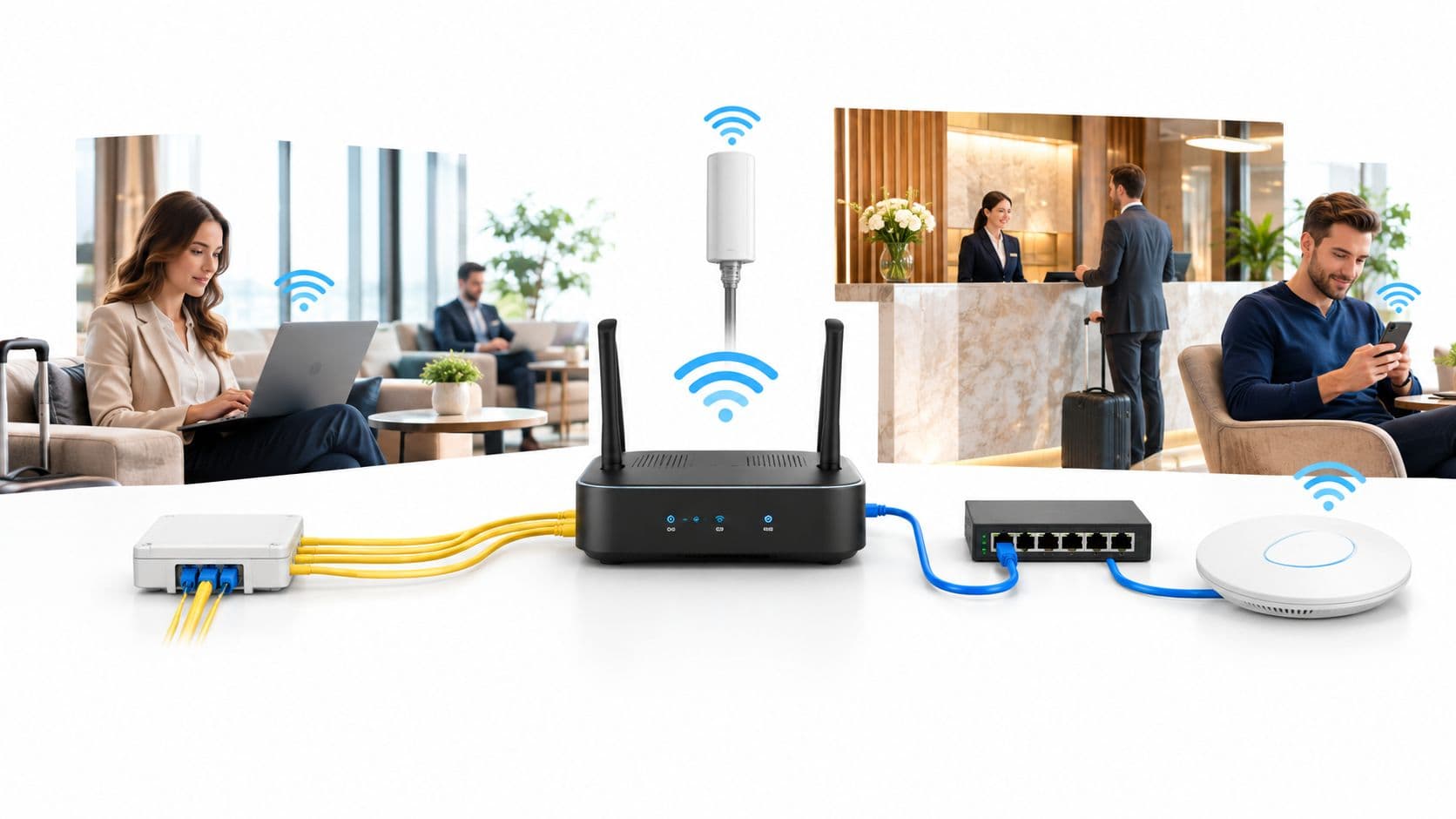
Le problème est l'échelle. Dans une entreprise, une clé WPA n'est pas qu'un simple paramètre. C'est une dépendance liée aux caisses, aux tablettes, aux systèmes de salles, aux scanners, aux écrans, aux imprimantes, aux terminaux portables et aux appareils personnels.
Le problème caché est rarement mentionné dans les guides WiFi de base. Le contenu existant traite souvent la clé WPA comme une configuration statique unique, mais dans des environnements réels, la réinitialisation d'une clé WPA sur un réseau actif peut déconnecter des centaines d'appareils, perturbant le service dans la santé ou le commerce de détail, et ces mêmes guides ignorent souvent les implications en matière de continuité d'activité et de conformité d'une rotation après une compromission, comme le souligne cette discussion sur les écarts opérationnels WEP vs WPA.
Changer une clé WiFi partagée dans un lieu très fréquenté ne consiste pas seulement à mettre à jour la sécurité. Vous déclenchez un événement de reconnexion sur tout ce qui dépend de cet SSID.
C'est là que les responsables informatiques se retrouvent pris entre deux feux. Laissez la clé inchangée trop longtemps et le risque augmente. Renouvelez-la de manière agressive et les opérations en pâtissent.
La question commerciale que la plupart des équipes devraient se poser
Pour une maison unifamiliale, la réponse est souvent « changez simplement le mot de passe ».
Pour un hôtel, une clinique, une chaîne de magasins ou une résidence étudiante, la question est différente : ce réseau doit-il encore dépendre d'une clé WPA partagée ?
Pourquoi les clés WPA partagées échouent dans les espaces modernes
Un client d'hôtel demande le mot de passe WiFi lors de l'enregistrement. Un prestataire externe obtient ce même mot de passe auprès du service technique. Un ancien employé dispose encore d'une photo du panneau d'affichage prise il y a six mois. Tous trois accèdent au réseau de la même manière - et c'est bien là le problème.
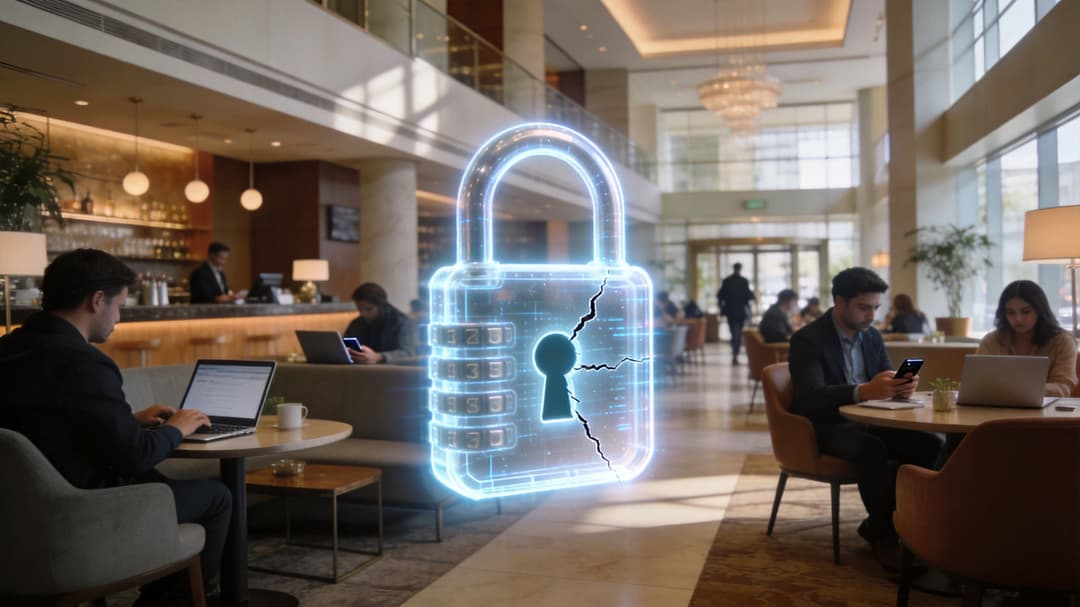
Une clé WPA partagée fonctionne comme un passe-partout copié trop de fois. Elle permet toujours d'ouvrir la porte, mais elle ne vous indique plus qui est entré, si cette personne doit toujours avoir accès, ni ce qu'il faut faire lorsqu'une copie est perdue.
Le problème fondamental est l'identité. Une clé partagée prouve qu'un appareil connaît le mot de passe. Elle ne prouve pas quelle personne utilise cet appareil, si l'appareil est géré ou si l'accès doit expirer à la fin d'un service, d'un séjour ou d'un contrat.
Cet écart est d'autant plus important dans les lieux où plusieurs groupes cohabitent sur une même propriété. Les hôtels, les sites de vente au détail, les cliniques, les résidences étudiantes et les bureaux multi-locataires ont rarement une base d'utilisateurs stable. Ils accueillent des invités, du personnel, des fournisseurs, des travailleurs temporaires, des résidents et des appareils personnels non gérés. Une phrase de passe partagée réduit toutes ces distinctions à une seule décision : autorisé ou non autorisé.
Ce qui échoue réellement dans les opérations quotidiennes
La faille de sécurité n'est pas seulement théorique. Elle se manifeste dans le travail d'administration quotidien et la réponse aux incidents :
- L'accès ne peut pas être lié de manière claire à un individu : Les journaux d'activité peuvent indiquer qu'un appareil a rejoint l'SSID, mais pas quel membre du personnel, visiteur ou sous-traitant en était à l'origine.
- La révocation est trop globale : Supprimer un utilisateur implique souvent de modifier le mot de passe pour tous ceux qui dépendent de ce réseau.
- La propagation du mot de passe devient un comportement normal : Le personnel le note par écrit, l'envoie par message aux prestataires, l'imprime pour les résidents ou le réutilise sur plusieurs sites.
- La séparation des locataires devient floue : Dans les bâtiments partagés ou les espaces à usage mixte, une clé de sécurité unique peut affaiblir la séparation entre des groupes qui devraient pourtant rester isolés.
- Les enquêtes sont ralenties : Si un trafic suspect apparaît, le premier obstacle est souvent l'identifiant partagé lui-même, car de nombreuses personnes différentes ont pu l'utiliser.
Un réseau domestique peut tolérer une partie de cette ambiguïté. Un site professionnel ne le peut généralement pas.
Pourquoi cela crée un risque invisible pour les opérateurs
Prenons l'exemple d'un incident dans un hôtel. Un appareil sur le réseau commence à analyser les systèmes internes ou à générer un trafic inhabituel. Avec le WPA-PSK, le chiffrement fonctionne peut-être toujours correctement, mais l'opérateur est confronté à une question bien plus difficile. Qui avait cet accès, et devrait-il toujours l'avoir ?
Les clés partagées sont faibles de la même manière que les identifiants d'équipe partagés sont faibles. Elles réduisent les frictions de configuration au départ, puis créent de la confusion partout ailleurs. Les équipes de sécurité perdent l'attribution. Les équipes opérationnelles perdent le contrôle granulaire. Les responsables héritent de questions de conformité et de responsabilité auxquelles ils ne peuvent pas répondre avec confiance.
C'est également la raison pour laquelle les clés WPA partagées entrent en conflit avec les modèles d'accès modernes tels que l'accès réseau Zero Trust pour les environnements professionnels. Le Zero Trust associe l'accès à l'identité, à la posture de l'appareil et à la politique de sécurité. Un mot de passe WiFi partagé associe l'accès à la possession d'un secret qui se diffuse souvent bien au-delà de ses destinataires d'origine.
Dans un lieu moderne, la principale faiblesse de WPA-PSK n'est pas le chiffrement. C'est le modèle d'identification partagé qui l'entoure.
Pour les environnements multi-locataires, à forte fréquentation de visiteurs et à forte rotation, la question n'est plus de savoir si le mot de passe est assez robuste. La question est de savoir si un mot de passe partagé doit encore faire office de point de contrôle.
Dépasser les clés partagées pour un accès Zero-Trust
Il existe une réponse traditionnelle au problème des clés partagées. C'est le WPA-Enterprise avec 802.1X. Au lieu d'un seul mot de passe partagé, les utilisateurs ou les appareils s'authentifient individuellement via un système central, souvent en utilisant un service RADIUS. Cela offre une bien meilleure traçabilité et un contrôle d'accès plus strict.
Le défi réside dans la complexité. Le WiFi d'entreprise traditionnel peut entraîner une gestion des certificats, des frictions d'intégration, la conception de politiques et des coûts d'infrastructure que les petites équipes informatiques ou les exploitants de sites ne souhaitent pas supporter. Dans les environnements mixtes comprenant des invités, du personnel, des résidents, des prestataires et des appareils existants, cette charge de travail peut ralentir l'adoption, même si le modèle de sécurité est nettement meilleur.
À quoi devrait ressembler un accès moderne
Un modèle plus solide remplace les secrets partagés par un accès basé sur l'identité. En pratique, cela se traduit souvent par une combinaison de :
- Authentification basée sur des certificats pour les appareils du personnel, afin que l'accès soit lié à l'identité managée et à la confiance de l'appareil.
- Connexion sans mot de passe pour les visiteurs, permettant aux utilisateurs de s'authentifier sans avoir à connaître ou réutiliser un mot de passe WiFi partagé.
- Identifiants par appareil ou par locataire pour les systèmes obsolètes, afin que les anciens équipements n'imposent pas l'utilisation d'une clé partagée à l'ensemble du réseau.
- Révocation immédiate, de sorte que la désactivation d'un compte ou d'une règle supprime l'accès sans avoir à modifier la clé WiFi de tout un site.
C'est le changement opérationnel qui compte. Le but n'est plus de « choisir un meilleur mot de passe partagé ». L'objectif est de « cesser de dépendre de mots de passe partagés dans la mesure du possible ».
Pourquoi cela s'aligne avec le zero trust
Le zero trust fonctionne mieux lorsque l'accès permet de répondre clairement à des questions de base :
| Question | Clé WPA partagée | Accès basé sur l'identité |
|---|---|---|
| Qui s'est connecté | Réponse de groupe | Utilisateur ou appareil spécifique |
| L'accès peut-il être révoqué instantanément | Souvent perturbateur | Généralement ciblé |
| La politique est-elle facile à appliquer par rôle | Limitée | Beaucoup plus forte |
Pour les établissements qui modernisent leur accès sans fil, les approches sans mot de passe et basées sur des certificats sont généralement plus adaptées que la tentative de perfectionner l'administration du WPA-PSK. Elles améliorent la traçabilité, limitent le partage de mots de passe et rendent la gestion du cycle de vie des accès bien plus pratique.
Un bon point de départ consiste à comprendre comment l'accès réseau zero-trust modifie le rôle de l'authentification WiFi : il ne s'agit plus de "connaître le mot de passe", mais de "prouver son identité conformément à une politique".
La réponse à long terme à la question qu'est-ce que la clé WPA est légèrement inconfortable mais importante. Dans de nombreux environnements professionnels, la meilleure stratégie n'est pas de continuer à gérer plus soigneusement une clé WPA partagée. C'est de concevoir des réseaux pour que les clés partagées cessent d'être le centre du contrôle d'accès.
Si votre organisation souhaite un WiFi invité, un accès pour le personnel et un réseau multi-locataire sans les tracas des mots de passe partagés, Purple offre une voie pratique vers un accès sans mot de passe basé sur l'identité. Cela inclut un accueil sécurisé pour les invités, une authentification moderne pour le personnel et des options pour les appareils existants qui ont toujours besoin d'un accès réseau contrôlé sans exposer l'ensemble du site aux risques d'une seule clé WPA partagée.