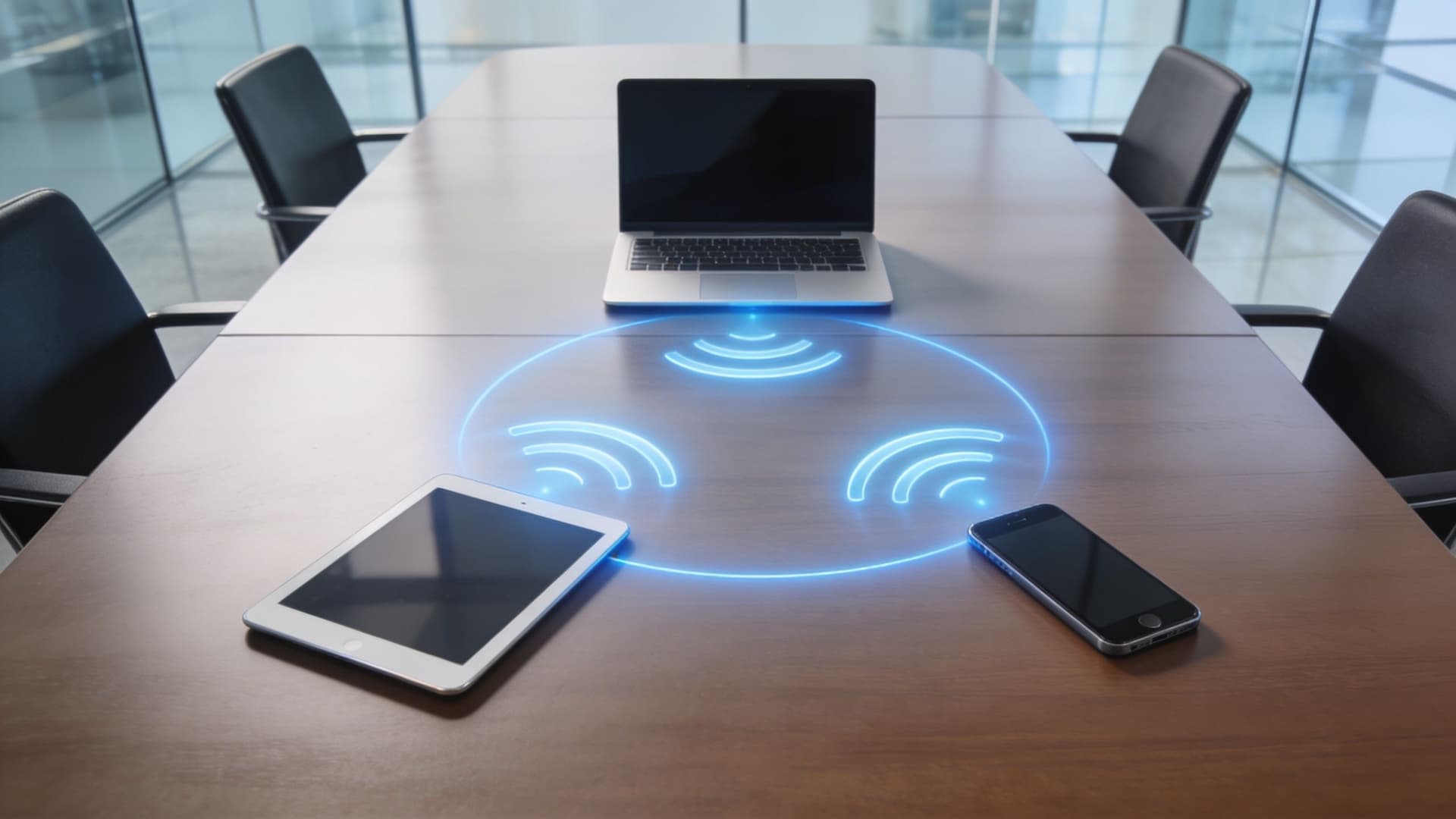
Vous êtes dans une salle de réunion, votre ordinateur portable contient la présentation, et l'écran au mur est prêt. Puis, le WiFi invité se déconnecte. Envoyer le fichier par Bluetooth semble d'une lenteur exaspérante, et demander au support informatique de réparer le réseau à cet instant précis n'est pas réaliste. Vous devez toujours afficher ce contenu à l'écran, ou l'envoyer sur une imprimante à proximité, ou sur l'appareil d'un collègue.
C'est exactement dans ce genre de moment que l'intérêt de Wi-Fi Direct devient évident.
Si vous avez recherché « qu'est-ce que le wifi direct », vous avez probablement vu la version simple : cela permet aux appareils de se connecter directement sans routeur. C'est vrai, mais cela omet la partie essentielle pour les exploitants de sites, les équipes informatiques et toute personne responsable d'une connectivité fiable pour les invités ou le personnel. En pratique, Wi-Fi Direct ressemble moins à du « WiFi sans Internet » qu'à un réseau privé temporaire que les appareils créent pour une tâche spécifique.
Cela peut être utile dans les hôtels, les espaces de réunion, les commerces et les bureaux où les appareils doivent partager des fichiers, imprimer ou diffuser un écran sans dépendre du réseau sans fil principal. Mais cela soulève également des questions de compatibilité, de contrôle et de sécurité que les guides grand public abordent rarement.
Si vous souhaitez acquérir des bases plus larges sur la façon dont les appareils se connectent, ce guide sur les connexions sans fil est un excellent point de départ. Pour l'instant, le point clé est simple : Wi-Fi Direct résout un problème réel, mais il ne remplace pas un réseau d'entreprise géré.
Introduction - Démêler vos connexions sans fil
Il est fréquent de croiser Wi-Fi Direct par hasard.
Un client essaie d'imprimer depuis un téléphone vers l'imprimante du centre d'affaires d'un hôtel. Un membre de l'équipe souhaite dupliquer sa présentation sur un écran dans une salle de conférence. La tablette d'un restaurant doit envoyer un élément à un appareil à proximité sans dépendre du WiFi saturé du site. Les appareils se connectent, la tâche s'exécute, et personne ne se demande ce qui se passe en arrière-plan.
C'est pourquoi Wi-Fi Direct semble souvent familier et mystérieux à la fois. Il utilise la technologie WiFi, mais pas de la même manière que le réseau habituel de votre bureau ou de votre site. Il peut n'y avoir aucun accès Internet. Il peut n'y avoir aucun routeur intermédiaire. Pourtant, les appareils se détectent et s'échangent des données rapidement.
Wi-Fi Direct doit être compris comme une connexion à chemin court pour une tâche spécifique, et non comme un remplacement complet du réseau dont votre entreprise dépend au quotidien.
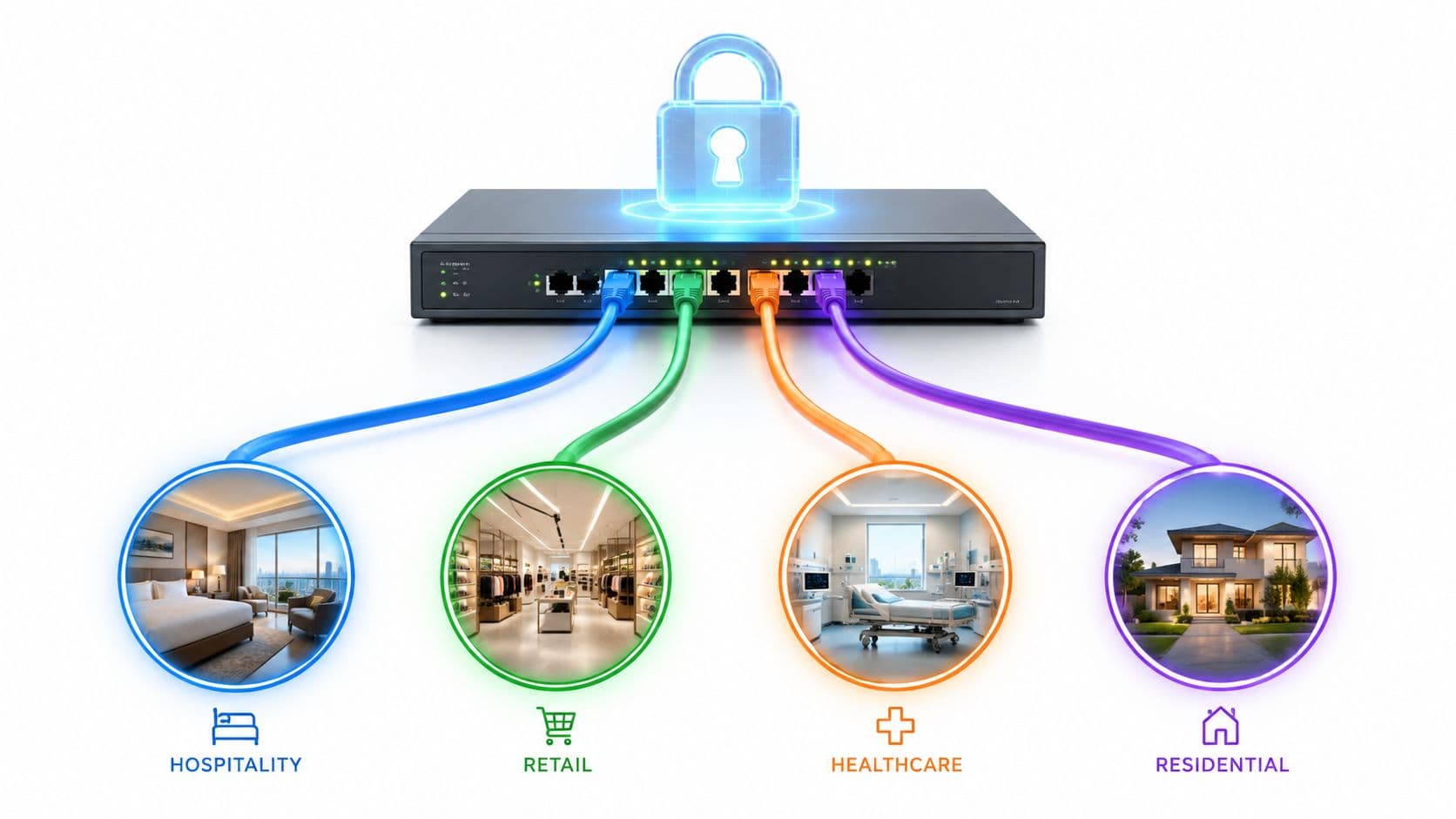
Cette distinction est cruciale pour les établissements modernes. Les secteurs de l'hôtellerie, de la vente de détail, de la santé et les sites multi-locataires n'ont pas seulement besoin que les appareils se connectent. Ils ont besoin que les connexions soient prévisibles, gérables et sécurisées. Une session de diffusion d'écran dans une salle de réunion est une chose. Gérer l'accès du personnel, l'onboarding des invités, la conformité et les rapports via des liaisons peer-to-peer non gérées en est une tout autre.
Alors, quand les gens demandent ce qu'est le wifi direct, la meilleure réponse est la suivante : il s'agit d'une méthode directe d'appareil à appareil basée sur les normes WiFi, utile pour une communication locale rapide lorsqu'un routeur ou une connexion Internet n'est pas nécessaire.
Le reste de l'histoire est là où cela devient intéressant.
Comment le WiFi Direct fonctionne réellement sous le capot
Le WiFi Direct crée un petit réseau WiFi temporaire entre des appareils situés à proximité. C'est l'idée clé à garder en tête. La connexion est directe dans le sens où elle n'a pas besoin de l'infrastructure sans fil principale de votre établissement pour acheminer le trafic, mais elle suit tout de même un ensemble de règles organisées plutôt qu'une simple mise en relation informelle de pair à pair.
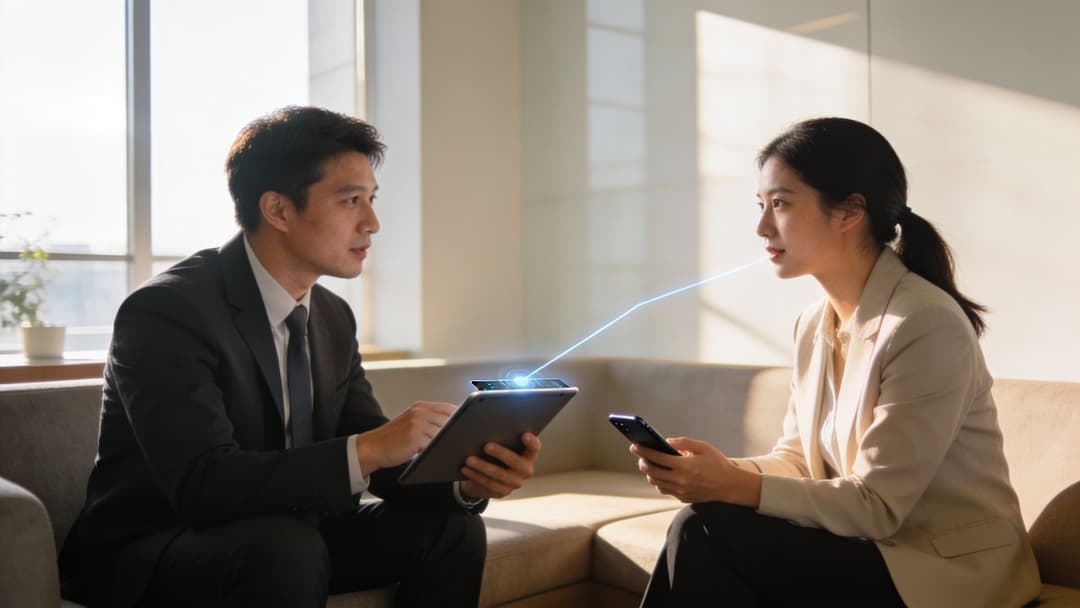
Le modèle du chef d'équipe temporaire
Un appareil devient le Group Owner, ou GO. Cet appareil fonctionne comme un hub sans fil temporaire pour la session.
En pratique, le Group Owner fonctionne comme un point d'accès logiciel, souvent appelé Soft AP. Ainsi, bien que le WiFi Direct soit décrit comme un système d'appareil à appareil, le trafic est généralement organisé selon le même modèle de base que les gens connaissent déjà avec le WiFi standard. Un terminal se comporte comme le point d'accès. L'autre appareil, ou les autres appareils, rejoignent ce groupe éphémère.
Ce détail dissipe un malentendu courant. Le WiFi Direct n'est pas l'ancien modèle ad-hoc dont beaucoup de gens se souviennent des débuts des réseaux sans fil. Il se comporte plutôt comme une version temporaire d'un WiFi d'infrastructure, ce qui explique pourquoi les systèmes d'exploitation et le matériel modernes ont tendance à le gérer de manière plus fiable dans des environnements d'appareils mixtes. L'approche technique de la Wi-Fi Alliance est résumée dans la présentation du WiFi Direct sur Wikipedia.
Ce que font les appareils avant de se connecter
Avant que les fichiers ne soient transférés ou qu'un écran ne commence à être dupliqué, les appareils doivent se découvrir et s'accorder sur les rôles. Ils s'échangent des trames de gestion qui annoncent leurs capacités, puis négocient pour savoir lequel doit assumer le rôle de Group Owner.
Une analogie utile est celle d'une courte réunion avant de commencer le travail. Une personne accepte d'accueillir, tout le monde s'accorde sur le lieu de rassemblement, et ce n'est qu'ensuite que la tâche commence. Le WiFi Direct suit cette même logique, mais en quelques millisecondes et au niveau des ondes radio.
Une fois ce rôle établi, le Group Owner présente le réseau et l'autre appareil le rejoint. Du point de vue de l'utilisateur, cela semble souvent simple. Sous le capot, il s'agit d'un processus de configuration étroitement défini, conçu pour que les connexions directes se comportent de manière prévisible.
Règle pratique : Le Wi-Fi Direct semble plus stable que les anciennes méthodes peer-to-peer car il emprunte la structure du WiFi standard au lieu d'improviser une connexion plus lâche.
Pourquoi les environnements professionnels s'y intéressent
Pour les équipes informatiques des hôtels, des espaces événementiels, des établissements de santé ou des bureaux, cette conception présente un avantage évident. Les appareils gèrent généralement mieux un réseau temporaire qui ressemble à du WiFi standard qu'une configuration ad hoc moins familière. Cela peut se traduire par moins de pannes étranges avec les imprimantes, les écrans, les scanners et le matériel spécialisé de différents fournisseurs.
Cela explique également à la fois la valeur et les limites du Wi-Fi Direct dans les environnements professionnels. Il est utile pour les connexions locales et spécifiques à une tâche car il peut fonctionner rapidement sans dépendre du réseau principal du bâtiment. Mais ce même modèle temporaire, géré par l'appareil, signifie également que la connexion se situe en dehors de la visibilité et des contrôles de politique que les entreprises exigent généralement.
Voilà l'envers du décor. Le Wi-Fi Direct est assez structuré pour être pratique, mais pas assez managé pour remplacer un service réseau basé sur l'identité. Pour un établissement, cette différence affecte le support, l'audit, la segmentation et le contrôle de l'accès des invités bien plus que la technologie radio elle-même.
Wi-Fi Direct contre les alternatives - Une comparaison claire
Un directeur des opérations hôtelières ne demande généralement pas : "Quel standard sans fil est le meilleur ?" La vraie question est plus pratique : "Quelle méthode de connexion résout cette tâche sans créer de problème de support par la suite ?"
Cette approche permet de mieux positionner le Wi-Fi Direct. Il comble le vide entre le Bluetooth et le WiFi d'infrastructure. Le Bluetooth est conçu pour des liaisons courtes et légères entre accessoires. Le WiFi d'infrastructure est conçu pour une couverture managée dans tout un bâtiment. Le Wi-Fi Direct se situe au milieu. Il est utile lorsque deux appareils à proximité ont besoin d'une connexion locale plus rapide, mais qu'il n'est pas nécessaire d'acheminer le trafic via le réseau principal de l'établissement.
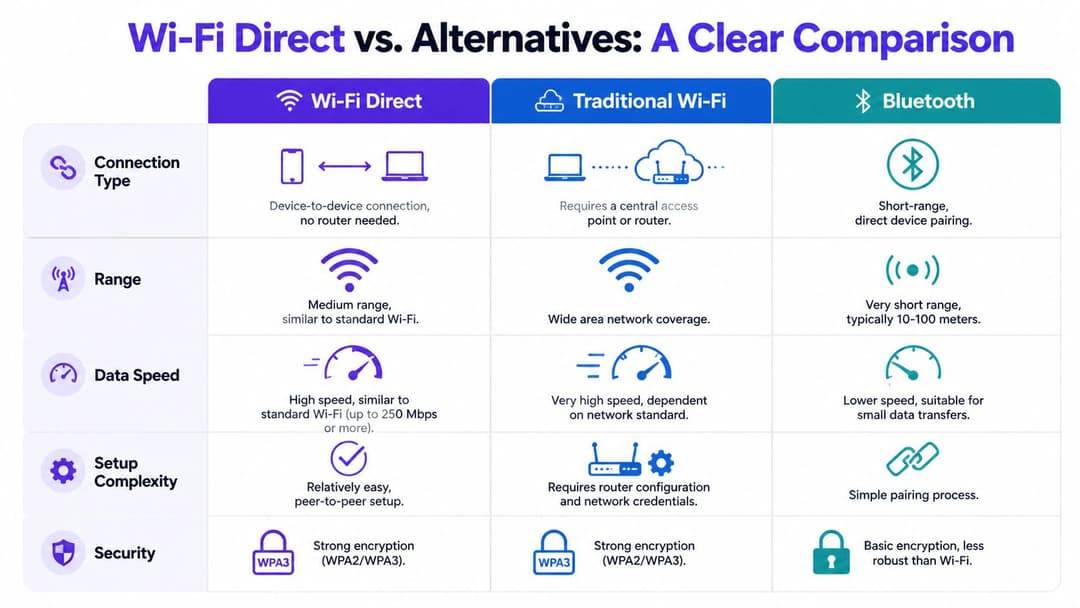
Là où le Wi-Fi Direct se distingue
Le Wi-Fi Direct est souvent plus adapté aux tâches locales plus lourdes telles que les transferts de fichiers, l'impression et la recopie d'écran. Le Bluetooth est plus logique pour les périphériques et les accessoires à faible consommation, où la durée de vie de la batterie importe plus que le débit.
Le compromis réside dans le contrôle. Un réseau WiFi professionnel traditionnel offre aux équipes informatiques une politique centralisée, une surveillance, une segmentation et des règles d'accès au niveau de l'utilisateur. Ce n'est pas le cas du Wi-Fi Direct. Il crée une liaison temporaire d'appareil à appareil en dehors du service sans fil managé, ce qui explique précisément pourquoi il peut être pratique pour une tâche rapide et problématique dans un établissement qui a besoin de traçabilité.
La présentation de HP note plusieurs caractéristiques pratiques en un seul endroit : Wi-Fi Direct peut offrir un débit bien plus élevé que le Bluetooth, peut atteindre une plus longue distance dans des conditions favorables, utilise généralement le WPA2-PSK avec AES pour la sécurité des liaisons et consomme généralement plus d'énergie lorsqu'il est actif, même si des transferts plus rapides peuvent raccourcir le temps pendant lequel la radio reste active (Présentation de Wi-Fi Direct par HP).
Une vue d'ensemble professionnelle comparative
| Technologie | Profil de vitesse et de portée | Modèle de contrôle | Cas d'usage principal |
|---|---|---|---|
| Wi-Fi Direct | Plus rapide que le Bluetooth, avec une meilleure couverture de pièce pour les appareils à proximité | Connexion temporaire gérée par l'appareil | Transfert de fichiers local, impression, partage d'écran |
| WiFi traditionnel | Conçu pour une couverture de site plus large grâce à des points d'accès | Géré de manière centralisée par l'IT ou les exploitants de sites | Accès internet, connectivité du personnel et des invités, services managés |
| Bluetooth | Débit plus faible, courte portée, faible consommation | Modèle simple d'appareils jumelés | Audio, périphériques, capteurs, petits échanges de données |
| Partage de connexion WiFi | Partage la connexion internet d'un appareil | Géré par l'utilisateur, contrôle des politiques limité | Accès internet temporaire depuis un téléphone ou un ordinateur portable |
| Réseau WiFi ad-hoc hérité | Ancienne approche de réseau direct | Gestion minimale et moins adapté aux opérations modernes | Anciens scénarios de réseau peer-to-peer |
La bonne comparaison pour les établissements
Pour un établissement, il s'agit moins de performances radio brutes que d'adaptation opérationnelle.
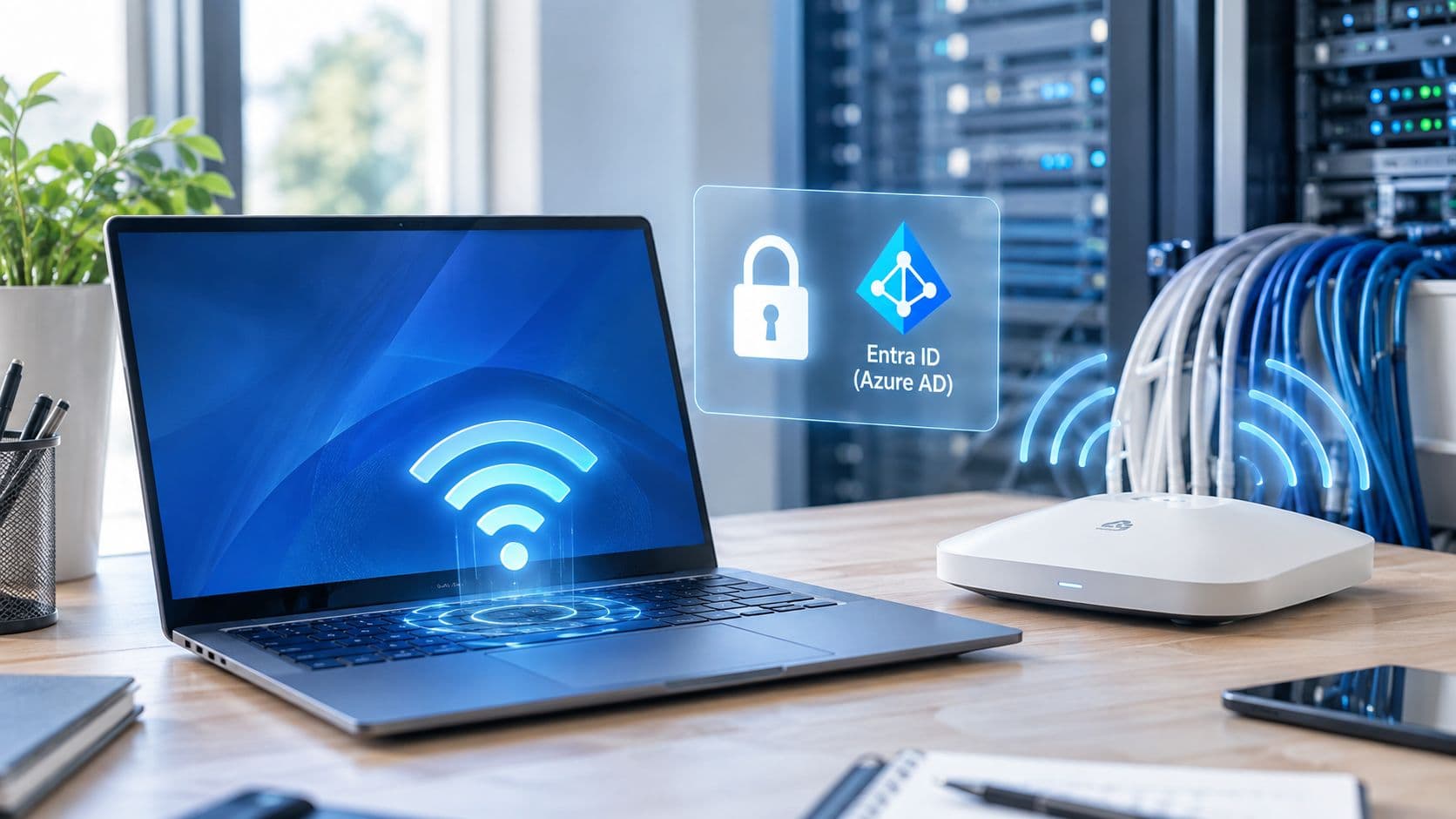
Si l'intervenant d'une conférence doit envoyer une présentation depuis un ordinateur portable vers un adaptateur d'affichage à proximité, Wi-Fi Direct peut être tout à fait raisonnable. Si un hôtel souhaite accueillir des invités, appliquer des politiques d'utilisation, séparer le trafic invité des systèmes back-office et comprendre qui s'est connecté et quand, le WiFi d'infrastructure est le bon outil. Dans ces environnements, l'identité compte tout autant que la connectivité, c'est pourquoi les modèles de sécurité managés tels que le WPA2-Enterprise pour le contrôle d'accès WiFi en entreprise ont toute leur place dans la discussion.
Une règle simple aide à choisir. Utilisez Wi-Fi Direct pour des connexions courtes, locales et spécifiques à une tâche. Utilisez le WiFi managé pour les services qui affectent l'expérience client, la conformité, la charge de travail du support et la visibilité du réseau sur l'ensemble de l'établissement.
Implications de sécurité - Le Wi-Fi Direct est-il sûr pour les entreprises ?
La sécurité est le point sur lequel de nombreuses explications destinées au grand public s'arrêtent trop tôt.
Oui, Wi-Fi Direct peut protéger les données en transit. C'est important. Si deux appareils échangent des fichiers ou dupliquent du contenu localement, vous ne voulez pas que ce trafic soit exposé. Mais les entreprises ne se soucient pas seulement de savoir si les données sont chiffrées. Elles veulent savoir qui s'est connecté, si l'appareil était approuvé, si l'accès peut être révoqué et si l'activité peut être auditée ultérieurement.
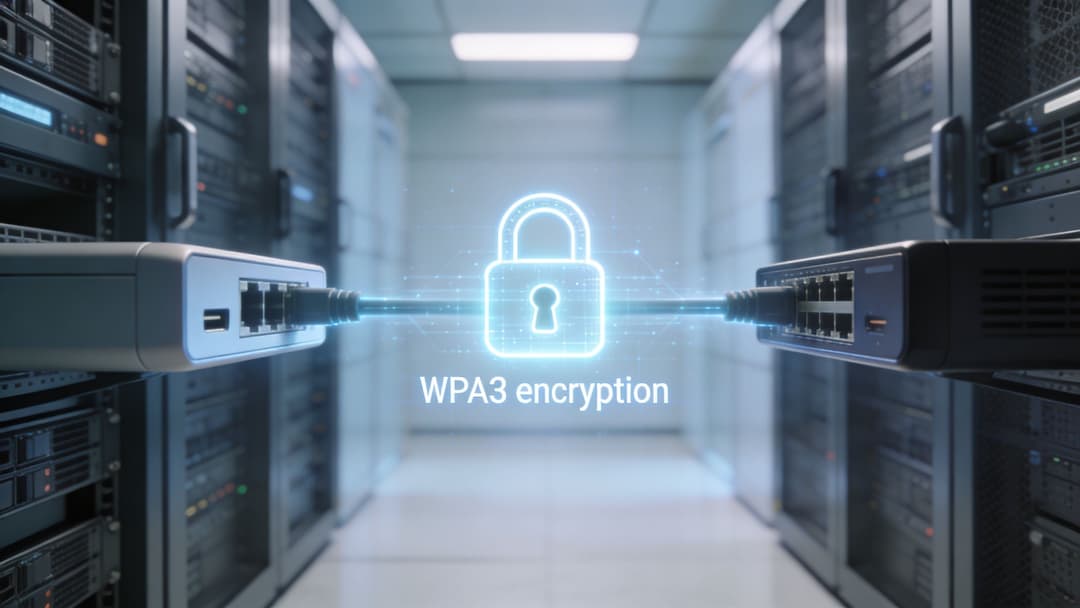
Ce que Wi-Fi Direct sécurise bien
Au niveau de la connexion, Wi-Fi Direct n'est pas une technologie imprudente. Elle utilise des mécanismes de sécurité WiFi plutôt que de laisser le trafic ouvert par défaut. Pour la communication locale d'appareil à appareil, c'est une base de référence significative.
Si votre cas d'usage est limité et contrôlé, comme une diffusion d'écran dans une salle de réunion ou une courte session d'impression, cela peut suffire. La connexion est directe, locale et spécifique à une tâche.
C'est pourquoi de nombreuses personnes pensent que Wi-Fi Direct est "sécurisé". Dans un sens étroit, elles ont raison.
Là où il montre ses limites pour l'IT moderne
Le problème apparaît lorsque vous appliquez une approche zero-trust.
Comme décrit dans l'explication de Lenovo sur le sujet, Wi-Fi Direct manque de support natif pour l'authentification par certificat, la vérification de l'identité des appareils et la révocation centralisée lorsqu'un appareil quitte une organisation. Lenovo oppose également cela à 802.1X, RADIUS et OpenRoaming/Passpoint, qui sont conçus pour l'authentification continue, le contrôle d'accès auditable et la protection par paquet dans des environnements avec des exigences de conformité telles que HIPAA. Vous pouvez lire cela dans le glossaire Wi-Fi Direct de Lenovo.
Cet écart est très important dans les organisations réelles.
Un opérateur hôtelier peut avoir besoin d'une séparation claire entre l'accès des clients et celui du personnel. Un prestataire de santé peut avoir besoin d'une preuve plus solide de qui s'est connecté et quand. Un détaillant multi-sites peut avoir besoin de politiques appliquées de manière centralisée plutôt que de faire confiance à des sessions peer-to-peer locales et temporaires au cas par cas.
Un chiffrement fort ne garantit pas automatiquement une gouvernance forte.
La question commerciale à se poser
La bonne question n'est pas "Est-ce que Wi-Fi Direct est sûr ?" mais plutôt "Sûr pour quoi faire ?"
Pour des tâches locales ponctuelles, cela peut être tout à fait raisonnable. Pour le contrôle d'accès basé sur l'identité, la conformité et l'application centralisée des politiques, il n'est pas conçu pour être la réponse principale.
Une façon simple de formuler les choses :
- Sécurité du transport : Wi-Fi Direct peut protéger la connexion elle-même.
- Assurance d'identité : Il ne prouve pas nativement qu'un utilisateur ou un appareil répond aux exigences de confiance de votre organisation.
- Révocation et contrôle : Elle n'offre pas les outils de centralisation de fin d'accès et de politiques que proposent les méthodes d'accès d'entreprise gérées.
- Auditabilité : Elle n'est pas la plus adaptée lorsque vous avez besoin de registres officiels et d'une application cohérente des accès.
Si vous comparez les modèles de sécurité sans fil de manière plus large, ce guide sur WPA et WPA2 Enterprise apporte un contexte utile sur l'importance de l'authentification gérée au-delà du simple chiffrement.
Cas d'usage concrets dans l'hôtellerie et l'entreprise
Le Wi-Fi Direct est particulièrement utile lorsqu'il est traité comme un outil spécialisé.
Dans les environnements d'hôtellerie et d'entreprise, il peut éliminer les frictions lors d'interactions locales et courtes. L'erreur consiste à s'attendre à ce qu'il supporte la charge de tout le réseau d'un établissement.
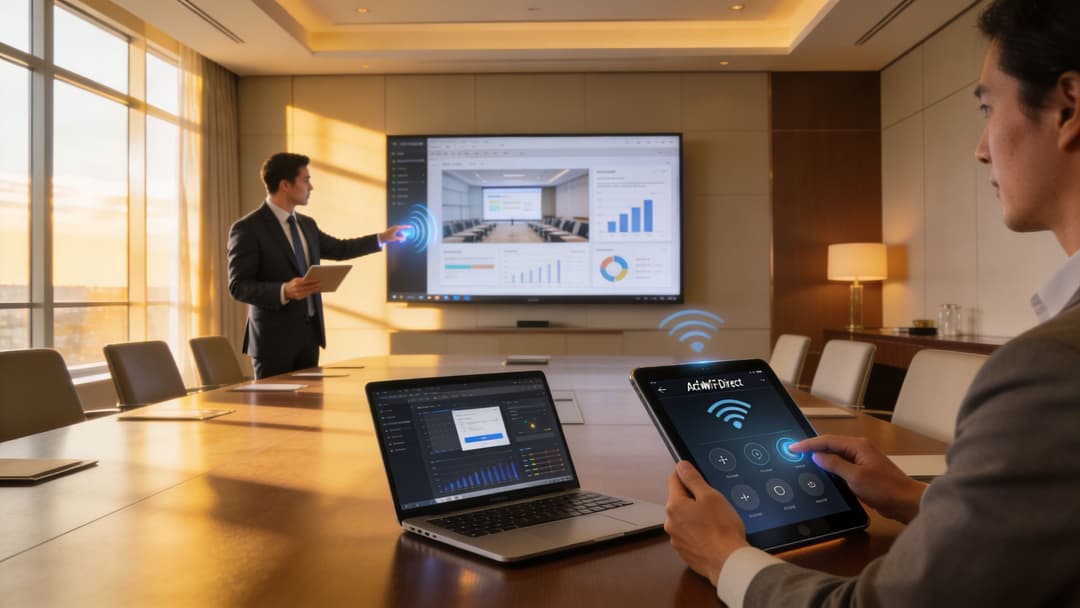
Cas d'usage adaptés au Wi-Fi Direct
Quelques exemples montrent là où il excelle :
- Projection d'écran en salle de réunion : Un présentateur connecte un ordinateur portable ou une tablette directement à un écran sans dépendre du WiFi invité.
- Impression locale : Un visiteur envoie un document depuis un téléphone vers une imprimante à proximité dans un salon d'affaires ou une zone de réception.
- Échange de fichiers à courte portée : Le personnel s'échange des fichiers volumineux entre appareils lorsque l'accès internet est indisponible ou inutile.
- Flux de travail professionnels de type périphérique : Une tablette communique directement avec un appareil à proximité pour une tâche opérationnelle précise.
Il s'agit dans tous les cas de scénarios de type "accomplir une tâche, puis se déconnecter". C'est là que le Wi-Fi Direct se révèle efficace plutôt que fastidieux.
Là où les opérations se compliquent
Les problèmes commencent lorsque les administrateurs tentent de mettre ce modèle à l'échelle.
Selon l'analyse de Connectify sur le Wi-Fi Direct, il y a très peu de clarté sur les limites d'évolutivité ou sur la dégradation des performances avec plusieurs utilisateurs simultanés, et les incohérences de compatibilité entre les fabricants et les systèmes d'exploitation créent des problèmes de fragmentation dans les environnements multi-appareils. Cela rend le déploiement prévisible beaucoup plus difficile pour les équipes informatiques des hôtels, des centres commerciaux, des hôpitaux et des environnements similaires. Ce point est souligné dans l'article de Connectify sur ce qu'est le Wi-Fi Direct.
Cet avertissement correspond à ce que de nombreuses équipes sur le terrain constatent en pratique. Une connexion directe qui fonctionne parfaitement dans une salle de test peut devenir instable lorsque différentes marques, générations d'appareils et systèmes d'exploitation se côtoient dans un même bâtiment.
Une technologie peut être excellente pour un utilisateur à la fois et s'avérer un mauvais choix pour un lieu à forte affluence.
Un test simple pour les établissements
Posez-vous trois questions avant de vous appuyer sur Wi-Fi Direct dans un environnement professionnel :
La tâche est-elle locale et temporaire ?
Si oui, Wi-Fi Direct peut tout à fait convenir.Contrôlez-vous le parc d'appareils ?
Si non, des surprises en matière de compatibilité sont à prévoir.Avez-vous besoin d'une politique centralisée, d'audits ou d'une répétabilité garantie ?
Si oui, une approche d'infrastructure gérée est généralement le choix opérationnel le plus sûr.
C'est pourquoi de nombreuses organisations utilisent Wi-Fi Direct en périphérie, pour une interaction limitée, tout en maintenant leur service sans fil principal sur un WiFi d'infrastructure avec une administration centralisée. Cette répartition permet de conserver la simplicité là où elle est utile et la gouvernance là où elle est requise.
Configuration et résolution des problèmes fréquents de Wi-Fi Direct
La plupart des problèmes liés à Wi-Fi Direct sont banals. Les appareils ne se détectent pas, une tentative de connexion se bloque ou un appareil se connecte mais le service attendu n'apparaît jamais.
La résolution commence généralement par les bases, et non par une analyse réseau approfondie.
Une liste de contrôle pratique
Vérifiez les points suivants dans l'ordre :
- Vérifiez que le WiFi est activé : Wi-Fi Direct repose toujours sur la radio WiFi de l'appareil. Si le WiFi est désactivé, la détection échouera généralement.
- Gardez les appareils à proximité : La distance, les murs, les structures métalliques et les environnements radio encombrés peuvent rendre la détection instable.
- Vérifiez la compatibilité des appareils : Toutes les plateformes ne gèrent pas Wi-Fi Direct de la même manière, et certains flux de travail dépendent d'implémentations propres aux fabricants.
- Mettez à jour les pilotes et le système d'exploitation : Les pilotes sans fil sont souvent la cause cachée d'un appairage instable ou d'une détection défaillante.
- Redémarrez la tentative de connexion des deux côtés : Les anciennes données de session peuvent interférer, surtout après un premier échec.
- Recherchez des comportements sans fil conflictuels : Le mode point d'accès, le basculement réseau agressif ou les politiques de gestion des appareils peuvent interférer avec l'appairage direct.
Ce que les utilisateurs comprennent souvent mal
De nombreuses personnes supposent que si un appareil dispose du WiFi, il prend automatiquement en charge toutes les fonctionnalités de Wi-Fi Direct de la même manière. Ce n'est pas le cas. Le support varie selon le fabricant, le système d'exploitation et le cas d'usage.
Une autre erreur courante consiste à s'attendre à ce que Wi-Fi Direct se comporte comme une connexion au réseau WiFi normal de l'établissement. Ce n'est pas le cas. Vous créez une liaison directe temporaire, et non une authentification sur le service sans fil géré du bâtiment.
Lors du dépannage, pensez "appairage et liaison radio locale", et non "problème d'accès internet".
Si votre problème principal est d'orienter d'abord les utilisateurs vers le bon service sans fil, un guide de configuration WiFi structuré permet de distinguer les problèmes d'appairage côté appareil des problèmes d'authentification côté infrastructure.
Conclusion : la bonne connexion pour le bon usage
Le WiFi Direct est utile car il résout efficacement un problème spécifique. Il permet aux appareils situés à proximité de se connecter rapidement sans dépendre d'un routeur ou d'une connexion internet, ce qui le rend précieux pour la duplication d'écran, l'impression locale et le transfert direct de fichiers.
Cela n'en fait pas pour autant la base idéale pour la connectivité globale de l'entreprise.
Ses points forts sont la commodité, la rapidité et l'indépendance vis-à-vis du réseau principal. Ses limites sont tout aussi importantes : une compatibilité fragmentée, une scalabilité incertaine dans les environnements encombrés, et un modèle de sécurité qui protège la liaison mais n'offre pas l'identité, le contrôle et l'auditabilité dont la plupart des organisations ont aujourd'hui besoin.
Ainsi, si l'on vous demande ce qu'est le WiFi Direct, la réponse la plus pratique est celle-ci : il s'agit d'un outil sans fil point à point performant pour les tâches locales. Il ne remplace pas une plateforme sans fil managée et basée sur l'identité dans les hôtels, les points de vente, les environnements de santé ou les parcs d'entreprises où la politique et la traçabilité sont quotidiennes.
Si votre établissement a besoin de plus qu'un simple appairage d'appareils ad hoc, Purple vous aide à offrir une connectivité sécurisée et sans mot de passe aux clients, au personnel et aux environnements multi-locataires, avec un accès basé sur l'identité, un contrôle centralisé et une expérience utilisateur plus fluide.