Se gestisci un hotel, un ristorante, una clinica, un punto vendita o uno spazio multiuso, la tua connessione a banda larga fa molto di più che caricare semplici pagine web. Gestisce pagamenti con carta, app in cloud, traffico voce, sessioni WiFi per gli ospiti, login del personale, aggiornamenti dei dispositivi, streaming di videosorveglianza e, sempre più spesso, i controlli di identità che stabiliscono chi può accedere alla rete e chi no.
Ecco perché "come funziona la banda larga" non è più una semplice domanda da consumatori. Per le reti aziendali, si tratta di una questione operativa. Se consideri la banda larga solo come "la linea internet fornita dall'ISP", ti perdi i dettagli che determinano l'uptime, i comportamenti di autenticazione e l'esperienza utente. Il percorso di connessione, la tecnologia di accesso, i dispositivi di handoff e l'anello più debole della catena hanno tutti un'importanza fondamentale.
Ho visto molti ambienti in cui il circuito WAN sembrava eccellente sulla carta, ma l'azienda continuava ad avere un onboarding degli ospiti instabile, autenticazioni in cloud ritardate e ticket di supporto che rimbalzavano tra l'ISP e il team IT interno. Nella maggior parte dei casi, il problema non era affatto un mistero: era una scarsa comprensione di dove finisce la banda larga, dove inizia la LAN e cosa succede quando l'accesso basato sull'identità dipende da una connessione che non è poi così "sempre attiva" come tutti presumevano.
Perché comprendere la banda larga è fondamentale per il business
Alle 8:30 del mattino, il circuito a banda larga risulta ancora "attivo" nel portale dell'ISP, ma l'azienda ne avverte già il malfunzionamento. Gli ospiti non riescono a completare l'onboarding WiFi. I dispositivi dello staff vanno in timeout durante il login in cloud. Un terminale di pagamento ritenta una transazione. La linea non è caduta, ma è diventata instabile in modi che impattano più di una semplice interruzione totale.
Questo è il motivo per cui la banda larga va intesa come una dipendenza operativa, non solo come un servizio mensile. In una struttura moderna, la connessione internet supporta i ricavi, l'accesso dei clienti, la gestione dei dispositivi e i controlli di identità che decidono chi può accedere alla rete. Se quel percorso introduce ritardi, perde pacchetti o subisce brevi instabilità, il primo sintomo visibile spesso non è un sito web non raggiungibile, ma un flusso di autenticazione fallito, un Captive Portal bloccato o una coda di assistenza piena di reclami sul "WiFi che non funziona".
La banda larga fa parte del percorso di servizio
La banda larga trasporta il traffico digitale tra la tua sede e le reti a monte utilizzando un mezzo di accesso come fibra, cavo, DSL, wireless fisso o mobile. La tecnologia fisica conta, ma l'impatto sul business deriva dall'intero percorso di servizio: il circuito di accesso locale, l'handoff del provider, la congestione a monte, il routing e il modo in cui i tuoi apparati edge gestiscono il failover, il DNS e l'ispezione di sicurezza.
Questo cambia le decisioni di acquisto. Un circuito con velocità nominali interessanti può comunque non essere adatto per una struttura che dipende dall'autenticazione in cloud e dal WiFi gestito. Le domande chiave non riguardano tanto le velocità di download di picco, quanto la stabilità, le prestazioni in upload, l'isolamento dei guasti e cosa accade durante un degrado parziale del servizio.
Regola pratica: se la banda larga supporta l'accesso dei clienti, la gestione di rete gestita in cloud o i controlli basati sull'identità, valutala come infrastruttura core. Includi resilienza, monitoraggio e comportamento in caso di guasto nel design fin dal primo giorno.
La qualità della connessione influisce sulla sicurezza e sull'autenticazione
Il traffico aziendale non è più dominato dagli utenti che scaricano contenuti da internet. Le sedi inviano ora un flusso costante di richieste in uscita: controlli RADIUS e SSO, chiamate API, validazione dei certificati, logging sul cloud, sincronizzazione dei criteri, query DNS e telemetria da access point, gateway e dispositivi IoT.
Questo ha conseguenze dirette per il WiFi sicuro. Le piattaforme come Purple dipendono da una connettività affidabile per fornire l'accesso ospiti, l'applicazione delle policy e i percorsi di onboarding, ma aiutano anche a ridurre l'impatto operativo dell'instabilità della banda larga offrendo ai team un controllo più serrato sui flussi di autenticazione, sulle regole di accesso e sull'esperienza utente. Il collegamento a banda larga è comunque importante. Una piattaforma ben progettata non può eliminare la perdita di pacchetti o il routing inefficiente dell'ISP. Può, tuttavia, rendere le modalità di guasto più facili da rilevare, contenere e risolvere.
Per gli IT manager e i gestori delle sedi, le decisioni sulla banda larga influiscono su:
- Resilienza dell'autenticazione. I controlli di identità richiedono una raggiungibilità costante dei servizi esterni. Brevi interruzioni e un'elevata latenza possono interrompere i login anche quando il circuito è tecnicamente ancora online.
- Operazioni di sicurezza. I firewall, gli AP gestiti in cloud e gli strumenti di monitoraggio si affidano a una comunicazione upstream stabile per gli aggiornamenti delle policy, gli alert e i percorsi di audit.
- Esperienza WiFi per gli ospiti. Captive Portal, login social, accesso senza password e flussi di consenso dipendono tutti da un DNS prevedibile, dalla raggiungibilità HTTPS e dalla continuità delle sessioni.
- Efficienza del supporto. I team devono separare rapidamente i problemi WAN dai guasti LAN o WiFi, altrimenti gli incidenti rimbalzano tra l'ISP, il team di rete e il proprietario dell'applicazione.
Il vero rischio è rappresentato da confini di guasto inadeguati
I problemi di banda larga sono raramente netti. Un'interruzione totale è facile da individuare. È il guasto parziale che fa perdere tempo. Lo vedo spesso nelle proprietà multisito: una sede segnala "WiFi lento", l'ISP mostra la linea in servizio e il problema reale si rivela essere una perdita a monte che influisce sull'autenticazione mentre la navigazione ordinaria funziona ancora abbastanza bene da confondere tutti.
Comprendere la banda larga aiuta a definire dove finisce la responsabilità del provider e dove inizia la tua rete. Questo è importante per la progettazione delle VLAN, la policy del firewall, la strategia DNS, i circuiti di failover e il modo in cui testi l'accesso ospiti in condizioni degradate. I team non hanno bisogno di competenze a livello di carrier. Hanno bisogno di un modello operativo del percorso, dei probabili punti di guasto e dei compromessi tra costi, resilienza e semplicità operativa.
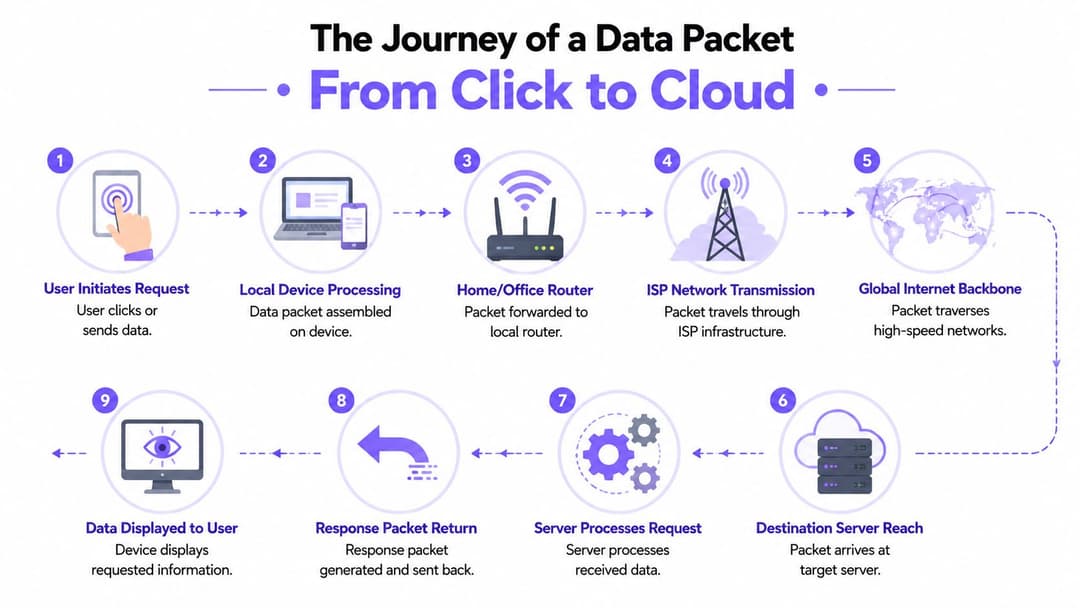
Il viaggio di un pacchetto dati dal clic al cloud
Un modo utile per comprendere la banda larga è seguire un singolo pacchetto. Non un intero streaming di un film o un aggiornamento software. Solo una singola unità di traffico creata quando qualcuno fa clic su un link, apre un'app o avvia un accesso.
La banda larga funziona come un pacco che si muove attraverso una rete di consegna. Inizia con un ritiro locale, passa attraverso lo smistamento regionale, si unisce al trasporto a lungo raggio, raggiunge un deposito di destinazione e poi una risposta torna indietro lungo lo stesso percorso. Le strade esatte variano, ma le fasi sono riconoscibili.
Prima dentro la sede
Il viaggio inizia sull'endpoint. Un telefono, un laptop, un terminale di pagamento o un dispositivo IoT crea dati che devono lasciare il dispositivo. Se l'utente è su WiFi, il pacchetto attraversa prima la rete wireless locale per raggiungere un access point, poi la LAN cablata e infine il router di frontiera o il firewall.
In questa fase, la banda larga non è ancora iniziata. Questa distinzione è importante. Se la LAN è congestionata, configurata in modo errato o mal segmentata, gli utenti potrebbero incolpare l'ISP per un guasto che si trova in loco.
Un modo semplice per suddividere il percorso è questo:
- Il dispositivo crea la richiesta. Un browser richiede una pagina o un'app richiede dati.
- La rete locale la inoltra. Access point, switch e il router la spostano verso il perimetro WAN.
- Il servizio a banda larga la trasporta fuori dall'edificio. La connessione dell'ISP prende quindi il sopravvento.
- La rete internet più ampia la trasporta oltre. Le reti di trasporto e di transito la spostano verso il servizio di destinazione.
- Un server risponde. L'applicazione invia il traffico di ritorno lungo un percorso praticabile.
L'ultimo miglio è dove si scontra la realtà locale
Il primo passo esterno è l'ultimo miglio. Questo è il collegamento di accesso tra la tua sede e la rete più ampia del provider. Spesso è la parte più limitata dell'intero viaggio. Una dorsale può trasportare enormi volumi di traffico, ma se l'ultimo miglio è stretto o instabile, tutto ciò che sta dietro sembra lento.
Questa è una delle risposte più pratiche alla domanda "come funziona la banda larga" per i lettori business. La banda larga non è un unico cloud. Si tratta di un sistema di trasporto a livelli, e il segmento più stretto governa l'esperienza utente più di quello più impressionante.
La rete centrale più veloce del mondo non salverà un circuito di accesso scadente nel tuo edificio.
Poi il pacchetto entra nelle reti di trasporto più grandi
Una volta che il traffico lascia la sede, si muove attraverso l'infrastruttura dell'ISP e nei sistemi di trasporto più ampi. I provider utilizzano l'aggregazione regionale, il backhaul e i collegamenti core ad alta capacità per trasportare i pacchetti attraverso le città, i paesi e tra i principali punti di interconnessione della rete. Alcuni di questi percorsi sono diretti. Alcuni comportano passaggi di consegne tra le reti.
Per un utente aziendale, l'aspetto importante è che il percorso di ritorno non è garantito per essere identico a quello di andata. Le decisioni di instradamento possono variare in base alla disponibilità e alle policy. La maggior parte delle volte questo funziona bene. Tuttavia, in caso di instabilità o congestione, il comportamento delle applicazioni può diventare incoerente in modi difficili da diagnosticare dal lato utente.
Perché questo modello è importante per i team IT
Se si tiene a mente questo percorso dei pacchetti, l'isolamento dei guasti diventa più disciplinato. Quando l'accesso a un servizio cloud è lento, ci si può chiedere:
- L'endpoint è integro?
- Il livello WiFi funziona correttamente?
- La LAN inoltra il traffico in modo pulito?
- Il perimetro WAN sta perdendo o ritardando i pacchetti?
- Il percorso dell'ISP è stabile?
- Il servizio remoto stesso è sotto sforzo?
Questa sequenza evita un errore comune. I team spesso riconducono ogni lentezza esterna a un "problema di internet", quando il problema effettivo potrebbe essere il comportamento del roaming locale, la congestione a monte o le apparecchiature perimetrali WAN sotto stress.
Decodificare le tecnologie dell'ultimo miglio e le topologie di rete
Un ospite cerca di connettersi al WiFi alle 8:55. La splash page si carica lentamente, il controllo dell'identità si blocca e il personale presume che la colpa sia della piattaforma wireless. In molte sedi, il vincolo principale si trova prima nel percorso. Si tratta del circuito di accesso all'edificio, del mezzo su cui viaggia e del modo in cui il provider ha strutturato la rete locale attorno ad esso.
Ecco perché la tecnologia dell'ultimo miglio merita più attenzione di quanta ne riceva di solito. Fibra, cavo e DSL possono essere venduti tutti come banda larga, ma non falliscono nello stesso modo, non si riprendono nello stesso modo o non gestiscono il traffico aziendale con lo stesso margine di errore. Per piattaforme come Purple, questa differenza si riflette sull'affidabilità dell'autenticazione, sulla reattività del Captive Portal, sugli aggiornamenti delle policy cloud e sulla coerenza dei controlli di sicurezza che dipendono dal raggiungimento dei servizi esterni.
Cosa fanno effettivamente i principali tipi di accesso
La fibra trasporta i dati come impulsi di luce attraverso il vetro. In pratica, ciò offre alle aziende due vantaggi utili. Non risente delle interferenze elettromagnetiche e di solito supporta prestazioni a monte più pulite per il traffico cloud, i flussi di lavoro di accesso, la telemetria e l'applicazione delle policy. Se una sede dipende da un WiFi gestito via cloud, reindirizzamenti SSO, login social o analisi in tempo reale, la fibra è solitamente l'opzione meno problematica.
Il cavo invia i dati su un'infrastruttura coassiale, spesso utilizzando un modello di accesso condiviso nell'area locale. Questo può funzionare bene per molti siti commerciali, specialmente dove l'impianto del provider è ben mantenuto. Il compromesso è la coerenza. Le prestazioni possono variare maggiormente durante i periodi di punta, e queste oscillazioni tendono a emergere prima nelle attività sensibili alla latenza, come i reindirizzamenti dei portali, i prompt MFA e le chiamate API tra la piattaforma WiFi e i servizi di identità esterni.
La tecnologia DSL utilizza doppini telefonici in rame e rimane comune nei siti in cui opzioni migliori non hanno ancora raggiunto l'edificio. Può essere perfettamente utilizzabile per una connettività leggera, ma la qualità della linea e la distanza dall'armadio o dalla centrale contano molto. Per un piccolo ufficio che controlla le email, questo può essere accettabile. Per una struttura ricettiva che gestisce il login degli ospiti, il traffico SaaS del personale, i flussi di pagamento e gli aggiornamenti di sicurezza sulla stessa connessione, la tecnologia DSL lascia meno margine di manovra.
Confronto tra tecnologie a banda larga
| Tecnologia | Mezzo | Velocità tipiche (Simmetriche/Asimmetriche) | Affidabilità e interferenze | Ideale per |
|---|---|---|---|---|
| Fibra | Luce su vetro | Spesso più adatta a servizi simmetrici | Forte profilo di affidabilità e immune alle interferenze elettromagnetiche | Aziende che dipendono da app cloud, autenticazione stabile e prestazioni upstream pulite |
| Cavo | Segnale su cavo coassiale | Comunemente asimmetrico | Generalmente affidabile, ma l'infrastruttura condivisa può influire sulla costanza delle prestazioni | Siti che necessitano di una connessione internet aziendale generale solida dove la fibra non è disponibile |
| DSL | Segnale elettrico su doppini telefonici in rame | Spesso asimmetrico, con vincoli legati alla distanza | Più sensibile alla qualità della linea e al degrado sulla distanza | Siti più piccoli con esigenze più leggere o località con alternative limitate |
La topologia conta quanto il mezzo
Il tipo di cavo è solo una parte del profilo di rischio. Anche la topologia del provider influisce su ciò che accade in caso di guasto a monte.
Una topologia ad anello offre al traffico un percorso alternativo in caso di guasto di un segmento. Una topologia ad albero spinge il traffico attraverso una gerarchia di rami a monte, il che è efficiente ma può esporre un numero maggiore di clienti a un singolo dominio di guasto. Chi acquista servizi aziendali non sempre riceve questo dettaglio in una conversazione di vendita, ma è importante. Una struttura su un servizio in fibra ben progettato con una scarsa aggregazione locale può comunque subire interruzioni visibili. Un servizio modesto con una migliore ridondanza può offrire un'esperienza reale più stabile.
Per il WiFi aziendale, queste scelte di progettazione hanno conseguenze operative dirette. Se l'instabilità della banda larga interrompe la risoluzione DNS, la raggiungibilità del cloud o il traffico di reindirizzamento, gli ospiti riscontrano errori di accesso e il personale riceve ticket di supporto. Purple e piattaforme simili possono ridurre l'impatto sugli utenti con una migliore gestione delle sessioni, controlli delle policy e progettazione del Captive Portal, ma non possono eliminare la dipendenza da un percorso a monte integro. La resilienza inizia dalla comprensione di come viene erogato il circuito.
Spunto di progettazione: Chiedi all'ISP quale mezzo serve l'edificio, se l'accesso locale è condiviso, dove si trova il failover nella rete di accesso e come vengono ripristinati i guasti. Queste risposte sono spesso più utili della velocità dichiarata.
Cosa tende a funzionare e cosa no
In pratica, la fibra è la scelta più sicura per i siti che si affidano al networking gestito in cloud, all'autenticazione esterna e a un comportamento a monte stabile. Il cavo è spesso una ragionevole seconda scelta laddove la qualità del servizio è prevedibile e l'azienda può tollerare alcune variazioni. La DSL è solitamente la prima opzione a mostrare segni di cedimento quando il numero di utenti aumenta, la dipendenza dal cloud cresce o il sito ha bisogno di un accesso ospiti affidabile con controlli di sicurezza moderni.
Se stai confrontando le opzioni, questa guida ai diversi tipi di connessione internet è un utile punto di partenza. La decisione migliore deriva dalla mappatura di ciascuna opzione rispetto ai flussi di accesso, all'occupazione di picco, all'onere del supporto e al costo di interruzioni anche brevi.
Un circuito più economico può sembrare valido su un preventivo e creare comunque più problemi operativi una volta che le autenticazioni fallite, le soluzioni alternative del personale e i reclami degli utenti iniziano a consumare tempo.
Colli di bottiglia delle prestazioni e velocità pubblicizzate
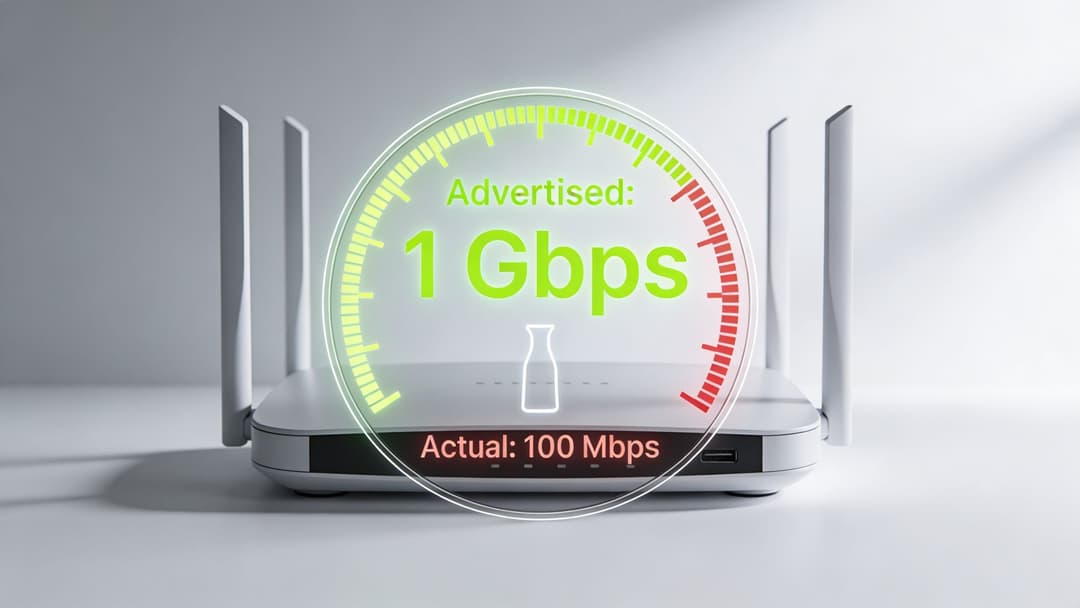
La velocità di linea sul modulo d'ordine non coincide con le prestazioni dell'applicazione. Questo divario causa una confusione infinita. Un'azienda acquista un servizio veloce, gli utenti continuano a lamentarsi e tutti iniziano a cercare un unico colpevole quando il problema è solitamente un mix di limiti di throughput, latenza, debolezza a monte e congestione locale.
La larghezza di banda è capacità, non una garanzia
La larghezza di banda si comprende meglio come la larghezza del tubo. Determina quanti dati possono transitare al secondo. Non garantisce che il traffico si muoverà rapidamente in ogni momento, né dice molto su ritardi, jitter o perdita di pacchetti.
Questo è il motivo per cui una connessione può sembrare instabile anche quando i test di velocità appaiono accettabili. Una sede può disporre di una capacità grezza sufficiente per il traffico ordinario, ma generare comunque un'esperienza insoddisfacente per le app in tempo reale, i login basati su browser e il traffico di controllo cloud quando il percorso è instabile.
L'upstream conta più di quanto molti acquirenti credano
La distinzione tra banda larga asincrona, in cui i download sono più veloci dei caricamenti, e banda larga sincrona, in cui le velocità sono simmetriche, è di fondamentale importanza nelle reti aziendali. Le definizioni tradizionali consideravano 25 Mbps in download e 3 Mbps in upload come banda larga, mentre l'orientamento più attuale si è spostato verso 100/20 come baseline minima vitale, con i servizi simmetrici 100/100 considerati sempre più uno standard più solido e il 1 Gbps/1 Gbps come il gold standard, secondo la scheda informativa sui principi fondamentali della banda larga di Pew .
Questo cambiamento riflette una reale evoluzione operativa. Le aziende non si limitano più a consumare contenuti. Inviano costantemente dati in upstream verso piattaforme cloud, sistemi di identità, piani di gestione e strumenti di collaborazione.
Perché una linea "veloce" può comunque sembrare lenta
Tre problemi si presentano ripetutamente negli ambienti aziendali:
- Capacità condivisa: alcuni servizi offrono prestazioni ottimali nei momenti di calma e si degradano quando la rete di accesso locale è congestionata.
- Margine di upstream insufficiente: i download possono apparire normali mentre gli upload si bloccano a causa del traffico cloud, delle videochiamate, della telemetria dei dispositivi o degli scambi di autenticazione.
- Latenza e perdita di pacchetti: anche un ritardo modesto o l'instabilità dei pacchetti possono far sembrare le app non funzionanti, nonostante un throughput discreto.
Se il personale riesce a caricare i siti web ma gli accessi al cloud si bloccano, non dare per scontato che la WAN sia "sostanzialmente a posto". Questo comportamento indica spesso un problema di upstream o di qualità, non un problema di download.
Cosa esaminare durante la risoluzione dei problemi
Quando la banda larga offre prestazioni inferiori alle aspettative, poniti queste domande prima di inoltrare la segnalazione senza un piano preciso:
| Verifica | Perché è importante |
|---|---|
| Prestazioni di download rispetto all'upload | Un'asimmetria marcata può danneggiare i flussi di lavoro aziendali fortemente basati sul cloud |
| Comportamento della latenza | Il ritardo influisce sulle app interattive più che sui trasferimenti di dati massivi |
| Modelli basati sulla fascia oraria | Le variazioni di prestazioni possono indicare problemi di congestione o di accesso condiviso |
| Consistenza, non solo picchi | Un servizio stabile è più utile di una velocità massima nominale occasionale |
| Sintomi specifici dell'applicazione | La navigazione degli ospiti, i POS, la voce e l'autenticazione cloud presentano malfunzionamenti diversi |
La lezione pratica è semplice. Non acquistare la banda larga basandoti solo sulla velocità nominale. Per l'uso aziendale, la costanza e la qualità in upstream spesso contano più dei numeri massimi in downstream.
Dall'ISP al tuo network aziendale
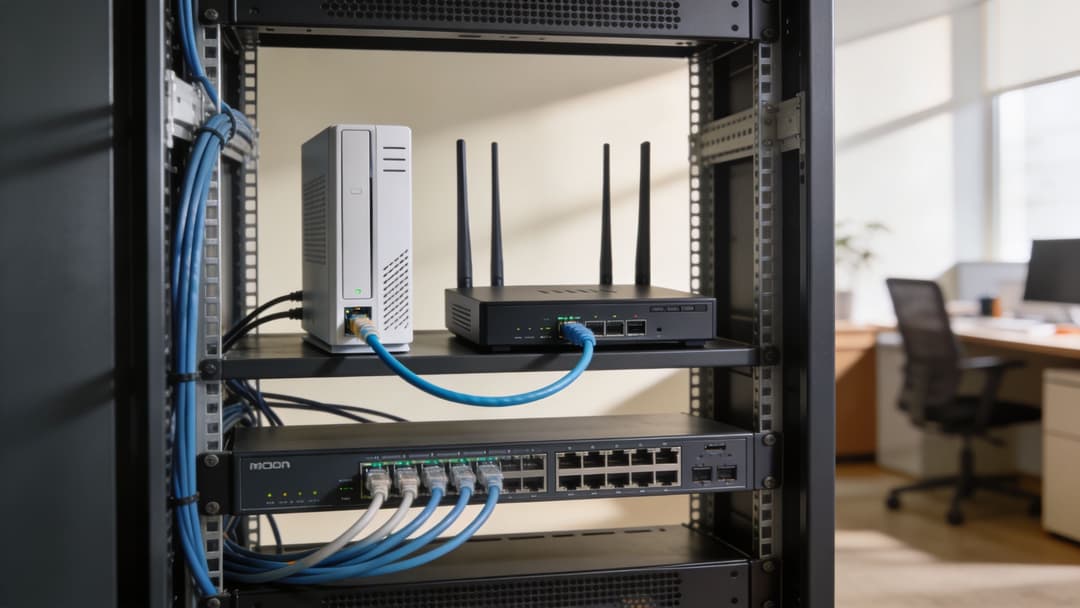
Una volta che il provider fornisce la banda larga all'edificio, l'apparecchiatura di tua proprietà prende il controllo. A questo punto, molte conversazioni di supporto si confondono. Le persone usano "modem", "router" e "WiFi" come se fossero intercambiabili, ma svolgono compiti diversi.
Capire il punto di consegna ti aiuta a capire dove finisce la responsabilità dell'ISP e dove inizia la tua.
Il modem termina il servizio di accesso
Un modem converte la tecnologia di accesso del provider in una forma che la tua rete locale può utilizzare. Il compito esatto dipende dal tipo di servizio. Su DSL, cavo o metodi di accesso simili, il modem gestisce la conversione del segnale specifica per quel mezzo.
Con alcuni servizi in fibra aziendali, il provider può invece presentare una consegna ottica o Ethernet utilizzando un'apparecchiatura di terminazione dedicata. In ogni caso, questo è il confine del servizio dell'operatore.
Il router decide dove va il traffico
Un router collega reti diverse e instrada il traffico tra di esse. In un ambiente aziendale, il router o il firewall si trova solitamente tra la consegna dell'ISP e la LAN interna. Decide cosa esce verso internet, cosa rimane locale e quali policy applicare.
È qui che avvengono le decisioni principali, come:
- Segmentazione della rete per ospiti, personale, IoT e operazioni
- Policy di traffico per la sicurezza e il controllo delle applicazioni
- Comportamento di failover in presenza di un percorso WAN secondario
- VPN o tunnel sicuri verso risorse cloud o private
Switch e access point distribuiscono il servizio internamente
Uno switch sposta il traffico all'interno della LAN cablata. Collega router, server, access point, stampanti, sistemi di cassa, telecamere e altri dispositivi locali. Non sostituisce il router. Espande la connettività interna.
Un access point wireless fa da ponte per i client WiFi sulla rete. Estende la LAN via radio. Se gli utenti lamentano che "la banda larga non funziona", il problema potrebbe essere dovuto a un uplink dello switch congestionato, a un posizionamento errato dell'AP, a un cattivo comportamento di roaming o a un problema di tagging VLAN.
Un circuito ISP pulito non compenserà una progettazione di confine disordinata. Una volta che il traffico entra nella tua rete, l'architettura interna determina se gli utenti sperimenteranno un servizio stabile o il caos.
La linea di consegna è solo una parte del design
Ecco perché il design dell'edge merita la stessa attenzione del contratto a banda larga. È necessaria una chiara demarcazione, una segmentazione sensata e la definizione delle responsabilità di supporto. I team di servizi gestiti spesso migliorano i risultati in questo ambito perché documentano dove finisce il carrier, dove iniziano le apparecchiature del cliente e come dovrebbero funzionare le escalation.
Se il tuo ambiente si estende su più siti, un'architettura cloud-first può anche cambiare il tuo modo di concepire il design della rete WAN. Un punto di partenza utile è comprendere il WAN as a service e come i circuiti a banda larga si inseriscono in un modello di connettività più ampio anziché fungere da collegamenti locali isolati.
Implicazioni per il WiFi aziendale sicuro e l'autenticazione
Un ospite arriva in un hotel alle 18:00, si connette al WiFi e il Captive Portal si blocca dopo l'inserimento dei dati. L'access point è attivo. Lo switch funziona correttamente. Il problema è un breve evento di jitter WAN nel momento sbagliato, proprio mentre la rete tenta di raggiungere i servizi esterni di identità e policy. Dal punto di vista dell'utente, il WiFi sembra non funzionare. Dal punto di vista di un operatore, la qualità della banda larga è appena diventata un problema di autenticazione.
L'autenticazione dipende dal corretto funzionamento della banda larga
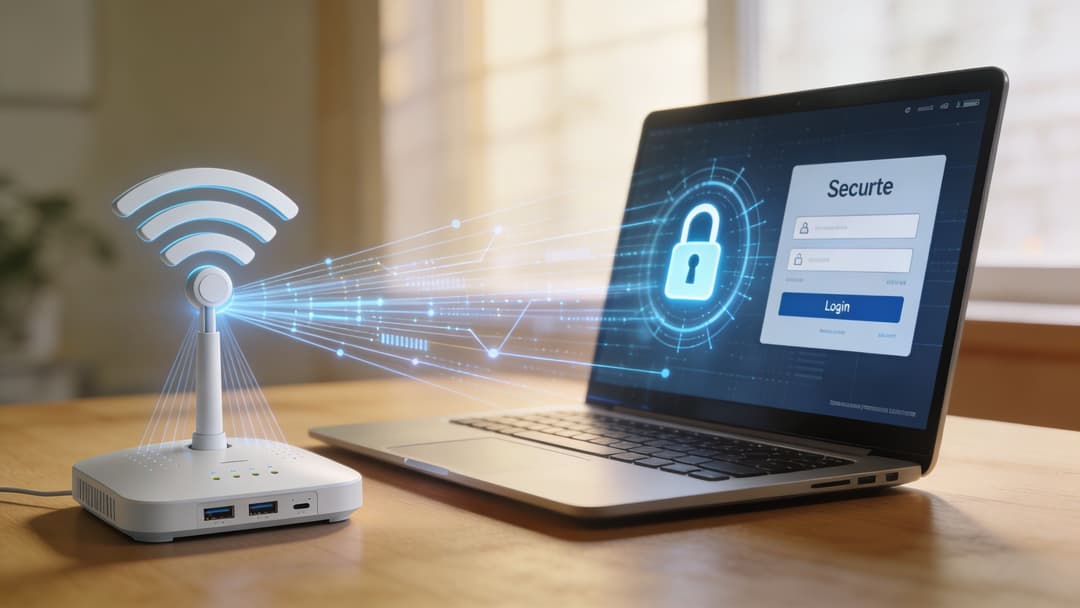
La banda larga viene spesso descritta come un servizio sempre disponibile. La definizione di internet a banda larga fornita da Spectrum afferma che la banda larga è progettata per fornire un accesso continuo e ad alta velocità senza occupare la linea telefonica. Questo è tendenzialmente vero, ma tralascia ciò che conta negli ambienti aziendali reali: i collegamenti possono rimanere attivi pur registrando prestazioni così scarse da interrompere i flussi di accesso, i controlli dei certificati e le verifiche delle policy.
Questo divario si manifesta rapidamente nel WiFi aziendale. Un accesso moderno raramente si limita a una splash page e a una password. Può coinvolgere l'identità federata, RADIUS, la convalida dei certificati, la profilazione dei dispositivi, l'assegnazione delle policy e l'indirizzamento del traffico verso il segmento corretto. Qualsiasi ritardo tra questi passaggi può causare tentativi ripetuti, onboarding incompleti o il posizionamento degli utenti sulla rete errata.
Le piattaforme create per le soluzioni WiFi aziendali aiutano a ridurre queste difficoltà operative, ma dipendono comunque dal percorso a banda larga sottostante per la raggiungibilità del cloud, gli aggiornamenti delle policy, la telemetria e le decisioni di attendibilità esterne. Un buon software può mascherare una certa instabilità della rete WAN. Non può però annullare la latenza, la perdita di pacchetti o un circuito di accesso guasto.
Dove si manifestano prima i problemi di una banda larga debole
In pratica, quattro aree tendono a presentare problemi prima che i team si rendano conto che la causa principale è la rete WAN:
- Flussi di onboarding e Captive Portal. Un utente compila il modulo, ma la callback verso la piattaforma cloud o l'identity provider va in timeout.
- Verifiche di certificati e identità. Le decisioni basate su EAP, RADIUS, SAML o token sono sensibili ai ritardi e ai tentativi falliti.
- Tempistiche di applicazione delle policy. La revoca dell'accesso, i cambi di ruolo e le regole basate sul tempo possono subire ritardi se il traffico di controllo raggiunge il cloud in modo discontinuo.
- Continuità della sessione durante il roaming. Nei grandi spazi, gli utenti possono mantenere la connettività radio mentre l'autenticazione o la riautorizzazione back-end si bloccano.
Questi non sono casi limite. Sono modalità di guasto comuni in stadi, punti vendita, strutture sanitarie e contesti hospitality in cui il circuito a banda larga è sufficiente per la navigazione casuale ma meno tollerante sotto il carico del control-plane.
Il compromesso operativo è semplice
Più il vostro servizio WiFi dipende da decisioni esterne in tempo reale, più dovrete gestire con attenzione la qualità della banda larga.
Questo non significa che ogni sito abbia bisogno di una doppia fibra e di un design di livello carrier. Significa invece che i team devono decidere quali funzioni devono funzionare durante condizioni WAN degradate e quali possono attendere. L'accesso guest può spesso tollerare un breve ritardo. I dispositivi del personale, i terminali di pagamento, i tablet operativi e i sistemi di sicurezza di solito non possono farlo.
Cosa resiste meglio sul campo
Le reti che si comportano in modo prevedibile sotto stress da banda larga condividono solitamente alcune scelte di progettazione.
Separare il traffico di controllo dalla richiesta dei guest
L'autenticazione, il DNS, il RADIUS, le callback del portale e il traffico di gestione non devono competere allo stesso livello con lo streaming dei guest o i download di grandi dimensioni. La segmentazione e la policy del traffico riducono la probabilità che siano i vostri stessi utenti a creare i sintomi di un disservizio.
Definire in anticipo il comportamento in modalità degradata
I team devono sapere cosa succede se la WAN diventa lenta ma non si interrompe del tutto. Le sessioni esistenti persistono? Le credenziali memorizzate nella cache possono ancora essere utilizzate? Il portale fallisce consentendo l'accesso (fail open), negandolo (fail closed) o mostrando un percorso di riprovo? Queste risposte influiscono sulla sicurezza, sul carico di supporto e sulla customer experience.
Ridurre le dipendenze esterne non necessarie
Ogni ulteriore ricerca in cloud nel percorso di accesso aggiunge un'altra possibilità di ritardo o errore. Alcune architetture sono flessibili ma fragili. Nei luoghi affollati, catene di autenticazione più semplici spesso offrono prestazioni migliori rispetto a design eleganti con troppe parti in movimento.
L'instabilità della banda larga non riduce solo la velocità. Può indebolire le decisioni di fiducia, ritardare l'applicazione delle regole e creare errori di login che sembrano difetti dell'applicazione.
I team di sicurezza hanno bisogno di consapevolezza del trasporto
I modelli di accesso zero-trust e identity-first sono utili solo se la rete può raggiungere in tempo i sistemi che prendono tali decisioni. Se la banda larga introduce jitter, perdite o problemi intermittenti a monte, la sicurezza diventa incoerente. Gli utenti riscontrano guasti casuali. Gli help desk inseguono il livello sbagliato. Gli operatori sprecano tempo a incolpare access point, portali o applicazioni che stanno solo esponendo la debolezza della WAN.
La lezione pratica è semplice. Il WiFi aziendale sicuro dipende da qualcosa di più della copertura e della larghezza di banda. Dipende dal fatto che il servizio a banda larga possa supportare scambi ripetuti, tempestivi e autenticati in condizioni reali di sede, e che la progettazione della piattaforma e dell'edge possa continuare a funzionare quando questa ipotesi viene meno.
Costruire Reti Resilienti Comprendendo i Fondamenti
La banda larga inizia con la fisica. I segnali si muovono su vetro, coassiale o rame. Diventa poi architettura. Il traffico attraversa reti locali, dispositivi edge, circuiti di accesso, trasporto del provider e servizi remoti. Infine, diventa rischio aziendale. Ogni debolezza in quella catena si manifesta dove gli utenti possono percepirla.
Ecco perché comprendere come funziona la banda larga offre a IT manager e operatori di sede un vantaggio pratico. Aiuta a scegliere la tecnologia di accesso corretta, a porre domande migliori ai provider e a progettare reti interne che non collassano nel momento in cui la WAN si comporta in modo imperfetto.
I team che prendono decisioni migliori sanno dove si trovano i punti deboli
In pratica, gli ambienti resilienti tendono a fare bene alcune cose:
- Acquistano in base all'idoneità del carico di lavoro, non solo al prezzo. Fibra, cavo e DSL non sono intercambiabili una volta che entrano in gioco la dipendenza dal cloud e l'onboarding sicuro.
- Separano i guasti dell'ISP dai guasti interni. Ciò riduce i tempi di supporto ed evita infiniti rimpalli di responsabilità.
- Danno valore alla qualità dell'upstream. Il traffico aziendale ora scorre in entrambe le direzioni.
- Progettano prevedendo le interruzioni. Una rete non deve essere perfetta, ma deve fallire in modo prevedibile.
La conoscenza della banda larga ripaga oltre la connettività
Quando si comprende l'intero percorso dal clic dell'utente alla risposta del cloud, gli acquisti migliorano. La risoluzione dei problemi migliora. La progettazione della sicurezza migliora. E così anche l'esperienza digitale per ospiti, personale e inquilini.
Questa è la risposta a "come funziona la banda larga" per un pubblico aziendale. Funziona come una catena. Se comprendi la catena, puoi rafforzarla. Se la tratti come una scatola nera, ne erediti i punti deboli senza vederli finché gli utenti non si lamentano.
I team di rete più efficaci non chiedono solo più larghezza di banda. Chiedono dove il controllo, la resilienza e la fiducia sono più deboli.
Se stai ripensando all'accesso degli ospiti, all'autenticazione del personale o alla resilienza WiFi multi-sede, Purple offre una moderna piattaforma di rete basata sull'identità, progettata per un accesso sicuro e senza password in ambienti reali complessi. È progettata per aiutare le organizzazioni a sostituire le password condivise e i macchinosi captive portal con un modello più lineare per ospiti, personale e spazi multi-tenant.