

TL;DR / Key Takeaways
- A captive portal is the sign-in page on public WiFi - a web application that authenticates users, records consent, and tells the network to release the device.
- Authentication options span click-through, email, social login, SMS, voucher, sponsored access, SAML/SSO, and iPSK. Most venues run two or three in parallel.
- Captive portals work on every major access point vendor (Cisco Meraki, Aruba, Ubiquiti, Ruckus, Juniper Mist) via standard RADIUS. No hardware change needed.
- Passpoint and OpenRoaming are not replacing captive portals. They coexist on the same SSID: Passpoint silently onboards returning users, captive portal handles branded first-touch and data capture.
A captive portal is the sign-in page that appears when you connect to public WiFi. You’ve used hundreds of them. In a hotel lobby, on a train, at the airport, in a coffee shop, the network shows you a page before it lets you onto the internet.
This guide covers what captive portals are, how they actually work, the authentication methods they support, how to brand them, how to secure them, and how to choose between captive portals and the newer Passpoint and OpenRoaming approach that’s quietly replacing them at venue after venue.
We run captive portal infrastructure across 80,000 venues with 440 million logins last year, on every major hardware vendor. The guide reflects that experience.
What is a captive portal?
A captive portal is a web page that intercepts WiFi traffic before granting access to the wider internet. When you join an unsecured network, your device tries to load a page (any page) and gets redirected to the portal instead. You sign in, accept terms, or pay, and the network releases you onto the internet.
That’s the user-facing definition. Technically, a captive portal sits between three components:
- The wireless access point that the device connects to
- A walled garden that allows DNS and a small set of pre-authentication URLs through
- The portal itself, hosted by the venue or by a captive portal software vendor
The portal authenticates the user, records consent and contact details if relevant, and tells the network’s RADIUS server or access controller to release the device.
Without a captive portal, an open WiFi network is just open. Anyone connects, no record exists, no terms apply, and the venue has no idea who used the network.

How does a captive portal work?
The flow has six steps, identical across most vendors. End-to-end it takes one to ten seconds depending on the authentication method.
- 1
The device connects to the SSID
Usually an open or pre-shared-key network broadcast by the venue's access points.
- 2
Quarantine VLAN
Traffic is firewalled so only DNS and the walled-garden URLs are reachable.
- 3
Captivity probe
iOS, Android, Windows, and macOS probe a known URL. If the response isn't expected, the OS launches the portal automatically.
- 4
Authentication
The user signs in via email, social login, SMS, voucher, SSO, or a click-through accept. The portal records the session.
- 5
RADIUS CoA
The portal tells the access controller "this device is now authenticated" via RADIUS Change of Authorisation, API, or accounting.
- 6
Production VLAN
Quarantine drops. Internet access opens. The session is logged with timestamp, MAC, identity, and policy.
Types of captive portal authentication
Captive portals support a range of authentication methods. Most enterprise venues run two or three in parallel and let the user choose, or the network selects the method by user type or policy.
Click-through
The user accepts terms and clicks "Connect." No identity captured. Used in low-friction environments where speed matters more than data, like free retail WiFi and transient public spaces.
Email and form capture
The user provides email, sometimes name, sometimes phone. The portal verifies the email - 17% of email addresses entered into captive portals are invalid without verification. The most common method in hospitality, retail, and any venue with a marketing programme.
See Verify →Social login
Sign in via Facebook, Google, Apple, or LinkedIn. The portal pulls verified identity attributes from the social platform. Faster than email forms but consent and data minimisation are more delicate.
SMS one-time password
The user enters a mobile number, receives a code, enters the code. Verified phone number, slower flow. Common in markets where email is not the dominant identifier.
Voucher
The user enters a printed or emailed code, typically time-bound or data-bound. Used for paid WiFi, conference WiFi, and hotel guest codes printed at check-in.
See Paid WiFi →Sponsored access
A staff member or host approves a guest. Common in corporate visitor flows, healthcare consultant visits, and supplier access in factories.
Single sign-on (SAML)
The captive portal redirects to the user's identity provider (Microsoft Entra ID, Okta, Google Workspace) and signs them in via SAML. Used in education and corporate environments.
See Staff WiFi →iPSK (Identity Pre-Shared Key)
Each device gets a unique pre-shared key issued through the portal, used for ongoing authentication via WPA2/3-Personal without a per-session sign-in. The foundation of Multi-Tenant WiFi.
See Multi-Tenant WiFi →Captive portal vs splash page: are they the same?
The terms are used interchangeably in conversation. Technically they’re different.
The visual layer: the page the user sees. Branding, copy, terms, sign-up fields.
The full system: splash page plus authentication backend, network integration, session management, analytics, and data capture pipeline.
Every captive portal has a splash page. Not every splash page is a captive portal. When you see captive portal software in a buying conversation, the vendor is providing both the page and the backend.
What can you do with a captive portal?
The captive portal is a choke point. Every device that connects passes through it. That makes it useful for a lot more than sign-in.
Data capture
Marketing opt-ins, email verification, customer profile enrichment. Average opt-in rate across the Purple network is around 50% higher than digital channels like web pop-ups or paid social.
Compliance
Recording terms acceptance, age gates (relevant in gambling and licensed venues), consent for analytics. The cleanest place to capture documented consent.
Branding
A first-touch interaction with the venue's customer. Hotels, airports, and major retailers use the captive portal as a brand surface, not just a network door.
Personalisation
Once a user is recognised on a later visit, the portal can serve a different experience. Loyalty members see a different page from first-time visitors.
Network policy
Different users land on different VLANs with different bandwidth, content filters, and access permissions, all from the same captive portal.
Analytics
Footfall, dwell time, repeat visits, demographic segmentation. The join key between physical-venue analytics and digital marketing systems.
From sign-in to insight
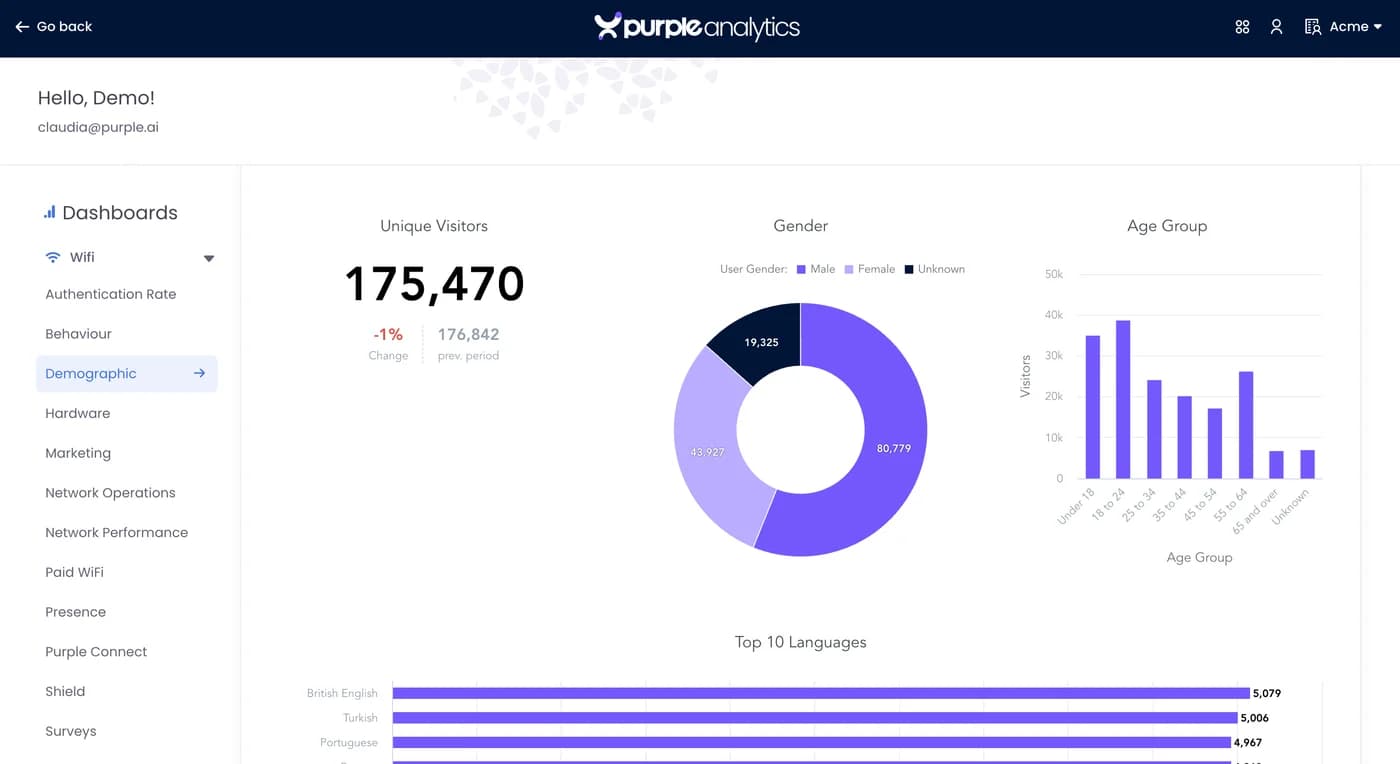
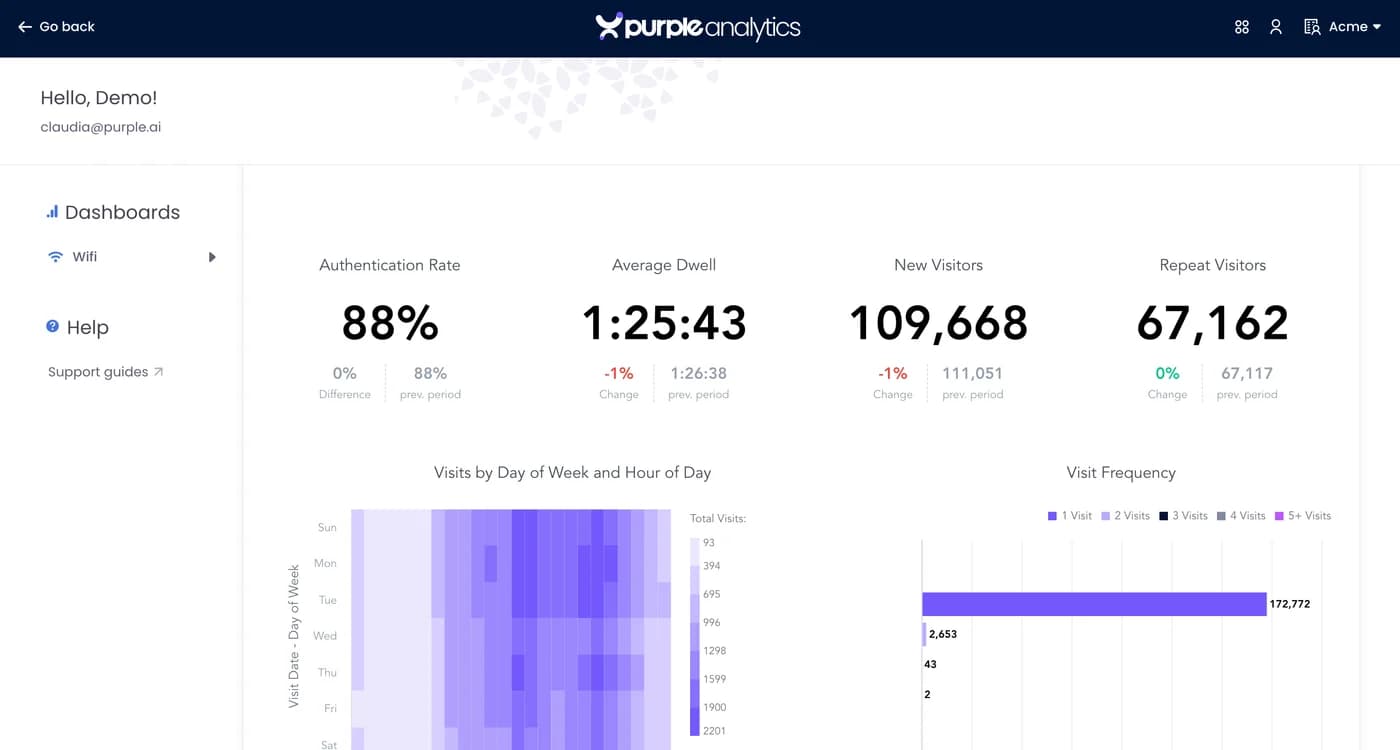
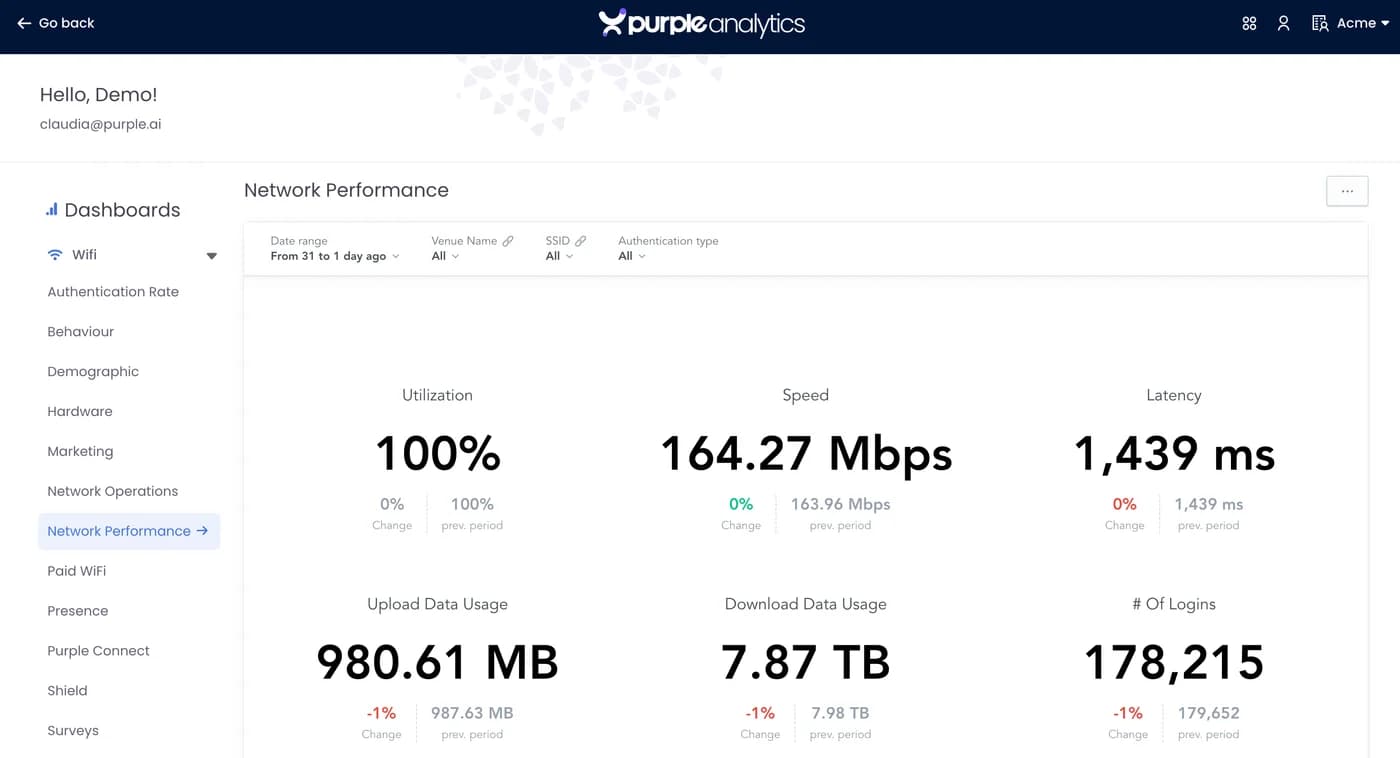
Every captive portal session feeds straight into demographic, behavioural, and network analytics. Purple’s dashboards turn footfall, dwell time, repeat visits, and CRM enrichment into the inputs marketing teams plan against. Pizza Express, AGS Airports, and the University of Sheffield all run captive portals on Purple.
Revenue use cases are built in too: Paid WiFi generates revenue inside the captive portal flow with no separate billing infrastructure.

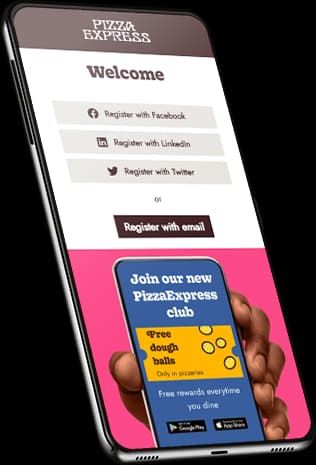
3.7 million guests into the CRM in two years
Pizza Express used a branded captive portal to turn every guest WiFi connection into a verified marketing opt-in. The portal became a first-touch surface for loyalty, promotions, and re-engagement.
Is a captive portal secure?
It depends what you mean by secure.
The captive portal itself is a web application served over HTTPS. The portal vendor is responsible for keeping that secure. Purple is ISO 27001 certified, Cyber Essentials certified, and runs regular third-party penetration testing.
The network underneath the captive portal is a different question. If the WiFi is open (no encryption), traffic between the device and the access point is unencrypted. A captive portal doesn’t change that.
There are three ways to address this:
WPA2 / WPA3 on the SSID
The captive portal still triggers for authentication, but the wireless link is encrypted. See WPA-Enterprise.
OpenRoaming or Passpoint
Standards-based authentication via cryptographic credentials, automatic wireless encryption.
HTTPS everywhere
Modern websites are HTTPS by default, so what the user sends and receives is encrypted end-to-end even on open WiFi.
For venues with elevated security obligations (healthcare, finance, government), the captive portal sits alongside or behind WPA2/3-Enterprise authentication. The Staff WiFi page covers the enterprise path; the captive portal handles the guest path.
Compliance and data capture
Any captive portal that collects personal data is subject to data protection law - UK GDPR in this region. Capturing a name and email at sign-in is one thing; sending marketing afterwards triggers PECR and UK GDPR.
Purple ships GDPR, CCPA, and PIPEDA-compliant consent flows as standard, with venue-configurable consent statements per region. Data residency is selectable at provision time: EU, UK, or US.
Two practical points that catch venues out:
- Pre-ticked boxes are not consent. Marketing opt-in must be an affirmative action by the user.
- The legitimate-interest basis is narrow. Capturing a name and email at sign-in is fine on legitimate interest. Sending marketing emails afterwards is not. That needs explicit opt-in.
Full detail on the data privacy page.
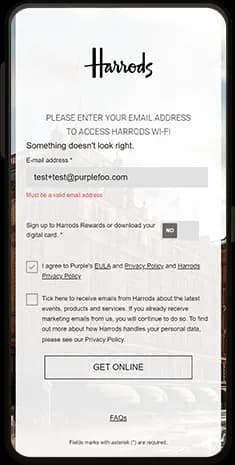
Branded captive portals
The captive portal is a branding surface. Most venues underuse it.
- Loads in under two seconds on a mobile network handoff
- Renders the venue’s logo, colours, and primary brand asset
- Asks for one or two pieces of information at most
- One primary CTA beyond connecting: loyalty enrolment, app download, current promotion
- Looks like the venue’s website, not the network vendor’s template
- Auto-detects the user’s language from device locale
- Accessible in line with the Equality Act 2010 and WCAG 2.2
Purple’s portals are configured per-venue and per-SSID, with a drag-and-drop builder for marketing teams and full HTML/CSS control for design teams. The same portal can serve different content based on time of day, device type, returning vs new user, or location. See our captive portal product →
Captive portal hardware compatibility
A captive portal is software. It runs in the cloud (or on-premise for a few legacy deployments) and integrates with the venue’s access point hardware via standard protocols: RADIUS, walled-garden configuration, and in some cases vendor APIs.
Purple’s captive portal works with:
If your access point supports IEEE 802.11 RADIUS authentication and a walled-garden configuration, the captive portal works. You don’t replace the hardware; you reconfigure the SSID to point at Purple.
For Cisco Meraki specifically, the integration is via the EXCAP API. For Aruba, via the standard RADIUS exchange or via ClearPass. For Ubiquiti UniFi, via the controller’s external portal redirect. Step-by-step deployment is documented in Purple’s vendor-specific guides.
Captive portals vs Passpoint and OpenRoaming
The captive portal isn’t going away, but it’s no longer the only answer.
Passpoint (sometimes called Hotspot 2.0) is a Wi-Fi Alliance standard that lets devices join a network automatically without a portal, using credentials stored on the device. The first time the device connects, it provisions a credential. From then on, it joins the network the way a phone joins a 4G network: silently, securely, with WPA2-Enterprise encryption.
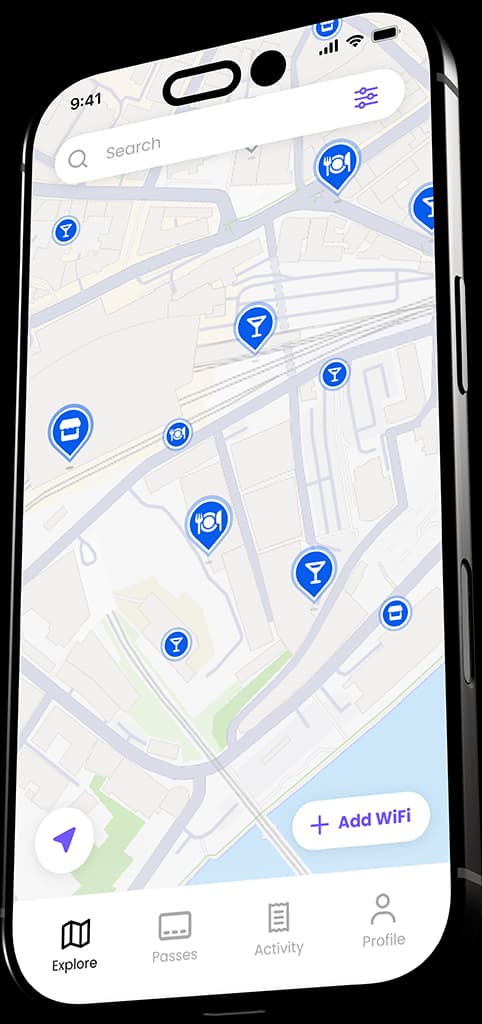
OpenRoaming is a Wireless Broadband Alliance consortium that uses Passpoint to enable cross-venue roaming. Purple is an OpenRoaming identity provider - users of the Purple app get OpenRoaming credentials and connect automatically at any OpenRoaming-enabled venue.
How to choose a captive portal solution
A practical checklist for evaluating captive portal software.
Does it work with the access points you already own?
Does it support the methods your audience expects?
GDPR, CCPA, plus vertical-specific: HIPAA, PCI-DSS, regional regulations.
Can you choose where your data is stored?
Native connectors for HubSpot, Salesforce, Mailchimp, Dynamics 365, Klaviyo.
Drag-and-drop for marketing teams, full HTML/CSS for design teams.
Visitor counts, return rates, dwell time, exportable to your existing dashboards.
One dashboard across multiple venues.
If you change AP vendors next year, does the captive portal come with you?
Per venue, per access point, per user? Predictable as you scale?
99.9% minimum. Major deployments need 99.99% or better.
SLA-backed support hours, regional coverage, named contact.
Purple meets all of the above. So do a small handful of competitors. The right answer depends on your existing stack, your vertical, and your scale. We publish direct comparisons against Cloud4Wi and other alternatives.
Common captive portal problems and how to fix them
A short reference for the most common operational issues. Most are walled-garden configuration. When in doubt, start there.
The portal doesn't appear on iOS
Usually caused by the captive portal not responding correctly to Apple's known-good URL probe. Confirm the portal returns a proper redirect (HTTP 302) to the captive page and that the walled garden allows captive.apple.com.
The portal loops or doesn't release the device
The RADIUS Change of Authorisation message isn't reaching the access point. Check the access point is configured to accept CoA from the portal's IP range, and that no intermediate firewall is dropping the messages.
Sign-in works but the user can't reach the internet
The walled garden is releasing the device, but the production VLAN isn't routing correctly. Check VLAN-to-internet routing and any per-VLAN firewall rules.
Social login fails on Android
Usually a missing walled-garden entry. Each social login provider needs its domain (and several Facebook or Google subdomains) on the pre-authentication walled garden so the OAuth flow can complete.
Email verification rejects valid emails
The verification service is rejecting addresses that look unusual: very new domains, unusual TLDs. Tune the verification policy or whitelist trusted domains.
The portal renders but submits silently
Usually a Content Security Policy mismatch between the portal and the social login or analytics scripts. Check the CSP headers in browser dev tools.
Frequently asked questions
What is a captive portal?
+
A captive portal is a sign-in page that appears when you connect to a public WiFi network. It intercepts your traffic before letting you onto the internet, asks you to authenticate via email, social login, SMS, voucher, or click-through, and records the session.
Is a captive portal the same as a splash page?
+
The terms are used interchangeably, but technically a splash page is the visual layer the user sees, while a captive portal is the full system including authentication, network integration, and session management.
Are captive portals secure?
+
The portal itself is served over HTTPS and is secure as a web application. The wireless link underneath depends on whether the network uses WPA2 or WPA3 encryption. Modern HTTPS websites are encrypted end-to-end regardless, so most content is safe even on open captive-portal WiFi.
What's the difference between a captive portal and a RADIUS server?
+
The captive portal is the user-facing sign-in flow. The RADIUS server is the network's authentication backend that records sessions and applies network policy. Most captive portal deployments include a RADIUS server in the background. Purple provides this as a cloud service so you don't run one yourself.
Can I run a captive portal on Cisco Meraki, Aruba, or Ubiquiti?
+
Yes. Purple's captive portal runs on every major enterprise access point vendor. The integration uses standard RADIUS and walled-garden configuration, no hardware change required.
What's a custom captive portal?
+
A captive portal page that's been designed for a specific venue, rather than using a vendor template. Purple supports both drag-and-drop customisation for marketing teams and full HTML and CSS control for design teams.
Is Passpoint replacing the captive portal?
+
Not yet, but Passpoint is growing. The two coexist: Passpoint for silent automatic onboarding of returning users, captive portal for branded first-touch and data capture. Most major venues deploy both on the same SSID.
How long does a captive portal session last?
+
Typically configurable from one hour to one year. Hospitality venues often set sessions to a week so returning guests reconnect automatically. Retail venues set shorter sessions to capture data on each visit. Purple's default is 30 days, configurable per SSID.
What data does a captive portal capture?
+
Whatever you configure, and no more. Typical fields are email, name, and a marketing opt-in. Optional fields include phone, date of birth, postcode, venue preferences, and custom fields. Consent is recorded per sign-up to meet PECR and UK GDPR.
Can I run a captive portal and Passpoint at the same time?
+
Yes. They run on the same SSID or on separate SSIDs broadcast by the same access point. The device chooses the best available method. Passpoint-capable devices connect silently; others land on the captive portal.