Digital wellbeing WiFi policy builder
Pick your venue, choose the safeguards, and get a controller-ready policy for quiet hours, filtering and break prompts.
Corporate and enterprise workplace: Reduce notification fatigue and after-hours checking on staff and guest WiFi, while keeping collaboration and SaaS traffic first in the queue.
Caps each device at 5 Mbps during 19:00 to 07:00 on weekdays, all day at weekends. Messaging still works; autoplay video does not.
Blocks 3 categories at the resolver, including adult content and gambling.
Ends each portal session after 120 minutes, so the splash page can suggest a break before reconnecting.
Limits social and short-form video apps to 5 Mbps per device, keeping work and learning apps at full speed.
Shows a short wellbeing tip, your quiet hours and local support contacts while guests connect.
5 of 5 safeguards enabled. Settings map to group policy, schedule, DNS and Layer 7 rules on any major controller.
Assumptions and method
- -The coverage score is a checklist, not a clinical measure: DNS filtering 25, quiet hours 20, break prompts 20, splash banner 20, traffic shaping 15. It shows how many of the network-level levers are in use.
- -Caps and session lengths are starting values per venue type. A 2 Mbps cap keeps messaging, email and calls usable while making autoplay video unattractive.
- -DNS filtering blocks whole domains. It cannot remove a feed from inside an app, and devices using their own encrypted DNS or mobile data bypass it, so pair it with house rules and signage.
- -Network controls reduce the pull of a phone; they do not treat addiction. Signpost support services.
Digital wellbeing WiFi policy
Venue: Corporate and enterprise workplace
Policy coverage: 100/100 (Full policy coverage), 5 of 5 safeguards enabled

CONFIGURATION
1. Quiet hours: 19:00 to 07:00 on weekdays, all day at weekends: cap each client at 5 Mbps and show a wind-down message on reconnect
2. DNS filtering categories: Adult content, Gambling, Malware and phishing
3. Session length and break prompt: Captive portal session of 120 minutes, then the splash page returns with a take-a-break message
4. Traffic shaping: Layer 7 rule: limit the social media and video streaming categories to 5 Mbps per client; collaboration, voice and education apps stay unshaped
5. Splash page wellbeing banner: Short wellbeing tip, the venue's quiet hours and a link to local support services

COMPLIANCE CHECK
Filtering or monitoring staff traffic is processing of personal data under UK GDPR. Tell staff in your acceptable use policy, and follow the ICO guidance on monitoring workers (2023).

IMPLEMENTATION NOTES
- Group policies, schedules and Layer 7 shaping are available on Cisco Meraki, HPE Aruba, Ruckus, Juniper Mist, Ubiquiti UniFi, Cambium, Extreme and Fortinet controllers.
- DNS filtering is applied at the resolver, so it blocks whole domains, not individual feeds inside an app.
- Captive portal session length is set on the portal, and RFC 8908 (Captive Portal API) lets modern devices show the session time remaining.
Put this policy on your WiFi
Purple runs the captive portal, session rules and DNS filtering on your existing access points.
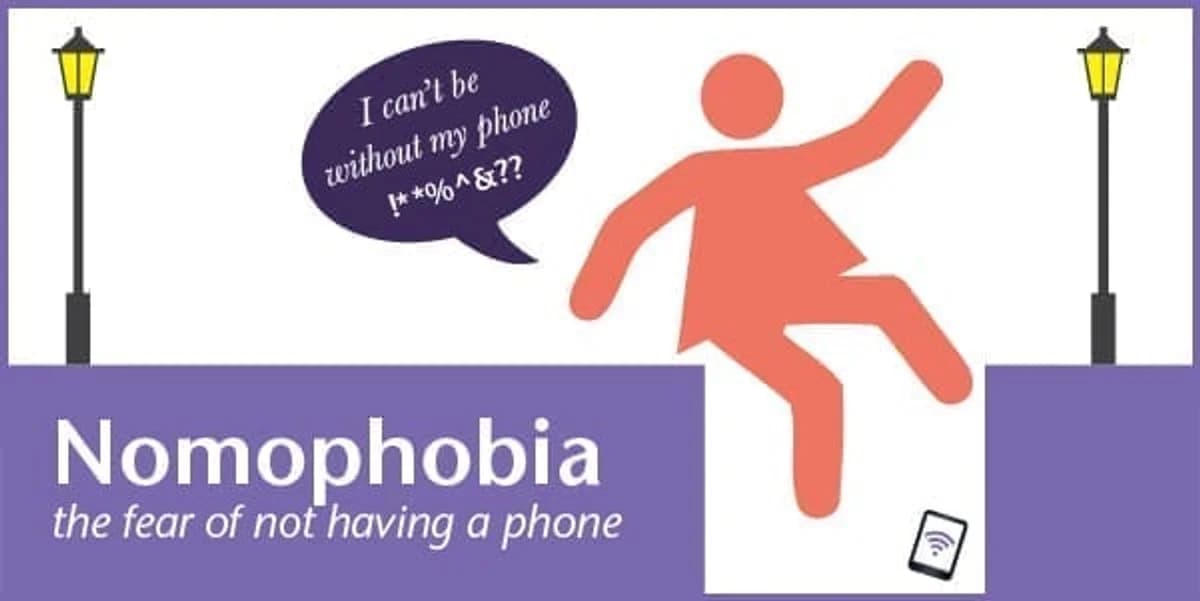
在之前的博客中,我们探讨了 无手机恐惧症,即失去移动手机的恐惧。我们的结论是,我们中的一些人可能实际上对手机产生了危险的依赖。因此,为了避免像 Ella Birchenough 那样跳进排水管去拯救丢失的手机这种过激的行为,我们提出了疑问:无手机恐惧症有治愈的方法吗?
对手机、移动设备和其他技术的成瘾实际上是有 正式治疗方法 的。
谈话疗法
如果您认为自己的手机使用存在问题,可以告诉别人。朋友和家人是一个很好的开始。
没有效果?那么在严重的手机成瘾案例中,心理学家可能会建议认知行为疗法(CBT)作为解决方案。CBT 是指患者与经过专业培训的治疗师畅谈其问题。这应该用于改变您在使用手机时的思维和行为方式。CBT 无法消除您对手机的依恋,但可以帮助您以更积极的方式进行管理。它鼓励您审视自己的行为如何影响您对移动手机的想法和感受。交谈可以改变您在不使用手机时的想法和行为。这可以让您在离开手机时对生活感觉更好!
如果您觉得这有点小题大做,那您就错了;研究人员已经建议我们应该将 无手机恐惧症加入 到精神病学诊断手册中,因为它在当今社会已经变得如此普遍。
医生的医嘱会是什么?
关于无手机恐惧症影响的报告中,提到了类似于焦虑症和恐慌发作的症状:心跳加速、恐慌感,甚至轻度抑郁。如果您去看医生,可能会被建议尝试一些抗焦虑药物。然而,只有在非常严重的情况下才建议使用药物治疗,医生可能反而会建议您实际随身携带手机。针对 无手机恐惧症医学治疗 进行的一项案例研究实际上发现,该病症并没有得到改善。
替代疗法
如果这些建议看起来有点过于正式,您也可以尝试替代疗法。这有点像安慰剂。只需使用 NoPhone 即可。这个概念非常简单,文章中对 NoPhone 的描述十分有趣:“NoPhone 采用薄、轻且完全无线的设计,可作为任何智能移动设备的替代品,让您始终能握着一块光滑、冰冷的矩形塑料,而无需放弃与直接环境的任何潜在互动。在合上手掌时,再也不会体验到那种令人不安的肉体触碰肉体的感觉。”
NoPhone 有很多好处。它非常便宜,无需升级,而且防碎!
技术派的疗法
额,您可以用您的手机!如果您认为以上方法都不适合您和您对手机的依恋,那么也许,咳咳, 下载这个应用 吧。
这对于帮助您慢慢减少使用手机的时间非常有用,特别是在您还没准备好立刻完全戒掉手机的情况下。您可以通过使用自己的手机,将每天的手机使用时间限制在固定额度内……!
您需要使用手机来下载这个应用,当您接近手机使用限制时,它会向您发出“提醒”。它还可以设置为在您超过每日额度后自动关闭手机。
您认为自己需要针对无手机恐惧症(nomophobia)寻求帮助吗?
您打算下载这个应用程序,还是购买 NoPhone 呢?