Digital wellbeing WiFi policy builder
Pick your venue, choose the safeguards, and get a controller-ready policy for quiet hours, filtering and break prompts.
Corporate and enterprise workplace: Reduce notification fatigue and after-hours checking on staff and guest WiFi, while keeping collaboration and SaaS traffic first in the queue.
Caps each device at 5 Mbps during 19:00 to 07:00 on weekdays, all day at weekends. Messaging still works; autoplay video does not.
Blocks 3 categories at the resolver, including adult content and gambling.
Ends each portal session after 120 minutes, so the splash page can suggest a break before reconnecting.
Limits social and short-form video apps to 5 Mbps per device, keeping work and learning apps at full speed.
Shows a short wellbeing tip, your quiet hours and local support contacts while guests connect.
5 of 5 safeguards enabled. Settings map to group policy, schedule, DNS and Layer 7 rules on any major controller.
Assumptions and method
- -The coverage score is a checklist, not a clinical measure: DNS filtering 25, quiet hours 20, break prompts 20, splash banner 20, traffic shaping 15. It shows how many of the network-level levers are in use.
- -Caps and session lengths are starting values per venue type. A 2 Mbps cap keeps messaging, email and calls usable while making autoplay video unattractive.
- -DNS filtering blocks whole domains. It cannot remove a feed from inside an app, and devices using their own encrypted DNS or mobile data bypass it, so pair it with house rules and signage.
- -Network controls reduce the pull of a phone; they do not treat addiction. Signpost support services.
Digital wellbeing WiFi policy
Venue: Corporate and enterprise workplace
Policy coverage: 100/100 (Full policy coverage), 5 of 5 safeguards enabled

CONFIGURATION
1. Quiet hours: 19:00 to 07:00 on weekdays, all day at weekends: cap each client at 5 Mbps and show a wind-down message on reconnect
2. DNS filtering categories: Adult content, Gambling, Malware and phishing
3. Session length and break prompt: Captive portal session of 120 minutes, then the splash page returns with a take-a-break message
4. Traffic shaping: Layer 7 rule: limit the social media and video streaming categories to 5 Mbps per client; collaboration, voice and education apps stay unshaped
5. Splash page wellbeing banner: Short wellbeing tip, the venue's quiet hours and a link to local support services

COMPLIANCE CHECK
Filtering or monitoring staff traffic is processing of personal data under UK GDPR. Tell staff in your acceptable use policy, and follow the ICO guidance on monitoring workers (2023).

IMPLEMENTATION NOTES
- Group policies, schedules and Layer 7 shaping are available on Cisco Meraki, HPE Aruba, Ruckus, Juniper Mist, Ubiquiti UniFi, Cambium, Extreme and Fortinet controllers.
- DNS filtering is applied at the resolver, so it blocks whole domains, not individual feeds inside an app.
- Captive portal session length is set on the portal, and RFC 8908 (Captive Portal API) lets modern devices show the session time remaining.
Put this policy on your WiFi
Purple runs the captive portal, session rules and DNS filtering on your existing access points.
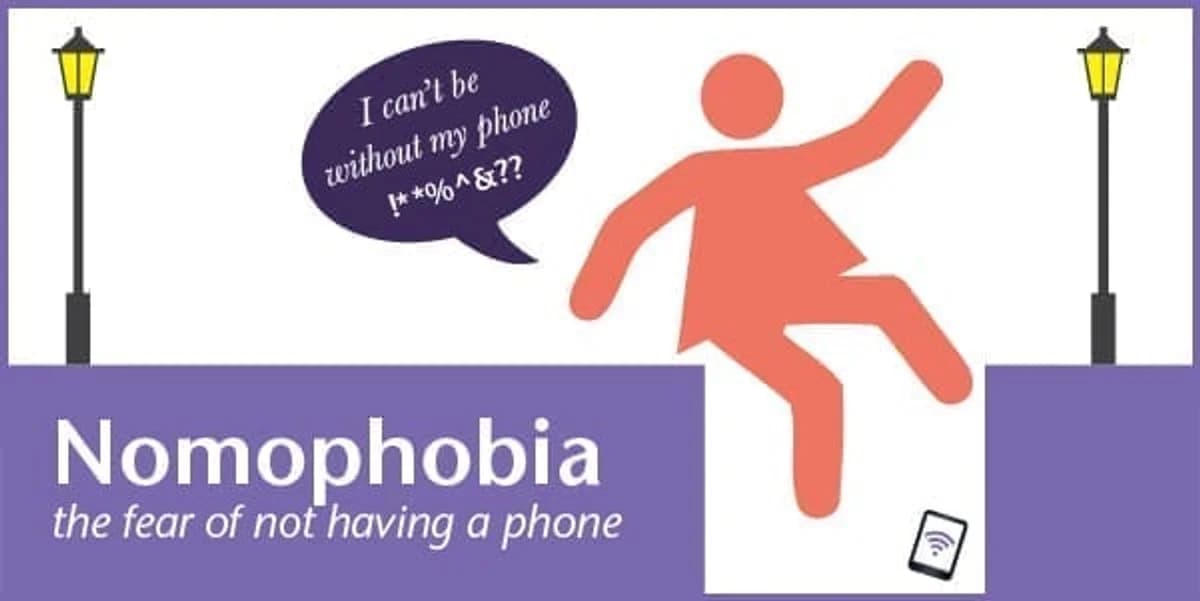
In an earlier blog we looked at nomophobia, or the fear of being without a mobile phone. We concluded that some of us might actually be getting dangerously attached to our phones. So, to avoid such drastic action as jumping into a drainpipe to rescue a lost phone (like Ella Birchenough) we questioned whether there is a cure for nomophobia?
Addiction to phones, mobile devices and other technologies actually does have formal treatment.
The talking cure
If you think you have a problem with your mobile phone use then you could tell someone. Friends and family are a good place to start.
Doesn't help? Then in serious cases of phone addiction, psychologists would perhaps advise that Cognitive Behavioural Therapy (CBT) could be the answer. CBT is where a patient talks through their problems with a trained therapist. This should be used to change the way you think and behave around your phone. CBT cannot remove your phone attachment, but can help you manage it in a more positive way. It encourages you to examine how your actions can affect how you think and feel about your mobile phone. Talking can change how you think and what you do when not using your mobile. This could make you feel better about life when you are apart from your phone!
If you think that this is a little drastic then think again; researchers have suggested that we should add nomophobia as a disorder in the psychiatric diagnostic manuals as it is becoming that prevalent in today's society.
What could the doctor's orders be?
The reports about effects of nomophobia include those similar to anxiety disorders and panic attacks: a racing heart, feelings of panic and even mild depression. If you went to your doctor you may be advised to try some anti-anxiety drugs. However, medication is only advised in very serious cases and they would probably recommend actually keeping your phone with you instead. A case study carried out into the medical treatment of nomophobia actually found no improvement in the disorder.
Replacement therapy
If these suggestions seem a little formal then you could always try replacement therapy. This works a little bit like a placebo. Simply use the NoPhone. The concept is very easy and the NoPhone is amusingly described in the article: 'With a thin, light and completely wireless design, the NoPhone acts as a surrogate to any smart mobile device, enabling you to always have a rectangle of smooth, cold plastic to clutch without forgoing any potential engagement with your direct environment. Never again experience the unsettling feeling of flesh on flesh when closing your hand'.
There are many benefits of the NoPhone. It is very cheap, there are no upgrades needed and it's shatterproof!
The techie's cure
Erm - you could use your phone! If you don't think that any of the above would work for you and your attachment to your phone then maybe, ahem, download the app.
This is great to help you slowly reduce the amount of time you spend on your mobile phone and is especially useful if you are not ready to go cold turkey just yet. You can limit the time you spend on your phone to a set daily amount……by the use of your own phone!
You'll need your phone to download the app, which 'nudges' you when you are getting close to your mobile use limit. It could also be set to automatically turn your phone off once you get over your daily quota.
Do you think you need help with nomophobia?
Are you going to download the app or perhaps buy the NoPhone?