
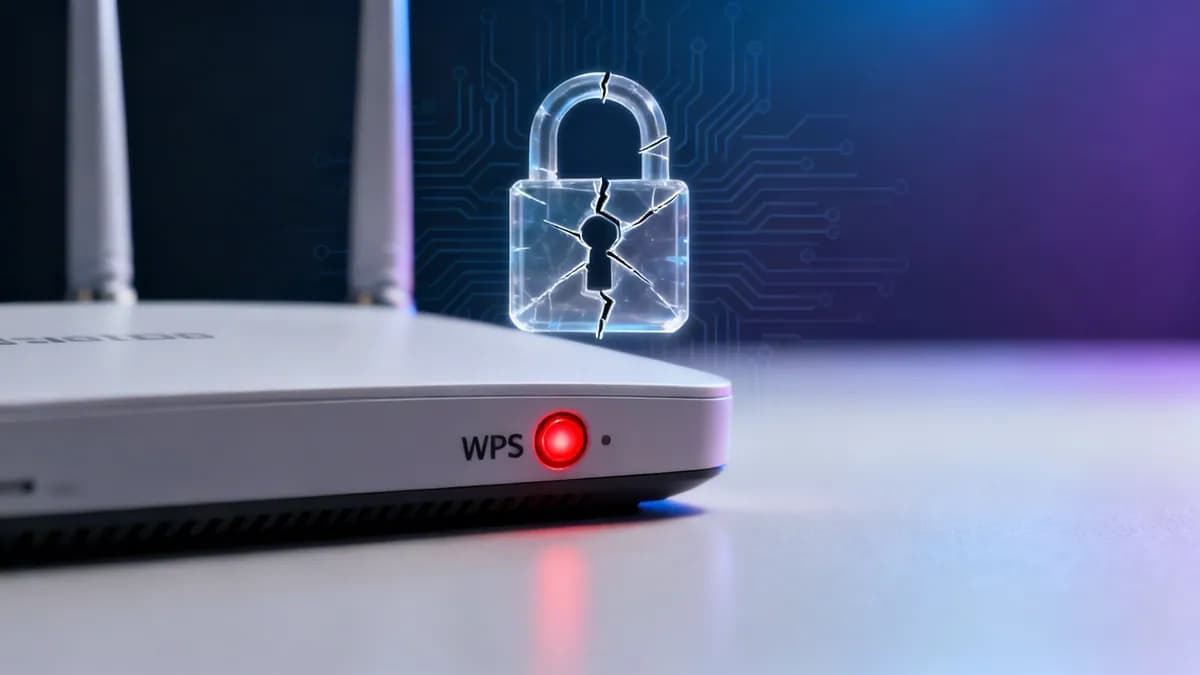
WiFi Protected Setup (WPS) security risk auditor
Assess your access points for WPS brute-force exposure, evaluate handshake vulnerabilities, and receive a tailored enterprise WiFi hardening plan.
Your network has severe exposure to WPS PIN brute-force and broadcast credential compromise. Immediate remediation is required.
Identified attack vectors & compliance gaps
- PIN brute-force vulnerability (US-CERT VU#723755): the 8-digit PIN ends in a checksum and is validated in two halves (4 digits, then 3), cutting the search space from 10 million to at most 11,000 attempts.
- Pixie Dust offline attack exposure: Weak pseudo-random number generators (PRNG) in router chipsets allow extracting the WPS PIN offline in under 60 seconds.
- Total passphrase disclosure: Once the WPS PIN is cracked, the router reveals the plaintext WPA2/WPA3 network passphrase, giving attackers full network entry.
- Consumer firmware latency: ISP and home gateways frequently ship with unpatched chipsets and lack enterprise security updates or central monitoring.
- Flat network broadcast domain: Staff and visitor devices share the same subnet, exposing Point-of-Sale (POS) systems, printers, and internal servers to rogue scanning.
Recommended technical remediation
- Log into your access point or router admin console and immediately set WiFi Protected Setup (WPS) to Disabled.
- Execute a packet capture audit to confirm beacon frames no longer broadcast WPS Information Elements (IE 0xDD).
- Immediately rotate the master WiFi passphrase across all access points, as previous credentials may be compromised.
- Replace unmanaged consumer routers with commercial or enterprise cloud-managed access points.
- Isolate visitor WiFi onto a dedicated guest VLAN with client-to-client isolation and strict firewall egress rules.
Need assistance disabling WPS or securing multi-vendor access points?
Connect with a Purple wireless network engineer to audit your access points and deploy enterprise security.
Connecting wireless devices to a WiFi network was historically frustrating for end users who had to locate and type long, complex passphrases. To resolve this friction, the Wi-Fi Alliance introduced WiFi Protected Setup (WPS) in 2007. Designed to simplify onboarding via push-button triggers or an 8-digit PIN, WPS gained widespread adoption across consumer routers. However, what seemed like convenient usability introduced a fundamental security flaw that continues to jeopardize commercial and enterprise networks today.
Key takeaways: router WPS security risks
- What WPS is: WiFi Protected Setup (WPS) was introduced in 2007 by the Wi-Fi Alliance to simplify connecting devices via push-button or an 8-digit PIN without entering long network passphrases.
- The core PIN flaw: Routers validate the 8-digit WPS PIN in two separate chunks (4 digits, then 3 digits + checksum), reducing brute-force complexity from 100 million possibilities down to 11,000 attempts.
- Rapid breach potential: Automated tools like Reaver and Pixie Dust can exploit WPS PIN authentication to extract the main WPA2/WPA3 passphrase in just a few hours.
- Official deprecation: The Wi-Fi Alliance deprecated WPS PIN authentication in 2011, and cybersecurity frameworks (including CISA guidelines) urge immediate disablement on all business networks.
- Enterprise alternative: Modern venues must transition from WPS to cloud-managed captive portals, 802.1X WPA3-Enterprise, or iPSK for secure guest and staff wireless access.
What is WPS and why was it created?
During the expansion of wireless home and office networking in the mid-2000s, connecting hardware like wireless printers, smart displays, and cell phones proved cumbersome. Users frequently miskeyed WPA2 passwords or struggled to access admin panels.
WiFi Protected Setup was engineered to standardize client onboarding through four simple access methods:
- PIN method: The client device enters an 8-digit numeric PIN printed on the router sticker or generated by software.
- Push-Button Configuration (PBC): The user presses a physical or virtual button on both the router and client device within a two-minute window to establish a connection.
- Near Field Communication (NFC): Bringing a client device within close physical proximity to an NFC-enabled router transfers credentials automatically.
- USB flash drive method: Credentials are written to a USB drive and transferred manually between hardware (deprecated early due to physical malware risks).
While the push-button mechanism offered moderate physical security, the 8-digit PIN mechanism was mandated on all WPS-certified hardware. That mandatory PIN requirement created an unmitigated vulnerability across millions of wireless deployment sites.
Why WPS PIN authentication is a major security flaw
The core weakness in a router with WPS stems from how the router verifies the 8-digit PIN. Rather than validating all eight digits as a single 100-million-combination number, the authentication protocol evaluates the PIN in two separate halves:
- First half (digits 1 to 4): The router validates the first four digits independently and responds with an EAP-NACK packet if incorrect. This limits the first stage to just 10,000 possible combinations (0000 to 9999).
- Second half (digits 5 to 8): The final digit is a checksum calculated from the preceding seven digits. Consequently, the router only checks digits 5, 6, and 7, requiring at most 1,000 combinations (000 to 999).
By dividing the verification process, the protocol reduces total brute-force complexity from 100,000,000 possibilities to just 11,000 total attempts (10,000 + 1,000). Automated penetration testing tools like Reaver, Bully, and PixieWPS exploit this structural flaw to guess every combination, extracting the active WPA/WPA2 passphrase in under two hours.
WPS PIN attack vs standard WPA2/WPA3 enterprise security
Comparing WPS PIN authentication against standard enterprise wireless security models illustrates the severe gap in operational resilience:
| Security Metric | WPS PIN Authentication | WPA2/WPA3-Personal (PSK) | Purple Cloud Captive Portal / iPSK |
|---|---|---|---|
| Authentication Target | Static 8-digit PIN | Shared network passphrase | Individual SSO / Social ID / Dynamic iPSK |
| Effective Keyspace | 11,000 combinations | Trillions of combinations | Encrypted OAuth 2.0 / 192-bit enterprise key |
| Time to Breach | 2 to 10 hours (automated) | Months or years (dictionary attack) | Virtually immune to credential guessing |
| Guest Access Control | Full network access granted | Shared access across all guests | Isolated client VLAN & bandwidth controls |
| Regulatory Compliance | Fails PCI DSS & CCPA/CPRA security rules | Partial compliance with audit risk | Full PCI DSS & CCPA/CPRA compliance built in |
Real world business risks of leaving WPS active
For modern commercial venues - including retail chains, hospitality properties, healthcare facilities, and multi-family offices - running hardware with WPS enabled introduces severe business operational risks:
1. Unauthorized guest network intrusion
Attackers located in venue parking lots or adjoining offices can run automated WPS brute-force scripts against nearby access points. Once the PIN is cracked, the attacker receives the network's plain-text passphrase, granting persistent access to internal wireless traffic.
2. Lateral movement to POS and administrative networks
If guest traffic is not isolated on a dedicated VLAN with strict access control lists (ACLs), compromised WPS routers permit attackers to scan internal subnets. Attackers can target Point-of-Sale (POS) terminals, inventory management systems, and corporate servers.
3. Regulatory noncompliance and financial penalties
Leaving known, unpatched protocol flaws active on commercial networks violates strict security mandates under PCI DSS (Requirement 1.2 and Requirement 2.2) and CCPA/CPRA. Security audits conducted following a data incident will penalize organizations that fail to disable deprecated protocols.
How to find and disable WPS on commercial routers
Securing business network infrastructure requires auditing existing wireless access points and turning off WPS functionality entirely across all hardware controllers.
Step 1: Check for physical WPS buttons
Inspect existing access points and router chassis for a physical WPS button or an icon with two curved arrows. While enterprise hardware rarely features physical buttons, small business routers often ship with WPS enabled by default.
Step 2: Log into the router admin dashboard
- Open a browser connected to the local network and navigate to the gateway IP address (typically
192.168.1.1,192.168.0.1, or the vendor management console URL). - Authenticate using administrator credentials. If default credentials remain unchanged, update them immediately to prevent unauthorized access.
Step 3: Disable WPS PIN and push button settings
- Navigate to Wireless Settings, WLAN Configuration, or Security Options.
- Locate the WiFi Protected Setup (WPS) toggle or checkbox.
- Set the toggle to Disabled or Off. Ensure both PIN authentication and Push-Button Configuration are turned off.
- Save configuration changes and reboot the access point to enforce the new security posture.
For comprehensive technical governance across enterprise wireless infrastructure, review our master enterprise WiFi security guide.
Modern enterprise alternatives to WPS
Modern commercial operations require secure, seamless onboarding for guest visitors, employees, and IoT hardware without relying on static shared keys or flawed PIN protocols:
- Cloud Captive Portals: Authenticate visitors through customizable web login portals featuring Social Sign-On, SMS verification, or web form registration while isolating guest traffic onto secure VLANs. Discover complete design principles in our captive portal guide.
- Identity PSK (iPSK): Issue unique, individual pre-shared keys to specific devices or users. If one passphrase is compromised, IT administrators revoke that single key without disrupting the rest of the venue.
- WPA3-Enterprise & 802.1X: Leverage digital certificates (EAP-TLS) and cloud identity providers (Microsoft Entra ID, Okta, Google Workspace) for zero-touch employee laptop authentication.
Frequently asked questions about router WPS security
Is WPS safe to use on a business WiFi network?
No. WPS contains structural design vulnerabilities that allow automated tools to brute-force the 8-digit PIN in just a few hours. The WiFi Alliance officially deprecated the WPS PIN method in 2011, and security frameworks mandate disabling WPS on all commercial networks.
Does disabling WPS disconnect existing WiFi devices?
No. Disabling WPS only prevents new devices from connecting via the WPS PIN or push-button method. All existing devices connected using standard WPA2 or WPA3 passphrases remain fully connected without disruption.
What is the difference between WPS PIN and WPS Push Button Configuration (PBC)?
WPS PIN requires entering an 8-digit numeric code that is vulnerable to remote brute-force attacks. WPS Push-Button Configuration requires physically pressing a button on the router within a two-minute window. While PBC is harder to exploit remotely, many routers leave the PIN interface active when PBC is enabled, keeping the underlying vulnerability exposed.
What is the best alternative to WPS for secure guest WiFi access?
The gold standard for commercial guest WiFi is a cloud-managed captive portal with automated client isolation and bandwidth governance. For staff and internal devices, Identity PSK (iPSK) or 802.1X enterprise authentication provides seamless, individual credential management without shared password risks.
Replace vulnerable WPS with secure enterprise WiFi
Upgrade your commercial network with Purple's hardware-agnostic guest WiFi and cloud security platform. Deliver seamless captive portal authentication, isolated client VLANs, and automated compliance across all your locations.



