Enterprise WiFi security risk & protocol evaluator
Assess your venue wireless architecture against modern attack vectors including rogue APs, pre-shared key leakage, offline handshake cracking, and lateral network intrusion. Select your infrastructure parameters below for an instant diagnostic breakdown.
Passphrase sharing, employee turnover & dictionary cracking
A single shared passphrase known to staff or visitors allows offline capture of the 4-way handshake (EAPOL frames) and GPU brute-force attacks. When employees leave, the entire network remains compromised unless all devices are rekeyed.
Audit your venue for unmanaged wireless vulnerabilities and compliance gaps
Eliminate shared pre-shared keys, protect against rogue Evil Twin access points, and implement zero-trust guest isolation across your physical spaces. Speak with a Purple wireless security architect for a tailored infrastructure review.
For modern enterprises, public venues, healthcare facilities, and educational institutions, WiFi is no longer a secondary amenity. It serves as the primary connectivity infrastructure for employees, guests, IoT devices, and operational systems. However, wireless signals transmit data through open airwaves, leaving unencrypted or misconfigured networks vulnerable to eavesdropping, packet interception, credential theft, and lateral network intrusion.
Securing your wireless network requires a multi-layered security strategy. IT leaders must transition from legacy pre-shared keys to identity-driven authentication, modern cryptographic standards like WPA3, and strict network segmentation. Implementing enterprise security controls ensures data protection, regulatory compliance, and business continuity across every physical location.
Understanding the foundations of modern WiFi security
Wireless security protocols scramble data over the air to prevent unauthorized interception. Early wireless standards provided minimal protection against adversary interception. Decades of cryptographic advancement have transformed wireless networks from open broadcasts into encrypted, authenticated channels.
Every secure WiFi connection relies on two fundamental building blocks: encryption and authentication. Encryption scrambles data in transit so outsiders cannot read transmitted packets. Authentication verifies the identity of connecting users and devices before granting access to internal resources.
The evolution from WEP to WPA3
The IEEE 802.11 working group introduced Wired Equivalent Privacy (WEP) in 1999. WEP used small 24-bit Initialization Vectors (IVs) with RC4 stream ciphers. Cryptanalysts quickly demonstrated that static WEP keys could be cracked in minutes by capturing a modest volume of network packets. WEP is completely obsolete.
WiFi Protected Access (WPA) replaced WEP in 2003 as a temporary patch using Temporal Key Integrity Protocol (TKIP). In 2004, WPA2 established Advanced Encryption Standard (AES) operating in Counter Mode Cipher Block Chaining Message Authentication Code Protocol (CCMP) as the global standard. While WPA2-Personal provided reliable protection for years, vulnerabilities like the 2017 Key Reinstallation Attack (KRACK) highlighted limitations in its four-way handshake when using shared passphrases.
The WiFi Alliance introduced WPA3 in 2018 to address these cryptographic weaknesses. WPA3 delivers critical upgrades for personal and commercial networks:
- Simultaneous Authentication of Equals (SAE): Replaces the vulnerable PSK four-way handshake with a zero-knowledge proof mechanism (Dragonfly key exchange). Attackers cannot capture handshake data to run offline dictionary or brute-force passphrase attacks.
- Protected Management Frames (PMF): Mandatory in WPA3, PMF secures control and management frames against deauthentication and disassociation spoofing attacks.
- Opportunistic Wireless Encryption (OWE): Also branded as Enhanced Open, OWE provides individual unauthenticated encryption on open guest networks, shielding user traffic from passive eavesdroppers without requiring a shared password.
- WPA3-Enterprise 192-bit mode: Offers maximum cryptographic strength using 192-bit AES-GCMP for sensitive government, financial, and enterprise environments.
Beyond shared passwords: 802.1X certificate-based authentication
Relying on a single Pre-Shared Key across a commercial environment creates major security liabilities. If an employee leaves the company or a company laptop is misplaced, the shared password must be updated across every connected device to maintain security integrity.
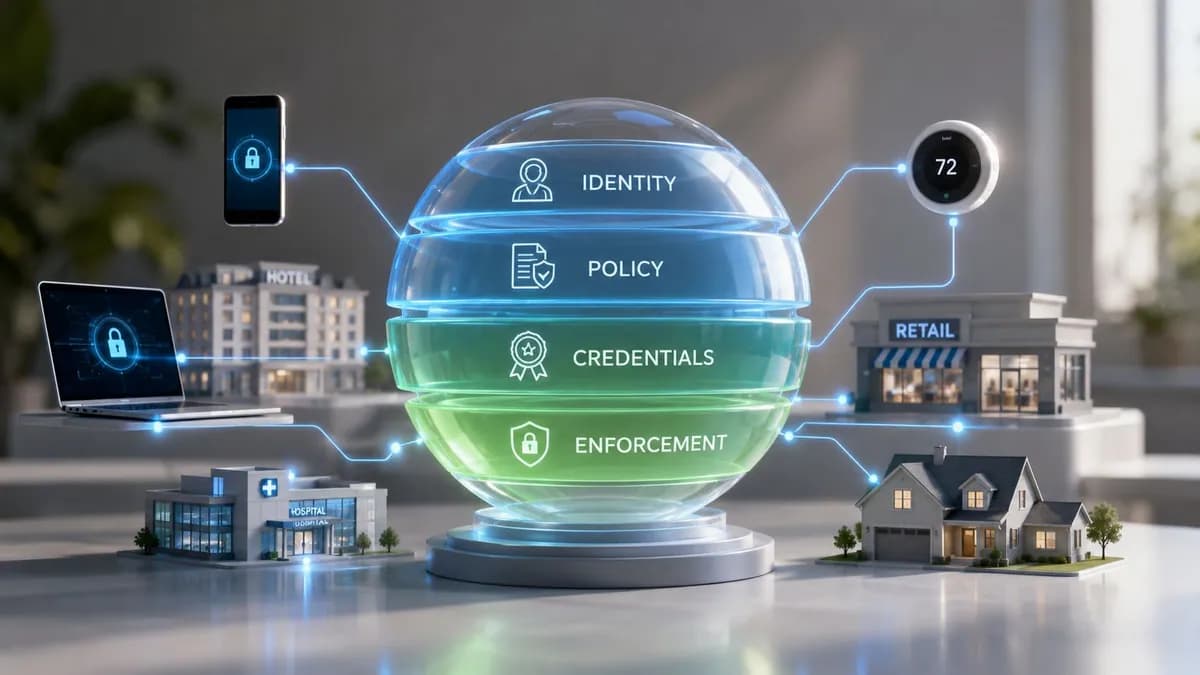
Enterprise WiFi security relies on IEEE 802.1X authentication integrated with a Centralized RADIUS server. Rather than sharing a static secret, each device authenticates using individual user credentials or EAP-TLS digital certificates issued by a trusted Private Key Infrastructure (PKI).
When an employee departs or a device is reported lost, IT administrators revoke the specific certificate or user identity in Microsoft Entra ID, Okta, or Google Workspace. Access is revoked instantly without disrupting any other user or device on the network. Learn more about 802.1X authentication benefits in our technical breakdown.
Decoding top wireless threats and attack vectors
Understanding wireless security requires analyzing how malicious actors target wireless infrastructure. Attackers exploit weak authentication and unencrypted channels to gain unauthorized access.
or unlicensed access. no, unauthorized access. unauthorized access. unauthorized access access access. access. unauthorized access. access. access. access. unauthorized access.Evil Twin hotspots and rogue access points
An Evil Twin attack occurs when an attacker deploys a rogue access point broadcasting the exact SSID of a legitimate business network. When nearby laptops or cell phones attempt to auto-connect, the rogue AP intercepts connection requests.
Once connected to an Evil Twin, user traffic passes directly through the attacker's equipment. The attacker can capture unencrypted traffic, execute session hijacking, or prompt users to install malicious software updates. Implementing 802.1X EAP-TLS with server certificate validation prevents devices from authenticating with unauthorized access points.
Man-in-the-Middle (MitM) attacks
In a Man-in-the-Middle scenario, an adversary positions themselves between a wireless client and the gateway router. On open or improperly configured networks, attackers execute ARP poisoning or DNS spoofing to redirect user requests to malicious replica portals, stealing login credentials and sensitive financial data.
Password cracking and dictionary attacks
On WPA2-Personal networks, attackers capture the four-way handshake and run automated dictionary scripts offline. Simple passphrases can be cracked in seconds using cloud-hosted GPU clusters. Migrating to WPA3-Personal or WPA3-Enterprise completely neutralizes offline handshake dictionary attacks.
Best practices for enterprise WiFi hardening
Achieving robust wireless security requires implementing defense-in-depth principles across your network architecture:
- Network segmentation: Isolate corporate assets, IoT hardware, and guest traffic onto separate Virtual Local Area Networks (VLANs). Enforce strict firewall rules between segments to prevent lateral movement. For comprehensive guidelines, explore our enterprise WiFi security guide.
- Secure Guest WiFi onboarding: Require guest connections to pass through an authenticated captive portal hosted on an isolated network segment. Consult our captive portal guide for secure access configurations.
- Cloud RADIUS integration: Deploy Cloud RADIUS to enforce identity-based access controls across distributed branch offices without maintaining expensive on-premises infrastructure.
- Continuous Wireless Intrusion Prevention (WIPS): Deploy APs with dedicated scanning radios to detect rogue access points, deauthentication floods, and unexpected RF interference in real time.
Secure your enterprise wireless infrastructure with Purple
Transition from vulnerable shared passphrases to seamless identity verification, Cloud RADIUS authentication, and secure guest access across all your locations.