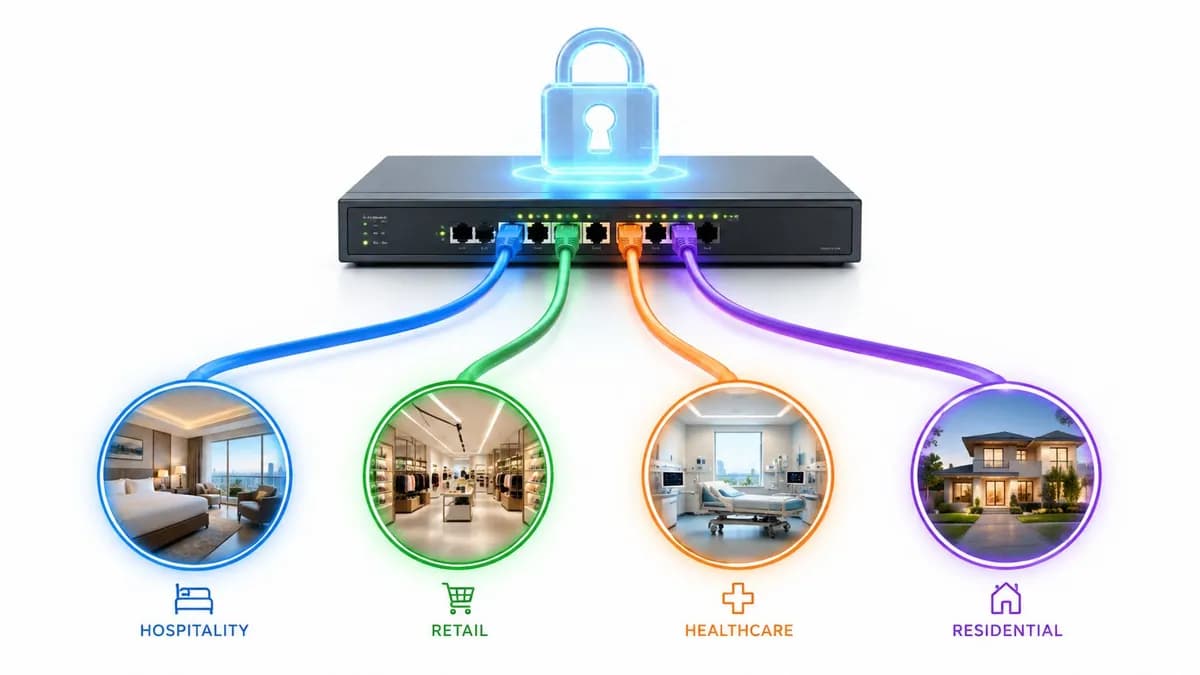
Su recinto está concurrido. El lobby está lleno, la fila de la cafetería llega hasta la puerta y su panel de control de WiFi dice que los visitantes recurrentes han disminuido drásticamente. Los dispositivos que se conectaron ayer parecen completamente nuevos hoy. Las sesiones del Captive Portal siguen reapareciendo. Las tendencias de afluencia de personas fluctúan sin motivo aparente.
Ese suele ser el momento en que los equipos empiezan a culpar a la plataforma de analíticas, al proveedor de AP o a una mala actualización de firmware. En muchos entornos, el cambio real es más sencillo. Los clientes ahora eligen randomize mac address de forma predeterminada, y la red sigue intentando tratar las direcciones MAC como si fueran identidades estables.
Esa discrepancia afecta más que solo a los informes. Afecta al control de acceso, la aplicación de políticas, la resolución de problemas y la experiencia de los invitados. Además, es algo que no va a desaparecer. Las funciones de privacidad ya están integradas en los sistemas operativos principales y están haciendo exactamente aquello para lo que fueron diseñadas: dificultar el rastreo de dispositivos entre redes.
La respuesta práctica no es luchar contra esta función para siempre. Consiste en reconocer que la dirección MAC ya no es una clave primaria confiable para el WiFi moderno y, a partir de ahí, rediseñar el sistema en función de señales de identidad más sólidas. Ahí es donde Passpoint, OpenRoaming, la incorporación basada en certificados y el acceso respaldado por directorios empiezan a cobrar importancia.
El misterioso caso de los dispositivos que desaparecen
El lunes por la mañana, las cifras de WiFi de invitados no cuadran. Los visitantes recurrentes disminuyen, los nuevos dispositivos aumentan y la mesa de ayuda tiene una fila de usuarios que aseguran haber completado el proceso de registro la semana pasada. En hoteles, parques comerciales, hospitales y complejos residenciales, he visto que este patrón provoca la misma reacción cada vez. Los equipos empiezan a revisar controladores, registros del Captive Portal y notas de firmware, a pesar de que la WLAN suele comportarse exactamente como se diseñó.
Lo que cambió es la señal de identidad. Los dispositivos cliente siguen apareciendo. Simplemente dejan de presentar una dirección de hardware que se pueda tratar como persistente. Un teléfono puede aparecer con diferentes valores de MAC en los escaneos, asociaciones o SSID, según la plataforma y la configuración de privacidad activada.
Eso rompe la confianza en el lugar equivocado. Si la red sigue tratando la dirección MAC como la clave primaria, el comportamiento normal del usuario empieza a parecerse a la pérdida de clientes, al registro repetido o a un fallo en las políticas.
Lo que los administradores suelen notar primero
Las primeras pistas suelen ser operativas, no teóricas:
- Los recuentos de visitantes recurrentes fluctúan: Un dispositivo conocido parece nuevo, por lo que las analíticas sobreestiman la captación y subestiman la fidelidad.
- Vuelven a aparecer las solicitudes del Captive Portal: Los usuarios se vuelven a conectar pero se les trata como invitados nuevos porque la dirección ya no coincide con la de la sesión original.
- Las políticas basadas en MAC fallan de forma inconsistente: Las reglas vinculadas a una dirección específica dejan de aplicarse después de que el cliente rota su identidad.
- La resolución de problemas se vuelve más lenta: Los equipos de soporte ven múltiples registros de dispositivos para un mismo teléfono y pierden tiempo buscando en el historial equivocado.
La red sigue transportando al cliente. Simplemente ya no tiene una forma estable basada en MAC para reconocerlo.
Por qué esto va más allá de la analítica
Esto no es solo un problema de informes. Los controles dependientes de MAC muestran su antigüedad rápidamente una vez que la rotación de direcciones se vuelve normal. Las reservas de DHCP, MAC auth bypass, las listas de permitidos de dispositivos, algunos métodos de perfilado NAC y los flujos de trabajo de invitados más antiguos dependen de una continuidad que muchos clientes modernos ya no proporcionan.
Eso no significa que la aleatorización de MAC sea un error. Resuelve un problema real de privacidad, especialmente en redes WiFi públicas donde el rastreo pasivo solía ser demasiado fácil. El problema operativo es que muchas redes se construyeron en torno a un identificador que los sistemas operativos ahora tratan como desechable.
La solución es de arquitectura. Utilice la dirección MAC solo donde todavía sea útil, luego cambie el control de acceso y las políticas hacia señales de identidad más fuertes como certificados, autenticación de usuario, postura del dispositivo, perfiles Passpoint y modelos de federación como OpenRoaming. Si su diseño actual todavía depende en gran medida de la identidad de hardware estática, revise dónde la autenticación de dirección MAC en WiFi comienza a fallar y dónde el onboarding basado en identidad le brinda políticas más limpias, mejor capacidad de auditoría y analíticas más confiables.
Las redes que se adaptan a ese modelo dejan de perseguir dispositivos que desaparecen y comienzan a rastrear usuarios autenticados, dispositivos de confianza y sesiones válidas en su lugar.
¿Qué es la aleatorización de direcciones MAC?
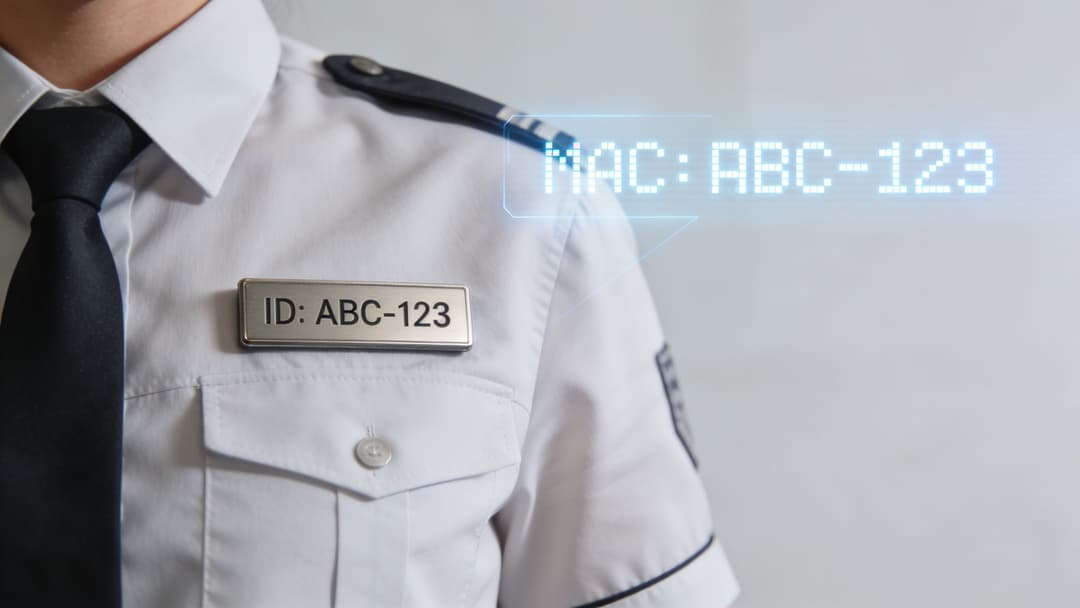
Una dirección MAC de fábrica es como una credencial de identificación permanente impresa en la fabricación. La aleatorización de direcciones MAC es la credencial desechable que un dispositivo elige usar en su lugar, para que las redes cercanas no puedan seguirlo fácilmente de un sitio a otro.
Ese es el caso de privacidad en términos sencillos. Los operadores de WiFi público, anunciantes y terceros solían depender en gran medida de direcciones MAC estables para el reconocimiento pasivo. La aleatorización reduce esa visibilidad al reemplazar la dirección de hardware con una administrada localmente.
Cómo detectar una dirección aleatorizada
Hay una pista técnica rápida que la mayoría de los administradores pueden usar de inmediato. Una dirección MAC aleatorizada se puede identificar porque su segundo dígito hexadecimal será 2, 6, A o E, como se muestra en la guía de Mist sobre aleatorización de direcciones MAC. La misma guía señala que las políticas heredadas que esperan una OUI asignada por el fabricante fallarán con una tasa de rechazo del 100% frente a esas direcciones.
Ejemplo:
- 92:B1:B8:42:D1:85 indica una dirección administrada localmente
- El segundo dígito hexadecimal es la clave
- Esto es importante porque las suposiciones basadas en OUI ya no se aplican
Si su controlador WLAN, plataforma NAC o registros RADIUS pueden exponer las direcciones MAC de los clientes al momento de la conexión, generalmente puede filtrar este patrón rápidamente.
Por qué fallan los diseños de WiFi más antiguos
Los diseños de WiFi heredados asumían que una dirección MAC representaba a un dispositivo de forma lo suficientemente consistente como para anclar el acceso y las políticas. Es por eso que tantos entornos todavía la utilizan para:
- Decisiones de acceso: ACL de MAC y omisión de autenticación de MAC
- Gestión de direcciones: Mapeos DHCP estáticos
- Atajos de segmentación: Asignación de roles o VLAN específicos del dispositivo
- Onboarding heredado: Mapeos simples de claves precompartidas
Esos flujos de trabajo tenían sentido cuando el identificador de hardware permanecía fijo. Ya no funcionan cuando los clientes aleatorizan por diseño.
Para un análisis más detallado de dónde choca esto con el onboarding heredado, esta guía de autenticación de direcciones MAC para WiFi es una lectura complementaria útil.
Regla práctica: Si su política depende de las OUI del fabricante, asuma que clasificará incorrectamente los dispositivos cliente con funciones de privacidad habilitadas.
La evolución de la aleatorización en todos los dispositivos
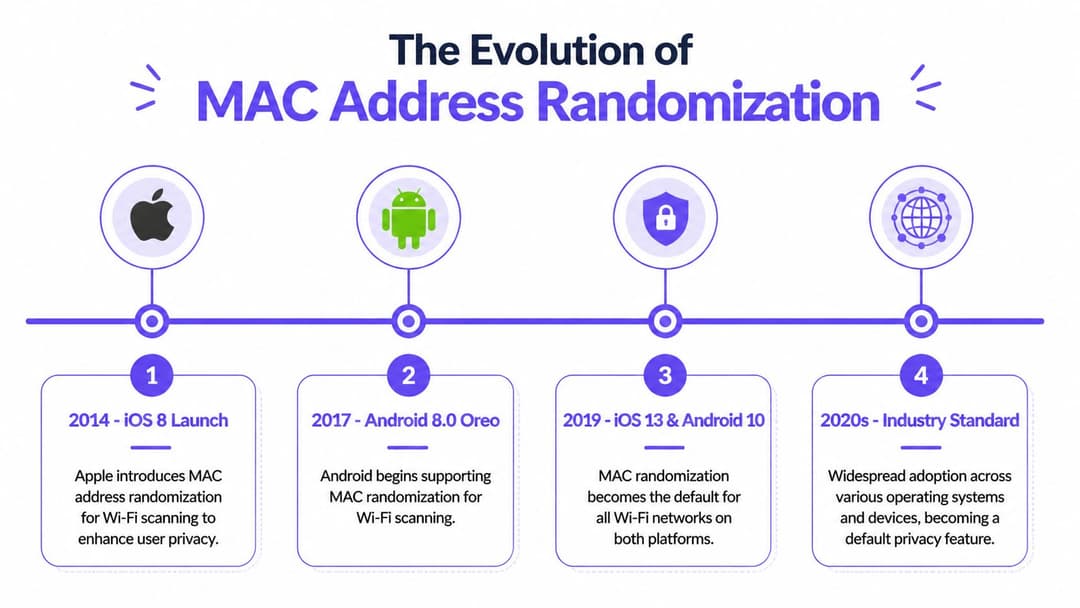
El cambio no afectó a todas las WLAN a la vez. Una red construida en la era de la aleatorización por escaneo podía parecer estable durante años y, luego, comenzar a mostrar dispositivos duplicados, fallas en el re-onboarding y analíticas con ruido después de una actualización de dispositivos de rutina. La infraestructura siguió siendo la misma. El modelo de identidad del cliente cambió.
De la privacidad de escaneo a la identidad de conexión
La aleatorización de MAC inicial protegía principalmente el tráfico de sondeo. Los dispositivos ocultaban su identidad mientras buscaban redes y, luego, solían usar una dirección estable una vez conectados. Eso aún afectaba las analíticas de afluencia pasivas y algunos servicios de ubicación, pero muchas políticas de WLAN de producción sobrevivieron porque la MAC del cliente asociado seguía siendo lo suficientemente predecible para el control de acceso.
Un quiebre operativo significativo ocurrió más tarde, cuando las principales plataformas de clientes comenzaron a aplicar la aleatorización a la asociación como un comportamiento de privacidad predeterminado. En ese punto, la MAC dejó de ser un punto de referencia confiable para el onboarding, la aplicación de políticas y los informes. Los administradores que habían tolerado los sondeos aleatorios de repente tuvieron que lidiar con identidades aleatorias en la sesión activa.
Esa distinción es importante. La aleatorización de sondeo afectaba principalmente a los observadores. La aleatorización de asociación afecta a los sistemas en los que usted confía todos los días.
Los sistemas operativos también tomaron caminos diferentes. Apple impulsó políticas de privacidad predeterminadas estrictas desde el principio y continuó perfeccionándolas. Android adoptó la misma dirección general, pero el comportamiento aún varía según el fabricante, el chipset y la política de administración. Windows suele ser el más variado, especialmente en laptops que se desplazan entre SSIDs corporativos administrados y redes domésticas o de invitados no administradas.
Comportamiento de la aleatorización de MAC por sistema operativo a partir de 2026
| Sistema Operativo | Comportamiento Predeterminado | Alcance de la Aleatorización | Notas para el Administrador |
|---|---|---|---|
| iOS | Habilitado de forma predeterminada en redes WiFi modernas | Comúnmente persistente por SSID | Políticas de privacidad predeterminadas estrictas. Los controles heredados basados en MAC suelen fallar a menos que el SSID esté administrado explícitamente. |
| Android | Habilitado de forma predeterminada en versiones modernas | A menudo por SSID, con cierta variación según el dispositivo y la política | Las diferencias entre fabricantes importan. Pruebe Samsung, Pixel, Zebra y otros tipos de flotas por separado. |
| Windows 10 y 11 | Varía según el perfil y la capacidad del dispositivo | Puede basarse en el perfil, con comportamientos de rotación opcionales | Monitoree las laptops de uso mixto. Los SSIDs corporativos pueden necesitar configuraciones administradas, mientras que los SSIDs de invitados pueden seguir siendo respetuosos con la privacidad. |
Por qué el cronograma es importante desde el punto de vista operativo
Muchos diseños empresariales todavía reflejan suposiciones del período de transición. Un equipo puede recordar que la aleatorización era "principalmente un problema de escaneo" y subestimar lo que cambió después de que las versiones más nuevas de los sistemas operativos hicieran que las MAC privadas formaran parte del comportamiento normal de asociación. Así es como los flujos de trabajo MAB heredados, las reservas DHCP específicas de dispositivos y los registros de invitados vinculados a MAC permanecen en producción mucho después de que el lado del cliente dejó de cooperar.
Esto también forma parte de una tendencia de privacidad más amplia, no de una peculiaridad aislada de WiFi. El modelo de privacidad iCloud Private Relay de Apple apunta en la misma dirección. Los proveedores de endpoints están reduciendo los identificadores pasivos en todo el ecosistema, lo que significa que los equipos de red necesitan métodos de identidad que sobrevivan a ese cambio.
La respuesta práctica no es forzar una identidad de hardware permanente de vuelta al diseño. Es mover la decisión de confianza más arriba en el ecosistema. Passpoint, la incorporación basada en certificados y OpenRoaming ofrecen a los administradores una forma estable de identificar usuarios y dispositivos sin depender de una MAC de fábrica que las plataformas modernas tratan cada vez más como privada.
Si un diseño WiFi depende de una dirección de hardware permanente para reconocer a un cliente, ese diseño está quedando obsoleto. El acceso basado en identidad le brinda un camino más limpio que intentar recuperar la visibilidad de la MAC.
Cómo la aleatorización interrumpe las operaciones de red
La forma más clara de describir el daño es esta: la aleatorización rompe el antiguo atajo entre "dispositivo visto" y "dispositivo conocido". Una vez que ese atajo desaparece, varias prácticas operativas comunes se desmoronan al mismo tiempo.
Más del 30% de los dispositivos móviles tienen activada por defecto la aleatorización de MAC, lo que crea una relación de uno a muchos entre un dispositivo físico y sus MAC reportadas. Esto complica el conteo de dispositivos únicos y afecta la analítica y la personalización, según el análisis de CUJO sobre el impacto en los operadores de servicios de red.

Controles de seguridad que dejan de ser confiables
Las primeras víctimas suelen ser los controles basados en MAC:
- Las ACL de MAC pierden sentido: Un dispositivo puede presentar una dirección diferente a la que usted aprobó.
- Los flujos de trabajo tipo MAB se vuelven frágiles: La lista blanca es tan estable como el identificador que contiene.
- Las reservas de DHCP estático se rompen: La reserva pertenece a una dirección que el cliente podría ya no utilizar.
- Los mapeos de iPSK heredados se fragmentan: Un usuario o un teléfono pueden parecer múltiples endpoints.
Esto no siempre falla de forma evidente. Eso es lo que lo hace operativamente costoso. Los equipos ven quejas de acceso intermitente, desajustes de políticas o roles de dispositivos aplicados de manera inconsistente, y la causa raíz se encuentra un nivel por debajo del síntoma.
Analítica que se vuelve más difícil de confiar
Para los recintos, el impacto en la analítica suele ser el problema comercial más visible. El flujo de personas, el tiempo de permanencia, la tasa de retorno y el análisis del trayecto dependen de la certeza de que las observaciones repetidas pertenecen a la misma entidad. La aleatorización debilita esa certeza.
Un centro comercial puede seguir teniendo un tráfico fuerte, pero las visitas recurrentes pueden parecer bajas porque los teléfonos que antes eran familiares ahora aparecen bajo nuevos identificadores. Un hotel puede pensar que tiene más huéspedes primerizos en la red de los que realmente tiene. Un centro de salud puede tener dificultades para separar claramente la movilidad del personal de la actividad de los visitantes.
Si su equipo depende de los informes de presencia y comportamiento, esta guía de analítica de WiFi es una referencia útil para las métricas con mayor probabilidad de verse afectadas.
Problemas de experiencia de usuario que se ocultan a simple vista
Algunos de los problemas más complejos se encuentran en el proceso de autenticación:
- Los Captive Portals pueden volver a solicitar credenciales a los usuarios de forma inesperada
- Los flujos de reautenticación se vuelven inconsistentes entre visitas
- La resolución de problemas se vuelve más lenta porque la dirección MAC de ayer no es la de hoy
- El historial de dispositivos se fragmenta en los registros de la mesa de ayuda
Los equipos de operaciones a menudo describen esto como un "WiFi inestable" cuando la RF está bien y la verdadera falla es la continuidad de la identidad.
Técnicas prácticas de detección y mitigación
No se puede modernizar una infraestructura si primero no se cuantifica el problema. El objetivo inmediato no es eliminar la aleatorización, sino identificar dónde está apareciendo, qué flujos de trabajo dependen de direcciones MAC estables y qué SSIDs están más expuestos.
Comience con la detección en las herramientas que ya ejecuta
La mayoría de los entornos de WLAN empresariales ya exponen suficiente telemetría para detectar direcciones de privacidad. En Meraki, Aruba, Mist, Ruckus y plataformas similares, inspeccione las listas de clientes, las fallas de autenticación y el historial de sesiones para buscar patrones de direcciones MAC administradas localmente. Combine eso con los registros de RADIUS si utiliza motores de políticas o NAC.
Busque tres cosas:
- Clientes con el segundo dígito hexadecimal igual a 2, 6, A o E
- Fallas repetidas de incorporación vinculadas al mismo usuario pero con diferentes direcciones MAC
- Anomalías específicas del SSID, especialmente en redes de invitados, BYOD y residenciales compartidas
Una simple revisión interna a menudo revela que la aleatorización no se distribuye de manera uniforme. Los SSIDs de invitados suelen mostrarla primero. Los SSIDs del personal comienzan a mostrar problemas cuando se unen dispositivos no administrados o poco administrados. Los entornos multiinquilino suelen ser los más afectados porque la red intenta admitir dispositivos de consumo y la aplicación de políticas al mismo tiempo.
Decida dónde es justificable el bloqueo
Muchos equipos se hacen la misma pregunta a continuación. ¿Deberíamos bloquear las direcciones MAC aleatorias? La respuesta sincera es que puede ser útil como un control temporal en un conjunto limitado de casos, pero es una mala estrategia a largo plazo.
El bloqueo puede ayudar cuando:
- Un SSID corporativo requiere una postura estricta de dispositivos administrados
- Necesita preservar un flujo de trabajo heredado mientras se implementa un reemplazo
- Una clase de dispositivo específica debe usar una identidad conocida y fija por razones operativas o de cumplimiento
El bloqueo suele resultar contraproducente cuando:
- El SSID es público, orientado a invitados o con alta rotación
- Los usuarios no pueden entender fácilmente cómo desactivar la función
- Su mesa de soporte no está equipada para asesorar sobre cada variante de sistema operativo
- Necesita un acceso sin fricciones, no otra ruta de excepción
La balanza es sencilla. El bloqueo restablece cierto control, pero generalmente degrada la experiencia del usuario y crea una carga de soporte que se puede evitar.
Mitigaciones tácticas que funcionan hoy
Vale la pena utilizar mitigaciones a corto plazo si permiten ganar tiempo para un rediseño adecuado:
- Segmente por caso de uso: mantenga el acceso del personal administrado separado del acceso de invitados y BYOD.
- Use MDM where you control devices: On corporate SSIDs, push network profiles rather than relying on users to change privacy settings manually.
- Retire MAC-dependent assumptions: Audit DHCP reservations, NAC shortcuts, and device-specific rules.
- Document exception workflows: If a medical device, printer, or console needs stable identity, treat it as a specific exception, not the default model.
None of those fixes solve the underlying identity problem. They just stop it from spilling into every corner of operations.
Embracing the Future with Identity-Based Networking
The strongest response to MAC randomization is to stop treating the MAC address as the centre of trust. That’s the fundamental design shift. Identity-based networking moves the decision point from a mutable hardware token to something the network can rely on: a user, a certificate, a directory object, a device posture decision, or a federated onboarding state.
Why Passpoint and OpenRoaming change the equation
Passpoint and OpenRoaming therefore become more than convenience features. They reduce dependence on captive portals and shared passwords, and they let the network make trust decisions before the old guest workflow even begins.
That matters because 72% of UK mobile devices now randomize MACs by default, and networks without proper support can see up to 40% first-packet authentication failures. The same IETF draft notes that implementing Hotspot 2.0 with ANQP randomization hints can reduce re-associations by 35%, which is why the IETF draft on MAC address randomization is worth close reading for architects planning guest and residential environments.
Passpoint shifts the model from “who is this MAC?” to “does this device have a valid onboarding relationship for this network?”. That’s a much better question.
What a modern design looks like
A practical architecture usually has these traits:
- Guest access uses Passpoint or OpenRoaming: The user authenticates once and gets encrypted connectivity from the first packet on return visits.
- Staff access uses directory-backed identity: Entra ID, Google Workspace, or Okta can anchor access around the person and managed device state.
- Certificates replace shared secrets where possible: They scale better and survive privacy changes far more cleanly than MAC-bound logic.
- Los dispositivos heredados obtienen un carril de excepción controlado: iPSK todavía tiene un lugar para impresoras, IoT y puntos finales complejos, pero no debería definir todo su modelo de acceso.
Por qué esto es mejor que intentar revertir la privacidad
Puede pasar meses persuadiendo a los usuarios de que desactiven las funciones de privacidad, escribiendo artículos de la base de conocimientos para cada modelo de teléfono y lidiando con comportamientos inconsistentes después de cada actualización de sistema operativo. O puede migrar la red a un diseño que asuma que los clientes protegerán su identidad de forma predeterminada.
El segundo camino es más sostenible. También mejora la seguridad. Las contraseñas compartidas, los Captive Portals frágiles y las búsquedas de MAC siempre fueron soluciones de compromiso. La aleatorización solo expuso lo débiles que se habían vuelto esas soluciones de compromiso.
El objetivo no es restaurar el antiguo modelo de visibilidad. El objetivo es construir una red que ya no lo necesite.
Preguntas frecuentes sobre la aleatorización de MAC
¿La aleatorización de MAC mejora la seguridad o solo la privacidad?
Principalmente la privacidad. Ayuda a evitar el rastreo entre redes al ocultar la dirección de hardware permanente. No demuestra automáticamente que el usuario sea de confianza, que el dispositivo sea compatible o que la sesión sea segura. Es por eso que los controles de identidad, certificados y postura siguen siendo importantes.
¿Deberíamos pedir a los usuarios que la desactiven?
Solo en casos muy específicos. Para dispositivos administrados de empleados en un SSID corporativo, eso puede ser razonable si la configuración se envía a través de MDM y se vincula a una política clara. Para huéspedes, residentes o visitantes ocasionales, pedirles que desactiven una función de privacidad suele ser una mala experiencia y una carga para el equipo de soporte.
¿Por qué las viviendas estudiantiles y el Build-to-Rent se ven tan afectados?
Porque esos entornos suelen mezclar dispositivos de consumo, patrones de incorporación heredados y una alta sensibilidad al soporte técnico. En el Reino Unido, el Build-to-Rent y las viviendas estudiantiles han experimentado un aumento del 31% en las quejas de acceso a WiFi, con un 55% vinculadas a MAC aleatorias que fragmentan las políticas de iPSK, según esta guía sobre problemas de direcciones MAC aleatorias.
¿Qué funciona mejor en entornos multiinquilino?
Separe el problema en carriles. Utilice la incorporación basada en la identidad para residentes y personal, mantenga las excepciones heredadas estrictamente controladas y evite diseñar en función de la visibilidad persistente de la MAC. Cuanto más dependa un sitio de iPSK como respuesta universal, más frágil se volverá a medida que se expandan las funciones de privacidad del cliente.
Si está rediseñando el WiFi para huéspedes, personal o multiinquilino en torno a la identidad en lugar de las direcciones de hardware, Purple está diseñado para esa transición. Es compatible con Passpoint y OpenRoaming, se integra con Microsoft Entra ID, Google Workspace y Okta, y ayuda a reemplazar las contraseñas compartidas y la fricción del Captive Portal con un acceso seguro y sin contraseña que funciona en entornos de hotelería, retail, salud, transporte y residencial.