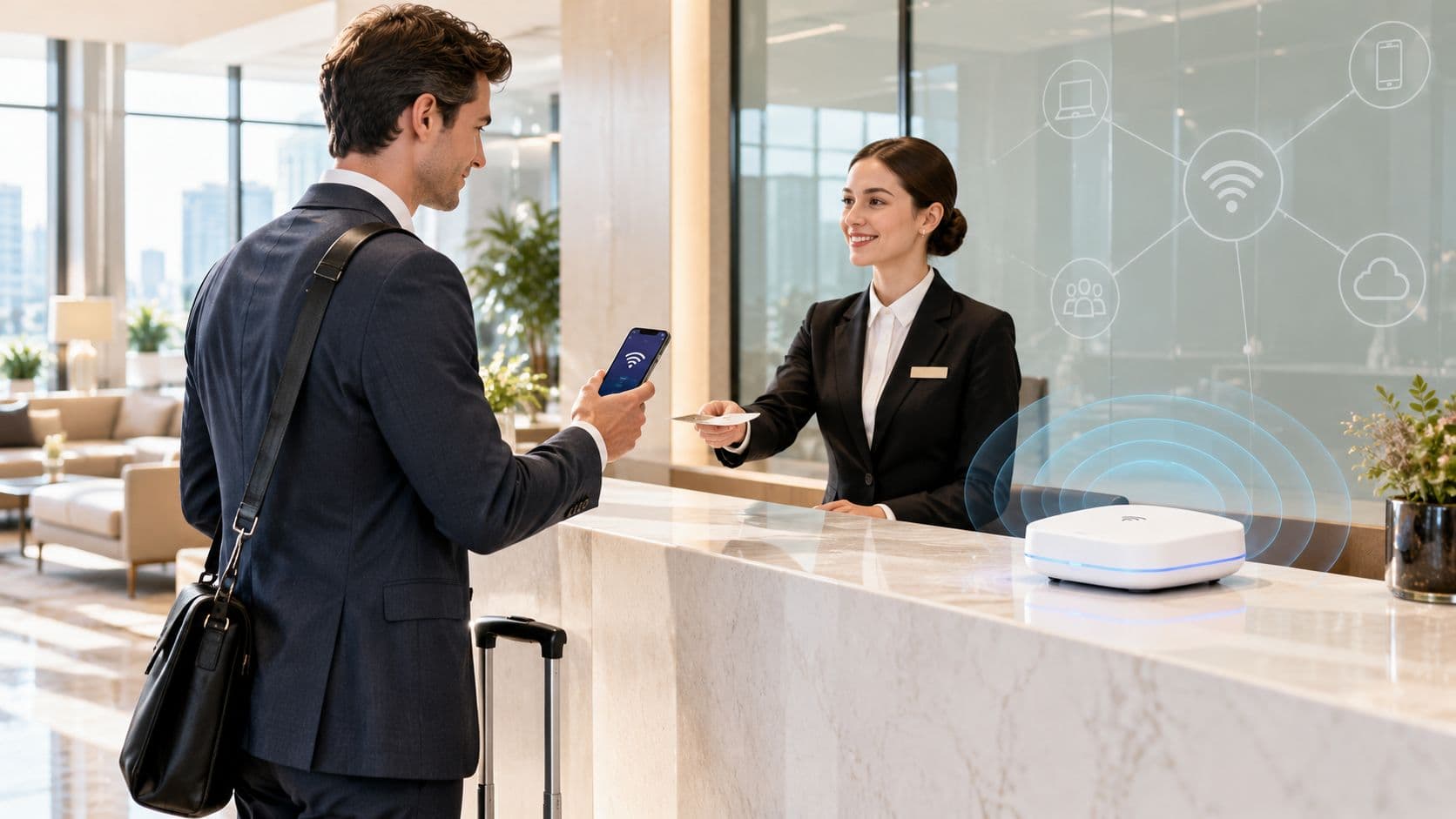
A guest arrives at a US hotel on a Monday evening, drops the baggage, and hears the predictable question from the family: “What's the WiFi password?” The code on the front desk card is faded, the lobby access point is overloaded by arriving guests, and the connection in the bedroom is weak enough to make a video call unreliable.
The front desk sees a login problem. The network team sees congestion. The security team sees unmanaged devices approaching operational infrastructure. All three are looking at the same service, but none has a complete operating model.
Hotel guest WiFi isn't just an SSID with a faster internet connection. It's a managed service that must authenticate people, isolate devices, survive peak demand, support staff and contractors, and provide evidence that guests are receiving the service they were promised. A 2016 UK survey of more than 1,000 consumers and 100 hoteliers found that 72% of guests identified WiFi as one of the hotel services they requested most often, while 65% had needed to fall back to a 3G or 4G cell connection during their stay, according to Hotel Designs' survey coverage.
This guide gives operators a practical way to design the network segment, choose an authentication model, brief an integrator, and measure quality from the guest's side rather than relying on controller dashboards.
Why Hotel Guest WiFi Still Breaks on a Monday Evening
The failure starts before anyone reaches the front desk with a complaint. Staff process arrivals, families connect several cell phones and tablets, business travelers open laptops, and guests in their rooms stream video or join calls. Access points may remain online, the fiber circuit may have spare capacity, and monitoring may show green. Guests still encounter slow authentication, dropped sessions, and dead spots.
The usual causes sit across identity, radio design, and service operations. A shared password printed on cards gives the hotel little control over who is connected or when access ends. A captive portal may load slowly on some devices. Room coverage may follow the floor plan rather than radio behavior, leaving a usable signal beside the elevator but a weak connection behind a reinforced wall. Front desk then spends the evening repeating the password instead of fixing the service.
Practical rule: If staff can only prove that the SSID is broadcasting, they cannot prove that hotel guest WiFi is working.
The historical evidence shows why this is a service issue. In the UK survey cited earlier, WiFi ranked ahead of an iron or ironing board and tea or coffee facilities among frequently requested hotel services. Many guests still had to use cellular data during their stay. Hotel managers identified speed and connection dropouts as leading guest-related problems, pointing to combined capacity, coverage, and reliability failures rather than one broadband fault. The findings appear in Hotel Designs' report on connected hotel devices.
Measure the service from the guest's route through the property: successful onboarding at check-in, reliable access in bedrooms, usable performance in restaurants and meeting rooms, and continuity while moving between access points. Test those journeys with representative devices, then compare results with complaints and support calls.
The network must also isolate visitors from the PMS, POS, payment terminals, CCTV, building systems, and staff devices. Guest connectivity, identity, segmentation, and measurement belong in one operating model. That is how an operator proves quality from the guest's perspective, rather than trusting controller logs alone.
What Hotel Guest WiFi Actually Is
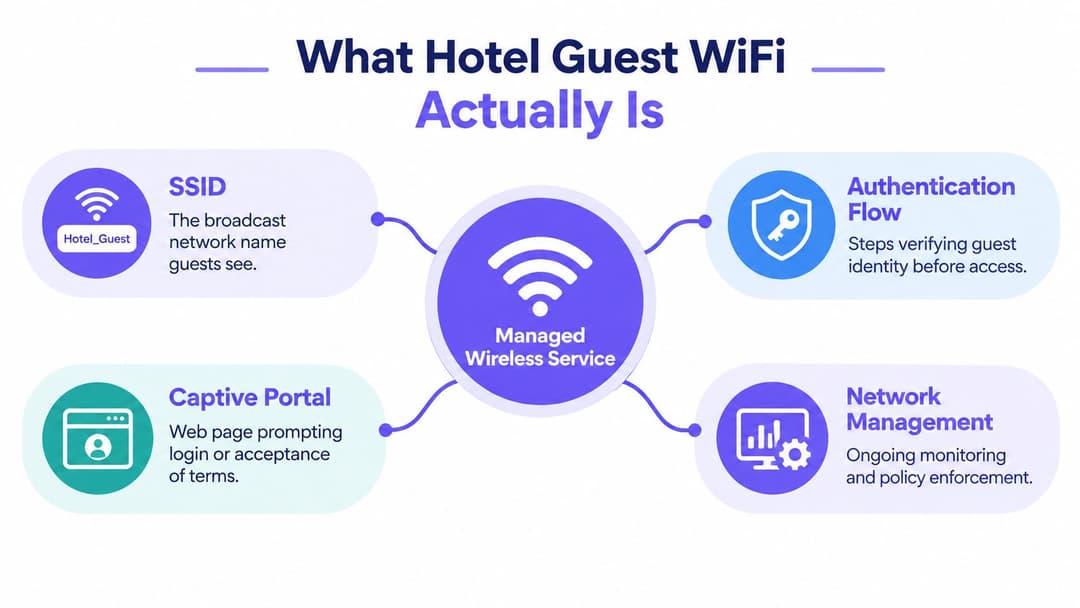
Hotel guest WiFi is a managed wireless service, not merely a broadcast network. It combines the SSID a visitor sees, the process that verifies or registers access, the policy that determines what the device can reach, the internet gateway that carries traffic, and the monitoring needed to support the service.
A sound design starts by separating the audiences sharing the property:
- Guests need simple, time-limited internet access from unmanaged devices.
- Staff need identity-based access to approved business services, with access removed when their employment or role changes.
- Contractors need controlled, auditable access for a defined task or period.
- IoT and back-of-house devices need narrowly scoped connectivity for locks, thermostats, lighting, cameras, and other operational systems.
That distinction matters because these groups have different risks and different support requirements. A guest SSID shouldn't become a convenient route to a staff printer, a management interface, or a payment environment. A staff credential shouldn't be reused for a thermostat or contractor laptop.
The service components
The visible network name is only the entry point. Behind it sits an authentication flow, which may use a captive portal, a voucher, a room-specific code, or passwordless enterprise onboarding. The gateway applies access policies, rate limits, abuse controls, session expiry, and logging. The WLAN controller or cloud platform handles radio configuration, client isolation, roaming assistance, and operational telemetry.
Don't confuse this service with in-room entertainment, cellular coverage, or mobile network offload. An IPTV system may use the same cabling but has a different traffic profile and security boundary. A distributed antenna system improves cellular reach, but it doesn't provide hotel-managed internet access. Hotel guest WiFi is the visitor-facing service layer that connects personal devices to the internet while keeping the property's internal systems separate.
Operators generally choose a managed hospitality service, a co-managed deployment with an integrator, or an in-house stack. The delivery model can change, but two decisions remain central: how guests authenticate and how the network isolates them.
Choosing How Guests Get Online
Authentication is where many hotel deployments choose convenience over control. A shared password is easy to print, but it spreads beyond the property quickly and gives the operator no meaningful identity or lifecycle control. A voucher or captive portal improves traceability, yet still creates friction if the page is slow, the code expires unexpectedly, or the guest has several devices.
A per-room credential is more controlled, but it still creates work for families, groups, and business travelers carrying multiple devices. It also leaves staff handling account recovery and room changes. The guest experience becomes especially poor when the device joins the SSID but cannot complete the portal redirect.
The strongest option for new builds and substantial refits is passwordless onboarding through Passpoint or OpenRoaming where the property and guest devices support it. These approaches can provide automatic discovery and enterprise-grade encrypted access without asking the visitor to type a shared key into every device. Walk-in guests can still use a lightweight splash page, while returning guests or loyalty members receive a lower-friction path.
A practical choice looks like this:
| Approach | Guest experience | Security posture | Best for |
|---|---|---|---|
| Shared password and captive portal | Familiar, but manual and easy to circulate | Weak identity control unless paired with strong isolation | Small properties with limited integration requirements |
| Voucher or per-room credentials | More traceable, but guests must manage codes across devices | Better lifecycle control, still dependent on portal security | Leisure properties and short stays |
| Passpoint or OpenRoaming | Automatic connection after onboarding, with less repeated typing | Enterprise-style encryption and identity-based access on compatible devices | Business-heavy hotels, loyalty programs, and new deployments |
| Passwordless email or identity login | Simple for many walk-ins, with an opportunity for consented data capture | Stronger accountability than a shared password, provided data collection is limited | Leisure-led properties and mixed visitor populations |
The US guest tolerance for login friction is low. A 2016 study reported that 65% of hotel guests would wait no longer than seven minutes to log on, and one-quarter said they would refuse to stay at a hotel without free WiFi, according to the study reported by Fox News. Those figures are historical, but the operational lesson is still clear: authentication is part of the stay, not an administrative afterthought.
A captive portal is an access workflow. It isn't a substitute for network encryption, segmentation, or identity management.
Use a shared password only when the property accepts its limitations and has strong client isolation and firewall policy around it. For a full-service or business-oriented hotel, lead with Passpoint or OpenRoaming and retain a simple fallback. For a leisure-led property, combine passwordless email access with an optional loyalty or CRM step, never forcing marketing consent as the price of basic connectivity.
Designing the Network Around Segmentation
Segmentation is the core architecture. The guest network should be treated as an untrusted public network, not as a friendly extension of the hotel LAN. Cybersecurity best practices state that public WiFi, including hotel networks, is less secure than private WPA2-protected networks and recommends explicit isolation from operational systems.
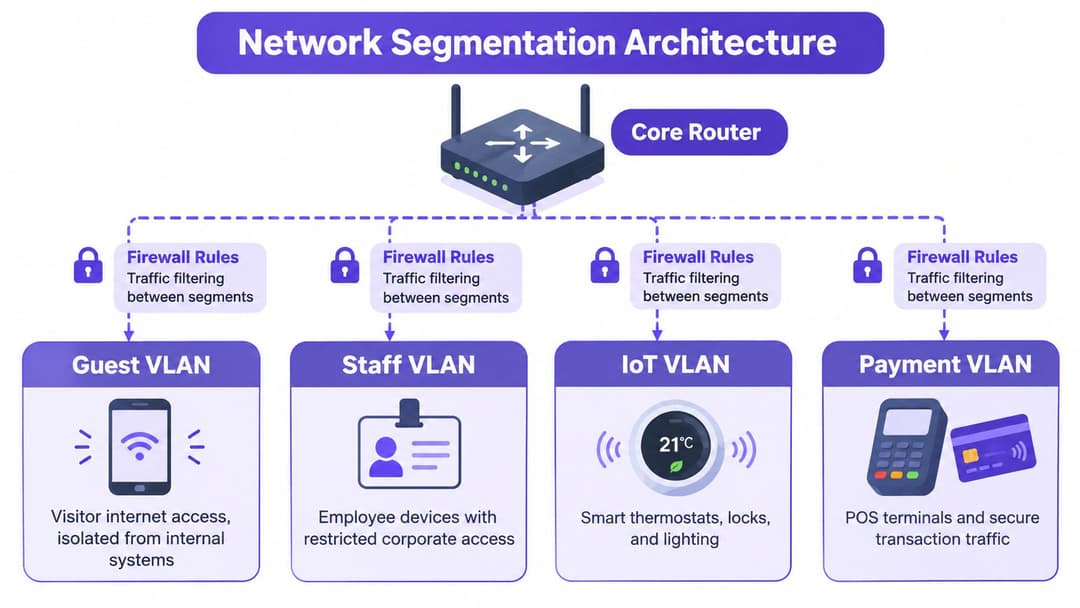
Build the policy around separate VLANs or equivalent domains:
- Guest VLAN: Internet access only, with client-to-client blocking and no route to internal private address space.
- Staff VLAN: Identity-controlled access to approved corporate services and management tools.
- IoT VLAN: Narrow device-specific permissions for locks, thermostats, sensors, lighting, and other systems.
- Payment VLAN: Restricted traffic for POS and transaction systems, with no dependency on the guest network.
The firewall should allow the guest segment to obtain DHCP and resolve DNS through approved services, reach the authentication portal, and access the public internet. It should deny access to PMS servers, POS terminals, CCTV, switches, wireless controllers, printers, administration interfaces, and other private ranges. Per-client isolation at the wireless controller adds another boundary by preventing one guest device from directly communicating with another.
Only the guest SSID should be broadly visible to visitors. Staff and operational SSIDs should be restricted by role, device identity, or certificate, rather than hidden and treated as secure. Hidden network names don't provide a meaningful security boundary.
Prove the deny rules
The validation step many teams skip is testing what the guest network cannot do. Test from an ordinary guest device and record the result:
- Attempt to reach internal private address ranges.
- Try to access wireless, switch, DNS, and DHCP administration services.
- Test printer, CCTV, PMS, and payment subnets.
- Confirm that guest devices cannot communicate laterally.
- Repeat tests after controller, firewall, and gateway changes.
A green dashboard doesn't prove isolation. A documented deny-rule test does. The result should be a repeatable control that network teams can run after changes and show to an auditor, insurer, or hotel owner.
Security and Compliance Essentials for US Hotels
A secure hotel guest WiFi design starts before internet access begins. Standard wireless security frameworks require guest users to authenticate before receiving access, so a property should enforce authentication at the network edge rather than allowing unrestricted forwarding and asking guests to accept terms later.
That requirement can map to a captive portal, a voucher flow, or Passpoint-style onboarding. The mechanism matters less than the enforcement point. Unauthenticated clients should be limited to DHCP, DNS, portal, and approved authentication services until the access policy is satisfied.
The US government standard also supports a least-privilege design. Guest traffic should be separated from staff, IoT, and payment systems, while records associated with authentication should be limited to a clear purpose and governed under CCPA/CPRA principles. Collect only what the service needs, define retention, protect access to the records, and explain the purpose to guests in plain language. Operators can use this guest WiFi compliance checklist to structure the review.
Encryption needs careful handling. Security standards recommend AES-CCMP where supported instead of weaker legacy wireless encryption, but encryption on the shared wireless network doesn't protect every application automatically. Guests should still rely on HTTPS and, for sensitive business activity, a cell phone connection or VPN. The property should never imply that joining its SSID makes banking, administration, or confidential work risk-free.
The wider breach environment makes careless onboarding a poor trade. The Cyber Security Breaches Survey found that 43% of businesses experienced a cyber breach or attack in the previous 12 months, while phishing appeared in 38% of incidents, as reported in Purple's hotel WiFi security overview. Hotel teams should assume that guests bring unmanaged and potentially compromised devices onto the network.
An auditor or insurer should be able to see:
- A network diagram showing guest, staff, IoT, and payment boundaries.
- Firewall policy evidence covering denied internal access and allowed guest services.
- Authentication records with purpose, retention, and access controls documented.
- Wireless configuration showing strong encryption and client isolation.
- Test results proving that guest devices cannot reach operational systems.
- An incident process for abuse, credential compromise, rogue access points, and suspected breaches.
Security isn't achieved by adding a portal to an unsafe LAN. It comes from enforcing identity and policy before access, then proving that the boundaries hold.
Capacity Planning That Stops Surprise Complaints
Faster fiber won't repair a weak bedroom signal, an overloaded radio, or a client that refuses to roam. Capacity planning must separate backhaul, radio density, authentication performance, and mobility. A property can have ample internet service and still deliver a poor connection in a hallway or meeting room.
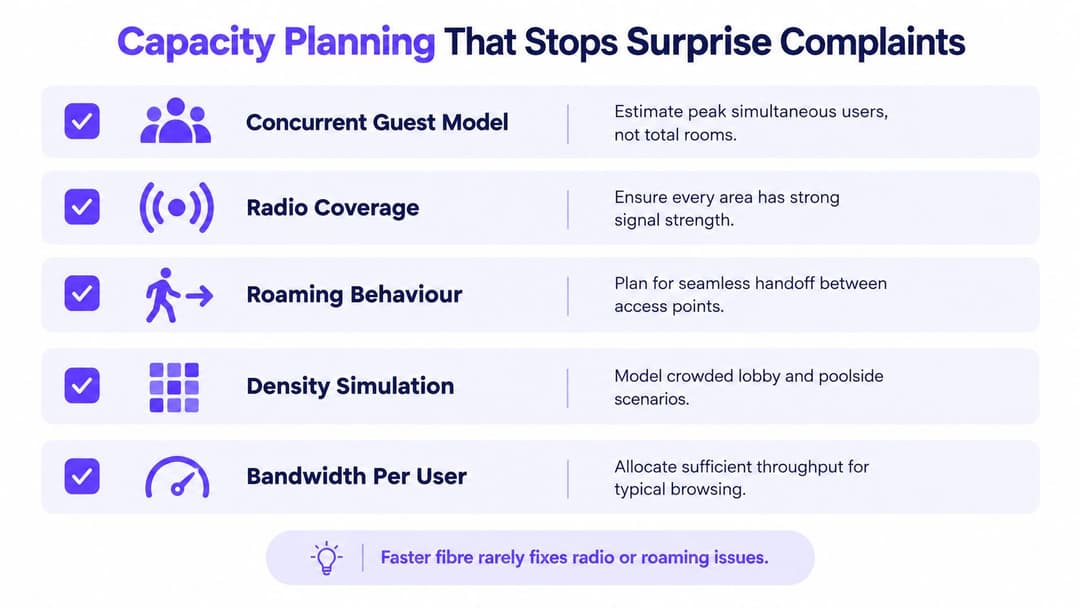
Start with a concurrent-user model, not the number of bedrooms. Estimate how many guests will be online during the busiest period, how many devices they carry, and how usage changes between bedrooms, the lobby, restaurant, meeting space, pool, and parking lot. Then compare the model with access point airtime, channel reuse, switch uplinks, controller limits, and available backhaul headroom.
The radio plan deserves the same attention. A hallway access point may look efficient on a drawing, but walls, doors, mirrors, elevators, and building materials change the result. Test actual rooms and public areas. Measure signal quality, interference, client distribution, and performance at the edge of coverage rather than assuming that a strong reading beside the access point represents the whole zone.
Roaming causes a different class of complaint. The 802.11 k, r, and v capabilities can help compatible devices discover and move between suitable access points, but they can't force every client to behave well. Sticky clients may hold onto a distant radio, producing the dropouts guests describe even though the network remains technically available.
Report what the guest experiences
A controller's client count isn't a service-level report. Track the journey from connection attempt to usable internet:
- Time to connect: How long a device takes to reach an authenticated state.
- Authentication success rate: Where and when login attempts fail.
- Median and worst-case throughput: Report by zone, not only property-wide.
- Latency and packet loss: Especially in meeting rooms and business areas.
- Session interruptions: Identify handoff, radio, gateway, and authentication patterns.
- Device and location differences: Separate failures affecting older devices from broad coverage faults.
Use Purple's access point calculator as one input to the initial design, then validate the result with an on-site survey and peak-period tests. Vendors often sell the line speed because it's easy to quote. Operators should buy measurable coverage and predictable service instead.
Vendor Compatibility and Identity Integration
A hotel can run compatible access points from Meraki, Aruba, Ruckus, Mist, or UniFi, but the guest experience still depends on the identity and policy layer above them. Portal workflows, roaming controls, analytics, and multi-property administration vary widely. Compare suppliers against real operating tasks, not just radio specifications.
Require a live demonstration across several device types. Test external RADIUS or identity integration, Passpoint and OpenRoaming support, per-client isolation, property-level administration, and location-based reporting. Include a failed login, a revoked staff account, a contractor with restricted access, and a device moving between access points. If a vendor avoids these tests, treat that as a procurement warning.
Mixed estates need a consistent identity process. Purple integrates with Entra ID, Google Workspace, and Okta for staff access, according to Purple's platform information. Its identity-based networking approach provides a way to apply access decisions around users and devices rather than tying them only to network equipment. For legacy IoT devices that cannot use enterprise authentication, iPSK can provide more precise device-level control than a shared staff key.
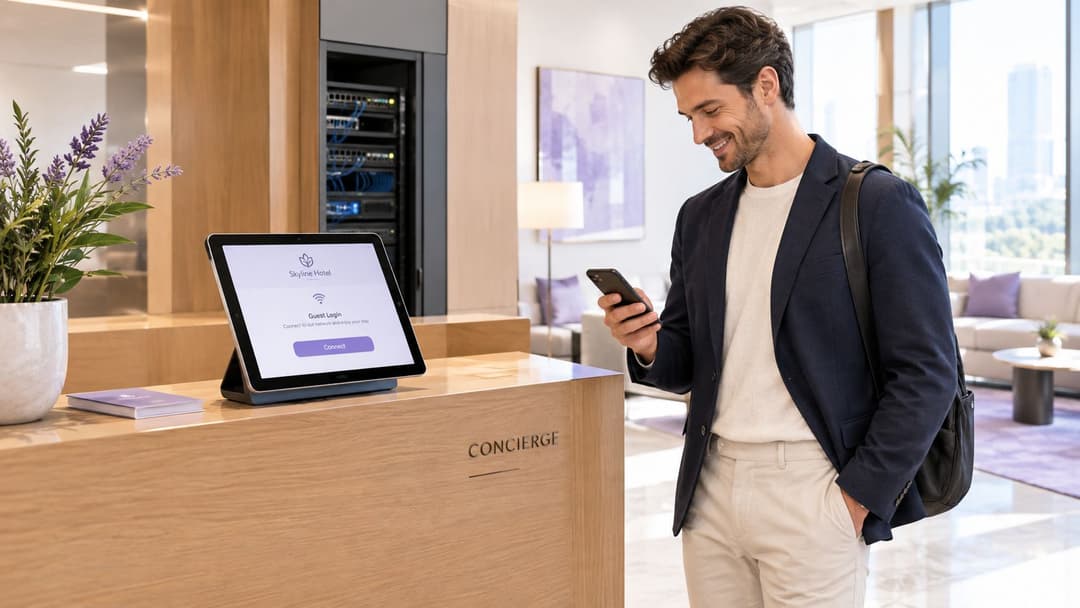
Use this buying checklist:
- Passpoint and OpenRoaming: Can the platform provision and support them across the estate?
- Identity integration: Do staff onboarding and revocation follow the existing directory?
- Multi-property control: Can the group manage policy centrally while preserving local operations?
- RADIUS offload: Which authentication functions remain on site?
- Seasonal and contractor access: How quickly can temporary identities be issued and withdrawn?
- Analytics: Can the team report guest outcomes, rather than only access point health?
Choose the access layer for radio performance and operational fit. Choose the identity layer for lifecycle control. Keep the captive portal focused on onboarding, rather than allowing it to become the hotel's permanent identity system by accident.
Deployment Checklist and ROI You Can Actually Report
A reliable rollout is phased, tested, and owned by more than the network team. Before procurement, complete the site survey, concurrent-user model, segmentation diagram, identity design, and vendor comparison. Include front-of-house staff early, because they know where guests fail, whether the front desk card is clear, and which locations generate repeated complaints.
Pilot a single floor or property. Define the success measures before installation: connection time, authentication success, performance by zone, interruption rate, support demand, and the result of guest-to-internal deny tests. Ask the front desk and housekeeping to report failures through the same process as IT, then compare those reports with the technical telemetry.
At go-live, prepare a cut-over plan that covers controller configuration, identity services, portal content, fallback access, staff training, and escalation. Don't remove the old service until the new network has passed room, hallway, public-area, and peak-load checks. Keep the guest instructions short. A long support card usually signals that the onboarding design is doing too much work.
Steady-state operations should connect three views:
- Service quality: Guest satisfaction with WiFi, connection time, interruptions, and performance by location.
- Security control: Segmentation validation, authentication records, policy changes, and incident handling.
- Commercial value: Repeat visits among authenticated guests, consented CRM engagement, and relevant upsell activity.
Operational teams can also standardize room readiness with a property checklist that includes WiFi instructions, device testing, and escalation details. The point isn't to add more paperwork. It's to make the guest-facing service consistent from room preparation through departure.
Ownership needs a short report, not a dashboard full of radio counters. Track guest satisfaction with WiFi, repeat visit rate among authenticated guests, support tickets per 1,000 stays, and segmentation validation pass rate. These measures connect experience, identity, security, and investment decisions without pretending that a faster internet circuit alone proves value.
A hotel guest WiFi service is working when guests connect without help, move through the property without avoidable interruptions, and cannot reach systems they don't own. It is commercially useful when the property can use consented identity data responsibly and demonstrate whether authenticated guests return or engage. It is defensible when the team can prove the controls, not merely describe them.
Purple provides guest authentication, identity-based access, Passpoint and OpenRoaming support, staff directory integration, and analytics across mixed hotel network environments. Visit Purple to assess how its platform can help you replace shared passwords, isolate hotel traffic, and measure guest WiFi as an operating service.