Como Funciona o Marketing WiFi?

Este guia de referência técnica explica a mecânica do marketing WiFi — desde o pedido inicial de sonda do dispositivo e autenticação do Captive Portal até aos gatilhos de campanha automatizados e atribuição de ciclo fechado. Fornece orientação de implementação acionável para gestores de TI, arquitetos de rede e diretores de operações de espaços que implementam WiFi de convidado compatível e gerador de receita em retalho, hotelaria e grandes espaços públicos.

📖 8 min de leitura📝 1,844 palavras🔧 2 exemplos4 perguntas📚 10 termos-chave

🎧 Ouça este Guia

Ver Transcrição
Welcome to this technical briefing on WiFi marketing architecture. Today we are unpacking the mechanics behind enterprise guest WiFi — moving beyond basic connectivity to understand how it functions as a primary data capture and marketing automation engine. This briefing is designed for IT managers, network architects, and venue operations directors who need to deploy scalable, compliant, and revenue-generating WiFi solutions. Let's start with the context. Why are we talking about WiFi marketing now? In sectors like retail, hospitality, and large public venues, the expectation for free, high-performance WiFi is universal. But for the venue operator, providing this infrastructure is a significant cost. WiFi marketing transforms this cost centre into a revenue-generating asset by capturing first-party data in exchange for access. We're talking about capturing authenticated user profiles, dwell times, and visit frequency — data that directly integrates with your CRM and marketing automation platforms. So, how does the technology actually work? Let's dive into the technical deep-dive. The process begins at the edge of your network with the Access Point, or AP. When a guest's device probes for available networks, it identifies the venue's SSID — the network name. Upon selection, the user is directed to a captive portal. This is a critical junction. The captive portal intercepts the HTTP request and redirects the user's browser to a splash page hosted on a cloud RADIUS server, like the Purple platform. This splash page is where the data transaction occurs. Instead of a simple pre-shared key, the user authenticates via a form or social login — using OAuth 2.0 protocols for platforms like Google or Facebook. This is where you capture the email address, demographic data, and most importantly, explicit GDPR-compliant consent. The RADIUS server validates the credentials and sends an Access-Accept message back to the network controller, authorising the device's MAC address for internet access. Now, let's talk about MAC addresses for a moment, because this is where a lot of IT teams get caught out. A MAC address is the unique hardware identifier assigned to a network interface. Historically, it was a reliable way to track a device across multiple visits. However, modern operating systems — iOS 14 and above, and Android 10 and above — now use MAC address randomisation. This means the device presents a different, randomly generated MAC address each time it probes for a network. For unauthenticated presence analytics, this is a significant challenge. You can still measure footfall and dwell time, but tracking repeat visitors becomes unreliable. Here's the key insight: once a user authenticates through the captive portal — providing their email address or logging in via a social account — the platform links that current, randomised MAC address to their persistent profile. From that point forward, every visit during that session, and every future authenticated session, is tied to a real human identity in your CRM. Authentication is the bridge that overcomes MAC randomisation. Once authenticated, the platform begins building a rich user profile. Every subsequent visit is logged. We track presence analytics: how long they stay, which zones of the venue they visit, and how often they return. In a retail environment, this means you can see which product areas attract the most dwell time. In a hotel, you can see which guests are using the spa versus the restaurant. In a stadium, you can understand how fans move through the concourse at halftime. Now, how do we operationalise this data? This is where automated campaign triggers come in. The WiFi analytics platform integrates with marketing systems via API. When a specific condition is met — say, a guest logs on for their fifth visit, or they haven't been seen in 60 days — a webhook fires and triggers an automated workflow in your marketing platform. This could be an SMS offering a free coffee, a personalised email with a loyalty reward, or a push notification through your app. The network itself is driving the marketing activity based on real-time behavioural data. This is the core of WiFi marketing automation. Let's look at a concrete example. A large hotel group wanted to reduce their reliance on Online Travel Agencies, which were taking a significant commission on every booking. They implemented a captive portal on their guest WiFi. When a guest checked in and connected to the WiFi, they authenticated with their email address and opted in to marketing communications. Twenty-four hours after checkout — detected by the device disconnecting from the network — an automated email was sent offering a fifteen percent discount on their next stay booked directly through the hotel's website. Within six months, the group saw a measurable increase in direct bookings from guests who had connected to the WiFi. The cost of the WiFi platform was a fraction of the OTA commission they saved. A second example: a pub group operating fifty sites across the UK wanted to understand customer retention at a venue level. By deploying a unified guest WiFi solution and analysing the return rate data per venue, they identified three sites with significantly lower return rates than the group average. They set up an automated win-back campaign: if a customer who had previously visited one of those three pubs hadn't authenticated on the network for 45 days, an SMS was sent offering a complimentary drink. The campaign ran automatically, required no manual intervention from the marketing team, and drove a measurable uplift in return visits at those specific sites. Now let's discuss implementation recommendations and the pitfalls to avoid. First, network dimensioning. A high-density deployment in a stadium or conference centre requires a fundamentally different Access Point configuration than a distributed retail estate. You need to plan for capacity — the number of simultaneous authentication requests the RADIUS server can handle — not just coverage. Underestimating this will result in slow logins and high abandonment rates at peak times. Second, splash page performance. The splash page must load quickly, even on a slow mobile connection. Keep it lightweight. Avoid large background images or heavy JavaScript frameworks. A page that takes ten seconds to load will lose the majority of users before they even see the login form. Also, ensure your walled garden — the list of domains accessible before authentication — includes all the resources your splash page needs: social login scripts, CDN-hosted assets, and your privacy policy. Third, and this is non-negotiable: compliance. Your data capture forms must require an active, explicit opt-in for marketing communications. A pre-ticked checkbox or implied consent buried in the terms of service is not GDPR compliant. This is a common pitfall, and the regulatory exposure is significant. Work with your legal team to ensure the consent language is clear and unambiguous. Fourth, integration. Capturing data is worthless if it stays trapped in the WiFi platform. Ensure you have robust API integrations with your CRM, your email marketing platform, and your SMS gateway. Test these integrations regularly and set up monitoring alerts for failures. Now, let's do a rapid-fire Q&A on the questions we hear most often. Question one: We're on Cisco Meraki. Can we use a third-party WiFi marketing platform? Yes. Enterprise WiFi marketing platforms are hardware-agnostic. They integrate with Cisco Meraki, Aruba, Ruckus, Ubiquiti, and most other major vendors via standard RADIUS protocols and vendor-specific APIs. You do not need to replace your existing infrastructure. Question two: What's the difference between presence analytics and connected analytics? Presence analytics measures all WiFi-enabled devices in range, including those that never connect. It gives you raw footfall data. Connected analytics applies only to authenticated users and gives you demographic data, visit history, and the ability to trigger marketing campaigns. You need both, but they serve different purposes. Question three: How do we handle data subject access requests under GDPR? Your WiFi marketing platform should provide tools for users to access, export, and delete their data. Ensure your privacy policy clearly explains what data is collected and how it is used. When a deletion request comes in, the process should be straightforward and auditable. To summarise this briefing: WiFi marketing is a powerful tool for bridging the physical and digital customer experience. The core mechanism is the captive portal, which captures first-party data in exchange for connectivity. Authentication links device identities to persistent CRM profiles, overcoming MAC randomisation. Automated triggers based on real-time network events enable contextual, behaviour-driven marketing campaigns. And closed-loop attribution allows you to prove the physical ROI of your digital marketing spend. The next step for your team is to audit your current guest WiFi setup. Ask three questions: Are you capturing authenticated first-party data? Is that data compliant with GDPR or your relevant data protection regulation? And is it integrated with your marketing automation stack? If the answer to any of those is no, you are leaving significant commercial value on the table. Thank you for joining this briefing. The full technical reference guide, including architecture diagrams, implementation checklists, and worked examples, is available to accompany this session.

header_image.png

Resumo Executivo

Para líderes de TI e operações empresariais em retalho, hotelaria e grandes espaços públicos, fornecer WiFi de convidado gratuito já não é uma comodidade opcional — é uma expectativa básica. No entanto, operar uma rede sem fios segura e de alta densidade representa um centro de custos significativo. O marketing WiFi transforma esta infraestrutura num ativo gerador de receita, estabelecendo uma troca de valor: conectividade perfeita em troca de dados de clientes autenticados e de primeira parte.

Este guia detalha a mecânica técnica de como o marketing WiFi funciona — desde o pedido inicial de sonda do dispositivo até à execução automatizada de campanhas de marketing direcionadas. Ao implementar um Captive Portal integrado com uma plataforma de análise baseada na nuvem, os espaços podem capturar dados demográficos, medir o fluxo de pessoas físico e atribuir visitas na loja a esforços de marketing digital. Quer esteja a implementar Guest WiFi num único local ou numa propriedade com vários locais, este documento fornece a visão geral arquitetónica, as melhores práticas de implementação e as estratégias de mitigação de riscos necessárias para construir uma solução compatível e escalável que gere ROI mensurável.


Análise Técnica Aprofundada

Compreender como o marketing WiFi funciona requer examinar o fluxo de dados desde a extremidade da rede até à plataforma de automação de marketing. O processo baseia-se em protocolos de rede padrão — IEEE 802.11, RADIUS — sobrepostos com padrões modernos de autenticação web (OAuth 2.0) e integrações de API RESTful.

O Fluxo de Autenticação

wifi_marketing_flow_diagram.png

O fluxo de cinco etapas acima mapeia a jornada desde a associação do dispositivo até à atribuição. Aqui estão os detalhes técnicos por trás de cada etapa.

Etapa 1 — Associação do Dispositivo: Quando o smartphone ou portátil de um convidado entra no espaço, ele procura ativamente redes conhecidas ou ouve passivamente por frames de beacon que transmitem o Service Set Identifier (SSID) do espaço. A rede de convidados é tipicamente configurada como um SSID aberto — sem chave pré-partilhada — para minimizar o atrito no ponto de entrada.

Etapa 2 — Interceção do Captive Portal: Ao associar-se ao SSID aberto, o dispositivo tenta alcançar um endpoint de internet conhecido (por exemplo, captive.apple.com no iOS, connectivitycheck.gstatic.com no Android). O controlador de rede ou Ponto de Acesso interceta este pedido HTTP e emite um redirecionamento 302 para o URL do Captive Portal alojado na plataforma de marketing WiFi.

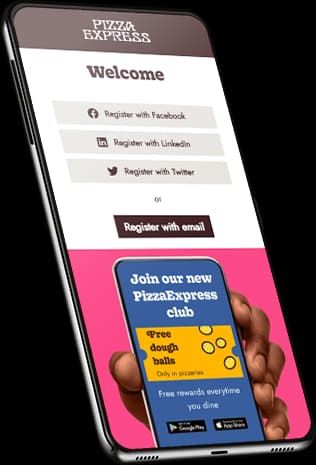
Etapa 3 — Renderização da Página de Boas-Vindas e Captura de Dados: O Captive Portal renderiza uma página de boas-vindas com a marca. Esta é a interface principal de captura de dados.

splash_page_anatomy.png

A página de boas-vindas apresenta ao utilizador opções de autenticação: um formulário padrão de e-mail/palavra-passe, ou login social via OAuth 2.0 (Google, Facebook, Apple). O login social é particularmente valioso porque retorna dados demográficos verificados — nome, endereço de e-mail, foto de perfil e, em alguns casos, faixa etária e localização — diretamente do provedor de identidade, enriquecendo o perfil para além do que um formulário básico capturaria.

Etapa 4 — Autenticação RADIUS: Assim que o utilizador submete as suas credenciais, a plataforma da página de boas-vindas atua como um servidor RADIUS (Remote Authentication Dial-In User Service). Envia uma mensagem RADIUS Access-Accept de volta ao controlador de rede, contendo o endereço MAC do utilizador e quaisquer atributos de política aplicáveis (limites de largura de banda, tempos limite de sessão). O controlador então concede acesso à internet ao dispositivo.

Etapa 5 — Enriquecimento de Perfil e Automação de Campanha: Os dados capturados são armazenados num perfil CRM centralizado. À medida que o utilizador se move pelo espaço, a rede continua a registar o seu endereço MAC através de pedidos de sonda, construindo uma imagem do tempo de permanência, visitas a zonas e frequência de retorno. Estes dados alimentam diretamente a plataforma WiFi Analytics , onde podem ser configurados gatilhos de campanha automatizados.

Análise de Presença vs. Dados Autenticados

É importante distinguir entre dois fluxos de dados distintos gerados pela rede:

Tipo de Dados Origem Identificável? Caso de Uso
Análise de Presença Todos os pedidos de sonda (autenticados e não autenticados) Não (MAC aleatório) Contagem de fluxo de pessoas, tempo de permanência, mapas de calor de zonas
Dados Autenticados Login no Captive Portal Sim (ligado a e-mail/perfil social) Criação de perfis CRM, campanhas direcionadas, atribuição

A aleatorização do endereço MAC — introduzida no iOS 14 e Android 10 — significa que os dispositivos não autenticados apresentam um endereço MAC diferente, gerado aleatoriamente, em cada ciclo de sonda. Isso torna impossível rastrear visitantes recorrentes de forma fiável sem autenticação. No entanto, uma vez que um utilizador faz login através do Captive Portal, o seu MAC aleatório atual é ligado à sua identidade de perfil persistente (endereço de e-mail, ID social), restaurando a capacidade de rastrear o histórico de visitas e acionar campanhas baseadas no comportamento.

Arquitetura de Automação

A plataforma de análise WiFi integra-se com o ecossistema de marketing mais amplo através de webhooks e APIs RESTful. Eventos em tempo real — um utilizador a conectar-se, a atingir um marco de visita, ou a passar 45 dias sem uma visita — disparam payloads de webhook para a plataforma de automação de marketing conectada (por exemplo, HubSpot, Salesforce Marketing Cloud, Mailchimp). Isso aciona fluxos de trabalho pré-configurados: um e-mail de boas-vindas, uma recompensa de fidelidade ou um SMS de recuperação. A própria rede torna-se a camada de gatilho para o ecossistema de automação de marketing.


Guia de Implementação

A implementação de uma solução robusta de marketing WiFi requer coordenação entre as equipas de engenharia de rede, marketing e jurídica. Os passos seguintes descrevem uma implementação empresarial padrão. Para considerações multi-site, consulte Como Configurar WiFi Numa Área Grande ou Propriedade Multi-Site .

Passo 1: Avaliação da Infraestrutura

Audite a sua infraestrutura WLAN existente. Confirme que os seus controladores (Cisco Meraki, Aruba, Ruckus, Ubiquiti, ou equivalente) suportam a integração de captive portal externo e autenticação RADIUS. A rede deve ser dimensionada para capacidade, não apenas cobertura. Em ambientes de alta densidade — estádios, centros de conferências, retalho durante períodos de pico — o volume de pedidos de autenticação simultâneos pode sobrecarregar um servidor RADIUS subdimensionado. Planeie em conformidade.

Para locais com layouts físicos complexos, considere a orientação em Sistema de Posicionamento Interior: Guia UWB, BLE e WiFi para entender como a análise ao nível da zona pode ser sobreposta à infraestrutura WiFi.

Passo 2: Design e Configuração da Página de Boas-Vindas

A página de boas-vindas é o principal ponto de conversão. O seu desempenho determina diretamente a qualidade da sua recolha de dados. Princípios chave de design:

  • Minimizar o tempo de carregamento: Mantenha a página abaixo de 200KB. Evite imagens grandes ou frameworks JavaScript pesados. A página deve carregar rapidamente numa ligação móvel 3G.
  • Configuração de walled garden: Coloque na lista branca todos os domínios exigidos pela página de boas-vindas — scripts de login social (accounts.google.com, connect.facebook.net), ativos alojados em CDN e o URL da sua política de privacidade — para que sejam acessíveis antes da autenticação.
  • Criação de perfil progressiva: Capture os dados mínimos viáveis na primeira visita (endereço de e-mail, consentimento). Enriqueça o perfil em visitas subsequentes com campos opcionais adicionais (número de telefone, data de nascimento, preferências).
  • Design mobile-first: A maioria dos utilizadores irá autenticar-se num smartphone. Projete para uma viewport de 375px como alvo principal.

Passo 3: Conformidade e Privacidade

O GDPR (no Reino Unido e na UE), o CCPA (na Califórnia) e regulamentos equivalentes de proteção de dados exigem que o consentimento de marketing seja ativo e explícito. A página de boas-vindas deve apresentar uma caixa de seleção desmarcada para adesão ao marketing, juntamente com um link claro para a Política de Privacidade. Caixas pré-selecionadas, consentimento implícito ou consentimento oculto nos Termos de Serviço não estão em conformidade e expõem a organização a risco regulatório.

Para implementações em Saúde , aplicam-se considerações adicionais em torno da sensibilidade dos dados de localização. Consulte WiFi em Hospitais: Um Guia para Redes Clínicas Seguras para orientação específica do setor.

Passo 4: Integração de API e Automação

Integre a plataforma de análise WiFi com o seu CRM e stack de automação de marketing através de APIs RESTful ou webhooks. Configure os seguintes gatilhos de automação de base:

Gatilho Condição Ação Recomendada
Primeira Visita Utilizador conecta-se pela primeira vez Enviar e-mail de boas-vindas com informações do local
Marco de Fidelidade Utilizador atinge a 5ª visita Enviar recompensa de fidelidade ou código de desconto
Reativação Utilizador não visto há 45 dias Enviar SMS ou e-mail de reativação
Inquérito Pós-Visita Utilizador desconecta-se após sessão de 30+ min Enviar e-mail de inquérito NPS

Melhores Práticas

Autenticação Baseada em Perfil: Sempre que possível, implemente Passpoint (Hotspot 2.0) ou autenticação baseada em perfil para utilizadores recorrentes. Isto permite que visitantes repetidos autenticados se conectem automaticamente e de forma segura (WPA2/WPA3 Enterprise) sem ver a página de boas-vindas novamente, enquanto ainda registam a sua visita e acionam a automação. Isto é particularmente valioso em ambientes de Hotelaria e Retalho onde a afluência repetida é alta.

Segmentação de Audiência: Evite campanhas de transmissão genéricas. Utilize os dados comportamentais capturados pela rede para segmentar a sua audiência — visitantes frequentes, clientes inativos, novos visitantes, visitantes com longo tempo de permanência — e adapte a mensagem a cada segmento. Um visitante pela primeira vez a uma cafetaria precisa de uma comunicação diferente de um cliente que visita três vezes por semana.

Atribuição de Ciclo Fechado: Configure a sua análise para rastrear a jornada desde o envio da campanha digital até à visita física ao local. Quando um utilizador que recebeu um e-mail promocional se autentica subsequentemente na WiFi do local, essa visita é atribuída à campanha. Esta é a métrica de ROI mais convincente para justificar o investimento na plataforma aos stakeholders financeiros.

Consistência Multi-Site: Para centros de Transporte e cadeias de retalho que operam em vários locais, garanta que a marca da página de boas-vindas e o fluxo de autenticação são consistentes em todas as localizações. A inconsistência corrói a confiança e reduz as taxas de conversão.


Resolução de Problemas e Mitigação de Riscos

Modos de Falha Comuns

Captive Portal Não Aparece: A causa mais comum é a falha na resolução de DNS na VLAN de convidado, ou regras de firewall que bloqueiam a interceção HTTP. Certifique-se de que a VLAN de convidado tem um servidor DNS configurado, que o controlador de rede está definido para intercetar tráfego HTTP na porta 80, e que o walled garden permite o acesso ao domínio do captive portal antes da autenticação.

Altas Taxas de Abandono: Se os utilizadores chegam à página de boas-vindas mas não completam a autenticação, as causas mais comuns são: tempo de carregamento lento da página (audite o walled garden para domínios CDN em falta), demasiados campos de formulário obrigatórios (reduza para e-mail + consentimento na primeira visita), ou uma proposta de valor pouco clara (torne o benefício do WiFi proeminente na página).

Silos de Dados: Se a plataforma WiFi não estiver integrada com o CRM, os dados capturados não têm valor comercial. Estabeleça uma verificação regular da saúde da integração — confirme que novos perfis estão a aparecer no CRM dentro do SLA esperado, e configure alertas para falhas de webhook.

Casos Limite de Aleatorização de MAC: EMesmo com autenticação, a aleatorização de MAC pode fazer com que um único utilizador apareça como múltiplos perfis se iniciar sessão a partir de diferentes dispositivos ou se o seu MAC aleatório mudar entre sessões no mesmo dispositivo. Implemente a deduplicação baseada em e-mail no CRM para unir perfis duplicados.


ROI e Impacto no Negócio

O caso de negócio para o marketing de WiFi baseia-se em três resultados mensuráveis:

1. Ativo de Dados de Primeira Parte: Num mundo pós-cookies, os dados de primeira parte são um ativo estratégico. Cada ligação WiFi autenticada adiciona um contacto verificado e com consentimento ao CRM. Para um local com 500 visitantes diários e uma taxa de autenticação de 40%, isso representa 200 perfis novos ou reativados por dia.

2. Receita Impulsionada por Campanhas: Campanhas automatizadas acionadas por eventos de rede geram receita diretamente atribuível à plataforma WiFi. Uma campanha de recuperação com uma taxa de resgate de 10% numa oferta de £5, enviada a 1.000 clientes inativos, gera £500 em receita incremental por campanha executada — com custo de mão de obra marginal zero uma vez configurada.

3. Inteligência Operacional: A análise de presença e os mapas de calor de zona fornecem às equipas de operações do local dados para otimizar a alocação de pessoal, a colocação de produtos e o layout. Para implementações em larga escala, esta inteligência operacional por si só pode justificar o custo da plataforma.

Para uma análise detalhada de como estas métricas se aplicam ao seu tipo de local específico, a plataforma WiFi Analytics oferece dashboards de ROI pré-construídos segmentados por setor de atividade.

Termos-Chave e Definições

Captive Portal

A web-based authentication mechanism that intercepts a user's initial HTTP request when they connect to a network and redirects them to a specific page before granting full internet access.

The fundamental technical mechanism underpinning WiFi marketing. Every WiFi marketing deployment relies on a captive portal to intercept the user and present the splash page.

Splash Page

The specific branded web page displayed within the captive portal where the user authenticates (via email form or social login) and provides consent for marketing communications.

The primary user interface for WiFi marketing. Its design — load time, number of form fields, clarity of consent language — directly determines the authentication conversion rate.

RADIUS (Remote Authentication Dial-In User Service)

A networking protocol providing centralised Authentication, Authorisation, and Accounting (AAA) management. In WiFi marketing, the cloud platform acts as a RADIUS server, issuing Access-Accept or Access-Reject messages to the network controller based on whether the user has successfully authenticated.

The protocol that bridges the WiFi marketing platform and the physical network infrastructure. Understanding RADIUS is essential for troubleshooting authentication failures.

MAC Address (Media Access Control Address)

A unique hardware identifier assigned to a network interface controller (NIC), used as a network address within a local network segment.

The primary identifier used by the network to track a device's presence. Subject to randomisation in modern operating systems, which limits its utility for tracking unauthenticated devices.

MAC Randomisation

A privacy feature in iOS 14+, Android 10+, and Windows 10+ where the device presents a randomly generated MAC address when probing for networks, rather than its true hardware MAC address.

A significant challenge for unauthenticated presence analytics. Overcome by linking the randomised MAC to a persistent profile identity at the point of captive portal authentication.

Walled Garden

A restricted network environment that allows a user to access a limited set of pre-approved IP addresses or domains before completing authentication on the captive portal.

Critical for ensuring the splash page loads correctly. All resources required by the splash page (social login scripts, CDN assets, privacy policy) must be whitelisted in the walled garden.

Presence Analytics

The measurement of physical footfall, dwell time, and movement patterns within a venue by passively monitoring the probe requests emitted by all WiFi-enabled devices in range, regardless of whether they connect to the network.

Provides baseline operational metrics (total footfall, peak times, zone occupancy) but lacks demographic depth. Affected by MAC randomisation for repeat-visitor tracking.

Closed-Loop Attribution

The ability to track a customer's complete journey from receiving a digital marketing message (email, SMS) to physically visiting a venue and authenticating on the WiFi network, proving that the digital campaign drove the physical visit.

The most commercially compelling metric for WiFi marketing ROI. Enables marketing teams to prove the physical impact of digital spend to finance stakeholders.

Webhook

An HTTP callback that fires automatically when a specific event occurs in a system, sending a data payload to a pre-configured URL in another system.

The mechanism by which real-time network events (user connects, visit milestone reached, user churns) trigger automated workflows in the connected marketing automation platform.

Progressive Profiling

A data capture strategy where additional profile attributes are requested incrementally across multiple interactions, rather than all at once on the first visit.

Reduces friction on the first visit (improving conversion rates) while building a richer profile over time. Typically implemented by configuring different splash page forms for first-time vs. returning visitors.

Estudos de Caso

A 200-room hotel in a major city wants to increase direct bookings and reduce reliance on Online Travel Agencies (OTAs), which are charging 15-18% commission on every reservation. They currently offer an open guest WiFi network secured with a simple WPA2 pre-shared key. How should they architect a WiFi marketing solution to address this objective?

Replace the WPA2 pre-shared key with an open SSID that redirects to a captive portal hosted on the Purple platform. The splash page requires guests to authenticate via email or social login and explicitly opt-in to marketing communications. The platform is integrated via API with the hotel's Property Management System (PMS) and email marketing platform. When a guest authenticates, their profile is enriched with their stay dates (pulled from the PMS via API). The hotel configures two automated triggers: (1) A 'During Stay' trigger — when a guest connects for the first time, send a welcome message with the hotel's dining and spa offers. (2) A 'Post-Checkout' trigger — 24 hours after the guest's device disconnects from the network (indicating checkout), send an email offering a 15% discount on their next stay booked directly through the hotel's website. The discount code is unique per guest and tracked in the PMS, allowing direct attribution of bookings to the WiFi campaign.

Notas de Implementação: This approach directly addresses the business objective by capturing the guest's contact details at the point of stay and creating a direct marketing channel that bypasses the OTA. The post-checkout trigger is well-timed — the guest has just had a positive experience and is most receptive to a re-booking offer. The PMS integration is critical: without it, the hotel cannot attribute subsequent direct bookings to the WiFi campaign, making it impossible to calculate ROI. The unique discount code closes the attribution loop.

A pub group operating 50 sites across the UK wants to understand which venues are underperforming on customer retention and implement an automated strategy to win back lapsed customers, without requiring manual intervention from the marketing team at each site.

Deploy a unified guest WiFi solution across all 50 sites, with a consistent splash page and authentication flow. Configure the analytics dashboard to surface 'Return Rate' (percentage of customers who visit more than once in a 90-day window) and 'Average Visit Frequency' per venue. After 60 days of data collection, identify the three sites with the lowest return rates relative to the group average. Configure a group-wide automated win-back campaign: if a customer who has previously authenticated at any of the three underperforming sites has not been seen on the network for 45 days, a webhook triggers an SMS via the connected SMS gateway, offering a complimentary drink on their next visit. The campaign runs continuously and automatically, requiring no manual intervention. Monthly reporting tracks the return rate at the three target sites against the group baseline.

Notas de Implementação: This scenario demonstrates the operational leverage of WiFi marketing at scale. The group uses the network data not just for marketing, but as a diagnostic tool to identify a specific operational problem (low retention at specific sites). The automated win-back campaign is the correct mechanism here — SMS has a significantly higher open rate than email for time-sensitive, location-based offers. The continuous automation means the marketing team does not need to manually run the campaign each month. The key risk to mitigate is consent: the SMS can only be sent to customers who opted in to marketing communications at the point of authentication.

Análise de Cenários

Q1. Your marketing team wants to launch a campaign targeting customers who have visited your flagship retail store more than five times in the last month but have not returned in the last two weeks. They report that the data in the CRM is incomplete — many customers appear only once despite being regular visitors. You discover the network is configured with a WPA2 pre-shared key. What is the fundamental architectural problem, and what is the correct solution?

💡 Dica:Consider how devices are identified on the network and how MAC randomisation affects repeat-visitor tracking without authentication.

Mostrar Abordagem Recomendada

The fundamental problem is that a WPA2 pre-shared key network provides no authentication layer. Devices are tracked only by their MAC address, and due to MAC randomisation in modern iOS and Android devices, each visit may present a different MAC address, making it impossible to link multiple visits to the same individual. The solution is to deploy a captive portal with a splash page. By requiring users to authenticate via email or social login to access the internet, the platform links their current randomised MAC address to a persistent profile identity in the CRM. This enables accurate visit frequency tracking and allows the marketing team to build the audience segment they need for their campaign.

Q2. During a stadium event with 40,000 attendees, the IT team reports that the captive portal splash page is taking 15-20 seconds to load at halftime, causing widespread abandonment and complaints. Network monitoring confirms the APs are not overloaded and internet backhaul is performing normally. What is the most likely cause, and how do you diagnose and resolve it?

💡 Dica:Think about what resources the splash page needs to load before the user has full internet access, and what the walled garden configuration controls.

Mostrar Abordagem Recomendada

The most likely cause is an incomplete walled garden configuration. The splash page relies on external resources — social login scripts from Google or Facebook, CDN-hosted CSS or JavaScript files, or images — that are not whitelisted in the walled garden. Before authentication, the device can only access domains explicitly permitted in the walled garden. If the splash page attempts to load a resource from a non-whitelisted domain, the request times out, causing the page to load slowly or partially. To diagnose: open the splash page URL in a browser with developer tools open and observe which network requests are failing or timing out. To resolve: add the failing domains to the walled garden whitelist on the network controller. Additionally, consider hosting all splash page assets on the captive portal platform itself to eliminate external dependencies.

Q3. You are deploying guest WiFi across a chain of 20 healthcare clinics. The legal team is concerned about GDPR compliance for data captured via the WiFi network. The marketing team wants every user who connects to be automatically added to the monthly newsletter. How do you design the authentication flow to satisfy both requirements?

💡 Dica:GDPR requires active, explicit consent for marketing communications. Consider how the splash page UI must be structured to meet this requirement while still enabling the marketing team's goal.

Mostrar Abordagem Recomendada

The splash page must implement an active opt-in mechanism for the newsletter — specifically, an unticked checkbox with clear language such as 'I would like to receive the monthly newsletter from [Clinic Name]', alongside a link to the Privacy Policy. The user must actively tick this box to opt in. Pre-ticked boxes, implied consent, or consent embedded in the Terms of Service are non-compliant under GDPR. The marketing team's goal of growing the newsletter database is achievable, but it requires optimising the 'Give to Get' value proposition on the splash page: make the WiFi benefit prominent, keep the form simple (email + checkbox), and consider offering a tangible incentive for opting in (e.g., 'Opt in for health tips and clinic updates'). Only users who actively tick the checkbox should be added to the newsletter list. This approach is compliant and, if the value proposition is compelling, will still generate significant database growth over time.

Q4. A conference centre wants to use WiFi analytics to prove to exhibitors that their stands generated measurable footfall during a three-day trade show. The venue has deployed WiFi across the entire exhibition floor. What data does the platform need to capture, and how would you structure the reporting to demonstrate ROI to exhibitors?

💡 Dica:Consider the difference between presence analytics (unauthenticated) and authenticated data, and which is more appropriate for this specific use case.

Mostrar Abordagem Recomendada

For this use case, presence analytics (unauthenticated) is the most appropriate data source, because the goal is to measure total footfall past exhibitor stands — not to capture personal data from attendees. The network monitors probe requests from all WiFi-enabled devices in range of each AP. By mapping APs to specific zones (each exhibitor stand area), the platform can report on: total unique device count per zone per day, average dwell time per zone, peak traffic times per zone, and conversion rate from the main hall to specific stand areas. This data is presented to exhibitors in a per-stand report. The key configuration requirement is accurate zone mapping — each AP must be assigned to the correct exhibitor zone in the analytics platform. No personal data is captured or processed in this scenario, which simplifies the compliance position significantly.