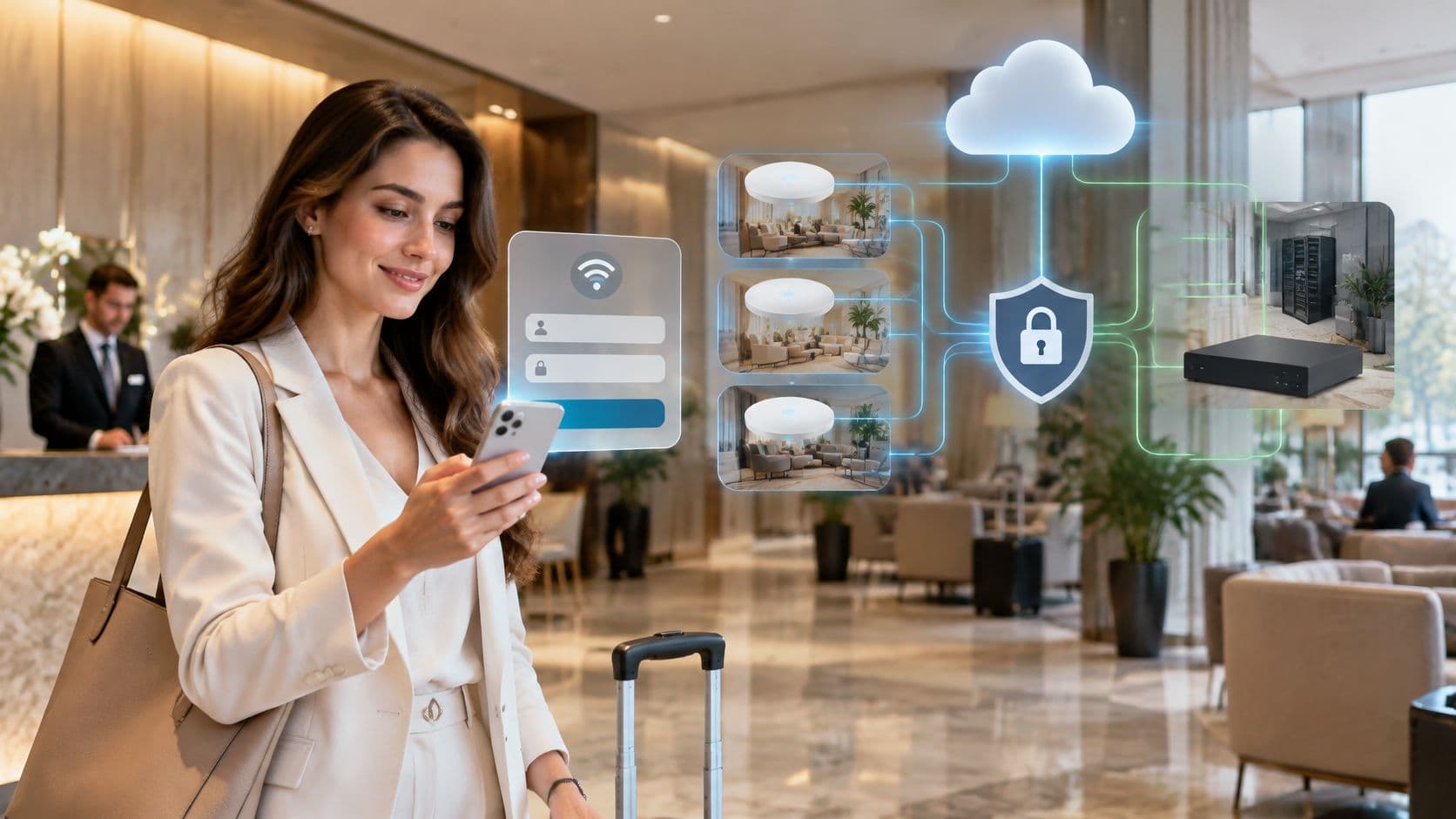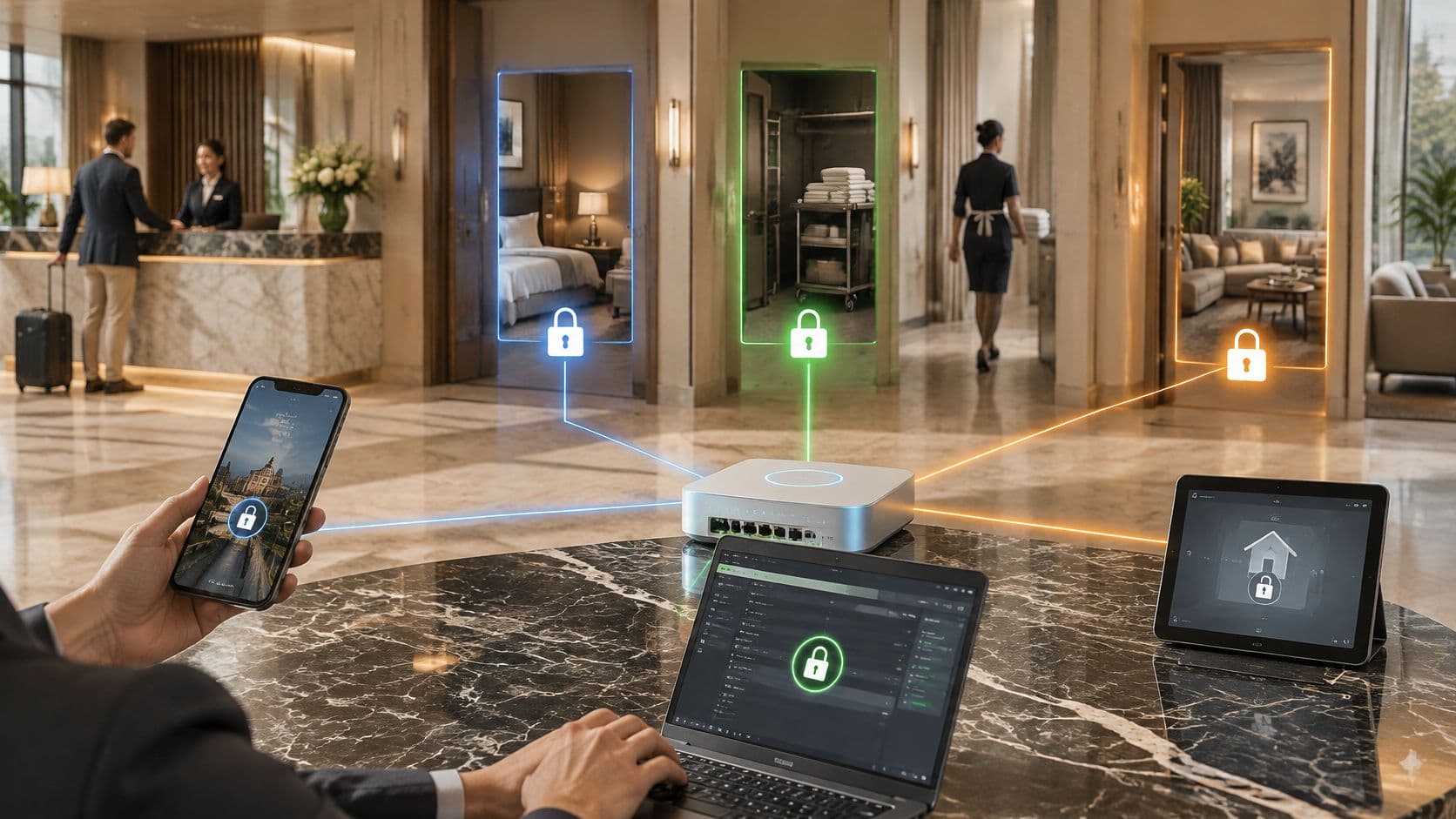
Mobile device management (MDM) WiFi architecture planner
Model device fleet enrollment, automated SCEP certificate distribution, 802.1X EAP-TLS profiles, and zero-trust quarantine policies across Apple, Android, and Windows endpoints.
1. Fleet device composition
2. PKI & WiFi security policies
What this credential segments on: Per-device certificate, VLAN assigned by RADIUS at association, re-evaluated on posture change. A non-compliant endpoint is moved automatically with a RADIUS Change of Authorization, which is where the 774 hours a year of desk-side investigation go.
Automated SCEP / EST Certificate Lifecycle Architecture
Instead of distributing shared preshared keys (PSKs) that risk enterprise credential leaks whenever staff depart, Mobile Device Management coordinates cryptographic identity enrollment:
- Automated Enrollment: Device enrolls via Apple Automated Device Enrollment (DEP), Android Zero-Touch, or Windows Autopilot directly out of the box.
- SCEP Challenge Issuance: MDM server issues a one-time cryptographic challenge token to the device payload.
- Key Generation on Device: The mobile device generates a private key in its hardware secure element (Secure Enclave on iOS, Android KeyStore, or TPM on Windows) and creates a Certificate Signing Request (CSR).
- Certificate Installation: SCEP gateway validates the challenge against MDM, signs the certificate via Cloud PKI, and injects the certificate into the device keystore.
- 802.1X EAP-TLS Association: The mobile device associates with enterprise WiFi using bidirectional TLS handshake, completely bypassing vulnerable user passwords.
Mobile device management is the system IT teams use to enroll, configure, secure and remotely control cell phones, tablets and laptops at scale, including remote wipe when a device is lost. In the US, that's no longer a niche practice: 166 permanent job vacancies cited Mobile Device Management skills in the 6 months to 7 July 2025, representing 0.28% of all permanent US job adverts, with a median annual salary of $50,000.
A hotel duty manager leaves a work cell phone at the end of a shift. A nurse uses a personal handset to check a schedule. A contractor arrives on site with their own tablet and needs WiFi now, not after a long help desk process. Most organizations don't have one neat, uniform fleet. They have a mix of corporate devices, personal devices, shared tablets, temporary users and frontline teams who can't stop work for a complicated enrollment journey.
That's where people often get stuck with the question what is mobile device management. They expect a list of technical features. What they really need is a practical model for controlling access, protecting data, and keeping mobile work usable when ownership is messy.
Introduction to Mobile Device Management in Modern Workplaces
A hotel duty manager finishes a late shift and leaves a work phone behind at reception. On another floor, a contractor arrives with a personal tablet and needs WiFi before the first guest check-ins begin. In a care setting, a nurse checks a schedule on a personal cell phone between rounds. These are not edge cases. They are normal operating conditions for modern workplaces.
Mobile device management matters because very few organizations run a tidy, single-owner device estate anymore. They run a mixed estate. Corporate cell phones sit alongside BYOD, shared tablets, temporary staff devices and contractor endpoints. The question is not only how to secure a cell phone. It is how to decide which person, on which device, gets access to which network and data, for how long.
The UK Government Security policy for mobile device management reflects that operational reality. It requires organizations to be able to enforce remote wipe on corporate devices and treats MDM as a baseline control for handling mobile risk.
A plain English definition
MDM is the central system IT teams use to enroll, configure, secure and control smartphones, tablets and laptops at scale.
A simple way to view it is as a rules engine for mobile access. Instead of setting up every device by hand, IT defines policies once, ties them to users, ownership type and risk, and applies them consistently across the estate.
That distinction matters.
In practice, MDM is not only about the handset. It sits between identity, device trust, apps and network access. A corporate-owned iPhone used by a hotel supervisor should not be treated the same way as a personal Android cell phone used by a temporary worker, even if both need internet access on the same site. Good mobile management recognizes that difference and applies the right level of control.
Practical rule: if a device can reach business apps, staff WiFi, guest operations systems or sensitive data, it needs a clear access decision.
Why workplaces struggle without it
The problem usually starts with a gap between ownership and access. A device may belong to the business, the employee, an agency worker or a third-party supplier. Yet all of them may still need some form of connectivity. Without MDM, those decisions often get handled through shared passwords, one-off exceptions or manual setup. That is hard to control and even harder to reverse quickly.
Analysts at the government found in the cyber security breaches survey that many US organizations continue to deal with breaches and attacks. At the same time, mobile access is routine for staff, contractors and frontline teams. The operational risk is straightforward. Access spreads faster than governance.
A useful analogy is a building with different kinds of visitors. Full-time staff may need a permanent badge. Agency workers may need a badge that expires after a week. Guests may only need access to public areas. Devices work the same way. One policy does not fit every ownership model, and one WiFi password certainly does not.
Mixed ownership changes the MDM conversation
This is why feature lists alone miss the point. Busy admins rarely struggle to understand what remote wipe or passcode enforcement means. They struggle to apply policy fairly and quickly across mixed ownership models without slowing the business down.
The common device groups usually look like this:
- Corporate-owned devices need standard setup, app delivery, policy enforcement and a clean retirement process.
- BYOD devices need clear boundaries so work access is protected without overreaching into personal data.
- Shared, kiosk and temporary devices need fast sign-in, fast reassignment and equally fast access removal.
- Contractor and partner devices often need limited network access tied to identity and time, not broad internal access.
For hospitality, healthcare and multi-tenant sites, this becomes even more important. The device is only one part of the control problem. The other part is the network. If MDM can confirm who the user is, what type of device they have and whether it meets policy, WiFi access can become passwordless and conditional instead of shared and permanent. That closes a gap many organizations still carry for venue staff, roaming clinicians, seasonal workers and third-party teams.
Used well, MDM gives IT and operations a practical way to govern that mixed reality. It turns mobile access from a collection of exceptions into a controlled system based on identity, device state and business need.
Understanding How Mobile Device Management Works
MDM works a bit like an air traffic control tower. The tower doesn't fly the aircraft. It coordinates movement, enforces rules and keeps a clear view of what's active, what's compliant and what needs intervention.
The same pattern applies to mobile estates. An admin uses a management console to define policies. The device receives those policies through the operating system's management framework. Once enrolled, the device can report status back and accept approved commands over the air.
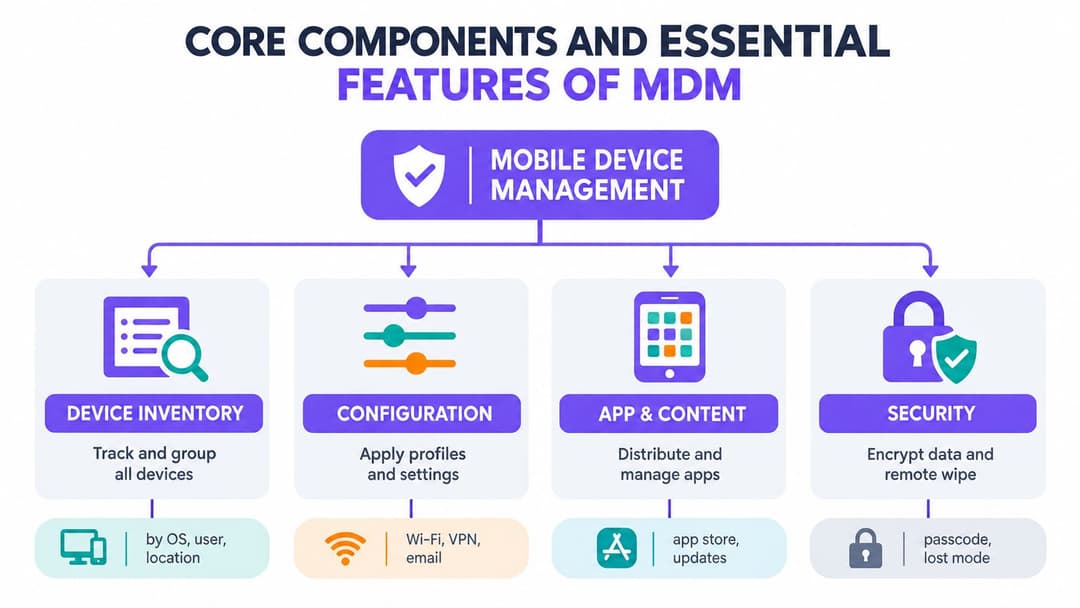
Mobile device management is not a single app on a phone. It's an operating model for enrollment, policy delivery, compliance checking and remote action across a whole fleet.
The operational loop
Most MDM deployments follow the same basic loop.
Enroll the device
The device is registered to the organization's management system. This can happen during first setup on a company-owned device or through a user-led flow on a personal device.Identify the device and user
The platform records key details such as ownership type, operating system, user assignment and management state.Apply configuration
The MDM pushes settings like WiFi, email, VPN, certificates, passcode rules or app restrictions.Manage apps and content
IT distributes required apps, updates them, and can remove business apps when access should end.Monitor compliance
The system checks whether the device still meets policy. If it doesn't, admins can limit access or trigger remediation.Retire or wipe
When a device is lost, replaced or no longer authorized, the organization removes data or resets the device according to ownership rules.
Where readers often get confused
People often assume MDM means full surveillance. It doesn't have to. What MDM can do depends on the platform, ownership model, and the policy choices your organization makes. A personally owned cell phone enrolled for work access should not be treated the same way as a fully managed corporate handset.
Another common misunderstanding is that MDM only matters for the device itself. In practice, the bigger value is what the device enables. Email. Clinical systems. Staff applications. Secure WiFi. Building access workflows. If those services trust the device, the device has become part of your security boundary.
Why Android guidance matters in the US
The Cybersecurity and Infrastructure Security Agency says organizations should choose an MDM service that matches the device estate and technical approach, and it explicitly advises that organization-managed devices should use MDM to enforce consistent policies on Android in its mobile device management guidance. That's a useful reminder that MDM isn't one-size-fits-all. The platform should match the devices you run, not the devices a vendor brochure wishes you had.
Core Components and Essential Features of MDM
If the previous section described the loop, this one is about the parts inside the machine. A useful MDM platform isn't defined by a long feature sheet. It's defined by whether it can support the controls your organization needs across different device types and ownership models.
Device inventory and grouping
Inventory is the foundation. If you don't know what devices exist, who uses them and how they're classified, every other control becomes guesswork.
Good inventory does more than count devices. It groups them by practical attributes such as:
- Ownership model such as corporate-owned, BYOD or shared
- Role such as nurse, concierge, janitor, contractor or resident support
- Risk profile such as access to sensitive apps or privileged admin tools
- Location such as property, ward, branch or venue
A hotel may manage guest-facing tablets differently from back-office supervisor cell phones. A hospital may need a separate policy group for shared clinical carts. Grouping lets IT apply the right control to the right context instead of forcing every device into one rigid baseline.
Configuration and provisioning
Configuration management is where MDM starts saving real admin time. Rather than handing users a setup checklist, IT can push what they need directly to the device.
That typically includes:
- Network settings for secure staff WiFi
- Email and calendar profiles for approved business accounts
- VPN or certificate payloads for protected internal access
- Restrictions that block unwanted changes or risky features
The practical win is consistency. New staff get a usable device quickly. Existing staff stay aligned to policy as settings evolve.
App and content control
Apps are where most users experience MDM for the first time. They open a device and the right tools are already there.
That may include company app stores, silent app deployment, version control and removal of business apps when someone changes role. In mixed estates, this matters because app access often needs to differ by identity, not just by hardware.
For organizations that also need network access aligned with user identity, multi-device access controls help connect that app and access layer to the broader user journey.
A mature MDM design doesn't ask, “Can we push apps?” It asks, “Which user on which device should get which app and which network path?”
Security controls and response actions
Security features are the part most people recognize first, but they only work well when the earlier components are solid.
Common controls include:
- Passcode enforcement
- Encryption requirements
- Lost mode or lock commands
- Selective wipe for work data
- Full remote wipe for corporate devices
The point isn't to collect every possible control. It's to choose controls that reflect ownership and risk. A personally owned doctor's cell phone may need work profile separation. A venue-owned check-in iPad may justify tighter lock-down and full reset capability.
Monitoring and reporting
Reporting turns MDM from a setup project into an operational discipline. Admins need to know which devices are enrolled, which have drifted from policy, and which are due for replacement or retirement.
That visibility also helps during audits, incident response and license reviews. It answers the simple but constant question: what's out there, and is it still under control?
Comparing MDM EMM and UEM for the Right Fit
Teams often buy the wrong category because the acronyms sound interchangeable. They aren't. The fastest way to separate them is by scope.
MDM focuses on managing and securing mobile devices. EMM expands that with mobility services such as app and identity controls. UEM goes broader again and aims to manage many endpoint types from one management framework.
MDM vs EMM vs UEM comparison
| Capability | MDM | EMM | UEM |
|---|---|---|---|
| Core focus | Device configuration and security | Mobile device, app and access management | Unified management across mobile and other endpoints |
| Typical endpoints | Cell phones, tablets, some laptops | Cell phones, tablets, mobility-focused endpoints | Mobile devices, laptops, desktops and broader endpoint sets |
| App management depth | Basic to moderate | Stronger mobile app lifecycle and policy control | Broader cross-endpoint app governance |
| Identity integration | Often present, sometimes limited | More central to the design | Usually integrated across endpoint categories |
| Best fit | Organizations needing solid device control fast | Teams with complex mobile workflows and BYOD needs | Environments that want one framework for many endpoint types |
| Common buyer question | How do we secure and wipe devices? | How do we manage mobile work end to end? | How do we standardize endpoint operations across the estate? |
When MDM is enough
MDM on its own is often enough when your main priority is:
- Securing corporate mobile devices
- Pushing WiFi, email, and certificate profiles
- Applying passcode, encryption, and wipe policies
- Managing a defined mobile fleet without broad desktop convergence
That's common in venue operations, hospitality groups, healthcare teams and smaller distributed businesses where mobile access is the main concern.
When EMM or UEM makes more sense
You'll usually need to step up from basic MDM if your challenge is less about hardware and more about work context.
EMM is a better fit when you need stronger separation between personal and work use, deeper mobile app lifecycle control, and more identity-led policy decisions. UEM makes sense when your organization wants one operating model across cell phones, tablets, laptops, and desktops, often with a central endpoint strategy.
Buy for the estate you actually run. Don't buy a platform because it promises to manage everything if your real problem is that shared iPads and BYOD phones reach staff WiFi with weak controls.
The decision isn't about prestige. It's about matching the tool to the problem. Many teams do well with a focused MDM plus strong identity and network integration rather than a huge endpoint stack they only partly use.
Deployment Models and Network Identity Integration
The hardest part of MDM usually isn't clicking the settings. It's choosing the right enrollment path for each ownership model, then linking device trust to network access in a way users can live with.
Choose the enrollment model by ownership
A mixed estate needs more than one deployment pattern.
- Corporate-owned dedicated devices usually suit zero-touch or pre-assigned enrollment. IT can enforce the full policy set from first boot.
- BYOD devices need a lighter touch. The goal is controlled access to work resources without turning a personal cell phone into a fully surveilled company asset.
- Shared frontline devices need speed. These devices often rotate between staff, shifts or departments, so sign-in state and app access have to be easy to provision and easy to revoke.
- Temporary staff and contractors need bounded access. Their device posture may vary, so network and application policy should adapt accordingly.
A common mistake is using the strictest model for everyone. That creates user resistance and encourages workarounds.
Why identity matters more than the handset alone
Device management answers part of the trust question. Identity answers the rest.
A compliant device used by the wrong person is still a problem. A known user on an unmanaged device may need limited access, not blanket denial. This is why mature deployments connect MDM with identity providers such as Entra ID, Google Workspace or Okta, then use that combined context for network and application decisions.
That's especially useful on WiFi. Shared passwords age badly. They spread, they're hard to rotate and they don't tell you who is on the network. Identity-based access replaces that with user-aware and device-aware policy.
For teams designing that kind of join-up, identity-based networking is the practical layer between enrollment and secure connectivity.
Passwordless access and certificate-based WiFi
Many MDM guides stop too early. They explain policy enforcement but not the access path users experience every day.
In a better design, the MDM pushes certificates and WiFi profiles to managed devices. The network uses those credentials to recognize the device and the user without shared passwords. For less managed or legacy scenarios, approaches such as Passpoint or identity-linked private keys can reduce friction while preserving control.
That model helps in sectors where users move constantly:
- Hospitality needs staff devices online quickly across multiple properties
- Healthcare needs trusted access without repeated password prompts during care delivery
- Residential and multi-family spaces need separation between tenants, staff and operational devices
What good rollout looks like
A sound deployment tends to follow this pattern:
- Define ownership classes
- Map each class to an enrollment path
- Connect MDM to identity
- Push certificates and WiFi profiles where appropriate
- Use compliance and identity state to allow, limit or revoke access
That's the point where MDM stops being just a device tool and becomes part of your access architecture.
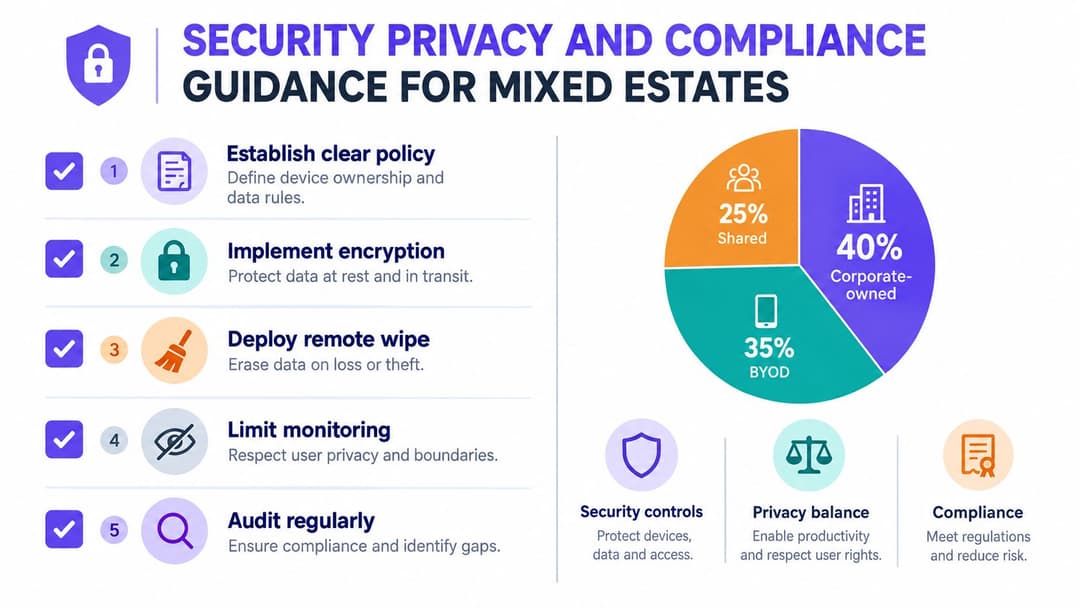
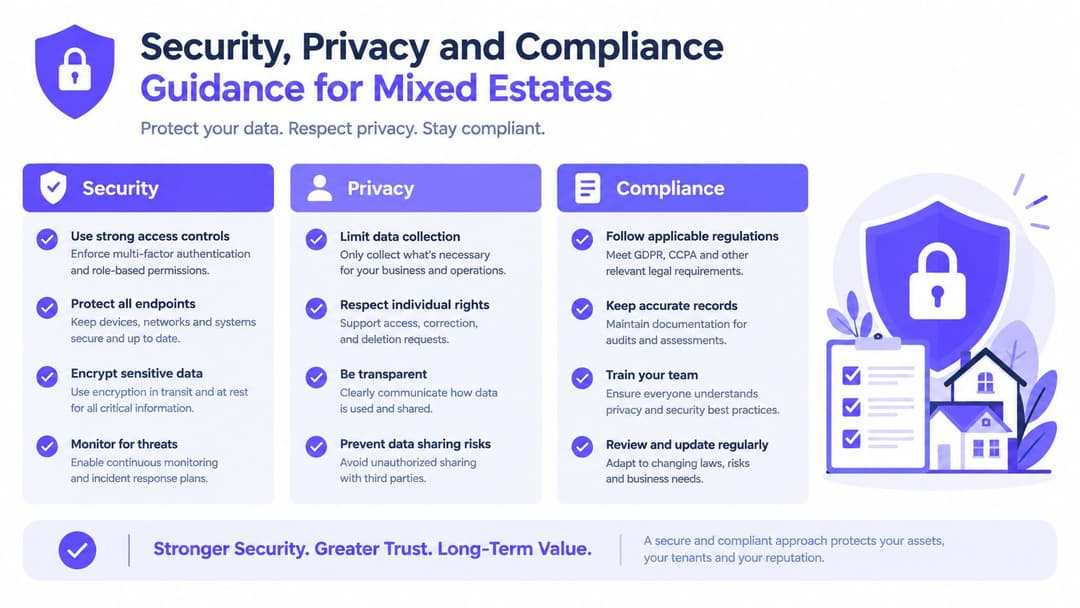
Security Privacy and Compliance Guidance for Mixed Estates
A mixed estate tests whether your MDM design reflects real working life or an idealized diagram. One site may have a doctor using a personal iPhone, a front desk team sharing tablets across shifts, contractors carrying temporary devices, and managers using fully managed corporate phones. If those devices all touch the same apps and WiFi, security, privacy and compliance rules cannot be one-size-fits-all.
Start with trust boundaries
The first question is not which setting to enable in the console. It is where your trust boundary sits for each ownership model.
A personally owned cell phone used for messaging staff should not be treated like a cart-mounted clinical tablet or a venue-issued handset used across multiple properties. The safer approach is to decide, in plain language, what data each class of device may reach, what proof of identity it must present, and what the organization may control in return. As noted earlier, many organizations still allow BYOD before they define those rules clearly.
Write policy around decisions people can follow:
- What counts as business data
- Which users and device classes may access it
- What management level is required for each class
- What IT can and cannot see on personal devices
- When selective wipe applies and when full wipe is permitted
- How access changes for temporary staff, contractors and shared devices
Privacy needs to be visible, not implied
Staff usually accept control when the boundary is obvious. Problems start when enrollment feels like handing over the whole phone.
MDM for BYOD works best when it behaves more like a locked work bag inside a private car. IT manages the bag, not the trunk, the music app, or personal photos. In practice, that means separating work data from personal data, collecting only the device information needed for access decisions, and explaining those limits during enrollment instead of burying them in policy text.
Use controls such as:
- Work profiles or containerization to keep business apps and data separate
- Selective wipe to remove business content without touching personal files
- Clear consent language that explains what is monitored
- Minimal data collection tied to security, access and support needs
If your team wants a practical primer on monitoring mobile environments without drifting into overreach, this guide to mobile app tracking for IT teams is a useful companion read.
Compliance has to follow ownership and identity
Compliance in mixed estates is rarely just a device checklist. It is a record of who used the device, what level of assurance applied, and whether the access matched the risk.
That matters in hospitality, healthcare and multi-family environments where devices move between people, locations and roles. A shared tablet at reception may need session controls and quick re-provisioning. A clinician's cell phone may need limited app access and strong identity checks, but no full-device control. A temporary worker may need access for three days and nowhere else.
This is also where MDM and WiFi policy need to agree. If a device falls out of policy, loses its work profile, or no longer matches the user identity attached to it, network access should change with it. For teams designing those guardrails, this enterprise WiFi security guide for identity-led wireless access is a useful reference.
A practical checklist for mixed estates
- Separate policy by ownership model so BYOD, corporate-owned and shared devices do not inherit the same controls.
- Tie access to identity and device state so a valid user on a non-compliant device does not get the same access as a compliant one.
- Reserve full wipe for organization-owned hardware and use selective wipe on personal devices.
- Define special handling for temporary and frontline users because short-term access often becomes a long-term exception.
- Document privacy boundaries in plain language during enrollment and support.
- Review shared-device logs and reassignment processes so accountability survives shift changes and handoffs.
Best Practices and Real World Use Cases That Deliver Results
A good MDM rollout looks less like a feature launch and more like opening a well-run venue. You do not hand every person the same key, give every room the same access rules, and hope people sort it out. You decide who needs what, for how long, on which device, and what should happen when that status changes.
That matters most in mixed estates. A personally owned cell phone, a shared check-in tablet, and a corporate-issued manager device may all connect on the same day, but they should not be governed in the same way. Teams that get results start with that reality, then connect MDM policy to identity and WiFi access so control shows up in day-to-day operations, not just in an admin console.
Practices that keep MDM useful after go-live
- Start with one practical workflow. Pick a device group or site where the pain is obvious, such as shared tablets at reception or BYOD access for temporary staff. Fix enrollment and support issues there before expanding.
- Build policy around ownership and role. Corporate-owned devices can carry tighter controls. BYOD often needs app-level protection and selective wipe. Shared devices need fast reassignment, short session controls, and clear accountability.
- Connect lifecycle changes to identity. Joiners, movers, leavers, contractors, and agency staff should trigger access changes automatically where possible. If employment status changes, device access and WiFi rights should change with it.
- Explain privacy in plain language. Staff are more likely to enroll personal devices when they understand what IT can see, what IT cannot see, and what happens if the device falls out of policy.
- Make network access reflect device trust. A compliant device should not have the same network path as one that has lost its work profile, missed required updates, or no longer matches the user signed in.
What successful deployments look like on the ground
In hospitality, the pressure point is often speed. Front desk teams share tablets across shifts. Managers carry organization-owned cell phones. Seasonal workers may use their own devices for scheduling or team communication. MDM keeps those device types on separate policy tracks, while identity-driven WiFi removes the habit of passing around a single staff password that remains active long after a contract ends.
Healthcare usually has a sharper line between communication access and clinical access. A clinician's cell phone might be allowed to run approved apps with limited data exposure, while a ward device needs tighter controls, stronger authentication, and a fast reset between users. The point is not more restriction everywhere. The point is matching control to risk and role.
Multi-family operators have a different problem. Staff devices, maintenance hardware, and resident or guest connectivity all live in the same physical environment, but they should not inherit the same trust assumptions. MDM paired with identity-based WiFi separates those groups cleanly, so onboarding a contractor or reassigning a building device does not turn into a manual network exception every time.
The measurable outcome
The value of MDM shows up when routine events stop becoming special cases.
A lost device can be retired quickly. A shared tablet can be reset and handed to the next shift without carrying the previous user's access. A temporary worker can receive time-limited access that expires as planned. A personal device can keep work data protected without giving IT full control of the entire cell phone.
For hospitality, healthcare, and multi-tenant operators, that is the practical answer to what is mobile device management. It is the control layer that makes mobile access governable across mixed ownership, changing roles, and network environments where identity and device trust need to stay aligned.
Purple provides passwordless WiFi access and identity-based networking for guests, staff and multi-family environments, and it can sit alongside your MDM strategy to connect device trust with secure network access. If you're working through BYOD, shared devices or certificate-based staff WiFi, visit Purple to see how it fits into a practical mobile access design.