Wireless access point deployment and capacity advisor
Calculate access point density requirements, switch PoE wattage budgets, and cabling uplink speeds for high-density venues, corporate offices, healthcare estates, and hospitality spaces.
Governed by density needs (23 density vs 18 coverage).
Average 55 devices per access point at peak capacity.
Requires 802.3at PoE+ (Class 4, 30W switchport).
Saves 90 hours annually via automated channel planning.
Provision your access layer switches with 10 GbE SFP+ fiber aggregate uplink to prevent bottlenecking aggregate multi-gigabit wireless traffic. Ensure switch power supplies maintain an active reserve of at least 750W to accommodate simultaneous AP startup transients.
Copy this formatted hardware specification for cabling contractors and infrastructure proposals.
Ready to secure and optimise your wireless estate?
Purple integrates with leading enterprise access point vendors to deliver captive portal security and visitor analytics.
কাগজে-কলমে আপনার ইন্টারনেট সার্কিট ঠিকঠাক দেখায়। কর্মীরা একটি স্পিড টেস্ট করতে পারেন যা স্বাস্থ্যকর বলে মনে হয়। তারপর যখন লবি ভরে যায়, চেক-ইন তুঙ্গে পৌঁছায়, কার্ড টার্মিনাল দ্বিধাদ্বন্দ্ব করে, অতিথিরা WiFi পাসওয়ার্ড চাওয়া শুরু করে এবং ক্যাফেতে ভিডিও কলগুলি স্থবির হতে শুরু করে।
সেটি এমন একটি মুহূর্ত যখন বেশিরভাগ ভেন্যু বুঝতে পারে যে তাদের কভারেজের কোনো সমস্যা নেই। তাদের একটি অ্যাক্সেস লেয়ারের সমস্যা রয়েছে।
ইনডোর কানেক্টিভিটির কেন্দ্রবিন্দুতে এখনও রয়েছে ওয়্যারলেস অ্যাক্সেস পয়েন্ট, কিন্তু যেভাবে আপনি এগুলোর পরিকল্পনা করেন তা বদলে গেছে। বেশিরভাগ ভেন্যুতে আগে প্রশ্ন থাকত "ব্যবহারকারীরা কি সিগন্যাল পাচ্ছেন?" এখন আরও ভালো প্রশ্ন হলো "নেটওয়ার্ক কি ব্যস্ত সময়ের চাহিদা নিরাপদে পরিচালনা করতে পারে, মসৃণ রোমিং সহ, কর্মীদের জন্য কোনো অ্যাডমিন ঝামেলা তৈরি না করে?"
কেন আপনার ভেন্যুর WiFi-এর জন্য কেবল কভারেজের চেয়েও বেশি কিছুর প্রয়োজন
অনেক অ্যাক্সেস পয়েন্ট ওয়্যারলেস কেনার সিদ্ধান্ত এখনও একটি ফ্লোর প্ল্যান এবং হিটম্যাপ দিয়ে শুরু হয়। এটি দরকারী, কিন্তু সম্পূর্ণ নয়। একটি ভেন্যুর প্রতিটি কোণায় সিগন্যাল থাকতে পারে এবং তাও ঠিক সেই মুহূর্তে এটি দুর্বল WiFi পারফরম্যান্স দিতে পারে যখন ব্যবসার এটি সবচেয়ে বেশি প্রয়োজন।
যুক্তরাজ্যে, জানুয়ারি ২০২৫ এর মধ্যে ৯৮% প্রতিষ্ঠান গিগাবিট-ক্ষমতাসম্পন্ন ব্রডব্যান্ড এবং ৭২% ফুল-ফাইবার সংযোগের আওতায় এসেছে, তাই অনেক সাইটের ভেতরের সীমাবদ্ধতা এখন আর WAN লিঙ্ক নয়। এটি মূলত সর্বোচ্চ ব্যবহারের সময়ে প্রতিটি AP কতজন ব্যবহারকারী, ডিভাইস এবং অ্যাপ্লিকেশন সমর্থন করতে পারে তার ওপর নির্ভর করে। অন্য কথায়, অ্যাক্সেস লেয়ারটিই প্রায়শই সীমাবদ্ধতার মূল কারণ হয়ে দাঁড়ায় (যুক্তরাজ্যের গিগাবিট এবং ফুল-ফাইবার প্রাপ্যতা নিয়ে Made By WiFi এর আলোচনা)।
কভারেজ ব্যর্থতা আড়াল করতে পারে
একটি হোটেলের করিডোর এর ভালো উদাহরণ হতে পারে। আপনি একটি শক্তিশালী AP স্থাপন করে অনেক দূর পর্যন্ত রুমগুলোতে সিগন্যাল পৌঁছে দিতে পারেন। এটি দেখতে সাশ্রয়ী মনে হতে পারে। তবে বাস্তবে, এটি প্রায়শই অসমান পারফরম্যান্স, স্টিকি ক্লায়েন্ট আচরণ এবং দূরবর্তী প্রান্তগুলোতে দুর্বল আপলিংক কোয়ালিটির সৃষ্টি করে।
একটি লবির ক্ষেত্রে সমস্যাটি সম্পূর্ণ বিপরীত। সিগন্যাল পাওয়া সহজ। ক্যাপাসিটি বজায় রাখা কঠিন। মানুষ একাধিক ডিভাইস নিয়ে আসেন, তাৎক্ষণিক কানেক্টিভিটি আশা করেন এবং প্রায়শই কর্মীদের সিস্টেম, পেমেন্ট ডিভাইস এবং বিল্ডিং সার্ভিসের পাশাপাশি একই সময়ে তাদের এটির প্রয়োজন হয়।
ব্যবহারিক নিয়ম: ব্যবহারকারীরা যদি সংযোগ করতে পারেন তবে অভিযোগ করেন যে ব্যস্ত সময়ে নেটওয়ার্ক ধীর বা অবিশ্বাস্য, তবে প্রথমে রেঞ্জ নিয়ে কথা বলা বন্ধ করুন। এয়ারটাইম, ক্লায়েন্ট ডেনসিটি, আপলিংক ডিজাইন এবং অনবোর্ডিং দিয়ে শুরু করুন।
ব্যবসায়িক সমস্যাটি অভিজ্ঞতার সাথে জড়িত, সিগন্যাল বারের সাথে নয়
ভেন্যু অপারেটররা সাধারণত তিনটি ফলাফলের ওপর গুরুত্ব দেন:
- অতিথির অভিজ্ঞতা: মানুষ বারবার লগইন বা বিভ্রান্তিকর নির্দেশাবলী ছাড়াই দ্রুত, কম-ঝামেলাপূর্ণ অ্যাক্সেস চান।
- নিরাপত্তা: কর্মী, অতিথি এবং IoT ডিভাইসগুলোর একই ট্রাস্ট মডেল শেয়ার করা উচিত নয়।
- কার্যক্ষম দক্ষতা: নেটওয়ার্ক টিমের পুরো সপ্তাহ পাসওয়ার্ড রিসেট করা, অননুমোদিত ডিভাইস ট্র্যাক করা বা কেন "ফুল সিগন্যাল" থাকার পরেও সমস্যা হচ্ছে তা ব্যাখ্যা করার পেছনে ব্যয় করা উচিত নয়।
এই কারণেই কনজিউমার সমাধানগুলো খুব কমই স্কেল করতে পারে। WiFi এক্সটেন্ডার বনাম রিপিটারের তুলনা এই ব্যবধানটি বুঝতে সাহায্য করে। সেই সরঞ্জামগুলো সিগন্যালকে প্রসারিত করতে পারে, কিন্তু সেগুলো সেগমেন্টেশন, আইডেন্টিটি, নিয়ন্ত্রিত রোমিং এবং ঘন ক্লায়েন্ট হ্যান্ডলিংয়ের মতো এন্টারপ্রাইজ সমস্যার সমাধান করে না।
আপনি যদি কোনো হোটেল, হাসপাতাল, বাসস্থান, অফিস বা মিশ্র-ব্যবহারের সাইট পরিচালনা করেন, তবে লক্ষ্য কেবল ব্ল্যাঙ্কেট সিগন্যাল নয়। এটি হলো লোডের অধীনে অনুমানযোগ্য পারফরম্যান্স।
একটি ওয়্যারলেস AP-এর মূল উপাদানগুলি বোঝা
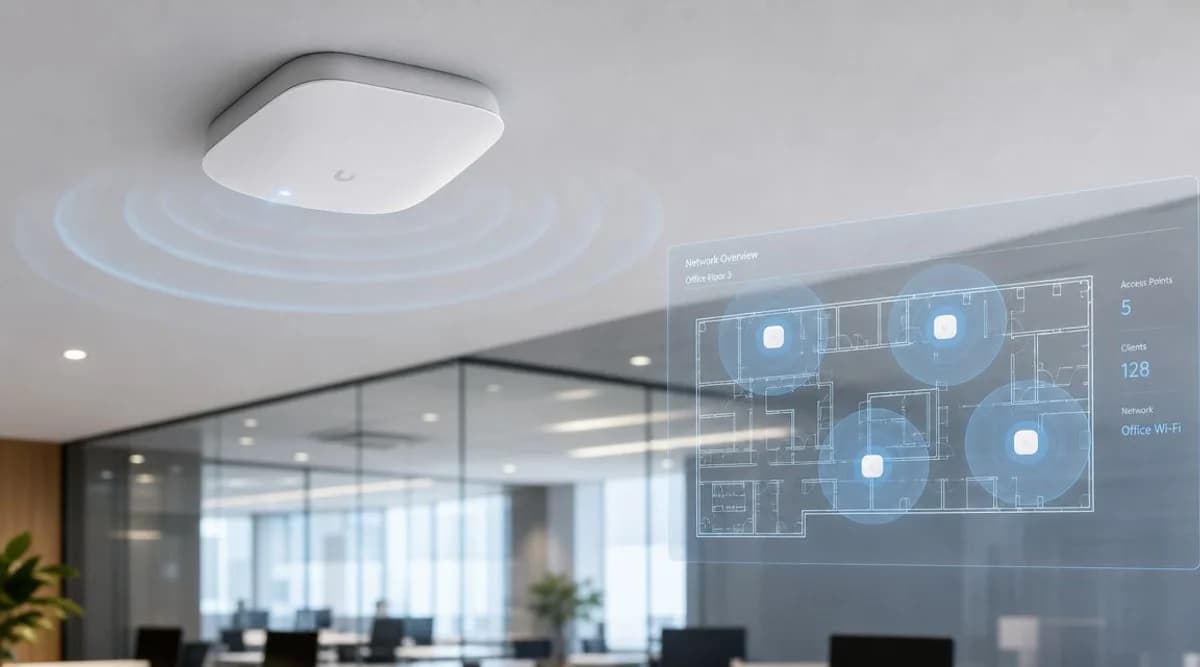
একটি ওয়্যারলেস AP-কে আপনার বিল্ডিংয়ের জন্য একটি ছোট সেল সাইট হিসাবে ভাবুন। এটি ফোন, ল্যাপটপ, স্ক্যানার, টিভি, সেন্সর এবং টার্মিনালের সাথে WiFi-এ যোগাযোগ করে। তারপরে এটি সেই ট্র্যাফিকটিকে ওয়্যার্ড নেটওয়ার্কে পৌঁছে দেয়, যেখানে পলিসি, রাউটিং এবং অ্যাপ্লিকেশন অ্যাক্সেস ঘটে থাকে।
শেষ অংশটি গুরুত্বপূর্ণ। একটি AP কেবল সিলিংয়ে থাকা কোনো রেডিও নয়। এটি একটি নেটওয়ার্ক এজ ডিভাইস।
আধুনিক মডেলটি ১৯৯৯ সালের IEEE 802.11a এবং 802.11b সংশোধনীতে ফিরে যায়। 802.11b ২.৪ GHz ব্যান্ডে ১১ Mbit/s পর্যন্ত এবং 802.11a ৫ GHz ব্যান্ডে ৫৪ Mbit/s পর্যন্ত গতি প্রদান করেছে, যা মাল্টি-ব্যান্ড পদ্ধতি প্রতিষ্ঠা করে। এটি পরবর্তীতে যুক্তরাজ্যের ভেন্যুগুলোতে হস্তক্ষেপ-প্রতিরোধী স্থাপনার জন্য মানদণ্ড হয়ে ওঠে (অ্যাক্সেস পয়েন্ট এবং ঐতিহাসিক 802.11a/b বেসলাইন সম্পর্কে Cisco-র ওভারভিউ)।
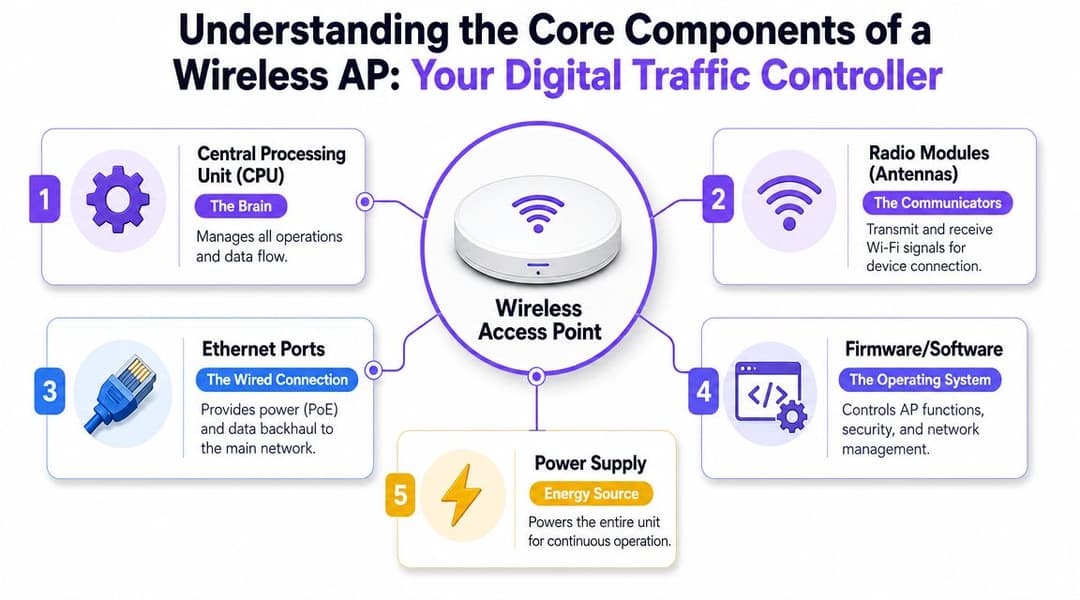
AP-এর ভেতরে কী থাকে
অধিকাংশ এন্টারপ্রাইজ AP একই মূল অংশগুলির চারপাশে তৈরি করা হয়:
- CPU: কন্ট্রোল টাস্ক, প্যাকেট সংক্রান্ত সিদ্ধান্ত, এনক্রিপশন কাজ এবং ম্যানেজমেন্ট ফাংশন পরিচালনা করে।
- রেডিও মডিউল এবং অ্যান্টেনা: এগুলো উপলব্ধ ব্যান্ডগুলোতে সিগন্যাল পাঠায় এবং গ্রহণ করে এবং এপি কীভাবে ক্লায়েন্ট ডিভাইসগুলোকে পরিষেবা দেবে তা নির্ধারণ করে।
- ইথারনেট পোর্ট: এটি ল্যানের (LAN) সাথে সংযুক্ত ব্যাকহোল তারের সংযোগ। অনেক স্থাপনায় এটি PoE-এর মাধ্যমে বিদ্যুৎ সরবরাহও করে।
- ফার্মওয়্যার এবং সফ্টওয়্যার: অপারেটিং লেয়ার যা সিকিউরিটি, SSIDs, পলিসি, রেডিও সেটিংস এবং টেলিমেট্রি নিয়ন্ত্রণ করে।
- পাওয়ার সিস্টেম: হয় সুইচ থেকে PoE অথবা কিছু ক্ষেত্রে একটি স্থানীয় পাওয়ার অ্যাডাপ্টার।
আপনি যদি অন্তর্নিহিত সংযোগ মডেল সম্পর্কে একটি প্রাথমিক ধারণা চান, তবে Purple-এর ওয়্যারলেস সংযোগ কী সংক্রান্ত ব্যাখ্যাটি কোনো নির্দিষ্ট ভেন্ডর-ভিত্তিক নয় এমন একটি দরকারী শুরুর পয়েন্ট।
ফর্ম ফ্যাক্টর ব্যবহারের ক্ষেত্র পরিবর্তন করে
সব AP ঝুলন্ত সিলিং টাইলে রাখার জন্য উপযুক্ত নয়।
সিলিং-মাউন্ট ইনডোর APs
লবি, বার, ওয়েটিং রুম, রিটেইল ফ্লোর এবং অফিসের মতো খোলা জায়গার জন্য এগুলো ডিফল্ট। এগুলো সাধারণত কভারেজ প্যাটার্ন, ক্যাবল ম্যানেজমেন্ট এবং সার্ভিসিবিলিটির সর্বোত্তম ভারসাম্য প্রদান করে।
ওয়াল-প্লেট APs
এগুলি গেস্ট রুম, স্টুডেন্ট অ্যাকোমোডেশন এবং অ্যাপার্টমেন্টের জন্য উপযুক্ত যেখানে আপনি কম ক্লায়েন্ট দূরত্ব, নিয়ন্ত্রিত রুম-স্তরের কভারেজ এবং একটি বিচক্ষণ ইনস্টল চান। করিডোর থেকে সিগন্যাল দেওয়ার চেষ্টা করার চেয়ে এগুলি প্রায়শই বেশি কার্যকর হয়।
আউটডোর APs
টেরেস, উঠান, পরিবহন প্ল্যাটফর্ম বা প্রবেশপথের লাইনের জন্য এগুলো ব্যবহার করুন। ঘের এবং অ্যান্টেনার ডিজাইনটি আবহাওয়া, তাপমাত্রার ওঠানামা এবং আরও জটিল প্রতিফলনের জন্য তৈরি করা হয়েছে।
একটি ভালো AP নির্বাচন শুরু হয় ঘর, ডিভাইস মিক্স এবং অপারেশনাল মডেল দিয়ে। এটি ডেটাশিটের সর্বোচ্চ হেডলাইন স্পিড দিয়ে শুরু হয় না।
Controller বনাম Cloud-Managed Access Points
প্রথম আর্কিটেকচার পছন্দটি সাধারণত ব্র্যান্ডের হয় না। এটি হলো ম্যানেজমেন্ট মডেল।
কিছু প্রতিষ্ঠান এখনও কন্ট্রোলার-ভিত্তিক ডিজাইন পছন্দ করে, বিশেষ করে যেখানে স্থানীয় নিয়ন্ত্রণ, কঠোরভাবে নিয়ন্ত্রিত পরিবর্তন প্রক্রিয়া বা বিদ্যমান নেটওয়ার্কের মানদণ্ড সিদ্ধান্তকে প্রভাবিত করে। অন্যরা ক্লাউড-পরিচালিত এপি-তে স্থানান্তরিত হচ্ছে কারণ তারা দ্রুত স্থাপনা, একাধিক সাইট জুড়ে সহজ ভিজিবিলিটি এবং রক্ষণাবেক্ষণের জন্য কম অন-প্রেম হার্ডওয়্যার চায়।
কোনো মডেলই স্বয়ংক্রিয়ভাবে সঠিক নয়। সঠিক উত্তরটি নির্ভর করে প্রতিদিন কে নেটওয়ার্কটি পরিচালনা করবেন তার ওপর।
বাস্তবে কন্ট্রোলার-ভিত্তিক AP-গুলি দেখতে কেমন হয়
একটি কন্ট্রোলার-ভিত্তিক এস্টেট ডেডিকেটেড অন-প্রেম হার্ডওয়্যার বা সফ্টওয়্যারে কেন্দ্রীয় ওয়্যারলেস ইন্টেলিজেন্স বজায় রাখে। AP-গুলো এখনও রেডিওর কাজ করে, তবে পলিসি, সমন্বয় এবং প্রশাসন স্থানীয়ভাবে নোঙর করা থাকে।
এটি তখন ভালো কাজ করতে পারে যখন IT টিম ইতিমধ্যেই একটি পরিপক্ক ক্যাম্পাস পরিবেশ পরিচালনা করে এবং আপগ্রেড, রক্ষণাবেক্ষণ উইন্ডো এবং অভ্যন্তরীণ সিস্টেমগুলির সাথে ইন্টিগ্রেশনের উপর সরাসরি নিয়ন্ত্রণ চায়। এটি কঠোর অভ্যন্তরীণ গভর্নেন্স থাকা সাইটগুলির জন্যও উপযুক্ত হতে পারে।
এর সুবিধা-অসুবিধা হলো অপারেশনাল ওভারহেড। কাউকে কন্ট্রোলার রক্ষণাবেক্ষণ করতে হবে, এর স্থিতিস্থাপকতা পরিকল্পনা করতে হবে, এটি প্যাচ করতে হবে, এটি পর্যবেক্ষণ করতে হবে এবং লাইফসাইকেল খরচ হিসাব করতে হবে।
ক্লাউড-ম্যানেজড AP যে পরিবর্তনগুলি আনে
ক্লাউড-ম্যানেজড সিস্টেমগুলো ম্যানেজমেন্ট প্লেনটিকে একটি ভেন্ডর-হোস্টেড ড্যাশবোর্ডে স্থানান্তরিত করে। আপনি এখনও সাইটে AP ইনস্টল করেন, তবে অ্যাডমিনিস্ট্রেশন, ভিজিবিলিটি এবং অনেক পলিসি কন্ট্রোল রিমোটলি পরিচালনা করা হয়।
এটি আতিথেয়তা গ্রুপ, রিটেল চেইন, স্টুডেন্ট অ্যাকোমোডেশন প্রদানকারী এবং লীন IT টিম সহ বিতরণ করা এস্টেটের জন্য উপযুক্ত। একটি ছোট টিম ভ্রমণ না করেই একাধিক সাইট জুড়ে টেমপ্লেট রোল আউট করতে পারে, ডিভাইসের স্বাস্থ্য পর্যালোচনা করতে পারে এবং পরিবর্তন করতে পারে।
এর একমাত্র নেতিবাচক দিক হলো ভেন্ডরের ম্যানেজমেন্ট মডেল, রিলিজ ক্যাডেন্স এবং লাইসেন্সিং পদ্ধতির ওপর নির্ভরশীলতা।
Controller বনাম Cloud-Managed APs - এর মূল পার্থক্যসমূহ
| বিষয় | কন্ট্রোলার-ভিত্তিক (Controller-Based) | ক্লাউড-পরিচালিত (Cloud-Managed) |
|---|---|---|
| ব্যবস্থাপনার অবস্থান | অন-প্রেম কন্ট্রোলার বা স্ব-হোস্ট করা প্ল্যাটফর্ম | ভেন্ডর ক্লাউড ড্যাশবোর্ড |
| দৈনন্দিন কার্যক্রম | বেশি ব্যবহারিক কাজ প্রয়োজন, অভ্যন্তরীণ ওয়্যারলেস বিশেষজ্ঞ দলগুলোর জন্য ভালো | ছোট বা বিভিন্ন স্থানে ছড়িয়ে থাকা দলগুলোর জন্য সহজ |
| মাল্টি-সাইট রোলআউট | সম্ভব, তবে মানসম্মত করা এবং রক্ষণাবেক্ষণ করা সাধারণত কঠিন | সাধারণত অনেকগুলো ভেন্যুতে সহজে টেমপ্লেট প্রয়োগ করা যায় |
| পরিবর্তন নিয়ন্ত্রণ (Change control) | আপডেট এবং সময়ের ওপর সরাসরি স্থানীয় নিয়ন্ত্রণ বেশি থাকে | দ্রুত রিমোট অ্যাডমিনিস্ট্রেশন, তবে ভেন্ডর কাঠামোর মধ্যে |
| প্রাথমিক অবকাঠামো খরচ | বেশি, কারণ কন্ট্রোলারের ক্ষমতা এবং স্থিতিস্থাপকতা আগে থেকে পরিকল্পনা করতে হয় | কম অন-প্রেম ফুটপ্রিন্ট |
| ত্রুটি সমাধানের ধরণ | প্ল্যাটফর্মটি ভালোভাবে পরিচালিত হলে গভীর স্থানীয় ভিজিবিলিটি পাওয়া যায় | শক্তিশালী রিমোট ভিজিবিলিটি এবং সাপোর্ট দলগুলোর জন্য সহজ অ্যাক্সেস |
| সবচেয়ে উপযুক্ত | বড় ক্যাম্পাস, কঠোরভাবে নিয়ন্ত্রিত এন্টারপ্রাইজ প্রাঙ্গণ | হোটেল, খুচরা বিক্রেতা গ্রুপ, বিভিন্ন ধরণের সাইট অপারেটর, ছোট আইটি দল |
ভেন্যুগুলির জন্য আসলে যা কার্যকর
একটি শক্তিশালী অভ্যন্তরীণ নেটওয়ার্ক টিমের সাথে একক হাই-টাচ সাইটের জন্য, কন্ট্রোলার-ভিত্তিক সেটআপ এখনও একটি বুদ্ধিমান বিকল্প হতে পারে।
একাধিক প্রপার্টি পরিচালনা করা একটি ব্যবসার জন্য, ক্লাউড-ম্যানেজড সমাধান প্রায়শই ধারাবাহিকতার দিক থেকে জয়ী হয়। SSID পরিবর্তন করা, AP-এর কার্যকারিতা পর্যালোচনা করা এবং দূরবর্তীভাবে একটি সাইটকে সমর্থন করার ক্ষমতা সাধারণত ম্যানেজমেন্ট স্ট্যাকের প্রতিটি উপাদানের মালিকানা থাকার চেয়ে বেশি গুরুত্বপূর্ণ।
ভুলটি হলো কেবল স্টিকারের দাম দেখে নির্বাচন করা। আসল খরচ লুকিয়ে থাকে প্ল্যাটফর্মটি ভালোভাবে পরিচালনা করার জন্য কতজন লোকের প্রয়োজন হয় তার মধ্যে।
পারফরম্যান্সের জন্য মূল AP স্পেসিফিকেশনগুলি ডিকোড করা
AP ডেটাশিটগুলো এমন সব শব্দে পূর্ণ যা শুনতে আকর্ষণীয় লাগে এবং প্রায়শই আসল প্রশ্নটিকে লুকিয়ে রাখে। ভেন্যুটি যখন ব্যস্ত থাকবে তখন এর অর্থ কী দাঁড়াবে?
সেই দৃষ্টিকোণ থেকে স্পেসিফিকেশনগুলো পড়া শুরু করুন। "সর্বোচ্চ হেডলাইন রেট কত দ্রুত?" তা নয়, বরং "এই AP আমার ডিভাইস মিক্স, ঘরের আকৃতি এবং পরিষেবার প্রত্যাশার সাথে কতটা ভালোভাবে মানিয়ে নেবে?"
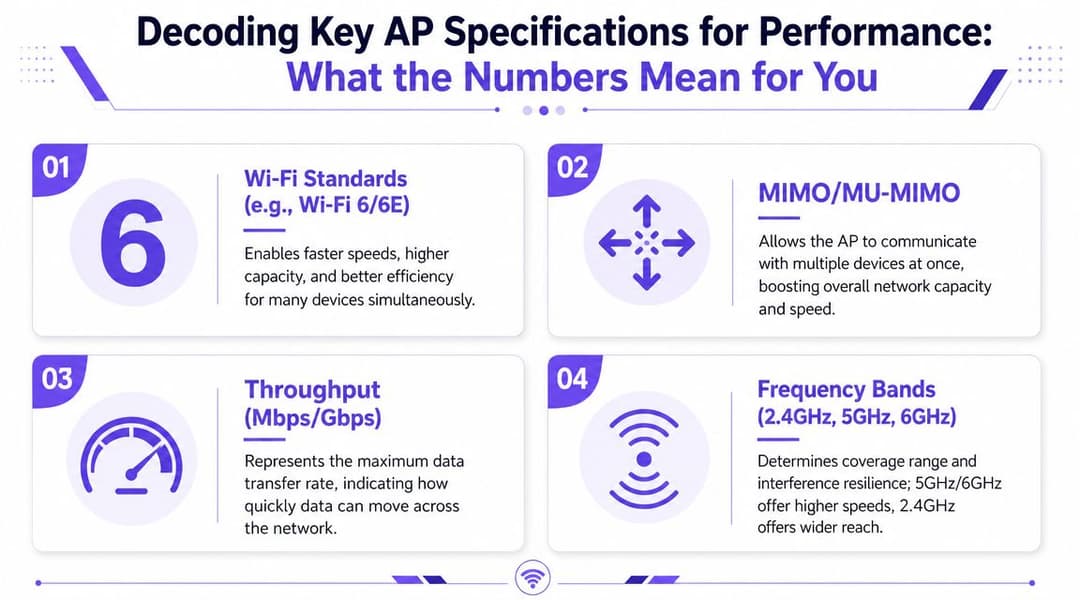
মার্কেটিং লেবেলের চেয়ে ব্যান্ড বেশি গুরুত্বপূর্ণ
সবচেয়ে দরকারী স্পেসিফিকেশন বোঝার জন্য প্রায়শই রেডিও ব্যান্ড স্ট্র্যাটেজিটি দেখতে হয়।
যুক্তরাজ্যে, Ofcom ৫৯২৫ থেকে ৬৪২৫ MHz পর্যন্ত অংশ WiFi ব্যবহারের জন্য উন্মুক্ত করেছে, যা ৫০০ MHz এর একটি পরিচ্ছন্ন স্পেকট্রাম যুক্ত করেছে। এটি অত্যন্ত গুরুত্বপূর্ণ কারণ বৃহত্তর চ্যানেল এবং কম হস্তক্ষেপ ঘনবসতিপূর্ণ ভেন্যুগুলোতে ধারণক্ষমতা বৃদ্ধি করে, যেখানে ভিড়ই প্রধান সমস্যা, কেবল ট্রান্সমিট পাওয়ার নয় (যুক্তরাজ্যে ৬ GHz প্রাপ্যতা এবং এর কর্মক্ষম প্রভাবের সারসংক্ষেপ)।
সহজভাবে চিন্তা করার একটি উপায়:
- 2.4 GHz আরও দূর পর্যন্ত পৌঁছায় এবং বাধা ভেদ করতে পারে, তবে এটি অত্যন্ত জনাকীর্ণ।
- 5 GHz সাধারণত এন্টারপ্রাইজ সক্ষমতার জন্য মূল চালিকাশক্তি হিসেবে কাজ করে।
- 6 GHz উচ্চ-ক্ষমতার ডিজাইনের জন্য আরও পরিষ্কার স্পেস প্রদান করে যেখানে সমর্থিত ক্লায়েন্ট বিদ্যমান রয়েছে।
চারটি স্পেসিফিকেশন যেগুলির দিকে নজর দেওয়া উচিত
WiFi জেনারেশন
WiFi 6 এবং 6E গুরুত্বপূর্ণ কারণ এগুলো একই সাথে অনেক ডিভাইস সক্রিয় থাকলে দক্ষতা উন্নত করে। একটি কনফারেন্স রুম বা ব্যস্ত পাবলিক লাউঞ্জে, একক-ডিভাইসের সর্বোচ্চ গতির পিছনে ছোটার চেয়ে এটি অনেক বেশি গুরুত্বপূর্ণ।
MIMO এবং MU-MIMO
এগুলো বর্ণনা করে যে AP কীভাবে একাধিক স্পেশিয়াল স্ট্রিম এবং একাধিক ক্লায়েন্ট হ্যান্ডেল করে। ব্যবহারিক দিক থেকে, এগুলো সবাইকে নিজের লাইনের জন্য অপেক্ষা করতে বাধ্য করার পরিবর্তে কত দ্রুত একটি AP অনেক ব্যবহারকারীকে পরিষেবা দিতে পারে তা প্রভাবিত করে।
থ্রুপুট পরিসংখ্যান
এগুলি সাবধানে বিবেচনা করুন। ভেন্ডরের দেওয়া সংখ্যাগুলি আদর্শ পরিস্থিতিতে তাত্ত্বিক সর্বোচ্চ সীমা মাত্র। এগুলি আপেক্ষিক অবস্থানের জন্য দরকারী, তবে চেক-ইন করার সময় বা টিকিট বিক্রি হওয়া ইভেন্টের সময় ডেপ্লয়মেন্টটি কেমন কাজ করবে তা আপনাকে জানায় না।
PoE সাপোর্ট
PoE প্রায়শই প্রাথমিক পরিকল্পনার সময় উপেক্ষা করা হয়, যা পরবর্তীতে প্রকল্পের জন্য একটি বড় মাথাব্যথার কারণ হয়ে দাঁড়ায়। সুইচ এস্টেট যদি সঠিক পাওয়ার এবং আপলিংক সাপোর্ট দিতে না পারে, তবে AP আশানুরূপ কাজ করতে পারে না।
ক্লিন স্পেকট্রাম সাহায্য করে। ভালো ইনস্টলেশন আরও বেশি সাহায্য করে। সঠিক সুইচিং এবং পাওয়ার ডিজাইন ঠিক করে যে AP আপনার পে করা পারফরম্যান্স প্রদান করছে কিনা।
কীভাবে একজন অপারেটরের মতো স্পেক শিট পড়তে হয়
কেনার আগে এই ছোট ফিল্টারটি ব্যবহার করুন:
- ক্লায়েন্টের মিশ্রণ সম্পর্কে জিজ্ঞাসা করুন: গেস্ট ফোন এবং ট্যাবলেটগুলো বারকোড স্ক্যানার, দরজার লক বা স্ট্রিমিং ডিভাইসের চেয়ে আলাদাভাবে কাজ করে।
- বাস্তবসম্মতভাবে ৬ GHz সমর্থন পরীক্ষা করুন: অতিরিক্ত স্পেকট্রাম কেবল তখনই মূল্যবান হবে যখন আপনার ডিভাইসগুলো এটি ব্যবহার করতে পারবে।
- PoE এবং আপলিঙ্কের প্রয়োজনীয়তা আগেভাগে পর্যালোচনা করুন: সুইচিং আপগ্রেডগুলো প্রকল্পের শেষ মুহূর্তের জন্য ফেলে রাখবেন না।
- মূল সিদ্ধান্তের পয়েন্ট হিসেবে "সর্বোচ্চ গতি" এড়িয়ে চলুন: ব্যস্ত সময়ের পারফরম্যান্স বেশি গুরুত্বপূর্ণ।
বেশিরভাগ ভেন্যুর জন্য, নিখুঁত রেডিও ডিজাইন এবং পরিচালনাযোগ্য পাওয়ারের প্রয়োজনীয়তা সহ একটি ভারসাম্যপূর্ণ AP, খারাপভাবে স্থাপন করা একটি অতিরিক্ত স্পেসিফিকেশন যুক্ত ইউনিটের চেয়ে ভালো পারফর্ম করে।
হাই-ডেনসিটি ভেন্যুর জন্য কীভাবে AP প্লেসমেন্ট প্ল্যান করবেন
পুরানো নিয়মটি সহজ ছিল। APগুলোকে সেখানে রাখুন যেখানে তারা সবচেয়ে বেশি জায়গা কভার করে। সেই নিয়মটি এখনও দুর্বল ডিজাইন তৈরি করে।
উচ্চ-ঘনত্বের পরিকল্পনা শুরু হয় চাহিদার ধরণ বিশ্লেষণ করে। একটি করিডোর, ওয়ার্ড, লেকচার থিয়েটার, বলরুম, লবি এবং আউটডোর কিউ - এই সবকটি জায়গায় ক্লায়েন্টের আচরণ সম্পূর্ণ আলাদা হয়। আপনি যদি কেবল সিগন্যাল গ্যাপ পূরণ করতে AP স্থাপন করেন, তবে প্রায়শই এর ফলে কনটেনশন, অসমান রোমিং এবং ব্যাখ্যাতীত পারফরম্যান্স ড্রপের সৃষ্টি হবে।
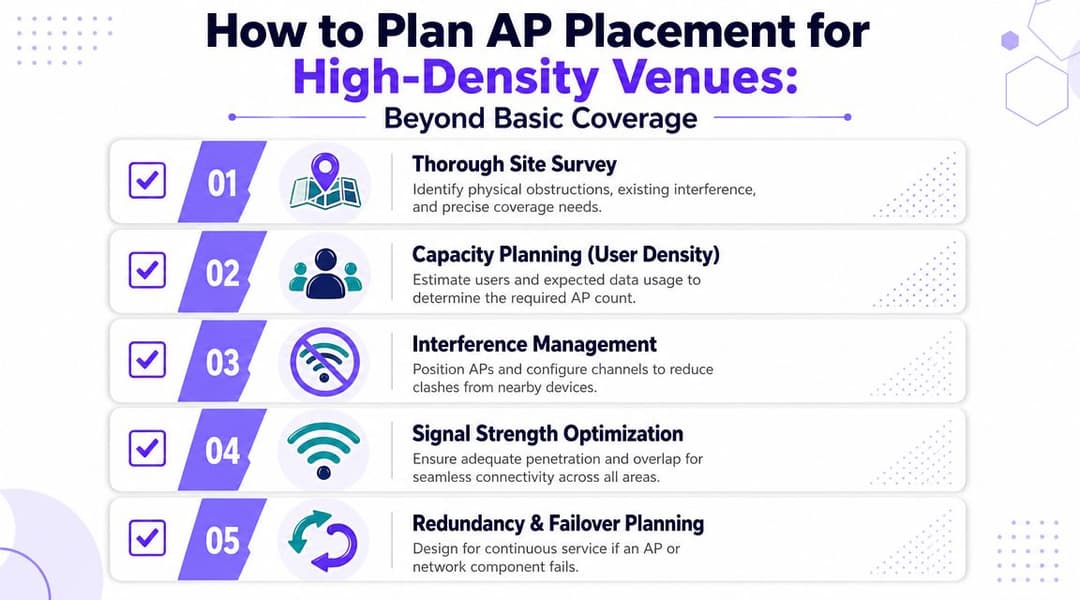
AP-গুলিকে ওয়্যার্ড এজের অংশ হিসেবে বিবেচনা করুন
অনেক প্রজেক্ট ব্যর্থ হয় কারণ এন্টারপ্রাইজ APগুলি স্বতন্ত্র রেডিও নয়। পরিবর্তে, এগুলি হল ওয়্যার্ড-এজ এক্সটেনশন যা ক্লায়েন্টদের প্রমাণীকরণ করে, তাদের LAN-এর সাথে সংযুক্ত করে এবং ট্র্যাফিককে নেটওয়ার্কের বাকি অংশে ফরওয়ার্ড করে।
এর অর্থ হলো পারফরম্যান্স RF পরিস্থিতি এবং ওয়্যার্ড আপলিংক উভয়ের দ্বারা সীমাবদ্ধ। যদি সুইচ, PoE বাজেট বা আপলিংক ডিজাইন প্রয়োজনের চেয়ে ছোট হয়, তবে রেডিও লেয়ার আধুনিক দেখানোর পরেও AP-টি বাধা হয়ে দাঁড়ায় (ওয়্যার্ড-এজ এক্সটেনশন হিসেবে অ্যাক্সেস পয়েন্টের ওপর Lenovo-এর শব্দকোষের নোট)।
ব্ল্যাঙ্কেট কভারেজের চেয়ে ক্যাপাসিটি প্ল্যানিং বেশি কার্যকরী
কয়েকটি বাস্তব উদাহরণ বিষয়টি আরও স্পষ্ট করে দেয়।
হোটেল করিডোর বনাম হোটেল লবি
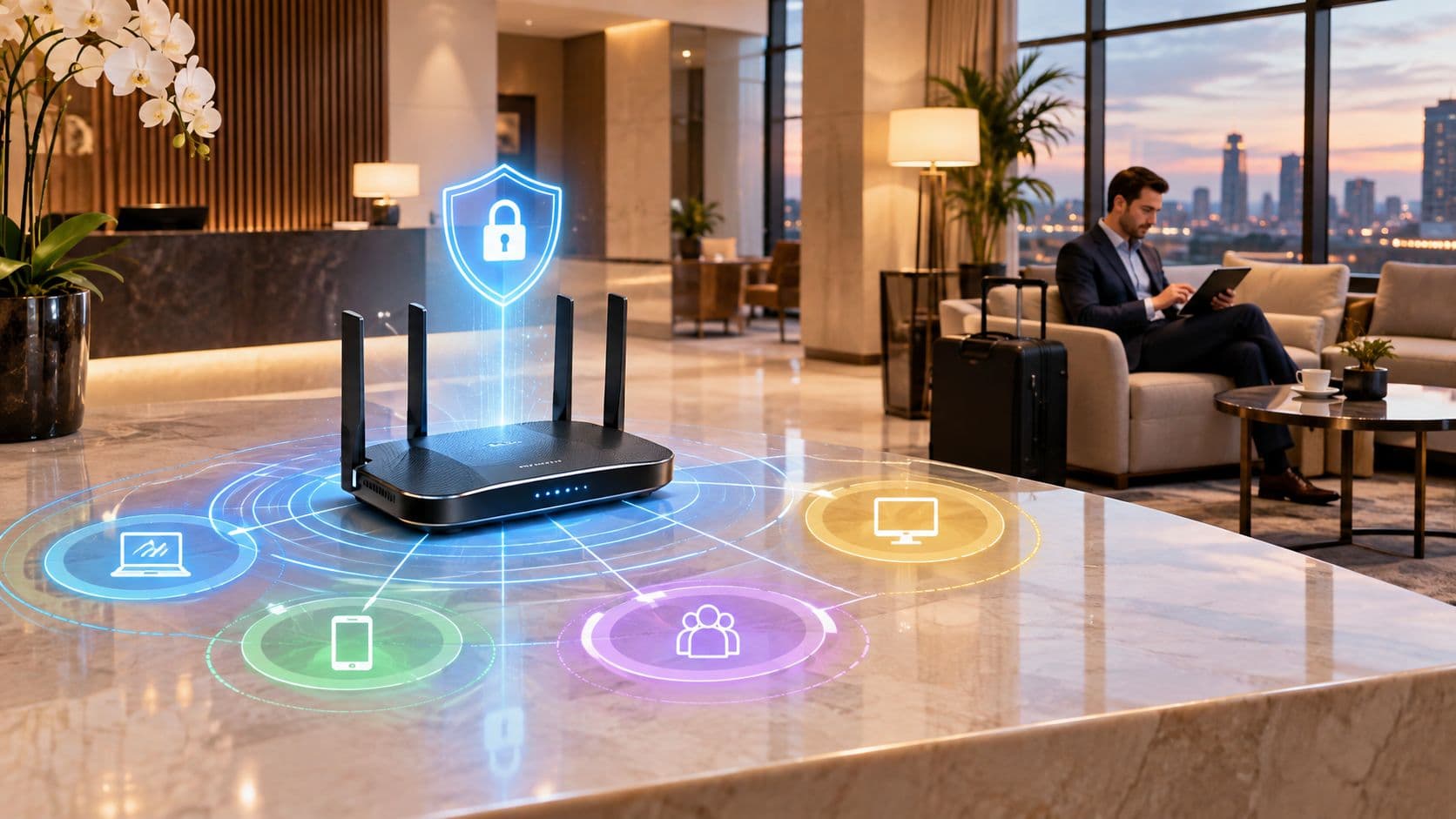
একটি করিডোর ডিজাইনের ক্ষেত্রে সংলগ্ন কক্ষগুলোতে সিগন্যাল উপচে পড়া সীমিত করা এবং ব্যবহারকারীর কাছাকাছি রেডিও স্থাপন করা প্রায়শই উপকারী হয়। একটি লবি ডিজাইনে সাধারণত বসার ধরণ, লাইনে দাঁড়ানোর জায়গা এবং সাময়িক মানুষের উপচে পড়া ভিড়ের দিকে বেশি মনোযোগ দেওয়া প্রয়োজন।
হেলথকেয়ার ওয়ার্ড বনাম অ্যাডমিন অফিস
একটি ওয়ার্ডের ক্ষেত্রে মোবাইল কার্ট, হ্যান্ডহেল্ড ডিভাইস, ক্লিনিকাল ওয়ার্কফ্লো এবং আরও কঠোর রোমিং প্রত্যাশা জড়িত থাকতে পারে। একটি অফিস হয়তো ছোটখাটো বিলম্ব সহ্য করতে পারে যা স্বাস্থ্যসেবা প্রদানের ক্ষেত্রে একেবারেই অগ্রহণযোগ্য।
শিক্ষার্থীদের আবাসন রুম বনাম সাধারণ এলাকা
ব্যক্তিগত কক্ষগুলোতে প্রায়শই অনুমানযোগ্য ইন-রুম পরিষেবার প্রয়োজন হয়। শেয়ার্ড কিচেন এবং সোশ্যাল স্পেসগুলোতে উচ্চ কনকারেন্সি হ্যান্ডলিং এবং ইউজার গ্রুপগুলোর মধ্যে আরও শক্তিশালী বিভাজনের প্রয়োজন হয়।
একটি প্ল্যানিং চেকলিস্ট যা প্রকৃতপক্ষে সাহায্য করে
- সাইট সার্ভে দিয়ে শুরু করুন: নির্মাণ সামগ্রী, লিফটের শ্যাফ্ট, গ্লেজিং এবং লুকানো প্ল্যান্ট এলাকাগুলো আরএফ (RF) পরিস্থিতি পরিবর্তন করে।
- জোন অনুযায়ী ব্যবহারকারীর ঘনত্ব নির্ধারণ করুন: পুরো বিল্ডিংয়ের গড় হিসাব করবেন না। পিক জোনগুলোই ডিজাইনকে প্রভাবিত করে।
- পরিকল্পিতভাবে চ্যানেল ম্যাপিং করুন: সঠিক চ্যানেল নিয়ম ছাড়া বেশি এপি (AP) ব্যবহার করলে পারফরম্যান্স আরও খারাপ হতে পারে।
- তারের পথ এবং সুইচের অবস্থান পরীক্ষা করুন: শারীরিক ইনস্টলেশন সংক্রান্ত সীমাবদ্ধতাগুলো প্রায়শই নির্ধারণ করে যে একটি ভালো আরএফ ডিজাইন বাস্তবসম্মত কিনা।
- ব্যর্থতা মোকাবিলার ডিজাইন: যদি একটি এপি বা সুইচ ব্যর্থ হয়, তবে ব্যবহারকারীদের যেন কোনো গুরুত্বপূর্ণ এলাকায় পরিষেবা ব্যাহত না হয়।
আপনার ইনস্টলার যদি বলেন "একটি AP-ই এই পুরো ফ্লোর কভার করে", তবে আরও ভালো একটি প্রশ্ন জিজ্ঞাসা করুন। সবচেয়ে ব্যস্ততম সময়ে সেই ফ্লোরে কতগুলো সক্রিয় ডিভাইস থাকবে এবং কোন আপলিংক সেগুলোকে সাপোর্ট করবে?
যা কাজ করে না
ঝামেলাপূর্ণ ডেপ্লয়মেন্টে তিনটি প্যাটার্ন বারবার দেখা যায়:
- অত্যধিক শক্তিশালী AP-সমূহ খুব কম সংখ্যায় স্থাপন করা, যা অতিরিক্ত বড় সেল এবং দুর্বল রোমিং তৈরি করে।
- দুর্বল চ্যানেল পরিকল্পনাসহ খুব বেশি AP-সমূহ, যা হস্তক্ষেপ এবং এয়ারটাইম প্রতিযোগিতা বাড়িয়ে দেয়।
- দুর্বল সুইচিং সহ ভালো RF ডিজাইন, যেখানে আপলিংক বা পাওয়ার বাজেট পারফরম্যান্সকে সীমিত করে দেয়।
প্লেসমেন্ট কখনোই কেবল মাউন্ট করার কাজ নয়। এটি একটি ইঞ্জিনিয়ারিং সিদ্ধান্ত যা সরাসরি অতিথিদের সন্তুষ্টি এবং সাপোর্ট লোডের সাথে জড়িত।
আপনার নেটওয়ার্ক সুরক্ষিত করা এবং নির্বিঘ্ন রোমিং সক্ষম করা
ব্যবহারকারীরা যদি মসৃণভাবে সংযোগ করতে বা অনুমানযোগ্যভাবে পুনরায় সংযোগ করতে না পারেন, তবে একটি দ্রুত ওয়্যারলেস নেটওয়ার্ককেও ত্রুটিপূর্ণ মনে হতে পারে। সিকিউরিটি এবং অনবোর্ডিং হলো এমন ক্ষেত্র যেখানে অনেক ভেন্যু অন্যথায় একটি ভালো AP হার্ডওয়্যারের সুবিধাগুলো হারিয়ে ফেলে।
UK ভেন্যুগুলোর জন্য চ্যালেঞ্জ হলো একটি মিশ্র ডিভাইস এস্টেট। UK-এর ৮৩% প্রাপ্তবয়স্ক ব্যক্তি বাড়িতে WiFi ব্যবহার করেন এবং ৫৭% বাইরে থাকার সময় প্রধানত WiFi ব্যবহার করেন, যার কারণে ফোকাস সিগন্যালের শক্তি থেকে সরিয়ে শেয়ার করা পাসওয়ার্ড বা ম্যানুয়াল IT হস্তক্ষেপ ছাড়াই সুরক্ষিত, পরিচয়-চালিত অনবোর্ডিং-এর দিকে নিয়ে যাওয়া প্রয়োজন (UK WiFi ব্যবহারের প্রেক্ষাপট উল্লেখ করে ITU Online-এর সারসংক্ষেপ)।

শেয়ার করা পাসওয়ার্ডগুলি অপারেশনাল ডেট তৈরি করে
গেস্ট বা স্টাফদের জন্য একটি একক PSK ব্যবহার করা সহজ মনে হতে পারে। কিন্তু এটি আসলে তা নয়। পাসওয়ার্ডগুলো পুনরায় ব্যবহার করা হয়, লিখে রাখা হয়, প্রাক্তন ঠিকাদারদের সাথে শেয়ার করা হয়, WhatsApp গ্রুপগুলোতে কপি করা হয় এবং দীর্ঘ সময় ধরে অপরিবর্তিত রেখে দেওয়া হয়।
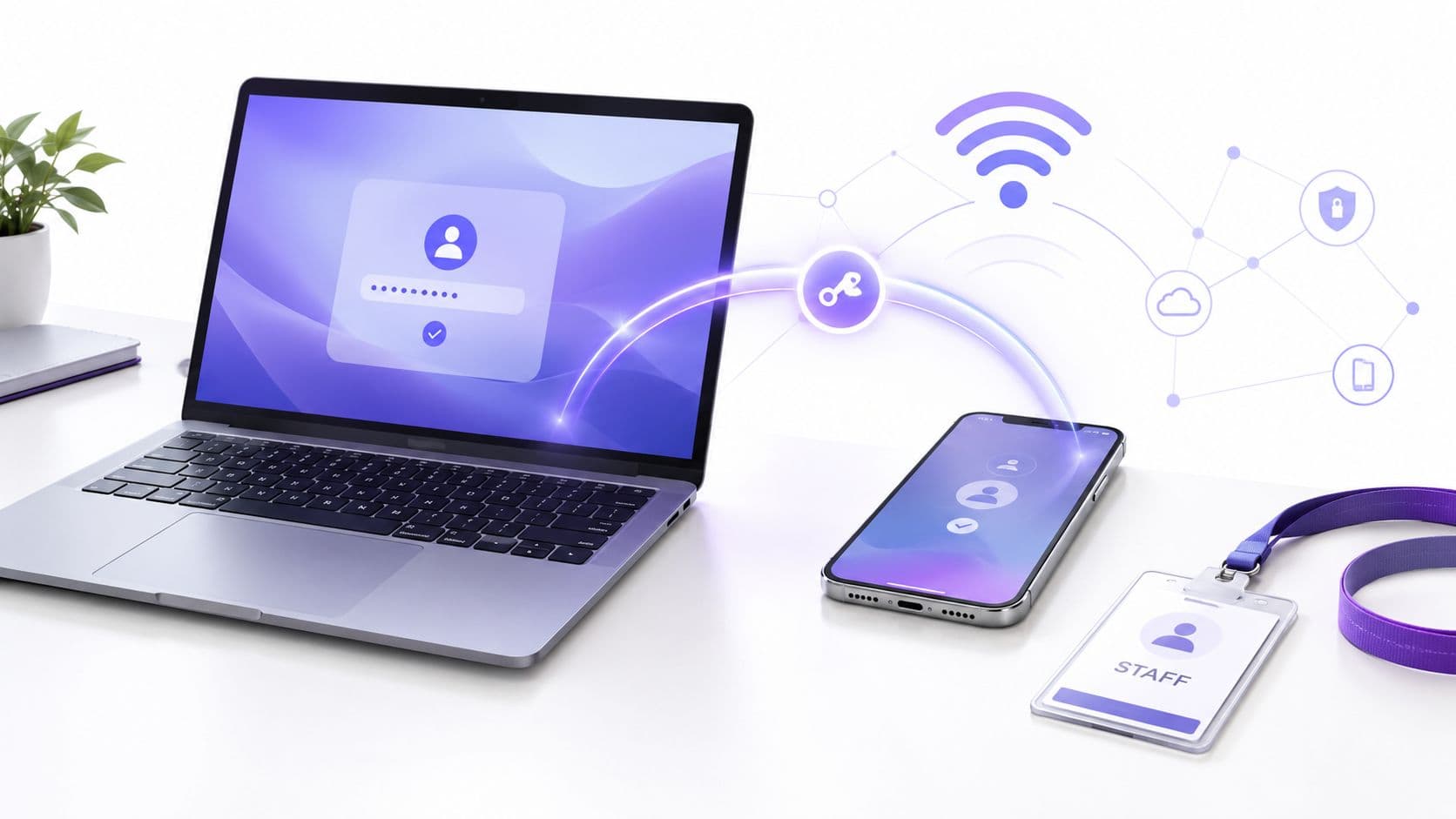
কর্মী এবং পরিচালিত ডিভাইসগুলির জন্য, আইডেন্টিটি-ভিত্তিক অ্যাক্সেস একটি পরিষ্কার মডেল। এর অর্থ হতে পারে WPA3-Enterprise, 802.1X, সার্টিফিকেট-ভিত্তিক ওয়ার্কফ্লো, ডিরেক্টরি ইন্টিগ্রেশন, বা এমন ডিভাইস ক্লাসের জন্য পৃথক PSK যা আধুনিক এন্টারপ্রাইজ প্রমাণীকরণ সমর্থন করতে পারে না।
আপনি যদি ঝুঁকির দিকটি আরও গভীরভাবে দেখতে চান, তবে অ্যাক্সেস পয়েন্ট সিকিউরিটি সংক্রান্ত এই নির্দেশিকাটি অপারেশনাল সমস্যাগুলো ভালোভাবে কভার করে।
ব্যবহারকারী স্থানান্তর করার আগেই ভালো রোমিং শুরু হয়
রোমিং কেবল একটি RF সংক্রান্ত বিষয় নয়। এটি একটি অথেন্টিকেশন সংক্রান্ত বিষয়ও বটে।
কোনো অতিথি যদি প্রতিবার বিভিন্ন এলাকার মধ্যে যাতায়াতের সময় একটি Captive Portal পুনরায় খুলতে বাধ্য হন, অথবা ফ্লোরগুলির মধ্যে পুনরায় প্রমাণীকরণের সময় যদি কোনো চিকিৎসকের ডিভাইস বন্ধ হয়ে যায়, তবে ওয়্যারলেস ডিজাইনটি একটি সমীক্ষায় গ্রহণযোগ্য মনে হলেও ব্যবহারে ব্যর্থ হতে পারে।
যা সবচেয়ে ভালো কাজ করে তা হলো এমন একটি মডেল যেখানে:
- অতিথিরা একবার প্রমাণীকরণ করেন এবং বারবার কোনো ঝামেলা ছাড়াই নিরাপদে পুনরায় সংযুক্ত হন।
- কর্মীদের পরিচয় পলিসির সাথে মানচিত্র করা থাকে যার ফলে অ্যাক্সেস রোল অনুযায়ী নির্ধারিত হয়, কোনো শেয়ার করা পাসওয়ার্ডের মাধ্যমে নয়।
- IoT ডিভাইসগুলোকে আলাদা করা হয় যা তাদের সক্ষমতা ও ঝুঁকির মাত্রার সাথে সামঞ্জস্যপূর্ণ নিয়ন্ত্রণের আওতাভুক্ত।
সবচেয়ে ভালো রোমিং অভিজ্ঞতা হলো সেটি যা ব্যবহারকারীরা লক্ষ্যই করেন না। তারা স্থান পরিবর্তন করেন। সেশন সচল থাকে। পলিসি সঠিক থাকে।
প্ল্যাটফর্ম এবং পলিসি হার্ডওয়্যারের সাথে মানানসই হওয়া প্রয়োজন
এই প্রসঙ্গে, আইডেন্টিটি লেয়ারটি গুরুত্বপূর্ণ। APগুলো রেডিও এবং নেটওয়ার্ক এজ পরিচালনা করে। অ্যাক্সেস অভিজ্ঞতা প্রায়শই তাদের উপরে যা থাকে তার ওপর নির্ভর করে।
Cisco Meraki, Aruba, Ruckus, Mist এবং UniFi-এর মতো ভেন্ডররা সবাই বিভিন্ন ওয়্যারলেস ফাউন্ডেশন প্রদান করে। তার ওপরে, Purple-এর মতো একটি আইডেন্টিটি প্ল্যাটফর্ম পাসওয়ার্ডহীন অতিথি অ্যাক্সেস, OpenRoaming এবং Passpoint সমর্থন, ডিরেক্টরি-ব্যাকড কর্মীদের প্রমাণীকরণ এবং লেগাসি বা মাল্টি-টেন্যান্ট ডিভাইসের পরিস্থিতির জন্য iPSK-স্টাইল বিকল্প সরবরাহ করতে পারে।
এই বিভাজনটি দরকারী। এটি অপারেটরদের প্রতিটি AP রিফ্রেশকে অ্যাক্সেস জার্নির একটি সম্পূর্ণ নতুন ডিজাইন হিসেবে বিবেচনা না করেই ইউজার অনবোর্ডিং এবং পলিসি উন্নত করতে দেয়।
আপনার ইকোসিস্টেমের সাথে সামঞ্জস্যপূর্ণ Access Points নির্বাচন করা
সঠিক AP সেটি নয় যার ফিচার লিস্ট সবচেয়ে দীর্ঘ। এটি হলো সেটি যা আপনার অপারেটিং মডেলের সাথে খাপ খায়।
চারটি চেক দিয়ে শুরু করুন।
সংক্ষিপ্ত তালিকা যা গুরুত্বপূর্ণ
- ম্যানেজমেন্টের উপযুক্ততা: আপনার টিম কি কন্ট্রোলার-ভিত্তিক নিয়ন্ত্রণ চায় নাকি ক্লাউড-ম্যানেজড সহজলভ্যতা পছন্দ করে?
- ঘনত্বের উপযুক্ততা: আপনি কি গেস্ট রুম, পাবলিক কনকোর্স, ক্লিনিকাল মোবিলিটি বা মিশ্র-ব্যবহারের সাধারণ এলাকার জন্য ডিজাইন করছেন?
- শারীরিক উপযুক্ততা: সিলিং, ওয়াল-প্লেট এবং আউটডোর মডেলগুলো বিভিন্ন উদ্দেশ্যে কাজ করে।
- আইডেন্টিটির উপযুক্ততা: AP এবং প্ল্যাটফর্ম কি আপনার প্রয়োজনীয় গেস্ট, স্টাফ এবং IoT ওয়ার্কফ্লো সমর্থন করতে পারে?
যেখানে সম্ভব হার্ডওয়্যার এবং অভিজ্ঞতা আলাদা রাখুন
এটি প্রায়শই দীর্ঘমেয়াদী ক্ষেত্রে সবচেয়ে বুদ্ধিমান পদক্ষেপ। আপনি RF পারফরম্যান্সের জন্য একজন ভেন্ডর, সুইচিংয়ের জন্য অন্য একজন এবং অথেন্টিকেশন ও ইউজার জার্নির জন্য একটি পৃথক প্ল্যাটফর্ম পছন্দ করতে পারেন।
এটি বিশেষ করে মিশ্র এস্টেট পরিচালনা করা অপারেটরদের জন্য দরকারী। একটি প্রপার্টিতে Meraki, অন্যটিতে Aruba এবং অন্যটিতে Ruckus চলতে পারে। আইডেন্টিটি এবং অনবোর্ডিং লেয়ারটি যদি হার্ডওয়্যারের উপরে থাকে, তবুও ব্যবহারকারীরা একটি ধারাবাহিক অভিজ্ঞতা পেতে পারেন।
বিদ্যমান এস্টেটের জন্য একটি দ্রুত ট্রাবলশুটিং চেক
হার্ডওয়্যার পরিবর্তন করার আগে, প্রথমে এগুলি পরীক্ষা করুন:
- ক্লায়েন্টদের অভিযোগ নির্দিষ্ট এলাকায় সীমাবদ্ধ: এটি সাধারণত একটি সার্বজনীন WAN সমস্যার পরিবর্তে প্লেসমেন্ট, হস্তক্ষেপ বা অতিরিক্ত সাবস্ক্রিপশনকে নির্দেশ করে।
- শুধুমাত্র কিছু ব্যবহারকারী গ্রুপ সমস্যার সম্মুখীন হচ্ছে: পলিসি, SSID ডিজাইন এবং অথেন্টিকেশন ফ্লো পরীক্ষা করুন।
- শুধুমাত্র ব্যস্ত সময়ে পারফরম্যান্স কমে যায়: শুধুমাত্র সিগন্যালের মাত্রা নয়, ধারণক্ষমতার অনুমানগুলো পুনরায় পর্যালোচনা করুন।
- APs সচল দেখায় কিন্তু পরিষেবা দুর্বল মনে হয়: সুইচের আপলিঙ্ক, PoE এবং LAN-সাইডের সীমাবদ্ধতাগুলো পরীক্ষা করুন।
অ্যাক্সেস পয়েন্ট ওয়্যারলেস কৌশল সবচেয়ে ভালো কাজ করে যখন আপনি আসল পরিবেশের জন্য ডিজাইন করেন। ব্যস্ত সময়। মিশ্র আইডেন্টিটি। দ্রুত গতিবিধি। সীমিত IT সময়। এটিই কেবল বিদ্যমান একটি নেটওয়ার্ক থেকে ভেন্যুকে সঠিকভাবে সমর্থন করে এমন একটি নেটওয়ার্ককে আলাদা করে।
আপনার ভেন্যুকে কোনো একক হার্ডওয়্যার পাথের মধ্যে সীমাবদ্ধ না রেখে যদি অতিথি অ্যাক্সেস, কর্মীদের প্রমাণীকরণ বা মাল্টি-টেন্যান্ট অনবোর্ডিং আধুনিকীকরণ করার প্রয়োজন হয়, তবে Purple মূল্যায়ন করার মতো একটি বিকল্প। এটি সাধারণ এন্টারপ্রাইজ AP ইকোসিস্টেম জুড়ে একটি আইডেন্টিটি এবং WiFi অ্যাক্সেস লেয়ার হিসেবে কাজ করে, যা ভেন্যুগুলোকে অন্তর্নিহিত নেটওয়ার্কে নমনীয়তা বজায় রেখে ব্যবহারকারীর অভিজ্ঞতা এবং নীতিকে মানসম্মত করতে সাহায্য করতে পারে।