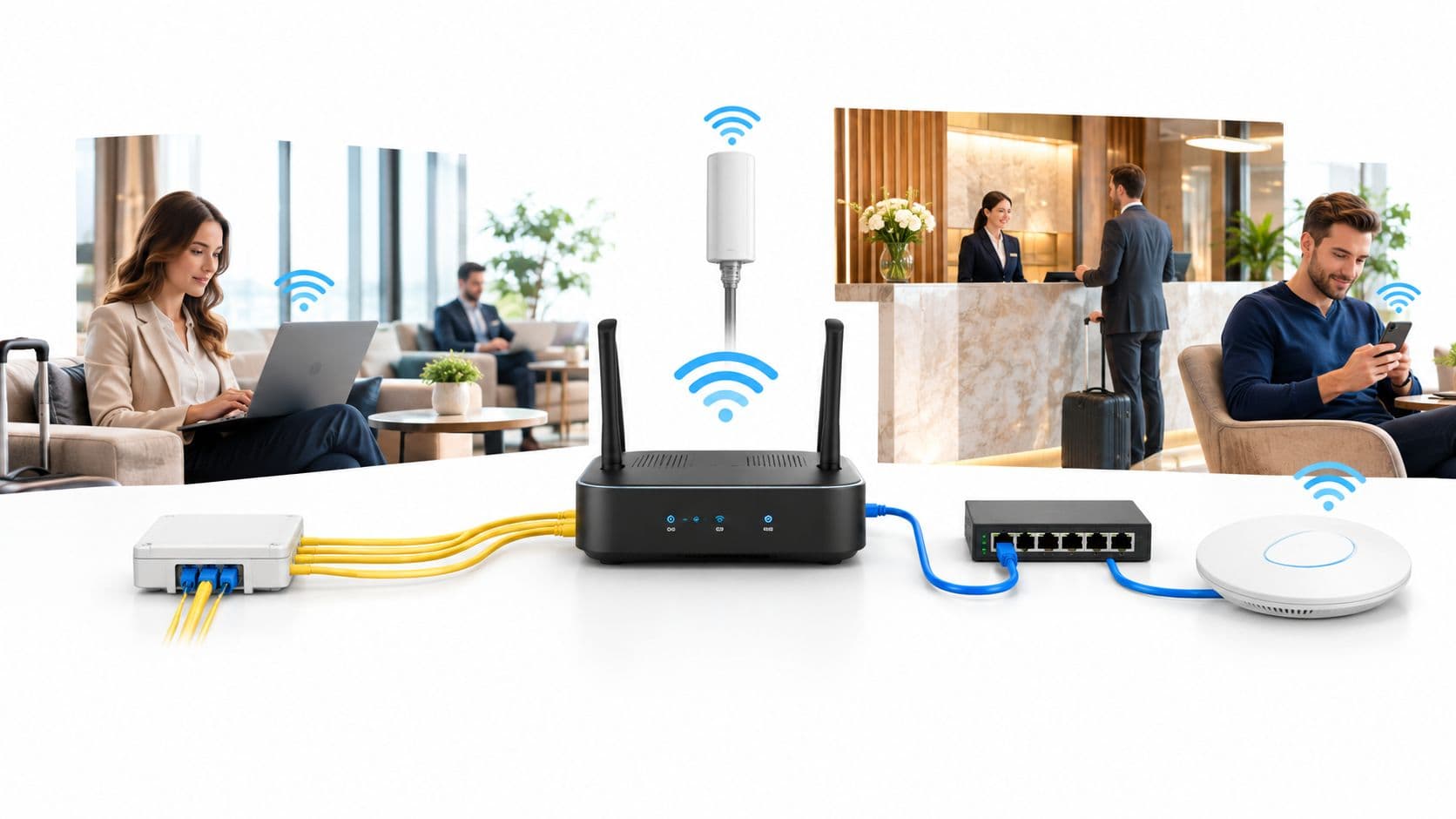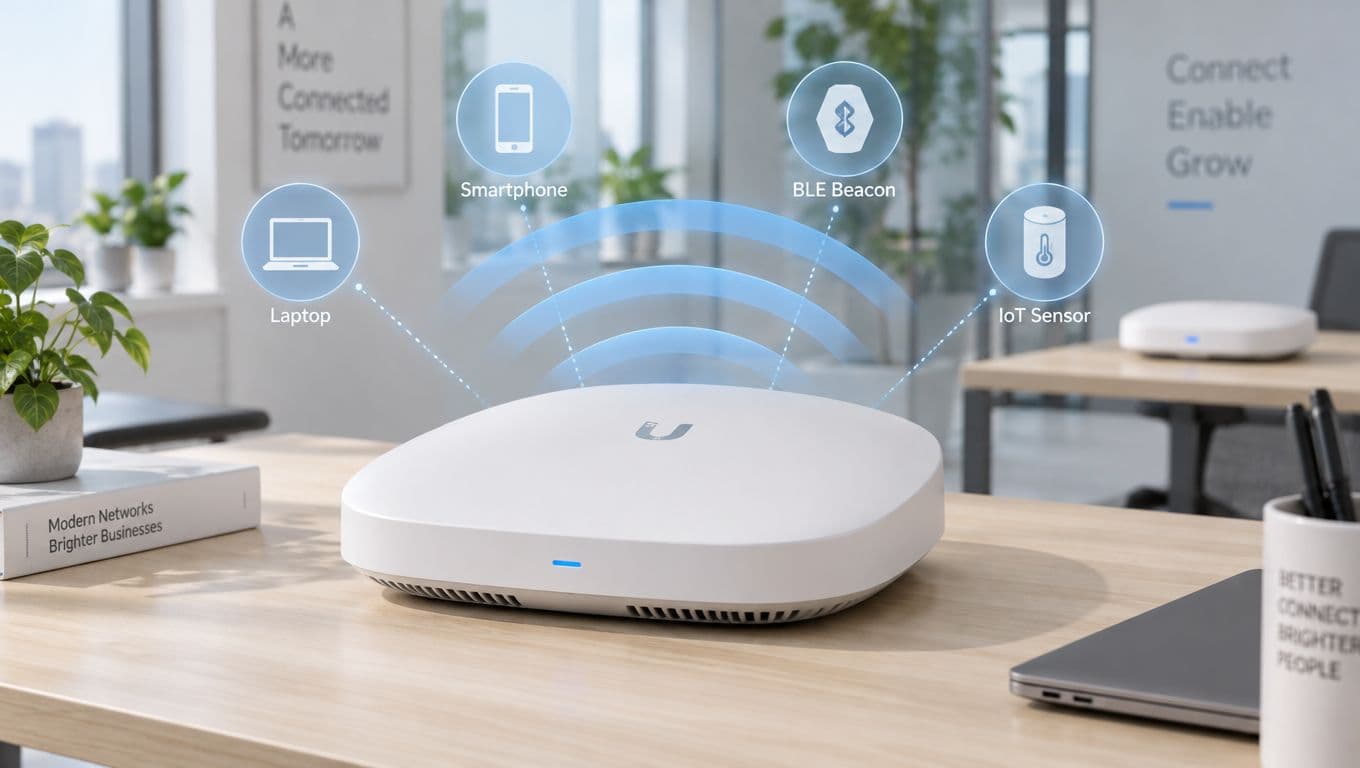

Enterprise network router sizing and WAN architecture advisor
Calculate enterprise WAN bandwidth requirements, concurrent NAT state session limits, packet forwarding capacities, and zero-trust VLAN isolation for corporate offices, healthcare facilities, retail networks, and venues.
Recommended router platform specification
Hardware class: Enterprise Campus Router (3 - 10 Gbps forwarding, multi-gigabit SFP+ uplinks)
CPU inspection factor: High (Hardware-accelerated AES-256 IPsec engine required)
Forwarding headroom for encryption: 15% of line rate, which is a throughput cost rather than a resilience one. The resilience rating of 92/100 reflects uplink redundancy alone.
On these inputs the architecture saves an estimated 117 hours/year of troubleshooting, capped at one full-time equivalent, worth about £6,084/year at a stated £52/hr network engineering rate. Replace that rate with your own.
Ready to secure and optimise your enterprise routing?
Purple integrates directly with enterprise WAN routers and gateways to deliver captive portal isolation and visitor analytics.
Probabilmente stai leggendo questo articolo perché il WiFi è diventato un problema aziendale, non solo un servizio IT.
Un ospite entra in un hotel e si aspetta che il suo telefono si connetta immediatamente. Un infermiere sposta un dispositivo tra i reparti e non può permettersi una zona d'ombra. Un cassiere tocca un tablet nel momento più trafficato della giornata e ha bisogno che il pagamento vada a buon fine al primo tentativo. Quando questi momenti falliscono, le persone raramente incolpano il router. Incolpano la struttura.
Ecco perché capire il ruolo dei router nelle reti è importante. Un router non è solo la scatola che "distribuisce internet". Decide dove va il traffico, quali sistemi possono comunicare tra loro, cosa ha la priorità e cosa viene bloccato. In una struttura moderna, è uno dei motivi principali per cui gli utenti percepiscono una rete come fluida e sicura, oppure lenta e rischiosa.
Il motore invisibile delle esperienze digitali
In una struttura ben gestita, la rete dovrebbe risultare invisibile. Gli ospiti non pensano all'autenticazione. Il personale non pensa alla segmentazione. I dispositivi di pagamento non pensano alla selezione del percorso. Tutto funziona e basta.
Questa esperienza utente fluida si basa solitamente su decisioni di routing attente. Il router è il dispositivo che prende queste decisioni in background.
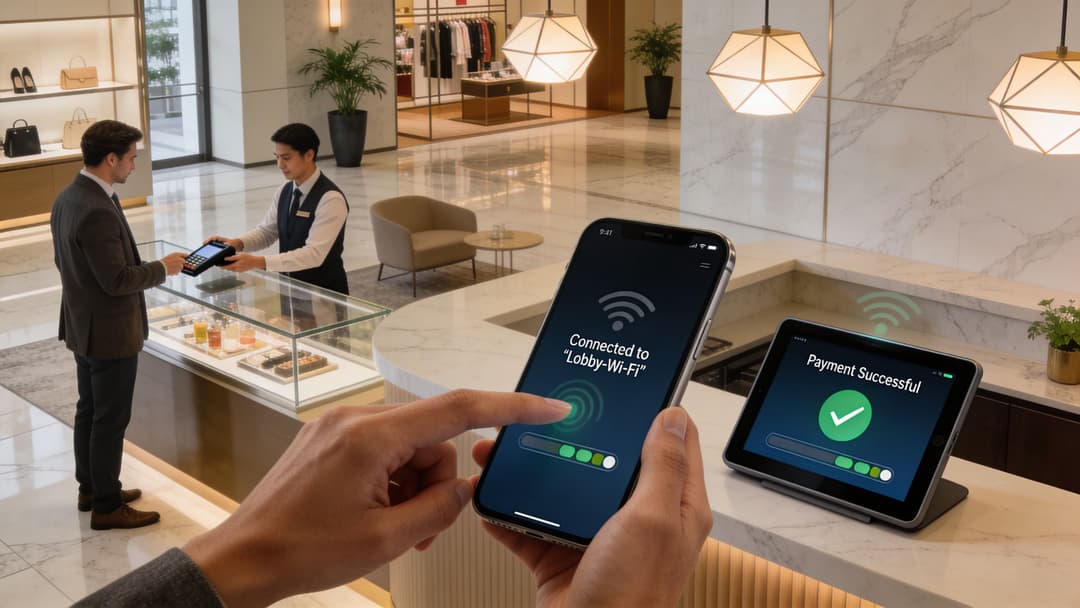
Cosa vede l'utente e cosa fa il router
Un visitatore vede "connesso". Il router vede:
- A quale rete appartengono
- Se devono raggiungere solo internet o anche i sistemi interni
- Come inviare il loro traffico in modo efficiente
- Se la sessione soddisfa la policy di sicurezza
Questo è il divario con cui molti team si scontrano. I router sembrano elementi di basso livello e incentrati sull'infrastruttura, mentre il WiFi per gli ospiti e l'accesso del personale sembrano legati al design del servizio. In pratica, sono strettamente collegati.
Nel Regno Unito, questo collegamento è ancora più importante perché lo strato di accesso che alimenta questi ambienti sta diventando sempre più veloce. Ofcom ha riferito che il 97% degli edifici nel Regno Unito era coperto da reti in fibra ottica completa (FTTP) entro il primo trimestre del 2025, il che aumenta le aspettative su ciò che le apparecchiature di rete locali devono fornire, incluso il router al confine della sede (riferimento).
Perché i router sono spesso fraintesi
Le persone spesso confondono i router con gli access point, gli switch o i gateway a banda larga.
Un modo semplice per separarli è questo:
- Gli access point connettono i dispositivi wireless alla rete locale.
- Gli switch spostano il traffico all'interno della stessa rete locale.
- I router spostano il traffico tra le reti e applicano le policy a questi confini.
Una buona regola empirica è semplice. Se il traffico deve passare da una rete all'altra, c'è un router coinvolto da qualche parte.
Ecco perché i router sono al centro della progettazione di reti WiFi sicure per guest e personale. Creano i confini che consentono a un ospite di navigare liberamente senza mai raggiungere i sistemi di back-office. Aiutano anche i dispositivi del personale a raggiungere le applicazioni di cui hanno bisogno senza esporre tali percorsi a chiunque altro.
Il ruolo del router in una rete a livelli
La maggior parte delle reti aziendali non è piatta. Sono organizzate in livelli in modo che la capacità, il controllo e la risoluzione dei problemi rimangano gestibili.
L'analogia più semplice è quella con il servizio postale.
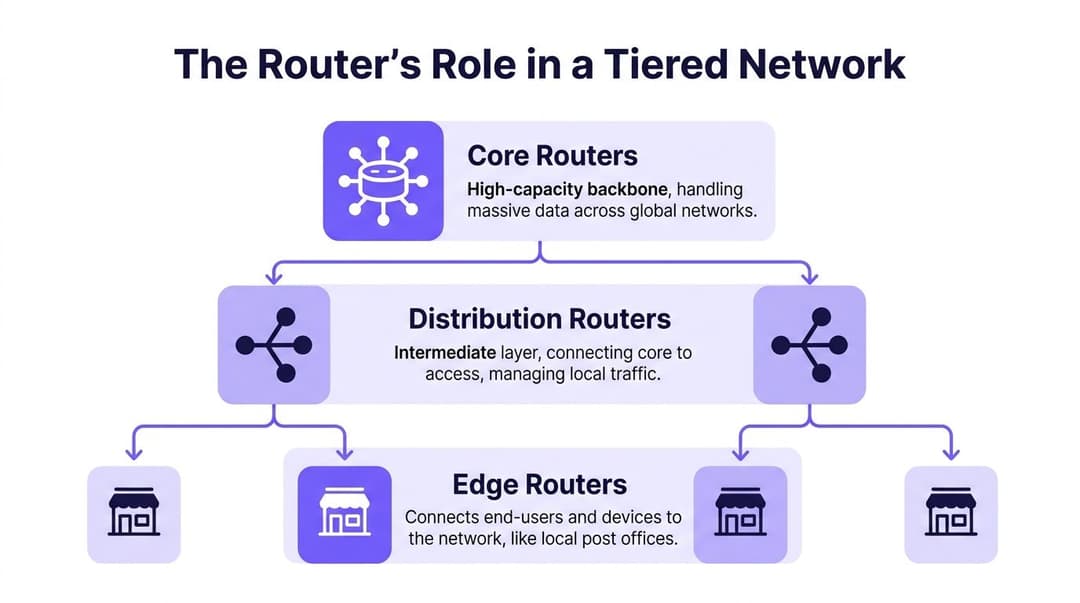
I router di frontiera come uffici postali locali
L'edge è il punto in cui gli utenti e i servizi locali incontrano la rete più ampia. In un hotel, questo potrebbe essere il punto in cui il traffico degli ospiti, i dispositivi del personale e i sistemi dell'edificio lasciano i loro segmenti locali e si dirigono verso i servizi condivisi o internet.
Il compito di un router di frontiera di solito include:
- Ricevere il traffico locale dalle reti di accesso
- Applicare regole di accesso come l'accesso a internet solo per gli ospiti
- Inoltrare il traffico verso l'alto a livelli di routing più centrali
- Proteggere il perimetro del sito con policy e filtraggio
Questo è il motivo per cui la progettazione dell'edge influisce così direttamente sull'esperienza utente. Se il router edge è sottodimensionato o mal segmentato, gli utenti lo avvertono rapidamente.
I router di distribuzione come centri di smistamento
La sorgente di distribuzione raccoglie il traffico da più zone di confine e applica policy più ampie.
Pensa a un centro commerciale. Potresti avere ambienti wireless separati per l'accesso degli ospiti, i punti vendita, la segnaletica digitale, i servizi e i sistemi dei locatari. Il routing di distribuzione è il punto in cui questi flussi vengono aggregati e in cui molte organizzazioni applicano regole su ciò che può passare da una parte all'altra della rete.
Questo livello gestisce spesso:
- Routing inter-VLAN
- Applicazione delle policy
- Sintesi delle rotte (Route summarisation)
- Traffic shaping tra aree locali
Molta confusione deriva dal fatto che anche gli switch possono svolgere compiti di Layer 3 in questo contesto. È vero. In molti progetti, la funzione di "router di distribuzione" è fornita da uno switch Layer 3. Ciò che conta è il ruolo, non la forma del dispositivo.
I router core come dorsale
Il core è costruito per offrire velocità e resilienza. Non dovrebbe essere sovraccaricato da numerose eccezioni specifiche per la sede. Il suo scopo è spostare rapidamente grandi volumi di traffico tra le parti principali della rete e verso le reti esterne.
Nelle grandi organizzazioni del Regno Unito, i router di core gestiscono fino a 10 milioni di pacchetti al secondo, motivo per cui vengono utilizzati per prevenire colli di bottiglia in ambienti WiFi densi che supportano il roaming moderno e l'accesso basato sull'identità (riferimento PDQ).
Questo numero è importante perché l'inoltro dei pacchetti non è un concetto astratto. In una sede affollata, ogni login, pagamento, aggiornamento dell'app, richiesta DNS e streaming video diventa un pacchetto di lavoro per la rete.
Perché questa gerarchia è importante nelle sedi reali
Un modello a tre livelli aiuta i team a rispondere a domande pratiche:
- Dove deve essere isolato il traffico guest
- Dove devono essere applicate le policy del personale
- Dove è possibile aggiungere resilienza senza riprogettare tutto
- Dove si trova il collo di bottiglia quando gli utenti segnalano rallentamenti
Se stai progettando l'accesso per ospiti e personale in ambienti condivisi, questa panoramica sulla progettazione di rete per ambienti WiFi gestiti è utile perché collega la segmentazione logica con le operazioni della sede.
Tieni la complessità lontana dal core quando puoi. Posiziona le policy locali più vicino agli utenti che ne hanno bisogno.
Questo approccio rende i router nelle reti più facili da gestire. Il livello edge connette. Il livello di distribuzione organizza. Il livello core trasporta.
Esplorare diversi tipi di router
Non tutti i router sono costruiti per lo stesso lavoro. Sembra ovvio, ma è qui che iniziano molti errori di acquisto.
Un piccolo bar, un campus ospedaliero e un rivenditore multi-sede potrebbero tutti affermare di "avere bisogno di un router". Ciò di cui hanno realmente bisogno è una funzione di routing che si adatti alla loro scala, alle loro esigenze di resilienza e al loro modello di gestione.
Router hardware
Un router hardware è un dispositivo dedicato integrato per inoltrare il traffico in modo affidabile sotto carico costante.
Questi sono comuni nelle filiali aziendali, nei campus e nei perimetri WAN perché offrono prestazioni prevedibili, interfacce dedicate e supporto del fornitore per funzionalità di routing, policy e sicurezza. Negli ambienti più grandi, sono ancora la scelta predefinita quando il tempo di attività e la velocità di trasmissione contano più della flessibilità.
I router hardware hanno senso quando servono:
- Throughput dedicato
- Interfacce WAN fisiche
- Operazioni stabili in stile appliance
- Chiara separazione tra i ruoli di rete
Router wireless e gateway
Questo è il familiare dispositivo all-in-one che molte persone immaginano per primo. Combina diverse funzioni in un unico box, solitamente:
- Routing
- Switching di base
- Accesso wireless
- Spesso funzionalità di firewall e NAT
Per le case e i siti molto piccoli, questo è pratico. Per le sedi aziendali, di solito non è sufficiente da solo.
Il motivo è semplice. Una volta che si ha la necessità di reti separate per ospiti, personale, operazioni e tenant, oltre a identità e policy centrali, i dispositivi all-in-one diventano limitanti. Sono comodi, ma la comodità spesso va a scapito di segmentazione, osservabilità e scalabilità.
Router virtuali
Un router virtuale esegue il routing tramite software. Funziona come macchina virtuale o funzione nativa del cloud anziché come appliance dedicata.
Questo è comune negli ambienti cloud, nei data center virtualizzati e nei progetti dei service provider in cui i team desiderano maggiore flessibilità. Un router virtuale può svolgere molti degli stessi compiti logici di un router hardware, ma le sue prestazioni dipendono dall'infrastruttura di calcolo, archiviazione e progettazione di rete sottostante.
Quale tipo si adatta a quale ambiente
Un modo semplice per pensarci è attraverso il contesto operativo:
| Tipo di router | Soluzione ideale | Punto di forza | Compromesso |
|---|---|---|---|
| Router hardware | Filiali, campus, WAN edge | Prestazioni prevedibili | Meno flessibile rispetto al software |
| Gateway WiFi | Siti di piccole dimensioni | Distribuzione semplice | Controllo aziendale limitato |
| Router virtuale | Ambienti cloud e virtualizzati | Flessibile e programmabile | Dipende dalla piattaforma host |
La scelta giusta non è una questione di tendenze. Si tratta di adattare il ruolo di routing all'ambiente. Se una struttura dipende da un accesso WiFi ospiti sicuro, dall'identità del personale e da operazioni segmentate, il router deve supportare questo modello in modo pulito.
Capire come i router prendono le decisioni
Un router non "sa" per istinto dove inviare il traffico. Utilizza un insieme di regole e informazioni apprese chiamato tabella di routing.
L'analogia più semplice è quella con il navigatore satellitare. Un navigatore non muove l'auto, calcola il percorso. Il router fa lo stesso per i pacchetti.
Tabelle di routing e selezione del percorso
Quando arriva un pacchetto, il router ne controlla la destinazione e si pone una domanda fondamentale: quale passo successivo avvicina questo pacchetto al punto in cui deve andare?
Questa decisione deriva da:
- Reti connesse direttamente
- Rotte statiche impostate da un amministratore
- Rotte dinamiche apprese da altri router
Il routing dinamico è il punto in cui le cose si fanno più interessanti. Invece di affidarsi a un operatore umano per definire manualmente ogni percorso, i router possono scambiarsi informazioni sulle rotte e adattarsi al variare dei collegamenti.
Se stai effettuando la risoluzione dei problemi lato dispositivo prima di passare al lato rete, questa guida sul comando per trovare l'indirizzo IP in Linux è un punto di partenza pratico. Aiuta a verificare se l'endpoint si trova effettivamente sulla rete che pensi.
Le principali famiglie di protocolli
Per la maggior parte dei lettori tecnicamente esperti, tre nomi emergono ripetutamente: RIP, OSPF e BGP.
- RIP è più vecchio e semplice. È utile per comprendere i concetti di routing, ma raramente rappresenta la scelta giusta per i moderni ambienti aziendali.
- OSPF è ampiamente utilizzato all'interno delle organizzazioni. Converge più velocemente e si adatta in modo più sensato rispetto al RIP.
- BGP viene utilizzato tra reti distinte. È il protocollo alla base del routing su scala internet e di molti progetti WAN edge.
Ecco il confronto in forma compatta.
Confronto tra i principali protocolli di routing
| Protocollo | Tipo | Caso d'uso principale | Metrica chiave | Scalabilità |
|---|---|---|---|---|
| RIP | Protocollo gateway interno | Reti interne piccole e semplici | Numero di hop | Bassa |
| OSPF | Protocollo gateway interno | Instradamento interno aziendale | Selezione del percorso basata sul costo | Alta |
| BGP | Protocollo gateway esterno | Instradamento tra organizzazioni e provider | Controllo del percorso basato su policy | Molto alta |
Perché OSPF e BGP sono i più importanti
Negli ambienti di tipo venue e campus, il protocollo OSPF è spesso la scelta interna più pratica perché reagisce rapidamente alle variazioni di topologia e mappa la rete anziché contare semplicemente i passaggi.
Il protocollo BGP diventa importante quando il confine di rete si fa più complesso. Se vi connettete a carrier, progettate perimetri internet resilienti o separate domini di routing su larga scala, il BGP offre un controllo molto più preciso sulle policy.
Questo è anche il motivo per cui la sottorete è importante. Un router può prendere decisioni pulite solo quando la progettazione degli indirizzi è pulita. Vale la pena rileggere questa spiegazione sulla maschera di sottorete e sul perché è importante nella progettazione di rete se i confini delle rotte sembrano ancora poco chiari.
Quando il routing sembra un mistero, verifica prima il piano di indirizzamento. Molti "problemi di routing" sono in realtà problemi di segmentazione mascherati.
Cosa si sbaglia più spesso
L'errore comune è trattare i protocolli di routing come una complessità facoltativa.
Non lo sono. Rappresentano il modo in cui la rete rimane utilizzabile quando qualcosa cambia. Un collegamento si interrompe. Un nuovo percorso si rende disponibile. Un sito va online. Una policy di firewall devia il traffico. Senza il routing dinamico, questi cambiamenti possono diventare manuali, lenti e fragili.
Per i router nelle reti che supportano il WiFi per ospiti e personale, tale fragilità si manifesta con sessioni interrotte, comportamenti di roaming anomali e ticket di supporto che sembrano casuali ma non lo sono.
Più di un semplice regolatore di traffico
Un router moderno inoltra il traffico, ma questo è solo una parte della storia. In molti contesti, il router funge anche da receptionist, guardia di sicurezza, gestore delle priorità e pianificatore della continuità aziendale.
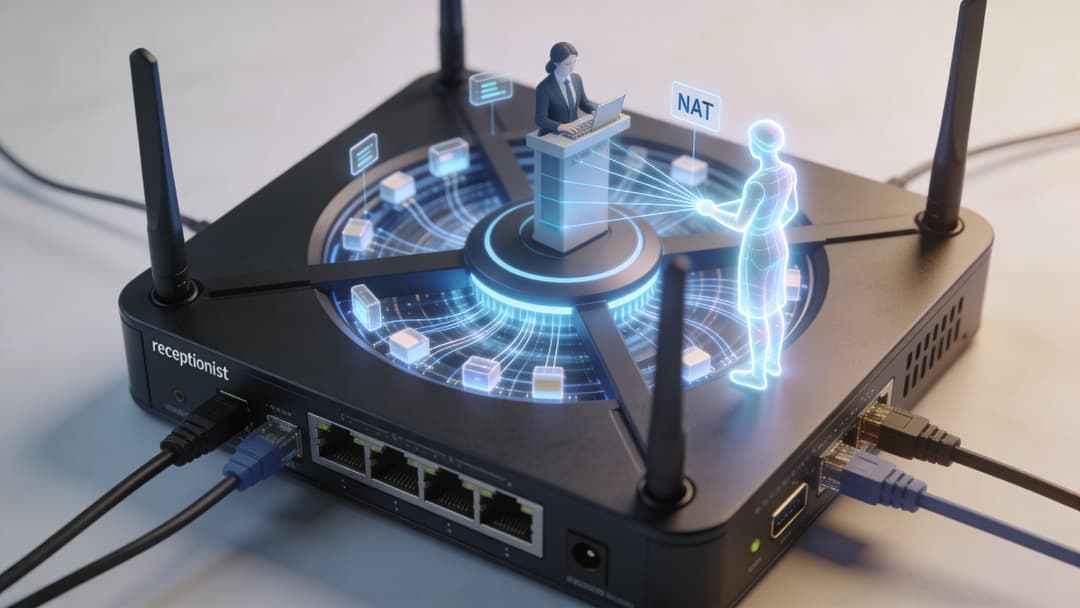
NAT come addetto alla reception
Il Network Address Translation, o NAT, consente a molti dispositivi interni di condividere un set più piccolo di indirizzi pubblici.
Immaginalo come la reception di un edificio. I visitatori esterni si rivolgono a un unico ufficio informazioni pubblico. Internamente, l'addetto alla reception sa quale stanza o persona deve ricevere il messaggio.
La sua importanza è dovuta alla sua capacità di:
- Conserva lo spazio di indirizzamento pubblico
- Nasconde l'indirizzamento dei dispositivi interni
- Crea un confine più netto tra interno ed esterno
Il NAT non è una strategia di sicurezza completa da solo, ma riduce l'esposizione diretta.
I firewall come guardia di sicurezza
Molti router includono funzionalità di firewall o lavorano in stretta sinergia con firewall dedicati. Al confine della rete, questo si traduce nell'ispezionare il traffico e decidere cosa debba essere consentito.
In parole povere, la combinazione di router e firewall risponde a domande come:
- Se gli ospiti devono accedere esclusivamente a internet
- Se i sistemi di pagamento con carta devono comunicare solo con servizi specifici
- Se i dispositivi del personale devono utilizzare solo percorsi di gestione approvati
Un router senza policy è solo velocità. Un router con policy diventa controllo.
QoS come corsia preferenziale VIP
La Quality of Service, o QoS, stabilisce a quale traffico dare la priorità quando le risorse sono contese.
Questo è uno dei punti più evidenti in cui la progettazione della rete si trasforma in esperienza utente. Nei periodi di picco, non tutto il traffico ha la stessa importanza. Una transazione di pagamento conta più di un aggiornamento software. Una sessione clinica vocale o video conta più di qualcuno che scorre i social media.
La QoS offre al router un modo per riflettere queste priorità.
Regola pratica: se ogni pacchetto viene contrassegnato come importante, nulla è importante. Il QoS funziona solo quando si definiscono chiaramente le priorità aziendali.
L'alta disponibilità come continuità aziendale
Un router può guastarsi. I collegamenti possono interrompersi. L'alimentazione può mancare. Una progettazione di rete sensata presuppone che, prima o poi, qualcosa accadrà.
Alta disponibilità significa pianificare tenendo conto di questa realtà. A volte si tratta di due router in una coppia resiliente. A volte di uplink ridondanti. Altre volte si tratta di routing dinamico che consente al traffico di spostarsi su un altro percorso con un'interruzione minima.
Queste funzioni lavorano insieme:
| Funzione | Semplice analogia | Scopo reale |
|---|---|---|
| NAT | Reception | Mappa gli utenti interni su indirizzi esterni |
| Firewall | Guardia di sicurezza | Applica le regole su chi può comunicare con cosa | QoS | Corsia preferenziale VIP | Assegna la priorità al traffico importante |
| Alta disponibilità | Team di backup | Mantiene i servizi attivi in caso di guasto |
Quando i team considerano i router nelle reti solo come selezionatori di percorsi, perdono metà del valore. Nelle sedi moderne, il router contribuisce a definire contemporaneamente la postura di sicurezza e la qualità del servizio.
Best practice di implementazione per il tuo ambiente
La corretta configurazione del router dipende fortemente dalla sede. Lo stesso hardware può funzionare bene in un ambiente e male in un altro se il modello di policy è errato.
Hospitality
Hotel, bar, ristoranti e spazi per eventi di solito hanno bisogno di due cose contemporaneamente. L'accesso guest deve essere semplice, mentre i sistemi operativi devono rimanere isolati.
Questo di solito significa:
- Separare il traffico di ospiti, personale e operazioni
- Applicare policy di firewall tra questi segmenti
- Assegnare priorità al traffico di prenotazione, check-in e pagamento rispetto alla navigazione casuale
- Registrare dati sufficienti per il supporto senza esporre dettagli sensibili della sessione
Una rete ospite non dovrebbe mai diventare una comoda porta secondaria per accedere ai sistemi di back-office.
Retail
Le reti del settore retail vivono o muoiono in base alla stabilità delle transazioni. Durante i periodi di picco, il router deve trattare il traffico dei punti vendita con una priorità superiore rispetto alla navigazione web generica.
Negli ambienti del trasporto e del retail nel Regno Unito, i router gestiti potrebbero dover sostenere un throughput di 10 Gbps e gli aggiornamenti del routing dinamico possono verificarsi in meno di 50 ms in caso di guasti ai collegamenti, che è esattamente il tipo di resilienza da cui dipendono i siti affollati (riferimento Splunk Lantern).
Ecco perché i team del retail dovrebbero concentrarsi su:
- QoS per il traffico di pagamento e di inventario
- Isolamento chiaro per il WiFi ospiti
- Failover rapido tra i collegamenti
- Monitoraggio della larghezza di banda e dei cambi di percorso
Sanità
Il settore sanitario alza l'asticella perché sia le prestazioni sia la riservatezza sono fondamentali.
Le priorità tipiche includono:
- Segmentazione rigorosa tra accesso guest, sistemi del personale, dispositivi clinici e amministrazione.
- Percorsi di instradamento affidabili per i sistemi che non possono tollerare interruzioni.
- Forte autenticazione e controllo degli accessi al perimetro della rete.
Un router non può garantire la conformità da solo, ma una cattiva segmentazione può compromettere ogni altro controllo circostante.
Proprietà residenziali e multi-tenant
Negli alloggi per studenti, nel build-to-rent e nei contesti residenziali condivisi, la sfida è la privacy all'interno di un'infrastruttura condivisa.
I residenti si aspettano un'esperienza simile a quella domestica. Gli operatori hanno bisogno di una gestione centrale. Questi obiettivi si allineano solo quando ogni ambiente tenant è adeguatamente isolato.
Una checklist di implementazione sensata include spesso:
- Separazione di rete per singolo tenant
- Onboarding semplice per i dispositivi personali
- Chiari confini operativi per i sistemi dell'edificio
- Revisione periodica di firmware, esposizione e deviazione delle policy
Quest'ultimo punto è importante perché l'igiene della configurazione è un lavoro continuo. I team che desiderano una visione di processo più ampia potrebbero trovare utile questa panoramica sul vulnerability management lifecycle per collegare la manutenzione dei router alle operazioni di sicurezza.
Per l'accesso controllato del personale sulle reti moderne, questa guida all' autenticazione 802.1X per l'accesso alla rete rappresenta un ottimo complemento al livello di routing e segmentazione.
Integrare i router con Purple per un WiFi moderno
Il router è il luogo in cui l'esperienza WiFi moderna diventa una policy applicabile.
Questo conta soprattutto quando un'organizzazione desidera due cose che un tempo erano in conflitto. In primo luogo, l'accesso deve risultare semplice. In secondo luogo, l'accesso deve essere controllato in modo sufficientemente rigido da consentire al personale, agli ospiti e agli ambienti condivisi di coesistere in sicurezza.
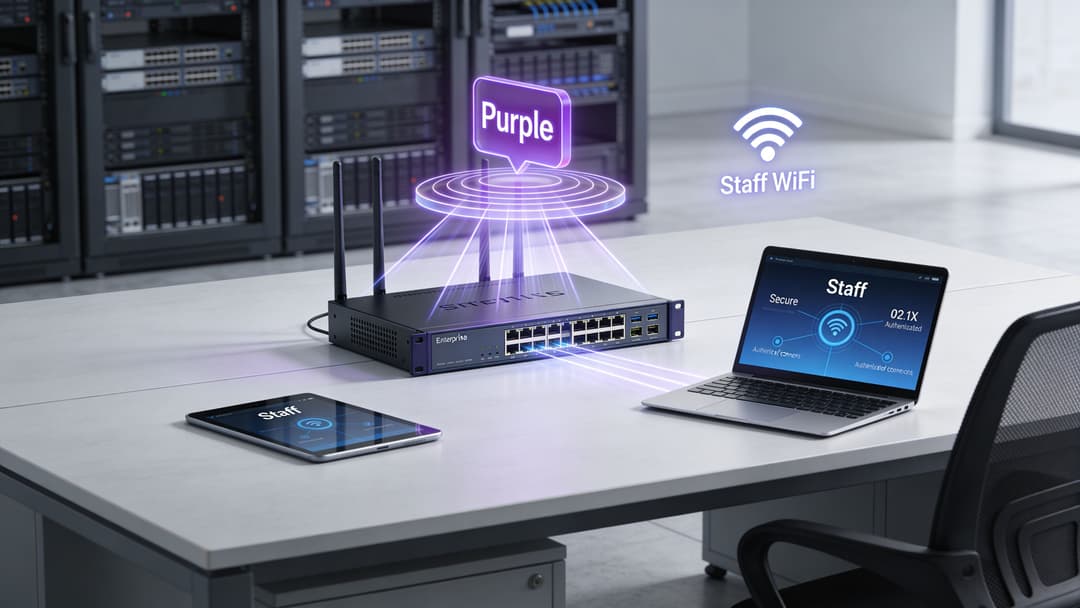
Il router crea i confini
Inizia dalle basi. Un router non autentica gli utenti in modo isolato. Ciò che fa è creare i confini di rete in cui l'autenticazione e l'autorizzazione acquisiscono significato.
Ciò significa solitamente mappare diversi servizi wireless su diversi segmenti di rete, per poi applicare regole tra di essi.
Ad esempio:
- Al WiFi ospiti può essere consentito di raggiungere solo internet
- Al WiFi del personale può essere consentito di raggiungere i sistemi aziendali approvati
- I dispositivi IoT e legacy possono essere isolati anche se non possono utilizzare l'autenticazione enterprise completa
- Le reti degli inquilini possono essere separate l'una dall'altra all'interno dello stesso edificio
Senza questi confini, il "WiFi sicuro" è spesso solo una schermata di login più accattivante posizionata sopra un accesso di rete piatto.
Come si inseriscono l'accesso senza password e zero-trust
Una volta che il router definisce questi percorsi di rete, le piattaforme di identità possono integrarsi per prendere decisioni di connessione in modo più intelligente.
In uno scenario per lo staff, il flusso spesso funziona così:
- Un dispositivo si connette all'SSID del personale.
- La rete inoltra il processo di autenticazione a un servizio cloud o integrato con l'identità.
- Lo stato della directory dell'utente determina se l'accesso viene consentito.
- Il router colloca quel traffico nel segmento corretto e applica la policy.
Per gli ospiti, l'obiettivo è diverso. L'attrito deve essere minore, ma la protezione conta ancora. Ecco perché gli approcci basati su certificati e in stile Passpoint diventano preziosi, poiché gli utenti si connettono senza password condivise e con crittografia fin dall'inizio della sessione.
Questo non è solo un vantaggio pratico. I report dell'ICO del Regno Unito indicano che il 40% delle violazioni dei dati nel settore dell'ospitalità nel 2025 è derivato da log di WiFi per gli ospiti non crittografati, motivo per cui l'accesso basato su certificati e abilitato per Passpoint è fondamentale per gli ambienti attenti al GDPR (riferimento).
Un buon accesso guest elimina gli ostacoli per l'utente e rimuove le ambiguità per la rete. Non si tratta di obiettivi in conflitto.
Applicare questo approccio in sedi reali
In termini pratici, una piattaforma come Purple offre una soluzione. Fornisce flussi di lavoro di accesso per ospiti e personale senza password, supporta l'onboarding basato sull'identità e funziona con ecosistemi di vendor come Meraki, Aruba, Ruckus, Mist e UniFi. Il router rimane il punto di applicazione per la segmentazione, il controllo dei percorsi e i limiti delle policy al di sotto di questa esperienza.
Questo è il punto architetturale importante. La piattaforma di accesso non sostituisce il routing. Si basa su un routing solido.
Perché questa combinazione funziona
Quando i team collegano correttamente questi livelli, ottengono un modello operativo migliore:
| Esigenza di rete | Ruolo del router | Ruolo della piattaforma di accesso |
|---|---|---|
| Isolamento degli ospiti | Segmenta e protegge tramite firewall il traffico ospiti | Abilita un onboarding a basso attrito |
| Controllo accessi del personale | Instrada gli utenti in percorsi controllati | Collega l'identità alle decisioni di accesso |
| Gestione dei dispositivi legacy | Separa i gruppi di dispositivi con restrizioni | Supporta modelli di onboarding pratici |
| Supporto alla conformità | Applica i confini e i percorsi di registrazione dei log | Aiuta a strutturare l'accesso basato sull'identità |
Negli hotel, nelle strutture sanitarie e nelle proprietà condivise, questa combinazione è spesso ciò che trasforma il WiFi da un servizio non gestito a un servizio consapevole dell'identità.
Domande frequenti sui router
Un router è la stessa cosa di un modem o di un access point
No. Un modem stabilisce la connessione con il mezzo del fornitore di servizi. Un access point fornisce connettività wireless. Un router sposta il traffico tra le reti e applica le policy a questi confini.
Molti piccoli dispositivi combinano tutti e tre gli elementi, motivo per cui le persone confondono i termini.
Le piccole sedi hanno davvero bisogno di un routing avanzato
Potrebbero non aver bisogno di un router con chassis di grandi dimensioni, ma necessitano di chiare funzioni di routing se separano gli ospiti, il personale e i sistemi operativi.
Una volta che ci si occupa di segmentazione, priorità e onboarding sicuro, la progettazione del routing diventa rilevante anche nei siti più piccoli.
Quando dovrei usare le rotte statiche invece del routing dinamico
Le rotte statiche possono funzionare bene in ambienti piccoli e stabili con pochissimi percorsi. Diventano problematiche quando le sedi crescono, i collegamenti falliscono o le policy cambiano frequentemente.
Se prevedi cambiamenti, il routing dinamico è solitamente la scelta a lungo termine più sicura.
Perché il WiFi ospiti a volte funziona mentre le app aziendali falliscono
Perché "accesso a internet" e "raggiungibilità delle applicazioni" non sono la stessa cosa.
Un ospite potrebbe aver bisogno solo di un percorso predefinito verso internet. Un'applicazione del personale potrebbe dipendere da DNS, servizi interni, sistemi di identità, percorsi VPN e policy di sicurezza. Il routing può essere integro in una parte della rete e compromesso in un'altra.
I router sono ancora importanti se più servizi si spostano nel cloud
Sì. L'adozione del cloud cambia le destinazioni, non la necessità di routing. Utenti, dispositivi, identità e policy devono comunque attraversare correttamente i confini della rete.
Quale tendenza dovrebbero osservare i team IT in futuro
Una tendenza notevole è l'uso di progettazioni ibride WiFi e 5G privato in luoghi in cui le esigenze di copertura o resilienza vanno oltre il solo WiFi. Nel Regno Unito, solo il 12% delle aree rurali ha raggiunto la copertura 5G standalone entro il primo trimestre del 2026, il che sta spingendo alcune organizzazioni verso modelli router più 5G piuttosto che affidarsi a un singolo metodo di accesso (riferimento).
Questo non significa che il WiFi stia per essere sostituito. Significa che i router si trovano sempre più nel punto di giunzione tra molteplici tecnologie di accesso.
Se stai valutando come dovrebbe funzionare il WiFi per ospiti, personale o inquilini nella tua struttura, vale la pena prendere in considerazione Purple come parte del layer di accesso. La sua piattaforma si concentra sull'onboarding senza password, sull'accesso basato sull'identità e su moderne esperienze di roaming, mentre il router e il design di rete sottostanti continuano a fornire la segmentazione, le policy e il controllo che rendono sicure tali esperienze.