
WiFi security type checker and upgrade advisor
Select your operating system and environment to verify your security settings and evaluate upgrade options.
Check WiFi security type on Windows 11 / 10
- Click the WiFi / Network icon on the right side of your taskbar.
- Click the arrow next to your connected WiFi network name.
- Select Properties under the network status.
- Scroll down to the Properties section at the bottom of the window.
- Look for Security type (e.g., WPA2-Personal, WPA3-Personal, or WPA2-Enterprise).
WPA2-Enterprise (802.1X / RADIUS)
Encryption: AES-CCMP + 802.1X EAP-TLS / PEAP per-user keys
- Requires properly configured server certificate validation to prevent evil-twin APs
Industry standard for enterprise venues. Eliminates shared passwords with RADIUS authentication.
Upgrading venue or business WiFi to 802.1X enterprise security?
Purple integrates with your existing Cisco Meraki, HPE Aruba, Ruckus, Juniper Mist, Ubiquiti UniFi, Cambium, Extreme and Fortinet access points to deliver passwordless 802.1X security, RADIUS authentication, and ISO 27001 compliant guest WiFi.
Request an enterprise WiFi security audit
For any business, WPA3-Enterprise and certificate-based authentication represent the gold standard for WiFi security. Protecting your wireless network infrastructure requires choosing the right encryption standard, implementing identity-based access control, and eliminating shared passwords.
Wireless networks transmit data through open airwaves, making encryption and mutual authentication essential. Without proper security controls, eavesdroppers can capture packet data, unauthorized devices can access internal servers, and attackers can launch man-in-the-middle exploits.
The evolution of WiFi security protocols
WiFi security standards have evolved continuously to counter advancing cyber threats. Understanding how legacy protocols failed helps IT leaders design modern, zero-trust wireless architectures.
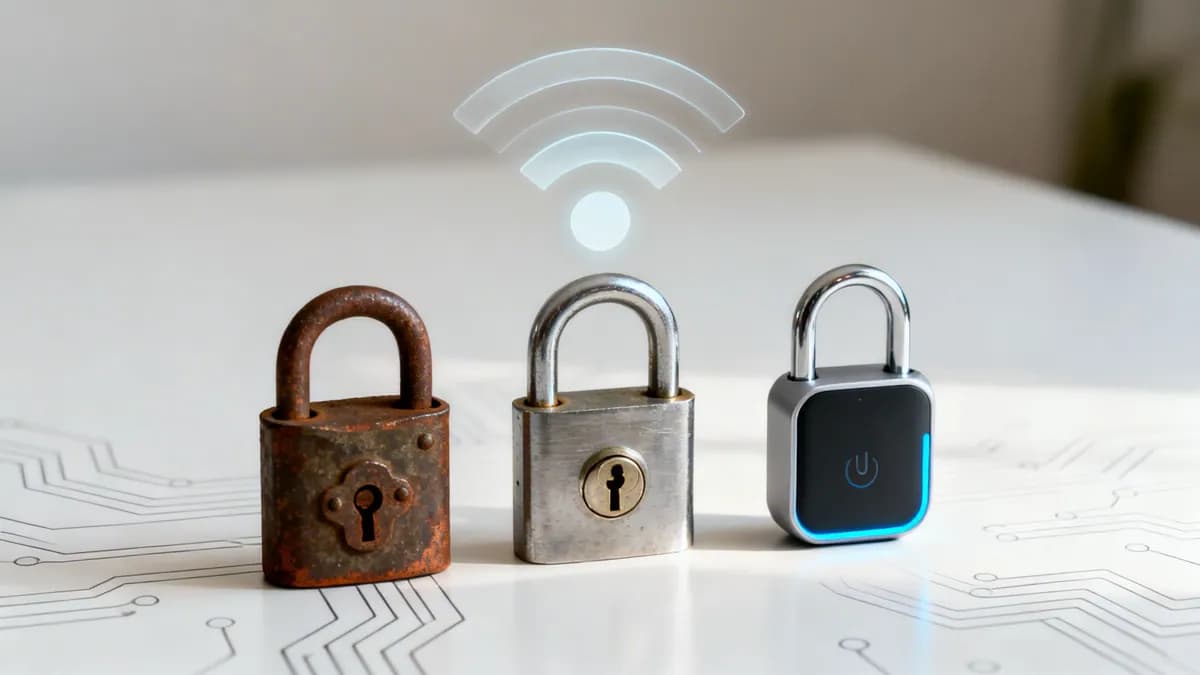
Think of WiFi security like a door lock. It evolved over two decades from a simple bathroom latch into a modern cryptographic smart lock.
WEP: the broken latch
Wired Equivalent Privacy (WEP) was the first attempt at WiFi security, introduced in 1999 alongside IEEE 802.11b. Its goal was to make a wireless network as private as a wired ethernet connection. However, WEP relied on small 24-bit Initialization Vectors (IVs) paired with RC4 stream ciphers, causing encryption keys to repeat rapidly.
Attackers quickly cracked WEP's static encryption key within minutes using freely available software. WEP offered a false sense of security and is now completely obsolete. Deploying WEP today leaves your network perimeter wide open.
WPA and WPA2: the standard deadbolt
The WiFi Alliance introduced WiFi Protected Access (WPA) in 2003 as a temporary fix for WEP's flaws. WPA introduced Temporal Key Integrity Protocol (TKIP), which dynamically generated new 128-bit keys for every data packet.
WPA2 arrived in 2004, establishing the security benchmark for over a decade. It replaced TKIP with Advanced Encryption Standard (AES) operating in Counter Mode Cipher Block Chaining Message Authentication Code Protocol (CCMP). AES remains a government-approved encryption standard. For years, WPA2-Personal served as a reliable deadbolt on digital doors.
However, WPA2 was not immune to attacks. The Key Reinstallation Attack (KRACK) vulnerability discovered in 2017 revealed that WPA2's four-way handshake could be manipulated to decrypt wireless traffic. This vulnerability highlighted the risk of relying on a single shared password across commercial environments.
WPA3: the modern smart lock
Released in 2018, WPA3 addresses the fundamental weaknesses of WPA2. It makes wireless security stronger and simpler for both consumer setups and large-scale commercial deployments. WPA3 replaces vulnerable key exchange mechanisms with robust cryptographic handshakes.
WPA3: your new minimum security standard
WPA3 is the baseline requirement for enterprise WiFi security. It fixes long-standing vulnerabilities and introduces essential protections for corporate data, staff access, and visitor traffic.
Stronger defenses against password attacks
Under WPA2-Personal, attackers could capture the initial four-way authentication handshake between a laptop and an access point. The attacker could then take this captured data offline and execute dictionary attacks, testing millions of passphrase combinations per second without interacting with the network.
WPA3 eliminates this vulnerability using Simultaneous Authentication of Equals (SAE), based on the Dragonfly key exchange. SAE enforces a zero-knowledge proof mechanism during connection. Even if an attacker captures the handshake traffic, the session keys cannot be calculated offline. This renders brute-force dictionary attacks ineffective.
Securing open public guest networks
Historically, public guest WiFi networks operated without encryption. Data transmitted over open networks was unencrypted, exposing visitors to packet sniffing and man-in-the-middle attacks.
WPA3 resolves this with Enhanced Open, utilizing Opportunistic Wireless Encryption (OWE) based on RFC 8110. OWE automatically establishes unique, unauthenticated Diffie-Hellman key exchanges between each client device and the access point. Guests gain individual session encryption without requiring a complex password at connection time.
This provides essential privacy benefits across commercial venues:
- Cafes and Restaurants: Encrypts customer traffic during browsing, mobile ordering, and social engagement.
- Hotels and Hospitality: Protects guest credentials and payment activities without friction. Combine with a branded captive portal to deliver seamless, secure onboarding.
- Retail Centers: Secures shopper connections while allowing venue operators to collect compliant first-party data.
Shielding your network from management frame disruption
WPA3 mandates Protected Management Frames (PMF) under IEEE 802.11w. Management frames govern network operations, including association, authentication, and disconnection requests. In unencrypted legacy networks, attackers easily forged fake "deauthentication" packets to kick devices off the network.
PMF cryptographically signs management frames, blocking spoofed disconnections and rogue access point impersonation. This enhances network uptime and stabilizes wireless connections.
Choosing between personal and enterprise security
When configuring wireless infrastructure, IT managers must choose between Personal and Enterprise security modes. This choice dictates how user credentials are managed and authenticated.
The limits of a single shared password
Relying on a single Pre-Shared Key (PSK) across a commercial environment creates severe operational and security liabilities:
- Credential Leakage: Once an employee or contractor knows the company WiFi password, they can share it with unauthorized devices or third parties.
- Offboarding Headaches: When an employee leaves the organization, IT administrators must re-key every access point and reconfigure every corporate device to revoke access. In practice, shared passwords are rarely changed, leaving former staff with persistent access.
- Zero Accountability: PSK networks cannot attribute network activity to specific users, complicating forensic audits during security incidents.
- Shared Packet Decryption: Anyone who knows the shared PSK can capture and decrypt wireless traffic from adjacent users on the same network segment.
WPA3-Enterprise and 802.1X passwordless authentication
To eliminate shared password vulnerabilities, enterprise networks deploy WPA3-Enterprise with IEEE 802.1X authentication. Rather than relying on a static key, 802.1X validates each user or device against a centralized RADIUS server and cloud identity provider.
The gold standard for corporate networks is EAP-TLS (Extensible Authentication Protocol - Transport Layer Security). EAP-TLS uses X.509 digital certificates issued to managed laptops and mobile endpoints. Devices authenticate automatically in the background without user passwords.
Integrating 802.1X authentication with central directories such as Microsoft Entra ID, Okta, or Google Workspace delivers streamlined access control: when an employee is de-provisioned in your identity provider, their WiFi access terminates instantly across all locations.
Frequently asked questions about WiFi security protocols
Direct technical answers to common questions regarding wireless encryption, 802.1X authentication, and WPA3 upgrades.
What is the main difference between WPA2-Personal and WPA2-Enterprise?
WPA2-Personal uses a single Pre-Shared Key (PSK) for all connected devices. WPA2-Enterprise uses IEEE 802.1X authentication to verify each user or device individually against a RADIUS server and central directory (such as Microsoft Entra ID or Okta), generating unique encryption keys for every session.
How does WPA3 SAE stop offline dictionary attacks?
WPA3 Simultaneous Authentication of Equals (SAE) uses a zero-knowledge cryptographic handshake (Dragonfly) that requires active interaction with the access point for every password guess. Attackers cannot capture a passive handshake and attempt offline dictionary cracking.
What is Opportunistic Wireless Encryption (OWE) in guest WiFi?
Opportunistic Wireless Encryption (OWE), also known as Enhanced Open, encrypts wireless traffic on open guest networks without requiring users to type a password. It provides individual session privacy in public venues like hotels, cafes, and retail stores.
Why is WEP completely obsolete and insecure?
WEP uses weak 24-bit Initialization Vectors and static RC4 encryption keys that repeat frequently under normal network traffic. Modern tools can reconstruct the WEP master key within minutes by collecting a small number of wireless packets.
How does 802.1X EAP-TLS eliminate passwords for staff WiFi?
EAP-TLS installs unique X.509 digital certificates onto corporate devices. When connecting to the corporate SSID, the device and RADIUS server perform mutual cryptographic verification, granting access automatically without requiring staff to enter or manage passwords.
Secure your physical venues with Purple's WiFi platform
Whether deploying passwordless 802.1X staff authentication, resident-isolated multi-family iPSK, or branded guest WiFi captive portals, Purple transforms your existing access points into a secure, cloud-managed utility.



