
如何为 WiFi 身份验证设置 RADIUS 服务器:分步 802.1X 指南
配置 FreeRADIUS、Windows Server NPS 和 Cloud RADIUS,以实现企业级 802.1X WiFi 身份验证。分步指南涵盖共享密钥、EAP-TLS 证书、动态 VLAN 分配以及 Microsoft Entra ID 集成。
Video overview
收听本指南
查看播客转录
核心系列的一部分:企业级 WiFi 安全指南 →
RADIUS server setup & 802.1X architecture configurator
Model your enterprise RADIUS deployment: configure Identity Provider sync, EAP authentication methods, dynamic VLAN attributes, and firewall ports.
Cloud-Native 802.1X Architecture
RadSec (TCP 2083 with TLS) & UDP 1812/1813Architecture Insight: Eliminate shared PSKs by pushing device certificates via Microsoft Intune or Jamf. EAP-TLS with Cloud RADIUS removes local server maintenance while enforcing strict role-based VLAN segmentation.
执行摘要
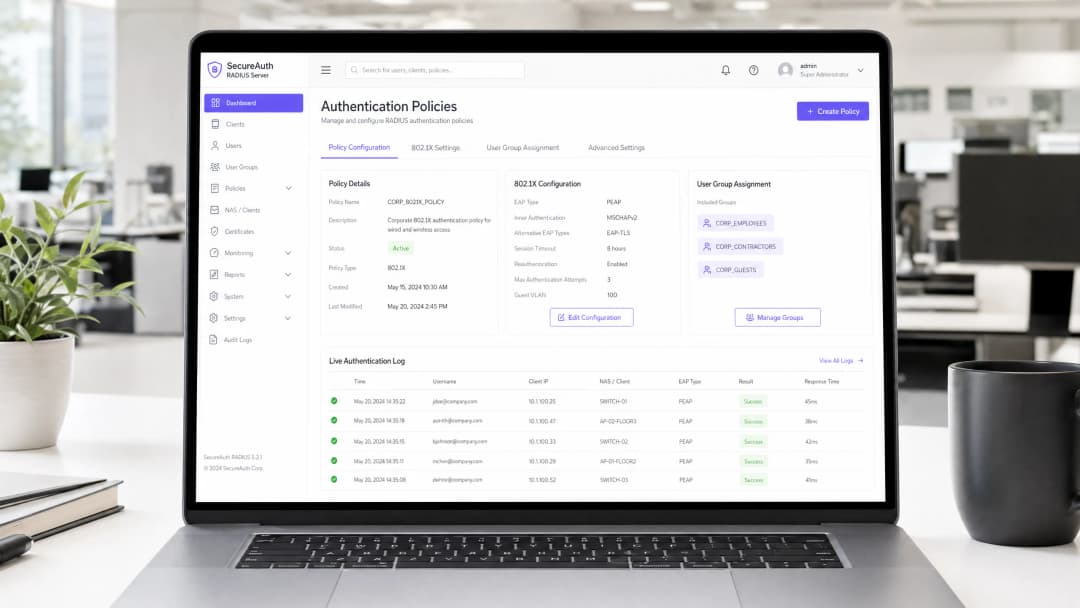
企业无线网络需要集中式身份管理、基于角色的细分以及强大的加密保护。依赖共享的预共享密钥(PSK)会使组织面临凭据泄露、未经授权的设备访问以及每当员工离职时繁重的管理噩梦。
设置 RADIUS (Remote Authentication Dial-In User Service) 服务器可启用 IEEE 802.1X 企业认证。每个连接的设备和用户都针对中央目录(例如 Microsoft Entra ID、Google Workspace、Okta 或本地 Active Directory)进行单独认证。
本技术指南提供了为企业 WiFi 配置 RADIUS 服务器的分步部署说明。我们涵盖了 Linux FreeRADIUS 配置、Windows Server 网络策略服务器 (NPS) 设置、现代 Cloud RADIUS 架构、动态 VLAN 分配以及 BlastRADIUS 安全加固。
802.1X 与 RADIUS 架构概述
IEEE 802.1X 框架将网络访问分为三个不同的实体:
- 申请者 (Supplicant): 运行 802.1X 客户端软件并提供身份凭据的客户端终端(笔记本电脑、智能手机或平板电脑)。
- 认证者 (Authenticator): 控制网络物理访问并中继认证消息的无线接入点 (AP) 或无线局域网控制器 (WLC)。
- 认证服务器 (Authentication Server): 验证身份目录中的凭据并返回网络授权策略的 RADIUS 服务器。
+---------------+        局域网上的 EAP (EAPoL)        +-------------------+
|  申请者 (Supplicant) | <================================> |   认证者 (Authenticator)   |
| (客户端设备)   |                                    | (AP / 控制器)      |
+---------------+                                    +-------------------+
                                                               ||
                                                               || RADIUS 协议
                                                               || (UDP 1812 / TCP 2083)
                                                               \/
                                                     +-------------------+
                                                     |   RADIUS 服务器   |
                                                     |  (FreeRADIUS/NPS) |
                                                     +-------------------+
                                                               ||
                                                               || 身份查询
                                                               \/
                                                     +-------------------+
                                                     |    身份提供商      |
                                                     | (Entra ID / LDAP) |
                                                     +-------------------+
RADIUS 通信流程
- 关联: 客户端与企业级 SSID(WPA2-Enterprise 或 WPA3-Enterprise)进行关联。
- EAP 启动: AP 阻断所有数据流量,并向客户端发送 EAP-Request/Identity 帧。
- 身份响应: 客户端返回 EAP-Response/Identity 帧。
- RADIUS 封装: AP 将 EAP 载荷封装进 RADIUS Access-Request 数据包中,并转发至 RADIUS 服务器。
- EAP 协商: 客户端与 RADIUS 服务器协商加密认证方法(例如 EAP-TLS 或 PEAP)。
- 授权与 Access-Accept: 验证成功后,RADIUS 服务器发出包含成对主密钥(PMK)和可选动态 VLAN 分配属性的 RADIUS Access-Accept 数据包。
- 端口开启: AP 解除虚拟端口的阻塞,并启动 4 路握手以对空中无线流量进行加密。
欲深入了解架构概念,请参阅我们的 Enterprise WiFi Security Guide 和 Captive Portal Guide。
逐步设置:Linux 上的 FreeRADIUS
FreeRADIUS 是全球开源 RADIUS 套件标准。以下是 Ubuntu 24.04 LTS / Debian 12 的配置步骤。
第 1 步:安装 FreeRADIUS 软件包
sudo apt update
sudo apt install -y freeradius freeradius-utils freeradius-ldap ssl-cert
第 2 步:定义网络接入服务器(NAS)客户端
编辑 /etc/freeradius/3.0/clients.conf 以授权您的无线接入点并配置共享密钥:
client enterprise_wlan {
  ipaddr: 192.168.10.0/24
  secret: Str0ngSh@redSecr3t2026!
  shortname: branch-aps
  nas_type: other
  require_message_authenticator: yes
}
注意:请务必强制执行 RFC 2869 Message-Authenticator 属性,以防御 BlastRADIUS 伪造攻击。
第 3 步:配置 EAP 认证模块
打开 /etc/freeradius/3.0/mods-available/eap 并配置默认的 EAP 方法:
eap {
  default_eap_type: tls
  timer_expire: 60
  ignore_unknown_eap_types: no
  cisco_accounting_username_bug: no
  max_sessions: 4096

  tls-config tls-common {
    certdir: ${confdir}/certs
    cadir: ${confdir}/certs
    private_key_file: ${certdir}/radius-server.key
    certificate_file: ${certdir}/radius-server.crt
    ca_file: ${cadir}/ca.crt
    cipher_list: HIGH:!aNULL:!eNULL:!EXPORT:!DES:!RC4:!MD5:!PSK:!aECDH:!EDH
    tls_min_version: 1.2
  }
}
第 4 步:在调试模式下进行测试
在作为系统服务运行之前,停止守护进程并在前台调试模式下启动:
sudo systemctl stop freeradius
sudo freeradius -X
使用 radtest 测试本地认证:
radtest testuser Password123 127.0.0.1 0 testing123
成功响应将返回 Received Access-Accept Id 1。
逐步设置指南:Windows Server NPS
Microsoft 网络策略服务器 (NPS) 是连接到 Active Directory 域服务 (AD DS) 的 Windows Server 环境中内置的 RADIUS 服务器角色。
+-------------------------------------------------------------------------+
|                  Windows Server Network Policy Server                   |
|                                                                         |
|  [RADIUS Clients (AP / WLC)] ---> [Connection Request Policies]         |
|                                                  |                      |
|                                                  v                      |
|  [Active Directory DS / PKI] <--- [Network Policies (VLAN / EAP-TLS)]   |
+-------------------------------------------------------------------------+
步骤 1:安装网络策略和访问服务
以管理员身份打开 PowerShell:
Install-WindowsFeature NPAS -IncludeManagementTools
Register-ActiveDirectoryServer -Server nps01.corp.local
步骤 2:注册 RADIUS 客户端(接入点)
- 打开 网络策略服务器 (nps.msc)。
- 展开 RADIUS 客户端和服务器 > 右键单击 RADIUS 客户端 > 选择 新建。
- 输入友好名称:
Cisco-Catalyst-AP-Cluster。 - 输入 IP 地址或子网 CIDR(例如
10.50.0.0/24)。 - 生成并输入一个强共享密钥(最少 24 位字母数字字符)。
步骤 3:创建 WiFi 认证网络策略
- 在 策略 > 网络策略 下,右键单击并选择 新建。
- 策略名称:
Staff-WiFi-802.1X-Policy。网络访问服务器类型:未指定。 - 条件:
- 添加 Windows 组:
CORP\WiFi-Authorised-Users - 添加 NAS 端口类型:
无线 - IEEE 802.11或无线 - 其他
- 添加 Windows 组:
- 访问权限: 选择
已授予访问权限。 - 身份验证方法:
- 取消选择安全性较低的方法。
- 在 EAP 类型下,添加 Microsoft: 智能卡或其他证书 (EAP-TLS)。
- 编辑该方法,并从您的 Active Directory 证书服务 (AD CS) 企业 CA 中选择已颁发的 RADIUS 服务器证书。
- 约束: 将空闲超时设置为 30 分钟,会话超时设置为 8 小时。
对您的具体配置有疑问吗?
我们的团队与 80,000 多个场所的运营方、IT 经理和网络工程师保持合作。预约 20 分钟的通话,我们将为您展示同行是如何解决类似问题的。
Cloud RADIUS:现代零信任架构
传统的本地 RADIUS 服务器面临着重大的运维挑战:
- 高昂的服务器许可和补丁更新开销。
- 缺乏针对 Microsoft Entra ID 或 Google Workspace 等云身份目录的原生认证 API。
- 易受分支机构 WAN 网络中断的影响。
现代企业网络部署 Cloud RADIUS 以实现集中化认证,且无需任何本地服务器占用。
| 功能 | 传统 Windows NPS / FreeRADIUS | Cloud RADIUS 架构 |
|---|---|---|
| 目录集成 | 本地 LDAP / Kerberos | 原生集成 Microsoft Entra ID、Google Workspace、Okta |
| 传输安全 | 未加密的 UDP 1812/1813 | 基于 TCP 2083 的 RadSec (RFC 6614) TLS 加密 |
| 证书自动化 | 手动 SCEP / NDES 设置 | 自动化 Intune 和 Jamf PKI 连接器 |
| 高可用性 | 手动主备故障转移 | 多区域全球 Anycast 冗余 |
| 维护 | 操作系统打补丁和操作系统许可 | 持续更新的托管云服务 |
要构建您的架构模型,请参阅我们的 多租户 WiFi 指南 和 员工 WiFi 解决方案。
动态 VLAN 分配配置
动态 VLAN 分配(在 RFC 2868 和 RFC 3580 中定义)允许单个企业 SSID 根据用户的目录组群成员身份,将用户动态细分到不同的网络子网中。
                          [企业员工 SSID]
                                     |
              +----------------------+----------------------+
              |                      |                      |
              v                      v                      v
        [VLAN 10: 行政]        [VLAN 20: 工程]        [VLAN 30: 承包商]
        (10.10.10.0/24)        (10.10.20.0/24)        (10.10.30.0/24)
所需的标准 RADIUS 属性
当 RADIUS 服务器验证凭据时,它会将这些属性附加到 Access-Accept 响应中:
Tunnel-Type = 13 (VLAN)
Tunnel-Medium-Type = 6 (802 - 包括所有 802 介质以及以太网规范格式)
Tunnel-Private-Group-ID = 20 (或 VLAN 名称 "CORP_ENG")
FreeRADIUS 动态 VLAN 映射示例
在 /etc/freeradius/3.0/users 中:
DEFAULT Group == "Engineering-Team"
  Tunnel-Type: 13
  Tunnel-Medium-Type: 6
  Tunnel-Private-Group-ID: "20"

DEFAULT Group == "Contractors"
  Tunnel-Type: 13
  Tunnel-Medium-Type: 6
  Tunnel-Private-Group-ID: "30"
网络防火墙规则和端口配置
确保网络防火墙允许接入点与 RADIUS 服务器之间进行通信:
| 协议 | 端口号 | 描述 | 源 | 目的地 |
|---|---|---|---|---|
| UDP | 1812 |
RADIUS 认证 (RFC 2865) | 接入点 / WLC | RADIUS 服务器 |
| UDP | 1813 |
RADIUS 计费 (RFC 2866) | 接入点 / WLC | RADIUS 服务器 |
| TCP | 2083 |
RadSec - 基于 TLS 的 RADIUS (RFC 6614) | 接入点 / WLC | 云 RADIUS |
| UDP | 1645 / 1646 |
传统 RADIUS 认证 / 计费(已弃用) | 传统 NAS 设备 | RADIUS 服务器 |
安全加固与 BlastRADIUS 缓解措施
缓解 BlastRADIUS (CVE-2024-3596)
2024年7月,研究人员披露了 BlastRADIUS,这是 RADIUS 协议中的一个 MD5 碰撞漏洞,它允许处于接入点和 RADIUS 服务器之间的攻击者伪造 Access-Accept 响应。
为了保护您的部署:
- 强制执行 Message-Authenticator: 要求在所有 Access-Request 和 Access-Accept 数据包中必须包含
Message-Authenticator属性 (RFC 2869)。 - 过渡到 EAP-TLS: 基于证书的 EAP-TLS 在密码学上能够免疫代理伪造,因为 TLS 密钥是在客户端和 RADIUS 服务器之间端到端派生的。
- 部署 RadSec (RFC 6614): 将 RADIUS 流量封装在 TLS 隧道内,以防止中间人数据包篡改。
排除 802.1X 认证故障
| 错误现象 | 根本原因 | 技术修复措施 |
|---|---|---|
| 客户端立即收到连接失败 | AP 与 RADIUS 服务器之间的共享密钥不匹配 | 验证 AP 控制器和 RADIUS 配置中的共享密钥字符串。 |
| 10 - 15 秒后认证超时 | 防火墙阻断 UDP 端口 1812 或缺少路由 | 验证防火墙 ACL,并确认 AP 可以通过管理 VLAN ping 通 RADIUS 服务器 IP。 |
| RADIUS 日志:"Unknown CA" 或 "Certificate Untrusted" | 客户端或 RADIUS 服务器缺少根 CA 证书 | 将中间 CA 和根 CA 证书安装到客户端信任存储区和 RADIUS 服务器证书目录中。 |
| 客户端已通过认证但获取到 APIPA IP (169.254.x.x) | 动态 VLAN ID 在 AP 交换机 trunk 端口上不存在 | 验证交换机 trunk 配置是否承载了 Tunnel-Private-Group-ID 中指定的源 VLAN ID。 |
| RADIUS 日志:"Message-Authenticator is missing" | NAS 客户端不支持 RFC 2869 或缺少固件更新 | 更新 AP 控制器固件,或在 NAS 配置文件上强制启用 Message-Authenticator。 |
常见问题解答
RADIUS 服务器进行 WiFi 认证使用什么端口?
标准 RADIUS 认证在 UDP 端口 1812 上运行,计费在 UDP 端口 1813 上运行。旧版实现使用的是 UDP 端口 1645 和 1646。现代 Cloud RADIUS 部署则利用通过带有 TLS 加密的 TCP 端口 2083 上的 RadSec。
我应该选择 FreeRADIUS 还是 Windows Server NPS?
如果您的组织严格依赖本地 Active Directory 域服务,请选择 Windows Server NPS。如果需要高性能、开源灵活性和 Linux 环境,请选择 FreeRADIUS。如果您的组织使用 Microsoft Entra ID 或 Google Workspace 等云身份提供商,请选择 Cloud RADIUS。
如何将 Microsoft Entra ID (Azure AD) 连接到 RADIUS 服务器?
Microsoft Entra ID 原生不支持传统的本地 LDAP 或 NTLM 认证协议。要将 Entra ID 连接到企业 WiFi,请部署 Cloud RADIUS 并配合 Microsoft Intune SCEP 证书部署,以使用 EAP-TLS 对终端进行身份验证。
为什么 EAP-TLS 比 PEAP-MSCHAPv2 更受青睐?
EAP-TLS 使用双向 X.509 证书认证,客户端和服务器都会验证彼此的密码学身份。而 PEAP-MSCHAPv2 依赖于 TLS 隧道内的用户密码,这使网络容易受到密码喷洒、网络钓鱼和恶意 AP 凭据窃取的影响。
如需量身定制的企业 WiFi 安全架构,请参阅我们的 WiFi Analytics Guide 或 联系企业网络专家。
关键定义
RADIUS (RFC 2865)
远程用户拨号认证服务。一种网络客户端 - 服务器协议,提供集中的身份验证、授权和计费 (AAA) 管理。
作为身份验证服务器,验证通过无线接入点提交的设备和用户凭据。
IEEE 802.1X
一项用于基于端口的网络访问控制 (PNAC) 的 IEEE 标准,为尝试连接到 LAN 或 WLAN 的设备提供受保护的身份验证。
定义请求方(终端设备)与认证方(接入点)之间 EAP 帧的封装。
EAP-TLS (RFC 5216)
可扩展身份验证协议 - 传输层安全。基于证书的双向身份验证协议,其中 RADIUS 服务器和客户端均验证数字证书。
企业零信任 WiFi 的行业标准身份验证方法,消除了密码。
RadSec (RFC 6614)
通过 TLS 传输 RADIUS。一种将传统 UDP RADIUS 数据包封装在安全 TCP 端口 2083 TLS 隧道内的标准。
保护在本地接入点与 Cloud RADIUS 服务器之间穿过不可信公共 WAN 链路的 RADIUS 身份验证流量。
动态 VLAN 分配 (RFC 3580)
一种 RADIUS 机制,根据用户角色或设备状态在 Access-Accept 响应中返回 VLAN ID。
使单个企业 SSID 能够动态地将用户分配到隔离的网络段中。
应用实例
网络工程师需要配置 FreeRADIUS,以为通过子网 10.20.0.0/24 上的 12 个 Cisco Catalyst 接入点进行连接的无线客户端进行身份验证,共享密钥为 SecretAuthKey2026。必须在 clients.conf 中进行什么配置?
client branch_aps { ipaddr = 10.20.0.0/24 secret = SecretAuthKey2026 nas_type = cisco require_message_authenticator = yes }
某 IT 部门正在将 2,000 台企业 Windows 11 笔记本电脑从 Active Directory 迁移到 Microsoft Entra ID 和 Intune。如何在不保留本地域控制器的情况下,更新 RADIUS 基础设施以支持无密码 WiFi 身份验证?
- 部署具有原生 Microsoft Entra ID 集成功能的 Cloud RADIUS。2. 配置 Microsoft Intune SCEP 或 PKCS 证书配置文件,以自动向托管的笔记本电脑颁发客户端证书。3. 将无线控制器配置为使用 RadSec(TLS 端口 2083)将 802.1X 身份验证指向 Cloud RADIUS 服务器。4. 在 Intune WiFi 配置配置文件中强制将 EAP-TLS 作为主要身份验证方法。
练习题
Q1. 在无线 802.1X 部署期间,客户端设备成功连接并进行身份验证,但它们在默认的原生 VLAN 上获取了 IP 地址,而不是分配的企业 VLAN。服务器必须返回哪些 RADIUS 属性?
提示:审查 RFC 2868 和 RFC 3580 隧道属性。
查看标准答案
RADIUS 服务器必须在 Access-Accept 响应中返回三个特定属性:1. Tunnel-Type = 13 (VLAN),2. Tunnel-Medium-Type = 6 (802),3. Tunnel-Private-Group-ID = [VLAN_ID_或_名称]。接入点交换机端口也必须配置为承载该 VLAN 的 Trunk 端口。
Q2. 在 BYOD 网络上部署 PEAP-MSCHAPv2 而不在客户端设备上强制执行 RADIUS 服务器根 CA 证书,存在什么安全风险?
提示:考虑流氓接入点和邪恶双胞胎攻击。
查看标准答案
如果客户端设备不验证 RADIUS 服务器证书,攻击者就可以部署广播相同 SSID 的恶意接入点。当客户端连接时,恶意服务器会捕获 MS-CHAPv2 挑战 - 应答握手,从而使攻击者能够使用 asleap 等工具离线破解密码。
Q3. 使用 RadSec 与标准 RADIUS 相比,在本地无线接入点和 Cloud RADIUS 服务器之间必须开放哪些防火墙端口?
提示:对比传统 UDP 端口与现代 TLS 封装的 RADIUS。
查看标准答案
标准 RADIUS 需要开放出站 UDP 端口 1812(认证)和 UDP 端口 1813(计费)。RadSec 则需要开放出站 TCP 端口 2083 并采用 TLS 加密,提供双向证书验证,并消除了公共互联网上的明文 UDP 传输。
继续阅读本系列
网络管理员配置访客 WiFi RADIUS 认证指南
面向网络管理员的全面技术参考,介绍如何为访客 WiFi 部署 RADIUS 认证。内容涵盖架构、不限厂商的配置步骤、安全最佳实践以及常见部署故障排查。
在高等教育机构中为安全的 BYOD 和 802.1X WiFi 部署 SCEP
本技术指南详细介绍了高等教育 IT 团队如何使用 SCEP 为数万台 BYOD 设备自动进行 802.1X 证书注册。内容涵盖架构设计、安全优势以及将手动入网替换为安全、零接触网络准入模型的实际部署步骤。
为访客和员工 WiFi 网络配置 RADIUS 认证
本技术参考指南概述了企业访客和员工 WiFi 网络的 RADIUS 认证架构、配置和部署。它为网络架构师和 IT 经理提供了构建安全、可扩展的无线访问控制系统所需的准确协议、安全标准和故障排除方法。
对您的具体配置有疑问吗?
我们的团队与 80,000 多个场所的运营方、IT 经理和网络工程师保持合作。预约 20 分钟的通话,我们将为您展示同行是如何解决类似问题的。