跳至主要內容

WiFi 強波器與無線基地台:技術指南與比較

作者:Dave Musgrove
29 June 2013
閱讀時間 1 分鐘
WiFi 強波器與無線基地台:技術指南與比較
Interactive network toolArchitecture & throughput loss advisor

WiFi repeaters vs access points: architecture & throughput advisor

Model backhaul bandwidth loss, half-duplex radio penalties, 802.11k/v/r roaming latency, and PoE power budgets.

Venue parameters & network specs

Heavy evening streaming and casting demands across multiple guest rooms requiring dedicated wall-plate access points.

6,000 sq ft (557 m²)
80 devices
500 Mbps

Calculated performance comparison

Simulating user experience across wired access points, mesh nodes, and wireless repeaters.

Managed APRecommended
6.3 Mbps/user
Latency: 1 to 3 ms
Jitter: < 1 ms
Roaming: <50ms (802.11r)
Units: 5 APs
Wireless meshModerate
5 Mbps/user
Latency: 12 to 25 ms
Jitter: 4 to 8 ms
Roaming: 100-300ms
Units: 4 Nodes
WiFi repeater50% Loss
3.1 Mbps/user
Latency: 45 to 110 ms
Jitter: 18 to 35 ms
Roaming: >2000ms (Sticky)
Units: 4 Units
Half-duplex backhaul penalty breakdown: A WiFi repeater receives data packets on a wireless frequency and retransmits them on the same radio band. Because wireless radios operate in half-duplex mode, channel airtime is cut in half immediately. With 80 concurrent devices, a repeater creates severe channel contention, increasing packet jitter to 18 to 35 ms and causing frequent disconnects.

Recommended hardware deployment

Access Points
5 units
PoE Standard
802.3af (PoE)
PoE Budget
77 W
Switch Ports
9+ ports

Ready to upgrade from repeaters to enterprise managed WiFi?

Purple overlays on your existing enterprise access points to deliver secure guest captive portals, location analytics, and WPA3-Enterprise security.

Interactive Network Planner

WiFi Repeater vs Access Point Architecture Selector

Calculate bandwidth retention, roaming protocols, cabling requirements, and recommended access point density for your facility.

Architecture Recommendation
Dedicated Enterprise Access Points (WAPs) via PoE Backbone
Enterprise Grade
Bandwidth Retention
100%
Zero wireless hop loss
Estimated Hardware Sizing
4 Access Points
Optimized for density & coverage
Latency Overhead
< 1 ms wired switch latency
Wired vs wireless retransmission
Client Roaming
802.11k/v/r Fast BSS Transition
Fast BSS Transition support
Architectural Analysis & Technical Specifications
Recommended Gear:
Dual-Band / Tri-Band WiFi 6/6E PoE Access Points (e.g. Cisco Meraki, Aruba, Ubiquiti)
Backhaul Speed:
Up to 1,000 Mbps line-rate per AP backhaul
VLAN & Security:
Multi-SSID with Dynamic VLANs & Cloud RADIUS
Why this setup:
Dedicated Access Points connected over Cat5e/Cat6 ethernet eliminate backhaul airtime degradation. They deliver 100% throughput retention, client isolation, and hardware-grade security required for enterprise environments.
FeatureWiFi Range RepeaterWired Access Point (PoE)
Backhaul LinkWireless (Shares single radio)Dedicated Cat5e/Cat6 Gigabit Ethernet
Throughput Retention~50% loss per wireless hop100% full line-rate throughput
Client Roaming (802.11k/v/r)No (Creates sticky client delays)Seamless sub-50ms handoff
VLANs & Guest Captive PortalUnsupported (Flat network only)Fully supported (Multi-SSID + Cloud RADIUS)
Explore Enterprise Guest WiFi Solutions →

對於大多數具備技術背景的人來說,去一趟當地的電腦商店是相當稀鬆平常的事。而對其他人而言,這可能是一趟頻率較低但仍屬必要的行程,目的是為了採購那些我們日常生活所依賴的各種科技設備。

對我個人而言,我總是會順道逛逛當地電腦商店的網路設備區,只為了看看目前有哪些特惠商品,以及有哪些新設備剛剛上架。

然後您會看到架上放著一個盒子,上面寫著「將您的 WiFi 訊號延伸至那些難以覆蓋的角落!」。

那麼它究竟是什麼?簡而言之:它就是 WiFi 訊號延伸器。

訊號延伸器(也稱為「範圍中繼器」)是執行該功能的無線裝置。它們在經過一些設定後連接到您現有的 WiFi 網路,然後從其內建的 WiFi 射頻晶片發射出新的 WiFi 訊號,以提供全新的訊號,並希望能將訊號廣播到先前訊號無法到達的地方。

這在現代技術上的概念,就如同請朋友幫忙看著電視上的足球賽果,並在另一個房間大聲轉告您。您在目前的位置看不到電視,但他們既能看到電視也能看到您,進而扮演中繼點的角色。

雖然中繼器確實能為現有網路提供增強,但您需要考慮這種增強是否正是您真正需要的。在之前的部落格中,我探討了 WiFi 網路上的同時線上使用者 概念。您可能還記得,無線關聯到路由器的使用者越多,每個使用者獲得的頻寬「餅」份額就越小。

透過 WiFi 連接的中繼器會成為這些同時線上使用者(或「用戶端」)之一。因此,如果您的主路由器上有 20Mb 的實際頻寬「餅」,並且有 10 個已連接的 WiFi 用戶端,則每個用戶端將擁有約 2Mb 的頻寬。如果其中一個是您的高速 150Mbps 新中繼器,它的起始頻寬將為 2Mb,以與隨後連接到該中繼器的任何人共享。

起始頻寬(或稱回程傳輸)是中繼器運作的起點。如果起點就很低,那麼頻寬只會往一個方向發展 - 那就是變得更低!

這是一個符合特定用途的解決方案。WiFi 用戶端裝置較少的家用使用者會覺得這樣的效能可以接受。同樣地,如果您將主無線路由器連接到此中繼器,且沒有其他裝置直接連接到主無線路由器,您將獲得更好的效能。基本上,您在中繼器和路由器之間建立了一個頻寬更大的回程連接,然後可以透過放置在比主路由器更中心位置的中繼器,向無線用戶端提供主要存取。

讀完上述內容後,您現在可能覺得中繼器或許不是最適合您的解決方案。那麼還有什麼其他選擇呢?

中繼器與基地台的比較

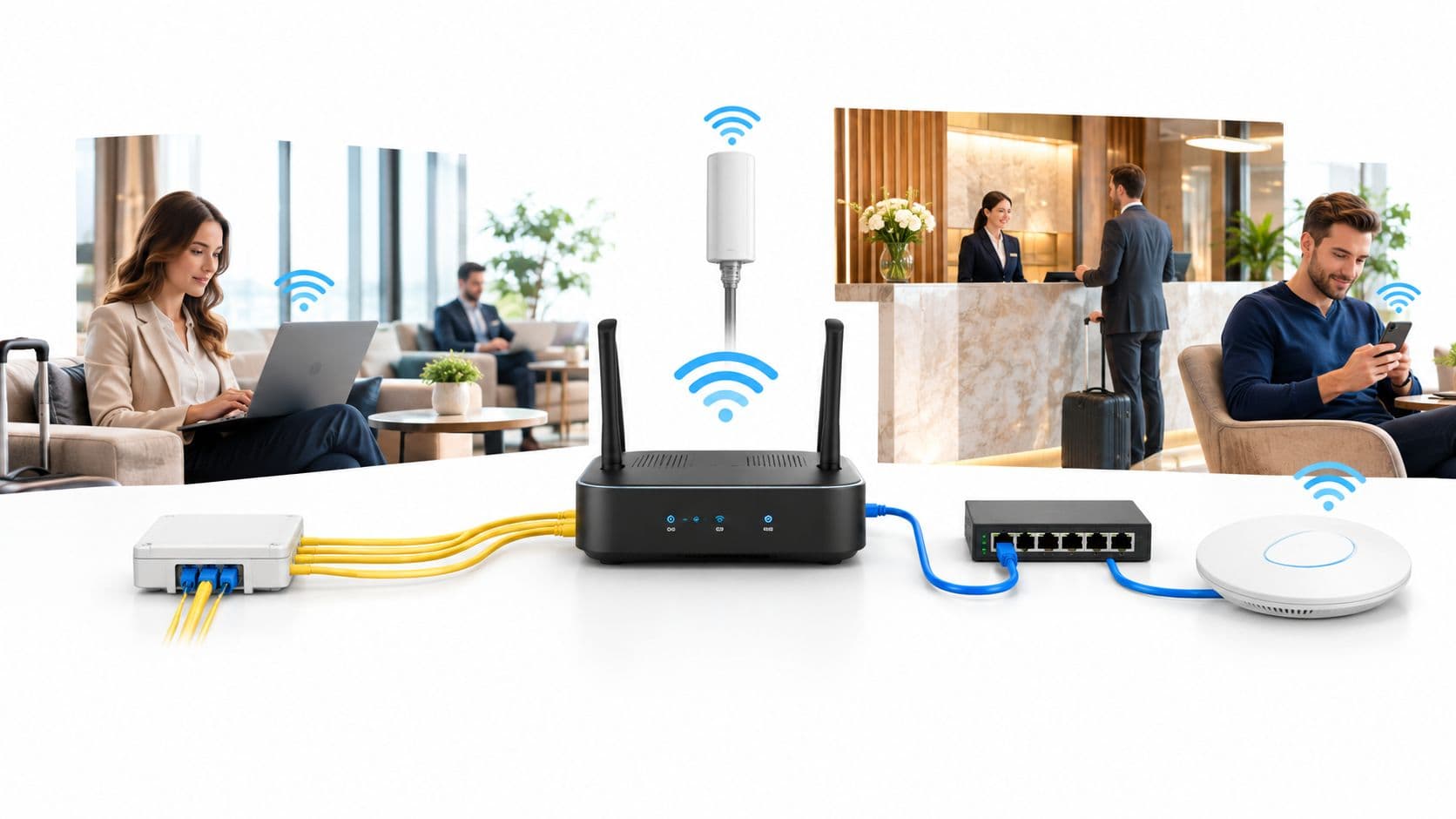
與中繼器是給定網路的輔助無線基地台的方式相同,Access Points 也在您網路的該特定部分提供您所需的無線連線。然而,這些裝置不是重複訊號,而是直接從路由器透過線路(通常透過 10/100Mb Cat5e 網路線)直接接入存取點本身的背面。

在擺脫了對無線回程的依賴後,所有需要在存取點和路由器之間往返的數據都將透過網路線傳輸。考慮到現代網路線可以在線路中傳輸 100Mb 到 1Gb 的速度,這比我們之前提到的中繼器 2Mb 的建議有了極大的改進。

現在您應該明白,基地台在展現成效方面,是如何建立起自身無可取代的商業價值的。

然而,要提供此類型的網路,您必須提供實體層(即佈線)。

在已佈置網路埠與通訊機櫃的建築物中,這並非難事 - 您只需將指定區域的基地台連接好,然後在通訊機櫃中重新調整接線面板,將其終端連接至所需的實體設備上即可。

然而,在其他情況下,進行這樣的線路佈設可能不合適,或者根本行不通。

這並非毫無辦法!您可以利用無線橋接器或電力線網路適配器。這兩者我將在後續的部落格中進行更詳細的介紹;目前只需記住,不論是哪種類型,它們都是為網路連線提供實體層。

這就是兩者的區別。當您需要無需繁瑣配線的 低頻寬解決方案 時,無線中繼器非常有用;而當您不介意佈置一些線路以保障網路上更好的傳輸速率時,Access Points 則非常有用。
常見問題

What is the primary difference between a WiFi repeater and an access point?

A WiFi repeater connects to your network wirelessly and retransmits the signal on the same radio band, operating in half-duplex mode and cutting available throughput in half. In contrast, an access point connects directly to your router or core switch via dedicated Cat6 or Cat6A Ethernet cabling, delivering full wire-speed line rate without backhaul bandwidth degradation.

Why do WiFi repeaters cut network bandwidth in half?

Standard wireless radios cannot transmit and receive on the exact same frequency simultaneously. When a repeater receives a packet from a client device and forwards it to the router over the same wireless channel, it must wait for the airtime window twice. This half-duplex relay doubles channel occupancy and immediately cuts maximum usable client throughput by 50%.

How do managed access points handle roaming compared to range extenders?

Managed access points use standardized 802.11k, 802.11v, and 802.11r protocols to share neighbour radio reports and negotiate fast BSS transitions in under 50 milliseconds without dropping voice or video calls. Repeaters create separate basic service set identifiers (BSSIDs) without centralized controller coordination, causing sticky clients that remain locked onto weak distant signals.

What Power over Ethernet (PoE) standard is required for enterprise access points?

Most dual-radio Wi-Fi 6 access points operate on IEEE 802.3af (PoE up to 15.4W). High-performance enterprise APs featuring scanning security radios, dedicated BLE beacons, and tri-band Wi-Fi 6E radios typically require IEEE 802.3at (PoE+ up to 30W) or IEEE 802.3bt (PoE++ up to 60W) to power all radio chains simultaneously.

Can WiFi repeaters support Layer 2 client isolation and guest captive portals?

No. Consumer repeaters operate as basic Layer 2 MAC bridges or perform double NAT without 802.1Q VLAN tagging capabilities. This prevents network segmentation, eliminates client isolation, and causes captive portal redirection loops. Commercial venues require managed access points that support RADIUS authentication and dynamic VLAN steering.

How does Purple integrate with enterprise access points to enhance guest connectivity?

Purple integrates directly with enterprise access points and cloud controllers from Cisco Meraki, Aruba, Ruckus, Ubiquiti, Extreme Networks, and Juniper Mist. Through 802.1X Cloud RADIUS and secure captive portal redirection, Purple provides branded onboarding, Layer 2 client isolation, and real-time physical venue analytics.

準備好開始了嗎?

預約專家演示,了解 Purple 如何協助您達成業務目標。

諮詢專家